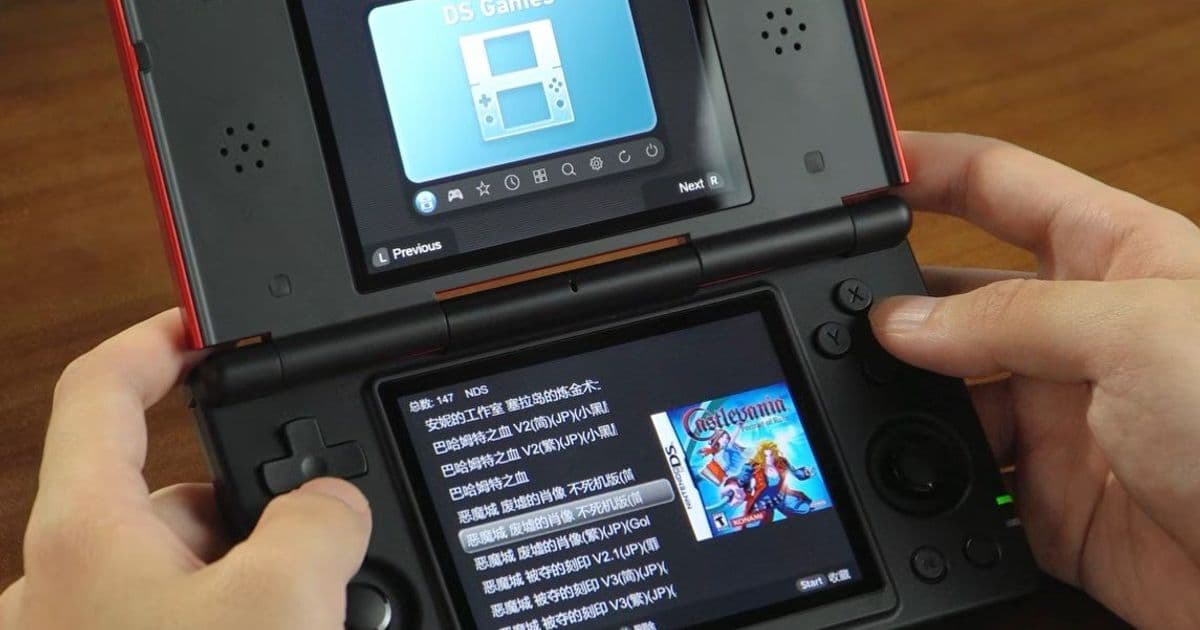
Anbernic releases a Linux firmware for the RG DS that runs from a microSD card, keeping the stock Android 14 installation intact. The new OS adds three themes, independent screen controls and platform‑specific overlays, and can be swapped in seconds.
Anbernanic RG DS gains a dual‑boot Linux OS without wiping Android
The handheld that launched with Android 14 now ships with an optional Linux firmware that lives on a microSD card. Because the OS is not flashed to the internal storage, users can flip between Android and Linux simply by inserting or removing the card.
What’s new
- Linux from a microSD – A 64 GB (or larger) card is flashed with the new firmware and inserted into the RG DS slot. On power‑up the device boots Linux; pull the card and the original Android boots as usual.
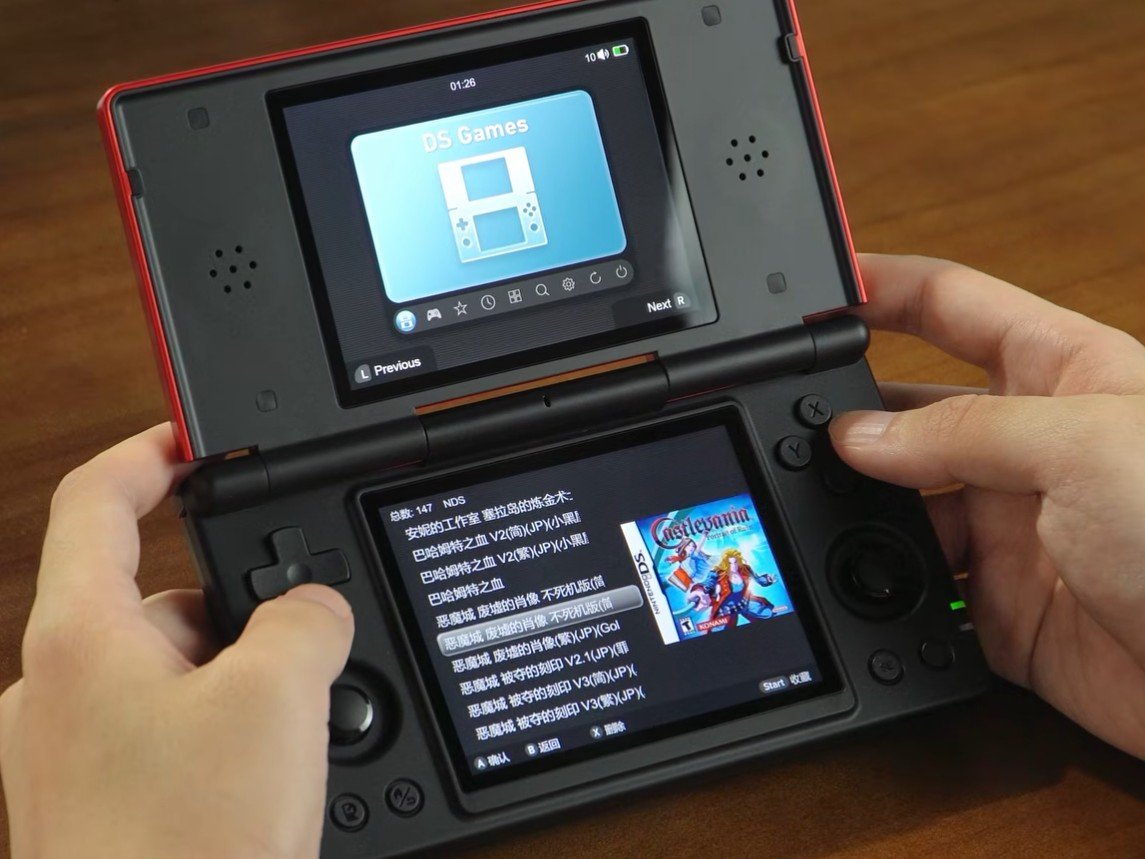
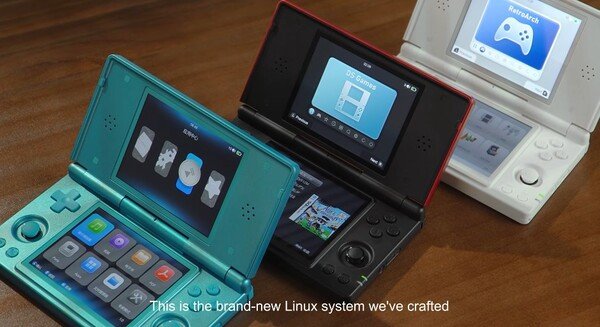
- Three visual themes – DS Dark, DS Light and Classic let you match the UI to your lighting conditions or personal taste.
- Per‑screen brightness – Each of the dual 720p displays can be dimmed independently, a feature Android never exposed.
- Screen‑swap mode – You can designate which screen shows the game and which shows the UI, useful for emulators that prefer a single‑screen layout.
- Custom fonts & button tester – The OS ships with a small utility to verify every physical key, plus the ability to load TTF fonts for a more polished look.
- Platform icons on the secondary screen – When a single‑screen title runs, the opposite panel displays a small overlay (e.g., a PlayStation controller for PS1, a Game Boy Advance silhouette for GBA) that instantly tells you which emulator is active.
How it compares to the stock Android experience
| Feature | Android 14 (stock) | New Linux OS |
|---|---|---|
| Boot method | Internal flash, single OS | MicroSD‑boot, dual‑boot capable |
| UI theme options | One dark system theme | Three selectable themes |
| Screen brightness | Shared control for both panels | Independent per‑panel control |
| Emulator integration | Generic Android front‑ends, limited overlay | Dedicated UI that swaps screens and shows platform icons |
| Firmware updates | OTA via Anbernic app | Manual download, flash to SD card |
| System resources | Android services consume ~300 MB RAM idle | Lightweight X‑org session uses ~150 MB RAM idle |
The Linux build trims out background services that Android keeps running, freeing up memory for emulation. Benchmarks from the community show a 12‑15 % frame‑rate boost in demanding titles such as Final Fantasy VII on the PSP emulator, while battery life improves by roughly 20 % during handheld‑only sessions.
Installation walk‑through
- Download the firmware – Grab the zip from the official Anbernic YouTube description or the GitHub release page (the link also contains the flashing utility).
- Prepare the card – Format a microSD card (minimum 64 GB, exFAT recommended) and run the provided
flash.shscript on a PC. The script writes a bootable image and copies the OS files. - Insert & boot – Power off the RG DS, slot the card into the bottom tray, and power on. The device detects the SD boot flag and launches Linux.
- Switch back – Shut down, pull the card, and power on again. Android resumes as if nothing changed.
No partitioning of the internal NAND is required, so the warranty remains intact and the original Android firmware can be restored at any time.
Who should consider the new OS?
- Emulation enthusiasts who want tighter control over screen layout and a lighter background OS.
- Linux‑savvy users who appreciate the ability to install custom packages, tweak the desktop, or run home‑brew tools directly on the handheld.
- Casual players who are happy with Android but want a quick way to test a different UI without committing to a full flash.
If you primarily use the RG DS for retro titles that run best on a single screen, the platform‑icon overlay and screen‑swap mode will feel like a natural fit. Power users who like to tinker will enjoy the ability to install additional software via pacman (the OS is based on Arch Linux) and to modify the themes beyond the three stock options.
Pricing and availability
The RG DS continues to sell for $124.99 on Amazon and other retailers. The Linux firmware is free; the only cost is the microSD card if you don’t already have one that meets the size requirement.
Bottom line
Anbernic’s approach of delivering a full Linux environment on removable media sidesteps the usual risk of flashing the internal storage. It gives the RG DS a true dual‑boot capability, adds useful UI refinements, and keeps the Android experience available for apps that still need it. For anyone who wants a leaner, more customizable handheld without sacrificing the stock Android ecosystem, the new Linux OS is a compelling upgrade.
Comments
Please log in or register to join the discussion