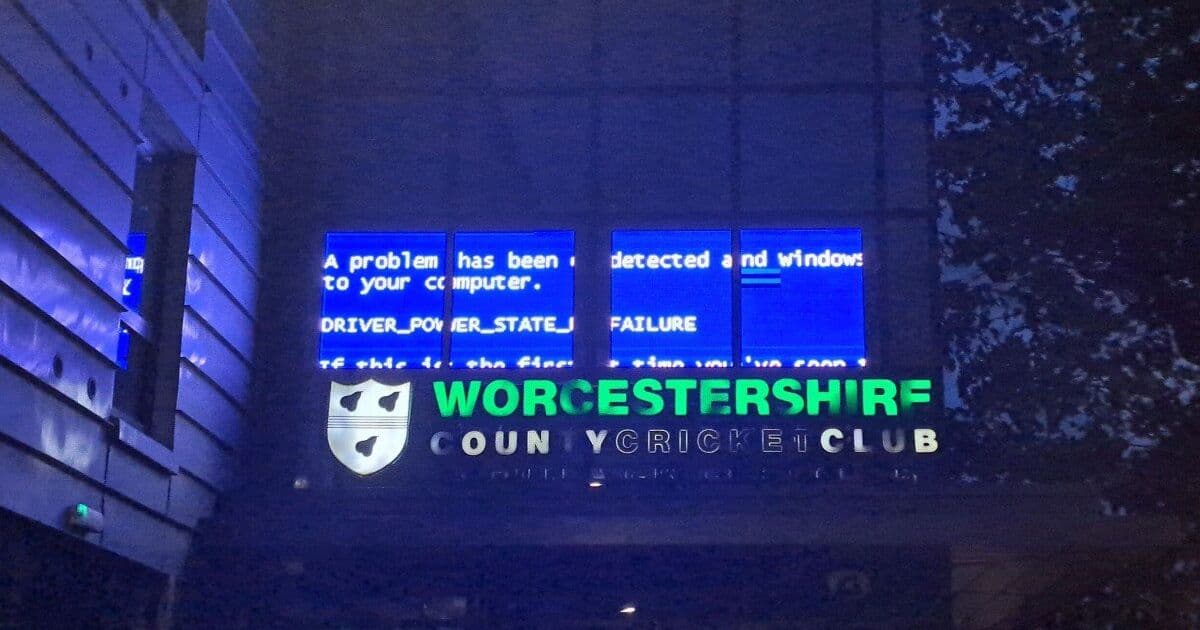
A Blue Screen of Death turned up on the signage at Worcestershire County Cricket Club, the latest in a long run of public Windows crashes that have become a recurring spectacle. The individual failure is mundane. The frequency with which these screens end up facing the public is the more interesting signal.
A digital sign at Worcestershire County Cricket Club, a club founded in 1865, recently lit up with something its operators almost certainly did not schedule: the white-on-blue text of a Windows Blue Screen of Death. The specific error, as The Register reported, was DRIVER_POWER_STATE_FAILURE, the kind of fault that usually means a piece of hardware did not return from a low-power state when the operating system asked it to.
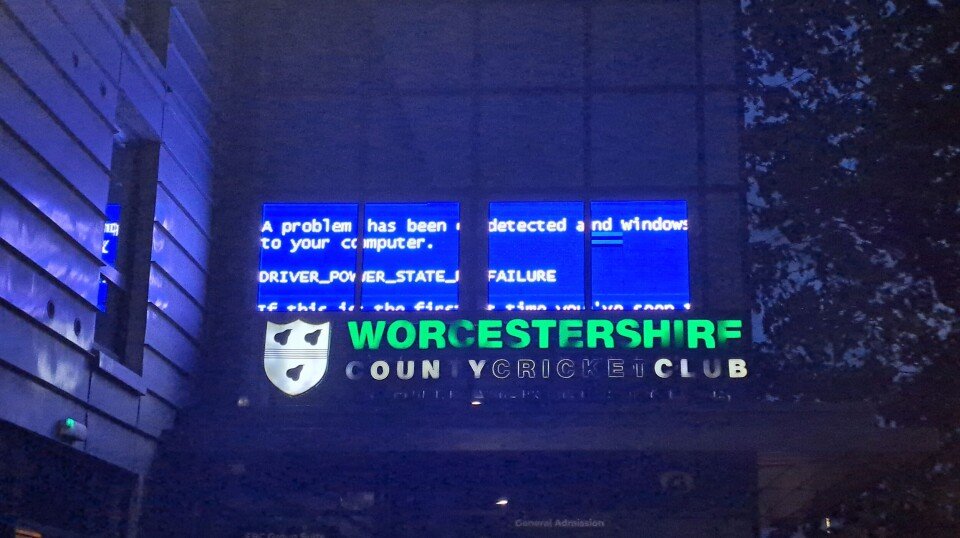
On its own, this is a non-story. Drivers misbehave during power transitions all the time, and a single misconfigured display controller is not evidence of anything broader. What makes these sightings worth paying attention to is not the individual crash. It is how often they keep showing up in places the public can see them.
The recurring genre of the public BSOD
The Register has run a long-standing series cataloguing exactly this: Windows failing in airports, on train platforms, at fast-food kiosks, on transit signage in Paris, on departure boards across the UK. The crash itself is rarely novel. The interesting part is that so much of the physical infrastructure people interact with every day, the screens that tell you when your train arrives or what the score is, runs full desktop Windows underneath a thin layer of bespoke software.
That architectural choice is the actual story. A cricket club scoreboard does not need a general-purpose operating system with a graphical desktop, a driver model designed for laptops going to sleep, and an update cadence aimed at hundreds of millions of office PCs. It needs to display text reliably for hours at a time. The reason it runs Windows anyway is usually economics rather than engineering: the signage vendor built on the platform their developers already knew, the integrator deployed what the vendor shipped, and the club bought a product that worked in the demo.
Why these specific errors keep appearing
DRIVER_POWER_STATE_FAILURE is instructive because it points at the seam where Windows' assumptions and embedded hardware diverge. Desktop Windows expects to suspend and resume, to spin displays down and wake them on demand, to manage power aggressively because it was designed around mobile and office hardware. A wall-mounted display panel driven by a small-form-factor PC inherits all of that machinery whether or not it is appropriate. When a display controller or a USB device fails to acknowledge a power-state transition within Windows' timeout, the kernel treats it as unrecoverable and stops.
The driver model is doing precisely what it was designed to do. The mismatch is that signage workloads rarely need power management at all, yet they cannot easily opt out of it. There are ways to harden these deployments: disabling sleep states, pinning known-good drivers, locking the update channel, running a stripped-down Windows IoT Enterprise LTSC build rather than a consumer edition. The fact that public crashes remain common suggests a lot of integrators skip that hardening, either because they do not have the expertise or because the contract did not budget for it.
The counter-argument worth taking seriously
It is tempting to read every BSOD photo as proof that Windows is uniquely unfit for this work. That conclusion overreaches. Selection bias does a lot of work here. A Linux-based kiosk that drops to a kernel panic or a blank console attracts far less attention, partly because fewer people recognise the failure mode and partly because a black screen is less photogenic than a bright blue one with a sad face. Android-based signage hangs and reboots too. The BSOD is memorable precisely because it is legible, branded, and visually distinct, which makes Windows failures disproportionately visible relative to their actual rate.
There is also a reasonable case that running Windows on signage is a defensible trade. The tooling is mature, the talent pool is large, hardware support is broad, and a vendor can ship a working product faster on a platform their team understands than on a leaner but less familiar stack. Reliability in the field is as much a function of deployment discipline as of the base OS, and a carefully locked-down Windows IoT install can run for months without incident. The crashes that go viral are often the ones where that discipline was absent.
What the pattern actually tells us
The honest reading sits between the two extremes. These photos are not proof that Windows is collapsing, and Microsoft's recent track record on update quality, while genuinely mixed, is not the sole cause of a cricket club sign falling over. But the steady drip of public BSODs is a real signal about how embedded and signage deployments get built. A surprising amount of visible infrastructure runs a consumer-grade operating system, configured by integrators who treat it as an appliance, on hardware whose power-management quirks were never tested against that workload.
The fix is unglamorous and well understood, and that is the frustrating part. Purpose-built embedded images, disabled sleep states, locked driver and update channels, and a watchdog that restarts the display application rather than surfacing a kernel fault to the public would eliminate most of these sightings. That none of it is exotic, yet the crashes keep coming, says less about the operating system and more about how little attention the long tail of public displays receives once the installer has driven away. The cricket club's sign will get rebooted, the score will go back up, and somewhere another departure board will quietly do the same thing next week.
Comments
Please log in or register to join the discussion