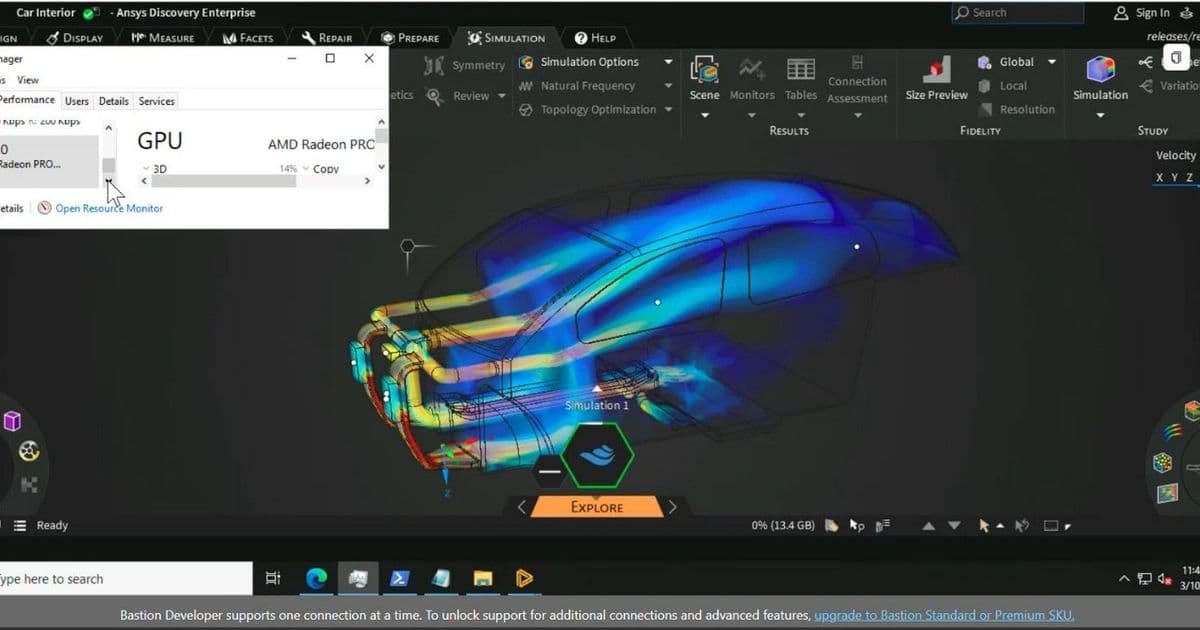
Microsoft validated Ansys Discovery running on Azure's NVads V710 v5 virtual machines, the AMD Radeon Pro-backed series that lets teams rent anything from one-sixth of a GPU to a full card. The benchmark numbers matter, but the more interesting story is what fractional allocation does to the cost math of simulation-driven engineering in the cloud.
Microsoft's Azure HPC team has published validation results for Ansys Discovery running on its NVads V710 v5 virtual machine series, the GPU instances built on AMD Radeon Pro V710 silicon. On the surface this is a routine benchmark post. Read it as a cloud strategist, though, and it signals something more deliberate: Microsoft is positioning AMD-backed GPU instances as the cost-efficient tier for interactive engineering workloads, and using fractional GPU allocation as the lever that makes the economics work.
What changed
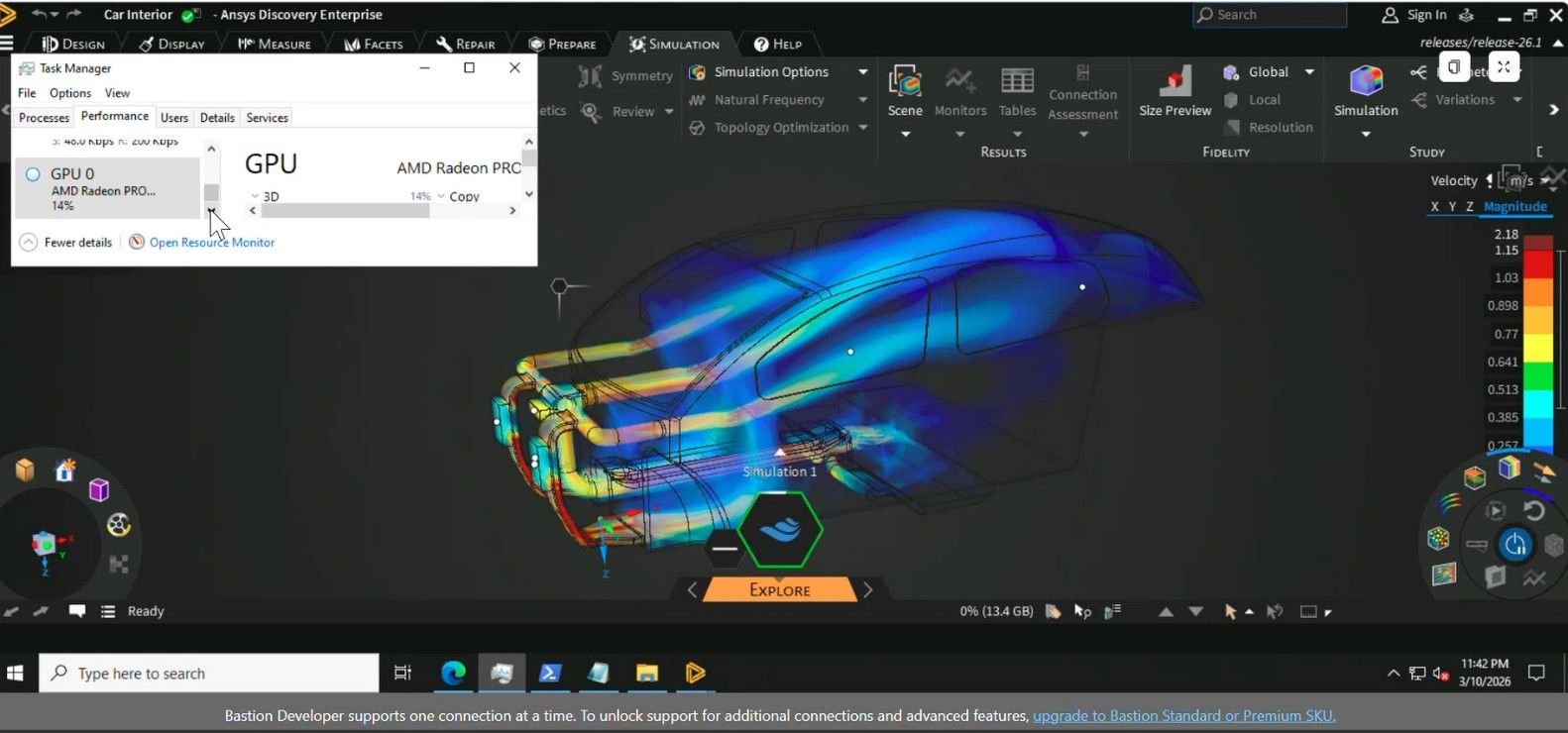
Ansys Discovery is an engineering application that folds 3D geometry modeling, real-time simulation, and visual analysis into one workspace. The traditional engineering workflow keeps CAD and simulation in separate tools and separate stages: design first, hand off to an analyst, wait for results, revise, repeat. Discovery collapses that into a continuous loop through three modes that stay open at once. Model handles direct geometry editing with no simulation overhead. Explore delivers near-instant results using GPU-accelerated meshing and solvers. Refine adds body-fitted meshing and CPU or GPU solvers for higher-fidelity validation.
The new development is that Microsoft has now formally validated Discovery against the NVads V710 v5 series and published right-sizing guidance. That validation is the part worth paying attention to. It tells engineering organizations that this specific AMD-based instance family is a supported, tested target for Discovery rather than something they have to qualify themselves.
The headline capability is fractional GPU allocation. A single AMD Radeon Pro V710 can be partitioned, and Azure exposes those partitions as distinct VM sizes ranging from one-sixth of a GPU up to a full card. That is the design decision driving everything else in this announcement.
How the instance family breaks down
The series maps cleanly onto Discovery's interaction modes. Graphics-optimized fractional instances cover design exploration, where responsiveness matters more than raw solver depth. A full-GPU instance covers refinement, where heavier validation runs justify the whole card.
Microsoft's right-sizing table lays out four tiers:
| Use case | VM size | GPU allocation |
|---|---|---|
| Single engineer, light models | Standard_NV4ads_V710_v5 | 1/6 GPU |
| Moderate assemblies, daily use | Standard_NV8ads_V710_v5 | 1/3 GPU |
| Large CAD models, advanced explore | Standard_NV12ads_V710_v5 | 1/2 GPU |
| Power users, complex scenes | Standard_NV24ads_V710_v5 | Full GPU |
Notably, Microsoft states the series carries no additional GPU licensing cost, which removes one of the recurring friction points that has historically come with NVIDIA-based visualization instances on Azure. For organizations comparing total cost of ownership across providers, that licensing line item is often where the real difference shows up, not the per-hour compute rate.
The benchmark results
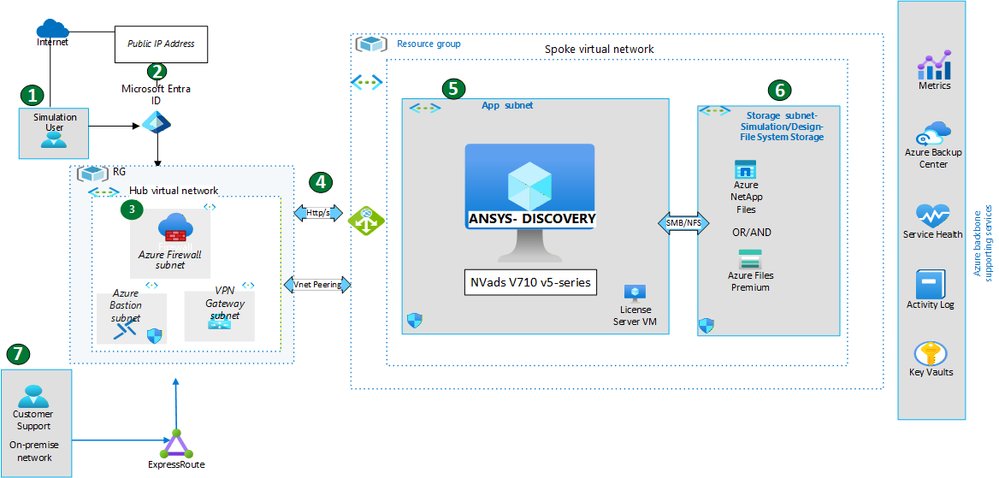
Microsoft ran thirteen test scenarios spanning fluid dynamics, thermal, conjugate heat transfer, structural, and modal analysis. Every test passed. The solve times are the genuinely interesting data:
- External aerodynamics at 1.44 million elements solved in 47.68 seconds
- Internal flow runs landed between 9 and 27 seconds
- A heat transfer case at 2.51 million elements completed in 4.55 seconds
- Static structural studies at roughly 3 million elements finished in under 5 seconds
- Natural frequency modal analyses came in at 16 to 36 seconds
The pattern that matters here is sub-minute solve times at multi-million element scale. That is the threshold where simulation stops being a batch job you submit and walk away from, and becomes something interactive enough to sit inside a design conversation. When an engineer can adjust geometry and see updated physics feedback in seconds, the entire feasibility-assessment stage compresses. That is the actual product Microsoft and Ansys are selling here, and the benchmark is the evidence behind the claim.
Provider and architecture comparison
For teams weighing where to run simulation workloads, the relevant comparison is not just Azure versus AWS or Google Cloud, but AMD-backed versus NVIDIA-backed instances within Azure itself.
Azure's NVIDIA-based visualization families, such as the NVadsA10 v5 series, have been the default choice for GPU-accelerated remote workstations. The NVads V710 v5 series competes against those on two axes. First, no separate GPU licensing fee. Second, fractional allocation down to one-sixth of a card, which is finer-grained than what many NVIDIA instance families expose. For a workload like Discovery's Explore mode, where the GPU spends much of its time idle between interactive operations, paying for one-sixth of a card per engineer changes the math considerably.
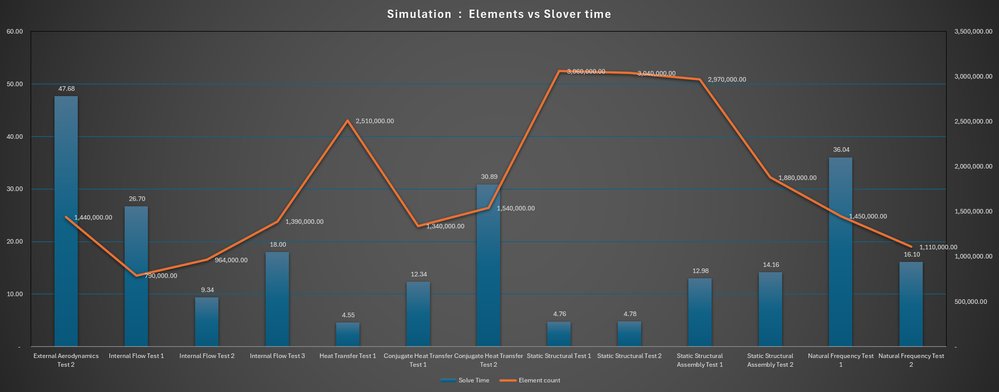
Against other clouds, the strategic read is that AWS and Google both offer GPU instances for engineering visualization, but Azure's tight integration story here, Entra ID for access control, Azure Files and Azure NetApp Files for shared design data, and a validated Ansys configuration, is aimed at enterprises that already run their identity and storage in Microsoft's environment. Migration considerations favor staying within a provider where your IP, identity, and storage already live. The friction of moving CAD data and simulation artifacts between clouds is real, and Microsoft is leaning on that gravity.
Business impact
The cost argument is the one to bring to a budget conversation. Historically, simulation-driven design meant either provisioning high-end local GPU workstations for every engineer, an expensive refresh cycle with idle capacity, or queuing for shared on-premises HPC clusters, which reintroduces the wait times Discovery is designed to eliminate.
Fractional GPU allocation reframes both problems. An organization can assign a one-sixth GPU instance to an engineer working light models, a one-third instance to someone in daily production use, and reserve full-GPU instances for the handful of power users running complex scenes. Capacity scales to peak design cycles and releases when projects wind down, rather than sitting as depreciating hardware on desks. IT overhead drops because there are no local high-end GPUs to maintain or refresh.
There are trade-offs to weigh honestly. Cloud-hosted interactive workstations depend on remote visualization performance, which means network latency between the engineer and the Azure region becomes a real variable in user experience. Geographically distributed teams benefit from consistent compute, but only if the network path holds up. Ongoing per-hour cloud spend also requires governance; without policies to shut down idle instances, the flexibility that saves money can quietly erode it. The fractional model helps, but it does not replace the need for cost monitoring.
For engineering leaders already committed to Azure, this validation lowers the risk of moving simulation into the cloud and gives a defensible cost structure to present alongside it. For teams evaluating providers from a neutral starting point, the absence of GPU licensing fees and the granularity of fractional allocation are the two specifics worth pricing out against NVIDIA-based alternatives before deciding. The benchmark proves the performance is there. The cost engineering is where each organization will need to do its own arithmetic.
Microsoft's full write-up, including the architecture diagram and complete results, is available on the Azure High Performance Computing Blog.
Comments
Please log in or register to join the discussion