
Apple used WWDC 2026 to show an Xcode release built around agent sessions, faster project starts, device control, and workspace customization.

Apple introduced Xcode 27 at WWDC 2026 with a tighter agent workflow, a new DeviceHub, and a redesigned workspace for iOS, macOS, and Swift developers.
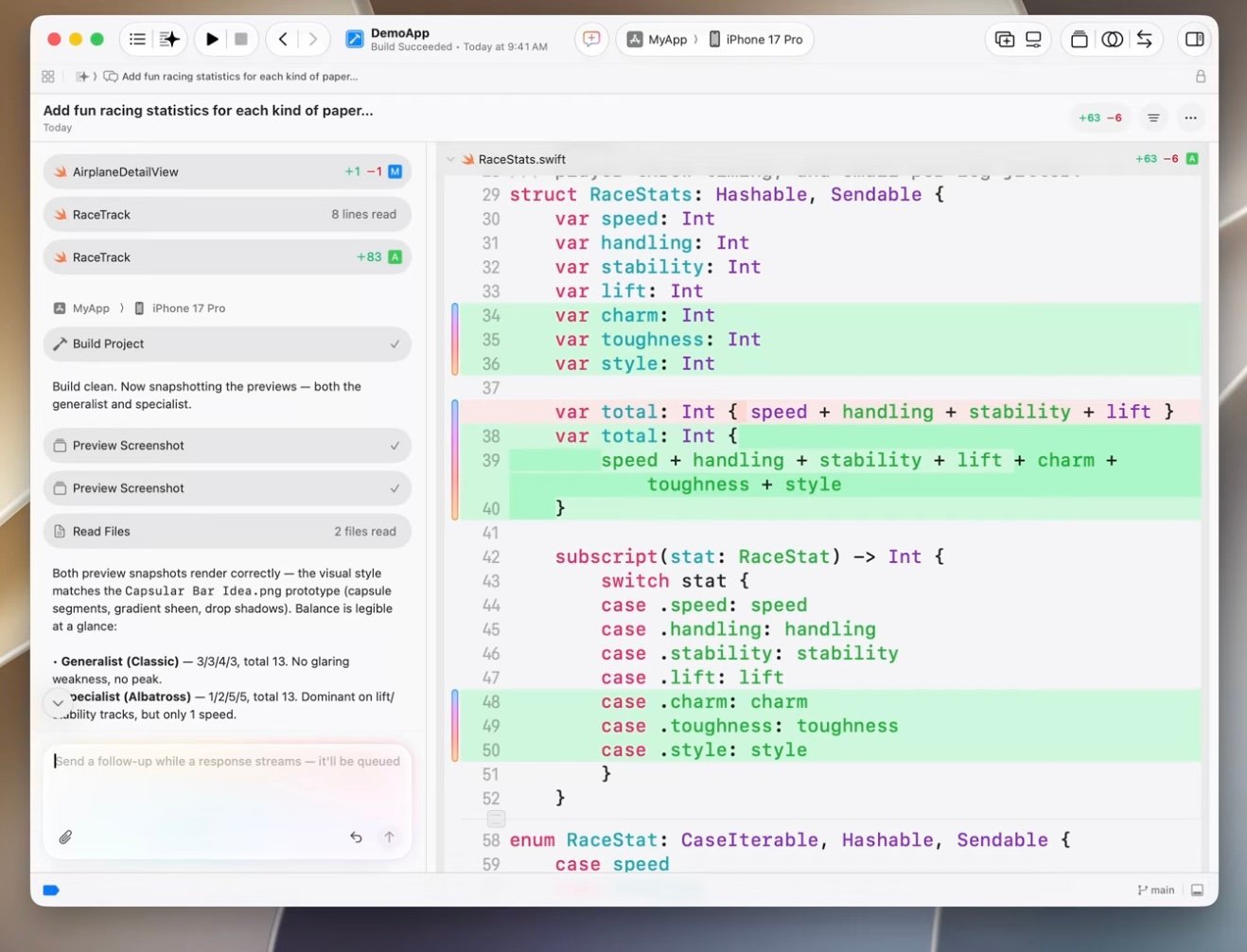
Developers can now run coding agent sessions inside an editor pane, where the transcript can sit beside source files, previews, and build output. Apple also added a /pl plan command so a developer can ask an agent to inspect context and propose a plan before it changes code.
That flow matters for teams that use agents inside large Apple codebases. A developer can keep the agent transcript in a tab, compare it against source in a split view, and review the plan before the agent edits files. That makes agent work feel closer to code review than chat.
Apple also changed project creation. Xcode 27 lets developers start untitled projects, test an idea, and name the project later. Xcode now opens a standalone Swift file inside a workspace, so a developer who receives one file from a teammate can still use playground results and UI previews.
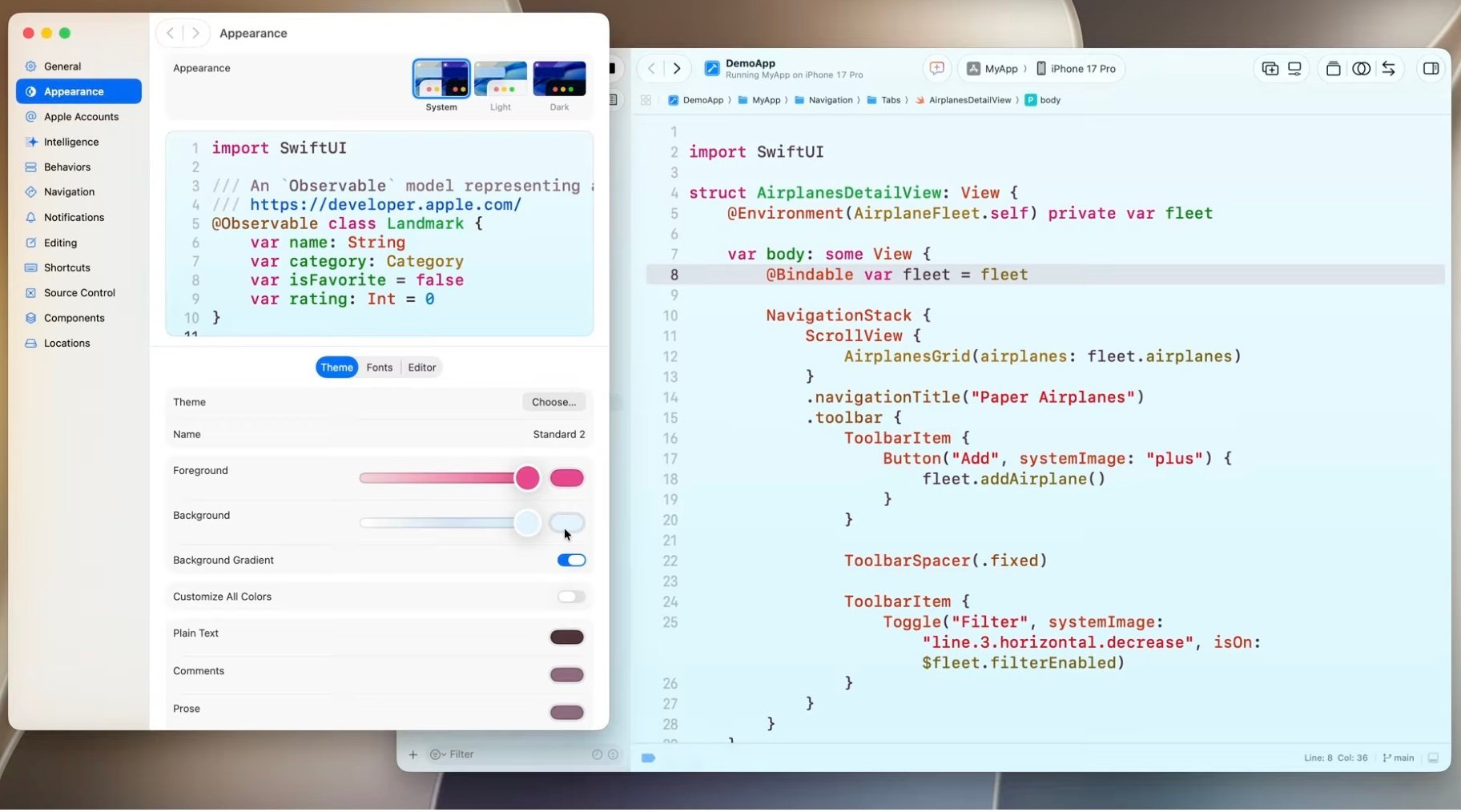
The redesigned toolbar gives developers more control over the workspace. Apple moved history navigation and editor controls from the jump bar into the toolbar, and developers can add, remove, or reorder toolbar items.
Theme controls also get more detail. Developers can tune text color intensity and background levels with sliders, then assign separate themes to separate workspaces. That helps when two related projects sit open side by side, such as a production app and an experimental branch.
Apple changed diagnostics so warnings and errors fit the active theme with less visual noise. Developers still see problems, but Xcode now separates editor warnings from build failures with more restraint.
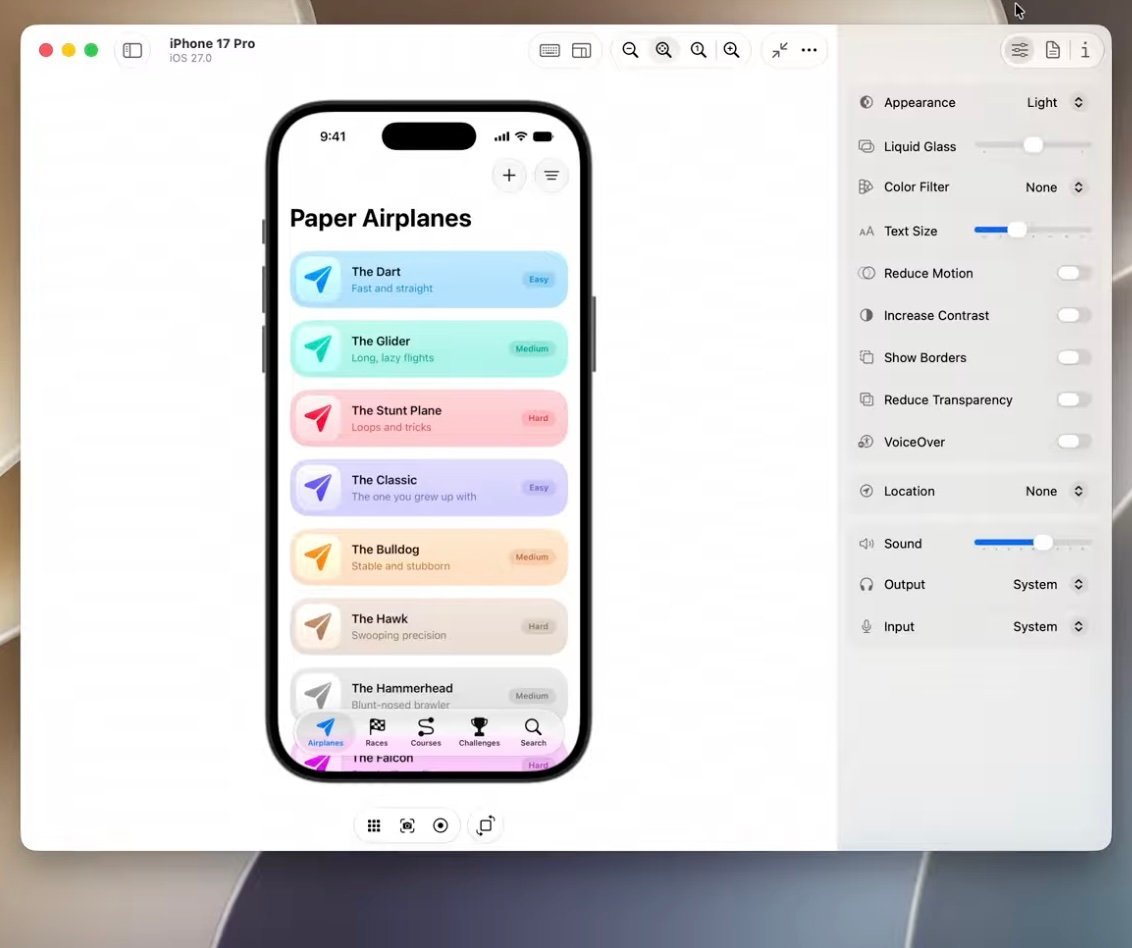
DeviceHub gives developers one place to manage simulators and physical devices. From that view, a developer can take screenshots, rotate devices, and change accessibility settings, including contrast, Dynamic Type size, and light or dark appearance.
That device control helps QA work and UI review. A developer can check the same screen across a simulator and a paired iPad Pro without jumping across separate tools. Teams that test accessibility states during feature work gain a faster loop.
Xcode 27 also updates Organizer and Instruments. Organizer now brings diagnostics and metrics into one view and prioritizes issues by impact. Developers can track goals such as launch time, hang rate, disk writes, battery use, and storage.
Apple expanded localization support with AI features as well. That gives teams another path to handle app text across languages, though developers still need human review for tone, domain terms, and regional expectations.
For teams moving to Xcode 27, the migration path should start with workspace habits. First, review toolbar layouts and shared theme conventions. Next, test agent sessions on a small feature branch and require plan review before code changes. Then fold DeviceHub into simulator and physical-device QA checks.
A practical adoption checklist:
- Create a team toolbar preset for build, test, navigation, previews, and agent access.
- Assign distinct workspace themes for production, release, and experimental projects.
- Use
/plfor agent tasks that touch shared architecture or generated code. - Add DeviceHub checks for Dynamic Type, contrast, orientation, and appearance.
- Review Organizer goals after each TestFlight or App Store release.
Apple posted WWDC material through the Apple Developer videos site, and developers can use the Apple Developer documentation for API references tied to the new toolchain.
Xcode 27 points to a larger shift in Apple development: agents, previews, diagnostics, and devices now sit closer to the editor. Developers still make the calls, but Apple gives them fewer tool windows to chase during the loop from idea to test device.
Comments
Please log in or register to join the discussion