Microsoft announces General Availability of Arc Gateway for Arc-enabled Kubernetes, reducing required endpoints from 18 to 9 and streamlining enterprise onboarding.
Microsoft has announced the General Availability of Arc Gateway for Arc-enabled Kubernetes, a significant update that reduces the number of required outbound endpoints from 18 to just 9, representing a 50% reduction in connectivity requirements for enterprise environments.
The Challenge of Enterprise Kubernetes Connectivity
Organizations with strict outbound controls often face significant delays when onboarding resources to Azure Arc. The previous requirement of 18 distinct endpoints meant security and networking teams spent days or weeks coordinating approvals before Kubernetes clusters could connect to Azure services. This friction point has been a major barrier to adoption for many enterprises operating behind enterprise proxies or firewalls.
How Arc Gateway Works
Arc Gateway introduces two key components that work together to streamline connectivity:
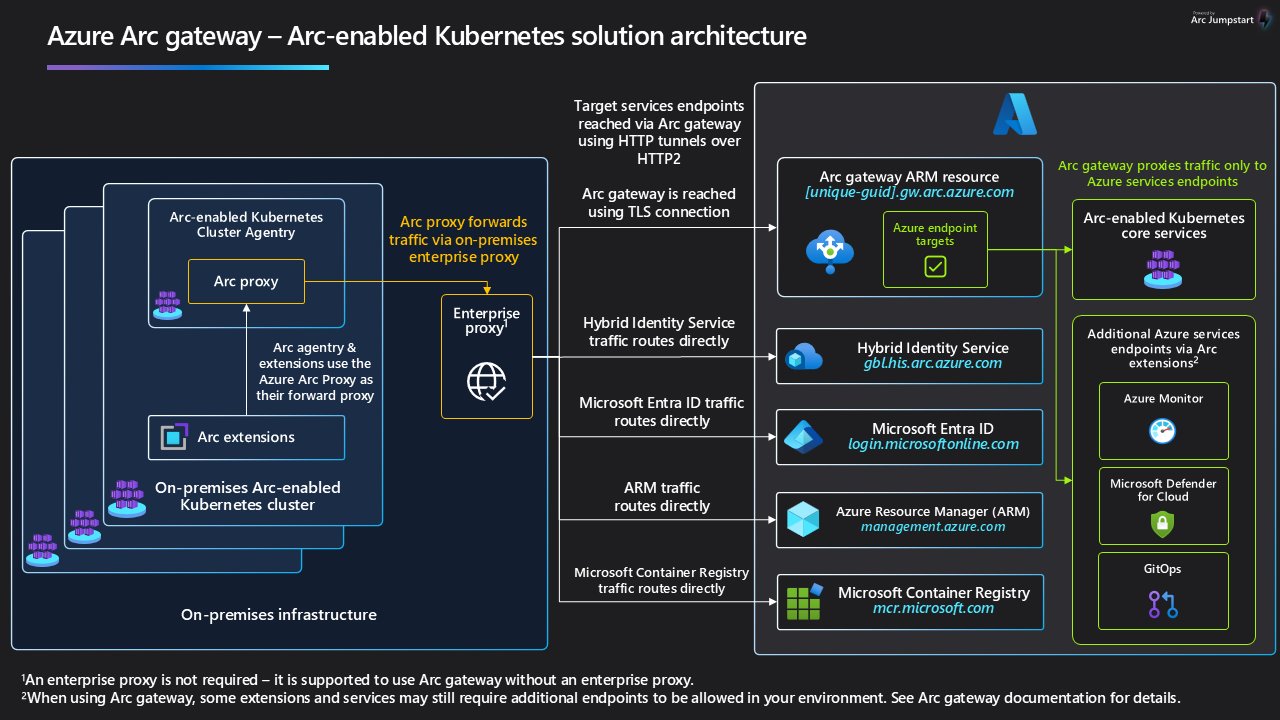
- Arc Gateway (Azure resource): A single, unique endpoint in your Azure tenant that receives incoming traffic from on-premises Arc workloads and forwards it to the right Azure services
- Azure Arc Proxy: A component of the Arc K8s agent that routes agent and extension traffic to Azure via the Arc gateway endpoint
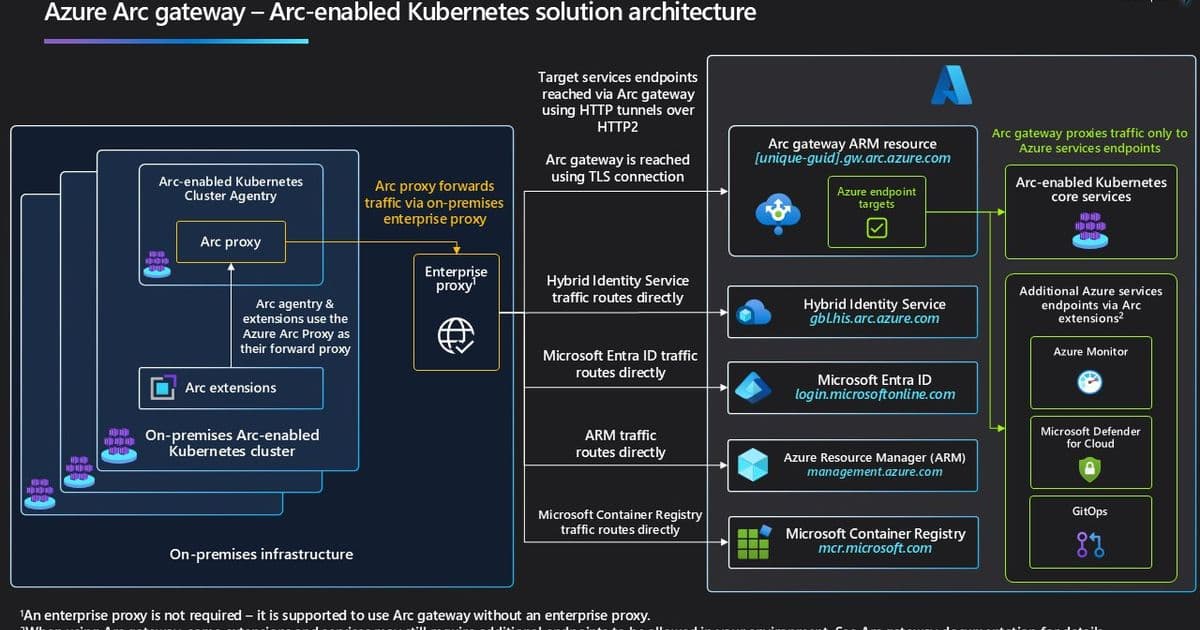
At a high level, traffic flows through this simplified path: Arc-enabled Kubernetes agent → Arc Proxy → Enterprise Proxy → Arc gateway → Target Azure service
Business Impact
The reduction in required endpoints delivers several key benefits:
- Accelerated onboarding: Organizations can now onboard Arc-enabled Kubernetes clusters significantly faster by cutting down the proxy/firewall approvals needed
- Simplified operations: A consistent, repeatable pattern for routing Arc agent and extension traffic to Azure
- Reduced administrative overhead: Fewer change requests and less coordination required with security teams
Supported Scenarios
As part of this GA release, Arc Gateway supports several critical Arc-enabled Kubernetes scenarios:
- Arc-enabled Kubernetes Cluster Connect
- Arc-enabled Kubernetes Resource View
- Custom Location
- Azure Policy's Extension for Azure Arc
For other scenarios like Microsoft Defender for Containers, Azure Key Vault, and Container Insights in Azure Monitor, some customer-specific data plane destinations (e.g., Log Analytics workspaces, Storage Accounts, or Key Vault URLs) still need to be allow-listed per your environment.
Getting Started
Organizations can begin using Arc Gateway through the Azure portal, Azure CLI, or PowerShell. The process involves:
- Creating an Arc gateway resource
- Allowing the Arc gateway endpoint and core endpoints in your enterprise proxy/firewall
- Onboarding or updating clusters to use your Arc gateway resource
Key Considerations
- No additional software required: Arc Proxy is part of the standard Arc-enabled Kubernetes Agent
- Scenario coverage: While Arc-enablement is covered at GA, some customer-specific data plane endpoints may still need to be allowed
- Cross-platform availability: Arc Gateway is already GA for Arc-enabled Servers and Azure Local
Looking Ahead
The Arc Gateway represents a significant step forward in simplifying hybrid and multi-cloud operations. By addressing one of the most common barriers to enterprise adoption—complex network connectivity requirements—Microsoft is making it easier for organizations to extend Azure management and services to their Kubernetes environments regardless of where they run.
For organizations struggling with Kubernetes management across multiple environments, Arc Gateway offers a compelling solution that balances security requirements with operational efficiency. The 50% reduction in required endpoints alone represents a meaningful improvement in the day-to-day operations of enterprise IT teams managing Kubernetes at scale.
The General Availability of Arc Gateway for Arc-enabled Kubernetes marks an important milestone in Microsoft's hybrid cloud strategy, providing enterprises with a more streamlined path to managing their containerized workloads across diverse environments.
Comments
Please log in or register to join the discussion