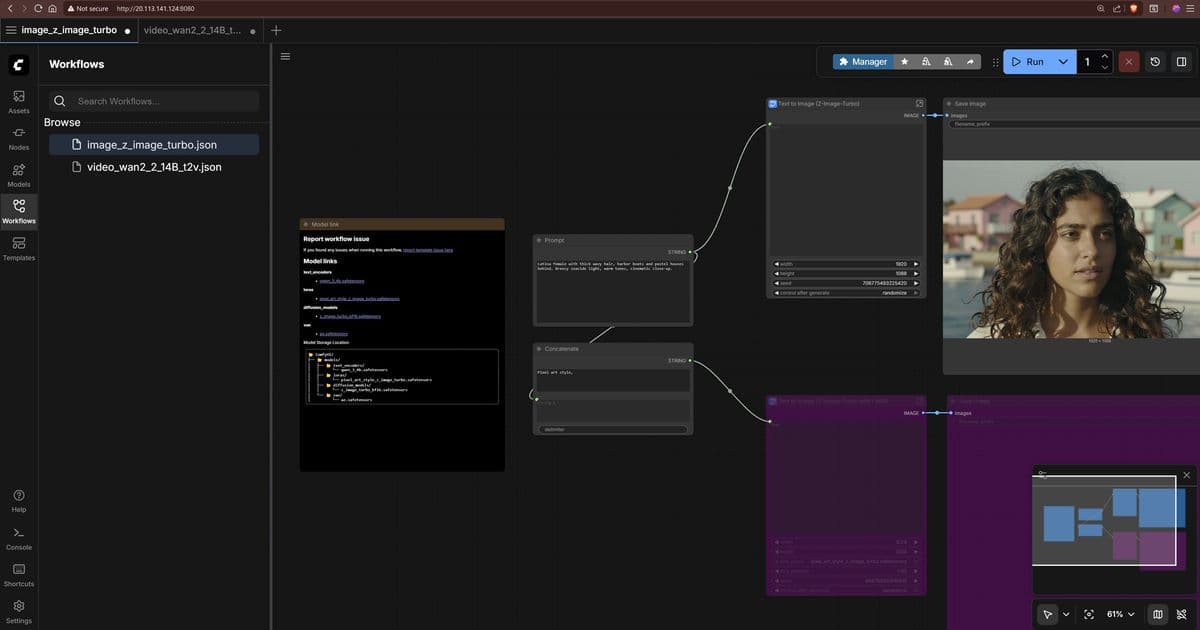
Microsoft Azure's latest deployment options for ComfyUI on H100 GPUs represent a significant advancement in enterprise AI content generation capabilities, positioning Azure as a competitive alternative to AWS and Google Cloud for media production workloads.
The rapid evolution of generative AI has created new opportunities and challenges for enterprises looking to implement text-to-image and text-to-video workflows at scale. Microsoft Azure's recent deployment guide for ComfyUI on H100 GPUs demonstrates a strategic approach to democratizing advanced AI capabilities while maintaining enterprise-grade infrastructure requirements.
What Changed: From Concept to Production-Ready AI Workflows
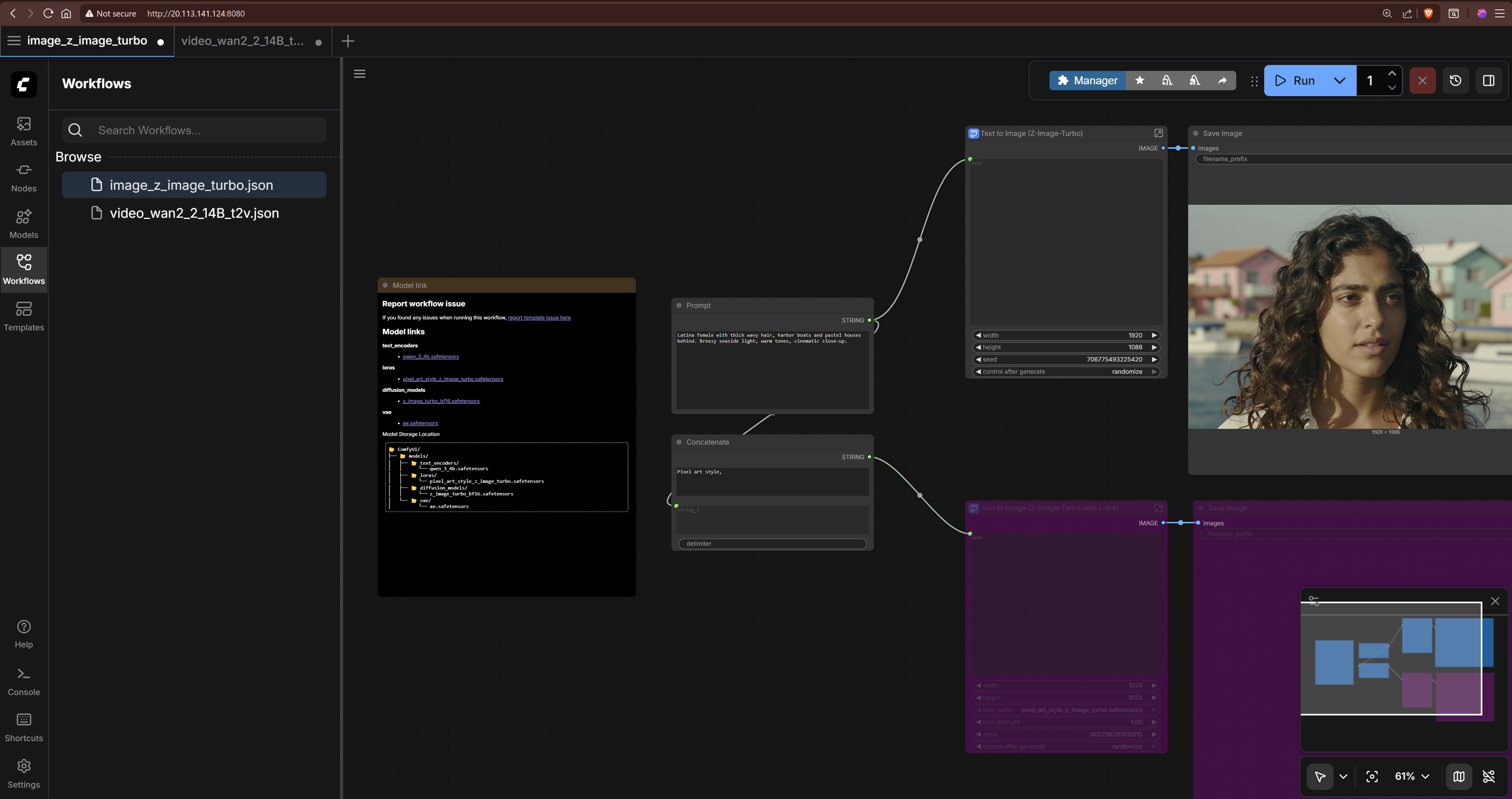
The availability of pre-configured ComfyUI deployments on Azure's H100 infrastructure marks a significant shift from experimental AI usage to production-ready content generation workflows. ComfyUI's node-based architecture provides a visual programming interface that enables technical teams to construct complex AI pipelines without requiring deep expertise in model architecture or fine-tuning.
This development addresses a critical gap in the market: the need for scalable, customizable AI content generation that balances ease of use with enterprise requirements. The Terraform-based deployment option specifically caters to organizations with established infrastructure-as-code practices, while the manual setup path accommodates more flexible development scenarios.
Provider Comparison: Azure vs. AWS vs. Google Cloud in AI Content Generation
Azure's implementation of ComfyUI on H100 GPUs positions the cloud provider competitively against AWS and Google Cloud in the generative AI space, though each provider offers distinct advantages:
Azure's Strengths:
- Direct integration with enterprise security and identity management systems
- Comprehensive documentation for GPU driver installation and configuration
- Flexible VM sizing options from T4 to H100 GPUs
- Terraform templates for consistent infrastructure deployment
AWS Alternatives:
- Amazon Bedrock offers managed services for similar use cases but with less customization
- EC2 instances with comparable GPU capabilities but less integrated tooling for ComfyUI
- SageMaker provides more managed services but less flexibility for custom workflows
Google Cloud Approach:
- Vertex AI offers managed services with strong MLOps capabilities
- TPU instances provide different performance characteristics for certain AI workloads
- Less emphasis on self-hosted solutions like ComfyUI
The Azure implementation stands out for its balance between managed services and infrastructure control, allowing organizations to maintain governance while enabling innovation. The inclusion of multiple model options (Z-Image-Turbo, Wan 2.2, LTX-2) demonstrates Azure's commitment to supporting diverse AI use cases from creative applications to enterprise content generation.
Business Impact: Transforming Content Production Economics
The deployment of ComfyUI on Azure's H100 infrastructure fundamentally changes the economics of content production for several key reasons:
Reduced Time-to-Market: The streamlined deployment process reduces setup time from weeks to hours, allowing organizations to experiment with AI-generated content more rapidly.
Cost Optimization: By providing multiple GPU options (T4, A100, H100), Azure enables organizations to match infrastructure costs to specific workload requirements, avoiding over-provisioning.
Intellectual Property Control: Self-hosted solutions like ComfyUI on Azure allow organizations to maintain their proprietary data within their cloud environment, addressing critical compliance concerns in regulated industries.
Workflow Integration: The node-based approach of ComfyUI enables integration with existing content management systems and production pipelines, creating a seamless transition from AI-assisted creation to final delivery.
Implementation Considerations for Enterprise Adoption
Organizations considering Azure's ComfyUI implementation should evaluate several factors:
Security Considerations: The guide notes that Secure Boot is not supported using Windows or Linux extensions, which may impact organizations with strict security requirements. This limitation should be evaluated against compliance needs before deployment.
Resource Requirements: The H100 GPU configuration represents a significant investment, with costs substantially exceeding CPU-only or entry-level GPU options. Organizations should establish clear ROI metrics before implementation.
Model Management: The deployment requires downloading multiple large model files, creating challenges for organizations with limited bandwidth or storage capacity. Implementing proper model governance becomes essential as the number of supported models expands.
Skill Requirements: While ComfyUI's visual interface reduces the barrier to entry, effective deployment still requires expertise in AI model management, GPU infrastructure, and Linux administration.
Strategic Recommendations
For organizations evaluating Azure's ComfyUI offering:
Start with Pilot Projects: Begin with limited-scope projects using T4 GPUs before scaling to H100 resources, allowing teams to develop expertise while managing costs.
Establish Model Governance: Implement processes for model selection, version control, and performance monitoring as the number of supported models grows.
Develop Hybrid Approaches: Consider combining Azure's infrastructure with other cloud providers' managed services to create a multi-cloud strategy that balances control and convenience.
Plan for Integration: Design interfaces between ComfyUI and existing content management systems early in the implementation process to ensure smooth workflow integration.
The availability of ComfyUI on Azure's H100 infrastructure represents a significant development in enterprise AI capabilities. By providing both the tools and the infrastructure to support advanced content generation workflows, Azure is positioning itself as a compelling option for organizations looking to leverage generative AI while maintaining the control and security required for enterprise adoption.
For organizations already invested in Azure ecosystem, this implementation offers a natural extension of their cloud strategy. For those considering multi-cloud approaches, Azure's offering provides a differentiated alternative to the more managed services-focused approaches of AWS and Google Cloud.
As generative AI continues to evolve, the ability to quickly deploy and customize these capabilities will become increasingly important. Azure's ComfyUI implementation, with its balance of flexibility and enterprise support, represents a significant step toward making advanced AI content generation accessible to a broader range of organizations.
Comments
Please log in or register to join the discussion