Azure's new CLI commands for App Service startup logs cut through the opacity of container-based deployments, but the debugging experience still lags behind what multi-cloud teams expect.

When a containerized application fails to start on a managed platform, operators typically face the same frustrating problem: the platform knows what went wrong, but getting that information out requires navigating multiple log streams, portal tabs, and timeout cascades. Azure App Service for Linux has historically been no exception. Startup failures often leave teams staring at generic "503 Service Unavailable" errors with no clear signal about whether the issue is a bad Dockerfile, a missing environment variable, a slow database connection during init, or a simple port mismatch.
Microsoft's response is a pair of new Azure CLI commands, az webapp log startup list and az webapp log startup show, currently in preview. These commands consolidate startup diagnostics into a single workflow that prioritizes failure context over raw log dumps.
What Changed
The new commands expose a previously hidden layer of App Service telemetry: platform-collected startup logs that capture the entire initialization sequence for Linux web apps. This includes container image pulls, runtime setup, startup command execution, application stdout/stderr output, and warmup probe results.
The key commands:
az webapp log startup list --name <app-name> --resource-group <resource-group>
az webapp log startup show --name <app-name> --resource-group <resource-group>
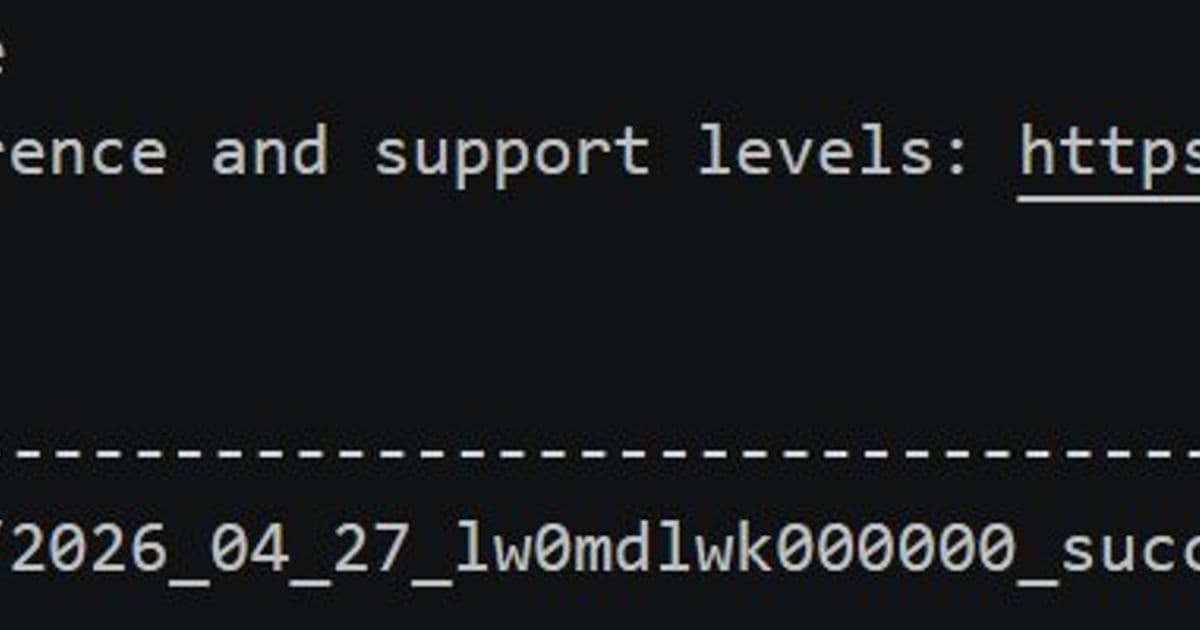
The list command returns available startup logs with metadata: success/failure status, instance name, log file size, and timestamp. The show command displays the full content of the most relevant log. When no specific log file is specified, show automatically prefers failure logs from the most recent date, eliminating the need to manually sift through successful startup records to find the one that broke.
For slot-based deployments, both commands accept a --slot parameter, allowing teams to diagnose startup issues in staging slots before swapping traffic to production.
How This Compares to AWS and GCP
Azure's new commands address a real gap, but the competitive context matters for teams making platform decisions.
AWS Elastic Beanstalk provides startup diagnostics through CloudWatch Logs and the eb logs CLI command, which aggregates application logs, deployment logs, and environment health information. The eb health command adds instance-level health data, including CPU utilization and request latency, during startup. AWS also exposes process exit codes through the environment health dashboard, which helps distinguish between application crashes and platform timeouts.
Google Cloud Run takes a different approach entirely. As a fully serverless container platform, Cloud Run abstracts away the concept of startup logs into structured execution logs. The gcloud run logs read command surfaces container startup events, readiness probe results, and traffic routing decisions in a unified stream. Cloud Run's advantage is that startup and runtime logs live in the same log entry, reducing the need to correlate separate log sources. The tradeoff is less granular control over startup-specific diagnostics.
Azure App Service now occupies a middle ground. The new CLI commands provide more structure than raw container logs but less automation than Cloud Run's unified logging. The failure-prioritization logic is genuinely useful and not a feature either competitor offers in the same form. However, the commands are CLI-only, with no direct equivalent in the Azure portal or through the REST API at launch.
| Capability | Azure App Service | AWS Elastic Beanstalk | Google Cloud Run |
|---|---|---|---|
| Startup-specific log commands | New az webapp log startup |
eb logs (mixed) |
gcloud run logs read (unified) |
| Automatic failure prioritization | Yes | No (manual filtering) | No |
| Slot/staging support | Yes | No (environment-based) | Revisions (similar concept) |
| Portal integration | CLI only (preview) | Yes (Console) | Yes (Logs Explorer) |
| Warmup probe visibility | Yes (in startup logs) | Partial (health checks) | Yes (readiness probe in logs) |
Why Startup Visibility Matters for Multi-Cloud Strategies
For organizations running workloads across multiple cloud providers, startup diagnostics are not a minor operational detail. They directly affect mean time to recovery (MTTR) during deployments and scaling events.
Container-based platforms introduce a specific class of startup failure that traditional VM-based deployments did not produce: the application starts but fails to become healthy before the platform's timeout expires. This creates a narrow diagnostic window. The container runs, the process executes, the health endpoint responds, but something in the initialization chain takes too long or returns the wrong signal. Without structured startup logs, teams must reconstruct the timeline from multiple sources: container runtime logs, platform health events, and application-level metrics.
Azure's new commands reduce this reconstruction work for App Service deployments. The consolidated startup log tells the operator exactly what the platform observed during initialization, including the timestamp of each stage. For teams that have standardized on Azure CLI as their primary tooling interface, this is a meaningful improvement.
The limitation is that these logs remain siloed from runtime application logs. If a startup failure is caused by a dependency that only fails under load (for example, a database connection pool that exhausts during the first request burst), the startup log may show a successful warmup even though the application is effectively broken. Teams still need to correlate startup logs with application metrics and runtime logs for a complete picture.
Migration Considerations
Teams evaluating a migration to Azure App Service from other platforms should factor startup diagnostics into their decision matrix, but not in isolation.
The new CLI commands lower the operational cost of running Linux containers on App Service, particularly for teams that use deployment slots for blue-green deployments. The ability to diagnose slot-specific startup failures before routing traffic eliminates a common source of production incidents during deployments.
However, the preview status means these commands are subject to change. Teams standardizing on them should treat the output format and command interface as unstable. For production-critical runbooks, verify against current Azure documentation before building automation around the new commands.
The real question for multi-cloud teams is whether Azure's startup diagnostics reduce friction enough to justify the operational complexity of maintaining App Service alongside other platforms. If the primary deployment target is already Azure, these commands are a clear improvement. If the team is split between Azure and AWS, the diagnostic experience is now comparable, though the tooling patterns differ. The decision should come down to application requirements, compliance constraints, and existing team expertise rather than startup log quality alone.
Practical Usage Patterns
For teams adopting these commands immediately, a few patterns maximize their value:
Pinpoint port mismatches. Startup logs now surface application output during initialization, including the port the application binds to. A common startup failure on App Service for Linux is the application listening on a port different from what the platform expects. The startup log shows both the application's bound port and the platform's expected port, making this failure mode immediately visible rather than requiring manual investigation.
Debug slot deployments proactively. Before swapping a staging slot to production, run az webapp log startup show --slot staging to verify the slot started cleanly. If the slot shows a startup failure, you avoid a production incident by addressing it before the swap.
Automate failure triage. The automatic failure-prioritization in az webapp log startup show makes it suitable for scripting. A runbook that calls this command on a schedule or triggered by a deployment event can route failure details to the appropriate team without manual log file navigation.
Compare across instances. When an application runs on multiple instances and only some fail, the list command shows which instances succeeded and which failed, along with log file sizes. Size anomalies can indicate truncated startup sequences or platform-level resource constraints on specific instances.

The Broader Pattern
Azure's move toward CLI-accessible startup diagnostics reflects a broader trend in cloud platform evolution: the shift from "the platform runs your code" to "the platform explains how it runs your code." Early managed platforms optimized for deployment simplicity and hid operational detail. Modern platforms recognize that hiding operational detail creates debugging friction, and teams increasingly demand visibility into platform behavior without abandoning the convenience of managed services.
AWS has moved in this direction with X-Ray tracing and CloudWatch Container Insights. Google Cloud has done the same with Cloud Trace and structured logging in Cloud Run. Azure's startup log commands are a smaller step in the same direction, but they target a specific pain point that the other providers have not addressed with equivalent tooling.
For teams choosing between cloud providers, startup diagnostics are one factor among many. But for teams already committed to Azure App Service, these commands represent a genuine improvement in operational tooling that reduces the time between "the deployment failed" and "I know why."

Try the new commands in your next deployment cycle. Run az webapp log startup list after a deployment and compare the output to what you saw before. The difference in diagnostic clarity is the difference between a five-minute investigation and a thirty-minute log hunt.
Comments
Please log in or register to join the discussion