Microsoft’s Intune troubleshooting example shows how AI agents are shifting endpoint support from manual log hunting toward governed, evidence-based diagnosis.
What changed
Microsoft’s Community Hub article on analysing Intune Diagnostics Logs with GitHub Copilot is framed as a practical endpoint troubleshooting walkthrough, but the strategic signal is bigger than one Intune use case. The workflow shows GitHub Copilot CLI being used outside its usual developer lane to inspect Windows and Intune diagnostic archives, extract relevant files, correlate events, validate findings against Microsoft Learn through the Microsoft Learn MCP Server, and generate a root-cause analysis report.
That matters because enterprise support teams often lose time before real remediation begins. The slow part is not always knowing Intune, Windows Autopilot, Windows Update, Win32 app deployment, or Enrollment Status Page behavior. The slow part is moving from a diagnostic zip file to a defensible hypothesis. Logs are scattered across folders, compressed archives, event traces, agent logs, registry snapshots, and service-specific output. A human analyst still needs technical judgment, but an agent can reduce the first-pass search cost.
In the article’s first scenario, a Windows 11 estate rebooted during business hours. The workflow collected diagnostics from the Intune admin center, downloaded the archive locally, started GitHub Copilot CLI, and asked Copilot to find why the machine restarted, confirm findings with Microsoft Learn, then save an HTML root-cause report with a timeline. The result pointed to a misconfigured Intune app deployment. In the second scenario, a failed Windows Autopilot deployment was traced to the Enrollment Status Page being blocked by a required user-targeted WinGet app that did not complete during the observed log window.
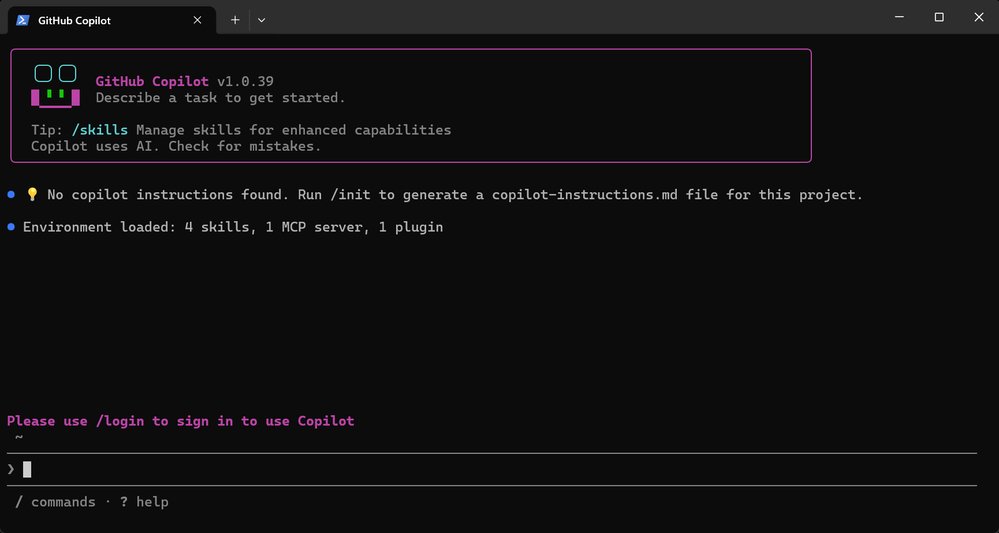
The technical pattern is straightforward. Copilot CLI becomes the local agent runtime. Intune Diagnostics Logs become the evidence package. The Microsoft Learn MCP Server becomes the documentation validation channel. The analyst supplies the goal, constraints, and requested output format. The agent extracts archives, searches files, builds a timeline, and drafts a report.
This is not a replacement for endpoint engineering skill. It is a compression of the discovery phase. The consultant-grade question is no longer whether AI can read logs. It can. The question is how to place that capability inside a controlled operating model where evidence, permissions, cost, privacy, and repeatability are managed.
Provider comparison
Microsoft has the strongest fit for this exact workflow because the operational data, management plane, documentation, and AI assistant all sit close together. Microsoft Intune already produces diagnostics for managed endpoints. GitHub Copilot CLI can run against local folders. The Microsoft Learn MCP Server gives the agent access to current Microsoft documentation rather than relying only on model memory. For organizations standardized on Microsoft 365, Entra ID, Intune, Windows 365, Defender, and Azure, this is a natural extension of the current toolchain.
The pricing consideration is no longer just seat count. GitHub’s Copilot plans now expose an AI credit model across features such as chat, agent mode, code review, Copilot CLI, Copilot cloud agent, and Copilot apps. The public plan page lists Free, Pro, Pro+, and Max options for individuals, with paid tiers carrying monthly AI credit amounts. For enterprises, the key buying question is how often support engineers will run large diagnostic analyses, how many files each session will inspect, which models are allowed, and whether spending controls are enforced at the organization level.
AWS has a different center of gravity. Amazon Q Developer is designed around AWS development, modernization, security, and cloud operations. It offers a Free Tier and a Pro Tier listed at $19 per user per month, with usage limits around agentic requests and transformation capabilities. For Java upgrade work, AWS documents line-of-code allocations and overage pricing. That makes Amazon Q attractive where the main operational burden is AWS-native application modernization, IAM and infrastructure help, or Java and .NET transformation in AWS accounts. It is less directly suited to Intune Diagnostics Logs because the authoritative endpoint data and documentation live in Microsoft’s ecosystem.
Google’s equivalent buying conversation sits around Gemini Code Assist and Gemini for Google Cloud pricing. Gemini Code Assist Standard and Enterprise cover IDE assistance, local codebase awareness, code transformation, Gemini CLI, agent mode, and broader Google Cloud help. Google also positions Gemini Cloud Assist for infrastructure design, operations, cost optimization, observability, IAM assistance, and troubleshooting. For organizations running GKE, BigQuery, Cloud Run, Firebase, and Apigee at scale, Gemini is most compelling when the support workflow depends on Google Cloud metadata and service context.
The comparison is not simply Copilot versus Q versus Gemini. It is evidence locality versus assistant locality. If your problem data is Intune diagnostics, Windows Autopilot logs, Microsoft Learn documentation, and Microsoft tenant configuration, GitHub Copilot with the Microsoft Learn MCP Server has the shortest route to a useful answer. If your problem data is CloudWatch, IAM, EKS, Lambda, Java upgrade inventories, and AWS account configuration, Amazon Q will usually have the stronger native context. If the issue crosses GKE, Cloud Logging, BigQuery, Cloud Run, and Firebase, Gemini Code Assist and Gemini Cloud Assist deserve serious evaluation.
For multi-cloud enterprises, the wrong strategy is to force every support case through one assistant for vendor-neutral neatness. A better model is tiered. Use the provider-native assistant where the logs, APIs, and documentation are provider-specific. Use a neutral workflow layer for case management, evidence retention, approval, and reporting. Keep final remediation under human change control.
Migration considerations follow the same logic. Moving endpoint management from legacy tools to Intune is not only a licensing and policy migration. It changes the diagnostic model. Teams need to standardize how they collect Intune diagnostics, where archives are stored, how long reports are retained, and which data can be sent to AI systems. Moving from one AI coding assistant to another also has switching costs. Prompt libraries, MCP configuration, identity policy, audit practices, model allowlists, and budget controls become part of the operational platform.
Business impact
The near-term business impact is faster triage. In endpoint operations, time-to-hypothesis drives user downtime, help desk escalations, and the volume of senior engineering interruptions. If Copilot can turn an Intune diagnostic archive into a timeline and a likely cause in minutes, the support team can spend more time validating and fixing the issue, and less time searching through raw files.
There is also a governance impact. The article’s warning that AI can make mistakes is the right operating assumption. An AI-generated root-cause report should be treated as analyst work product, not as system truth. The recommended model is evidence-first review. Every claim in the report should point back to a log line, timestamp, device identifier, policy, app deployment, or Microsoft documentation reference. If the agent says a Win32 app caused a reboot, the engineer should verify the app assignment, detection rules, install behavior, restart behavior, and relevant Intune policy state before changing production.

For CIOs and platform leaders, this creates a practical operating framework:
Define approved use cases. Intune diagnostics, Autopilot failures, Windows update behavior, app deployment failures, network traces, and Defender endpoint logs are good candidates because they are evidence-heavy and repetitive.
Classify diagnostic data. Logs can contain usernames, device names, tenant identifiers, URLs, network metadata, installed software, and security-relevant configuration. Treat them as sensitive operational data.
Standardize prompts and outputs. Require the agent to produce a timeline, source files inspected, confidence level, alternate hypotheses, and validation steps. This reduces unsupported conclusions.
Separate analysis from remediation. Allow AI to inspect, summarize, and recommend. Keep production policy changes, app assignment changes, and device actions behind existing change controls.
Track consumption. Copilot, Q Developer, and Gemini all tie advanced agentic usage to plan limits, credits, subscriptions, or quotas. Large log archives and autonomous modes can raise usage quickly, so cost monitoring belongs in the rollout plan.
The pricing lesson is subtle. AI troubleshooting may look cheap when priced as a per-user assistant, but the business case should be built around workload volume. A support engineer who uses Copilot CLI occasionally to inspect one diagnostic folder is different from an endpoint reliability team that runs agentic analysis across hundreds of device cases per week. A cloud migration factory using Amazon Q for Java transformations has a different cost profile again because line-of-code limits and overages can matter. Google Cloud teams using Gemini across development, cloud operations, BigQuery, and Firebase need to account for edition differences and commitment terms.
The migration lesson is equally practical. Teams should avoid rewriting their entire support process around one provider assistant too early. Start with a controlled pilot. Pick a narrow incident class, such as Autopilot ESP failures or unexpected restarts. Collect ten to twenty historical cases with known causes. Run the AI workflow against those packages. Measure accuracy, time saved, false positives, missing evidence, and cost per case. Then decide whether the workflow is ready for live escalation.
This Microsoft example also hints at a broader cloud-native pattern. AI agents are becoming operational adapters between telemetry, documentation, and action. MCP is part of that pattern because it gives assistants a defined way to call external knowledge and tools. The more enterprise vendors expose official MCP servers, documented APIs, and governed agent integrations, the easier it becomes to build repeatable support workflows instead of ad hoc chat sessions.
For Microsoft-centered endpoint estates, the recommendation is clear. Pilot GitHub Copilot CLI against Intune Diagnostics Logs, connect it to the Microsoft Learn MCP Server, and require evidence-backed RCA output. For AWS-centered application modernization teams, compare the same class of work against Amazon Q Developer. For Google Cloud engineering groups, evaluate Gemini Code Assist and Gemini Cloud Assist where cloud service context is the main source of value.
The strategic answer is not one assistant for every cloud. It is the right assistant for the evidence source, wrapped in consistent enterprise governance. That is how organizations get shorter incident cycles without turning root-cause analysis into unchecked automation.
Comments
Please log in or register to join the discussion