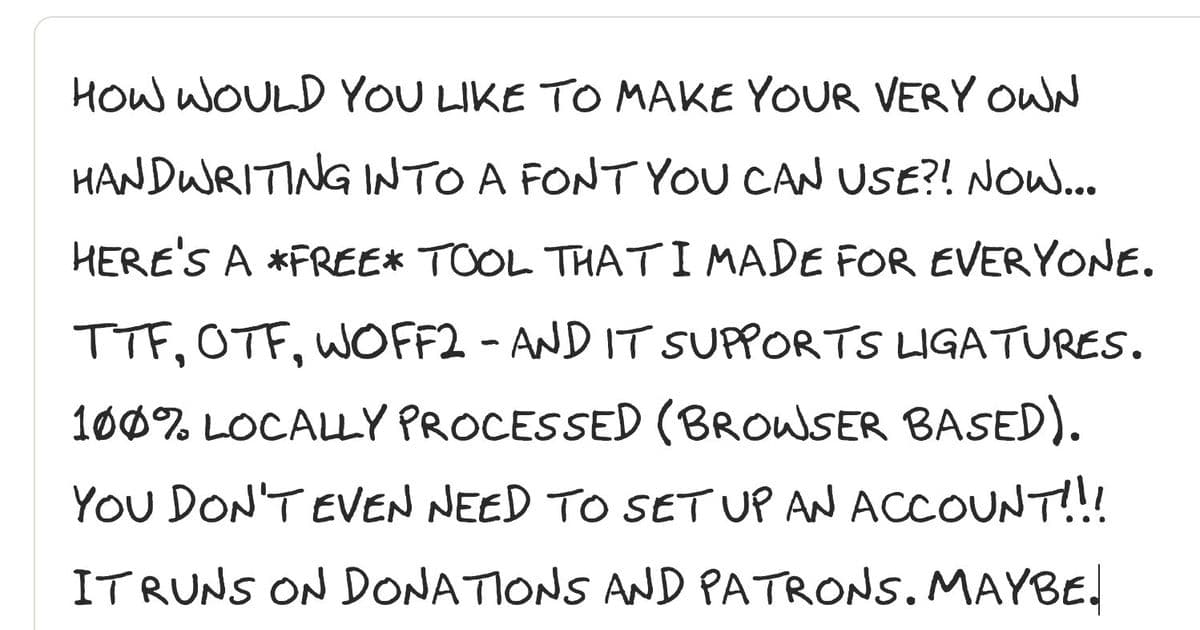
FontCrafter lets you create a custom handwriting font from your own writing, generating installable fonts with natural variation and special characters - all processed locally in your browser without accounts or servers.
Turn your handwriting into a real, installable font with FontCrafter, a free web tool that processes everything locally in your browser. No accounts, no servers, no data collection - just your handwriting transformed into OTF, TTF, WOFF2, and Base64 formats that work everywhere fonts are used.
How It Works
The process is straightforward: print the template, fill it out with a felt-tip pen, scan it, and let FontCrafter do the rest. The tool generates natural-looking handwriting with automatic ligatures and over 100 special characters.
Creating Your Font
Download and print the template - Available in US Letter or A4 sizes. Print at 100% scale on white, unlined paper.
Fill in every box - Use a felt-tip pen (ballpoints are too faint, thick markers bleed). All three rows for each character matter:
- Row 1: Always uppercase
- Row 2: Can be uppercase or lowercase
- Row 3: Can be uppercase or lowercase
Scan or photograph - Lay the sheet flat with even lighting, no shadows or curl. A phone camera works fine if the page is well-lit.
Upload and customize - Drag your scan into FontCrafter to process it locally on your device.
Customization Options
FontCrafter offers several customization features to make your font look natural:
- Name your font and embed your name in the metadata
- Configure row usage - choose which rows contain uppercase/lowercase letters
- Enable ligatures for connected letter pairs like "ff", "th", "st"
- Auto-kern letter pairs for natural spacing between characters
- Generate extended characters including smart quotes, fractions, and currency symbols
- Add accented characters for European languages (à, ñ, ü, ø, etc.)
- Normalize glyph heights to even out letters drawn at different sizes
- Remove stray marks to clean up ink specks from adjacent cells
Privacy and Security
Everything happens in your browser - no data is uploaded to servers, nothing is stored remotely. The tool is completely private and requires no account creation. This local processing approach means your handwriting stays on your device.
File Formats Available
Once generated, you receive:
- .OTF (OpenType) - Best for desktop applications
- .TTF (TrueType) - Universal compatibility
- .WOFF2 - Optimized web font with smallest file size
- Base64 - For CSS @font-face embedding
Usage Rights
You must confirm that the handwriting is yours or you have explicit permission from the owner. You're responsible for how you use the generated font files, and the creators are released from liability regarding distribution or use.
Why This Matters
Custom handwriting fonts have practical applications beyond novelty - from personalizing documents to creating authentic-looking handwritten notes in digital designs. The automatic generation of ligatures and special characters means the result looks genuinely handwritten rather than mechanically reproduced.
For designers, educators, or anyone wanting a personal touch in their digital communications, FontCrafter provides a simple, private way to digitize your unique handwriting style without technical expertise or expensive software.
Comments
Please log in or register to join the discussion