GhostBSD 26.1-R15.0p2 delivers major upgrades including FreeBSD 15.0-RELEASE base, XLibre X server, and Zsh default shell, marking significant improvements for this BSD desktop distribution.
GhostBSD 26.1-R15.0p2 has arrived as a substantial upgrade for this desktop-focused BSD operating system, bringing it to the latest FreeBSD 15.0-RELEASE base and introducing the XLibre display server as the new default X implementation. This release represents a significant milestone for GhostBSD users seeking a modern, stable BSD desktop experience.
FreeBSD 15.0 Base Upgrade
The most notable change in GhostBSD 26.1 is the complete rebase to FreeBSD 15.0-RELEASE, upgrading from the previous FreeBSD 14 series. This major version bump brings all the performance improvements, security enhancements, and new features that FreeBSD 15.0 offers to the GhostBSD desktop environment.
FreeBSD 15.0 includes numerous under-the-hood improvements that benefit desktop users, including better hardware support, enhanced power management, and improved compatibility with modern hardware components. The upgrade ensures GhostBSD remains current with the latest FreeBSD developments while maintaining its focus on desktop usability.
XLibre Display Server Adoption
Perhaps the most interesting technical change is GhostBSD's switch from the traditional X.Org Server to XLibre as the default display server. XLibre represents a modern fork of the X Window System, aiming to provide a more maintainable and up-to-date X implementation.
This transition to XLibre addresses several long-standing issues with the aging X.Org Server codebase while maintaining compatibility with existing X applications. For GhostBSD users, this means better support for modern graphics hardware and potentially improved performance in graphical applications, all while preserving the familiar X11 application compatibility that desktop users expect.
The switch to XLibre also positions GhostBSD well for future display server developments, as it maintains X11 compatibility while potentially easing future transitions to Wayland or other display protocols.
Enhanced Desktop Experience
Beyond the core system upgrades, GhostBSD 26.1 introduces several desktop environment improvements. The distribution continues to use the MATE desktop environment, known for its traditional desktop metaphor and stability.
Network management receives significant attention with the addition of Enterprise WPA and WireGuard support in NetworkMGR. These additions bring enterprise-grade wireless security and modern VPN capabilities to GhostBSD's network management tools, making it more suitable for professional and secure networking environments.
System Shell and User Interface Updates
GhostBSD 26.1 switches the default system shell from Bash to Zsh, providing users with enhanced command-line features including improved tab completion, better scripting capabilities, and a more modern shell experience. This change aligns GhostBSD with many other modern Unix-like systems that have adopted Zsh for its advanced features.
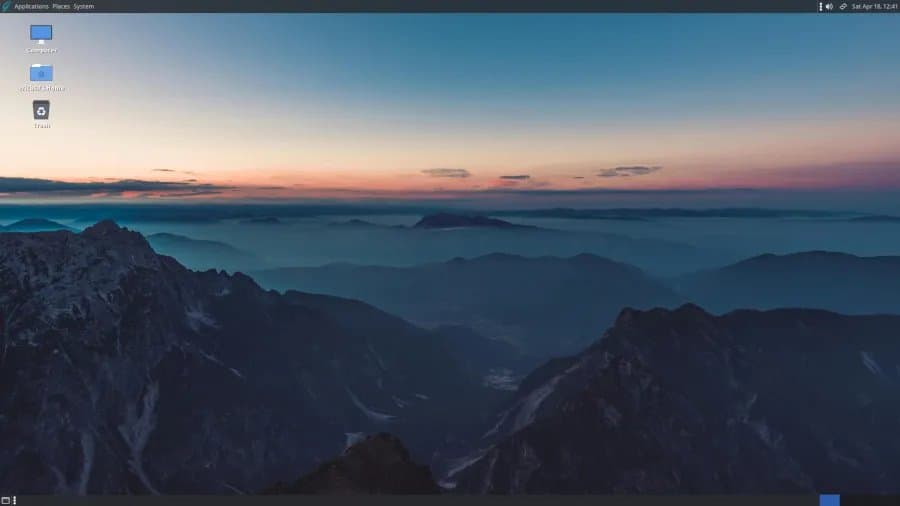
The release also includes a refresh to the overall theme, icons, and default wallpaper, giving the desktop a more contemporary appearance while maintaining the familiar MATE desktop layout that users appreciate.
Software Management Improvements
Software Station, GhostBSD's package management interface, receives updates in this release. While specific details weren't provided, these improvements likely focus on making software installation and management more user-friendly, continuing GhostBSD's tradition of providing an accessible BSD desktop experience.
Performance and Compatibility
With the FreeBSD 15.0 base and XLibre server, users can expect improved performance across various workloads. The FreeBSD 15.0 improvements in memory management, process scheduling, and hardware support translate directly to better desktop responsiveness.
Compatibility with existing X11 applications remains strong, as XLibre maintains full X11 protocol compatibility. Users shouldn't experience issues with their existing desktop applications, while potentially benefiting from the performance and stability improvements that XLibre brings.
Installation and Availability
GhostBSD 26.1-R15.0p2 is available for download from the official GhostBSD website. The release includes all necessary updates and patches to provide a stable, secure desktop environment based on the latest FreeBSD technologies.
Users upgrading from previous GhostBSD versions will need to follow the official upgrade procedures, which typically involve backing up data and performing a system update through the package management system. New installations can be performed using the standard installation media.
Target Audience and Use Cases
GhostBSD continues to target desktop users who want a BSD-based operating system with a traditional desktop environment. The combination of FreeBSD's stability and security with a user-friendly desktop makes it suitable for:
- Desktop users seeking an alternative to Linux distributions
- Users who prefer the BSD license and development model
- Those interested in learning BSD systems in a desktop context
- Users requiring a stable, secure desktop environment for professional use
The addition of enterprise networking features and modern system components makes GhostBSD 26.1 more suitable for professional desktop environments while maintaining its accessibility for home users.
Future Outlook
The transition to FreeBSD 15.0 and XLibre positions GhostBSD well for future developments. As FreeBSD continues to evolve and display server technologies advance, GhostBSD's foundation on modern components ensures it can adapt to changing requirements while maintaining its desktop focus.
The switch to Zsh and the improvements to network management tools suggest GhostBSD's commitment to providing a modern, capable desktop environment while staying true to its BSD roots.
GhostBSD 26.1-R15.0p2 represents a significant step forward for this desktop BSD distribution, combining the latest FreeBSD technologies with thoughtful desktop improvements to deliver a compelling alternative in the desktop operating system landscape.
Comments
Please log in or register to join the discussion