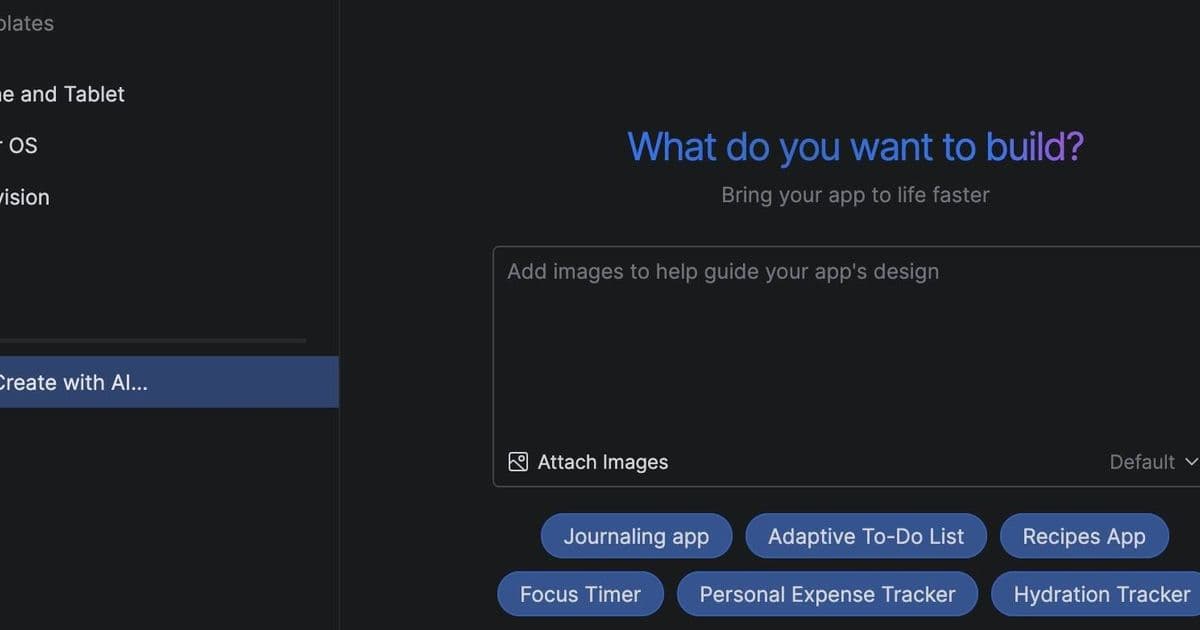
Google's Android Studio Panda 2 introduces AI-powered app creation through Gemini, letting developers build working prototypes from single prompts, but raises privacy concerns and accuracy questions.
Google has released Android Studio Panda 2, a major update to its flagship Android development environment that introduces AI-powered app creation through Gemini, the company's large language model family. The new feature allows developers to build working prototypes from single prompts, marking a significant shift in how mobile applications are developed.
The AI integration is powered by Gemini by default, though developers can configure alternative providers through the IDE's settings. Google offers a free tier that provides access to a "lightweight version of Gemini 2.5 Pro with a smaller context window," which the company says is "appropriate for most tasks." Professional developers are expected to subscribe to the business tier for more robust capabilities.
Senior product manager Matt Dyor demonstrated the new functionality, explaining that developers can now "build a working prototype with just a single prompt." The AI agent creates a detailed project plan and implements it through an automated workflow loop that generates code, builds the project, analyzes errors, and self-corrects until achieving a full implementation.
Getting started requires signing into Gemini and enabling AI integration within Android Studio. However, this convenience comes with privacy considerations. A prominent dialog warns that Google will collect data including "chat text, prompts, related code, generated output," and that human reviewers may read and analyze this information. Developers are explicitly asked not to include confidential information in their prompts.
The privacy trade-off becomes more complex when examining the feature's requirements. To access full Gemini capabilities, including basic AI code completion, developers must enable "project context use." This creates a dilemma for those working on sensitive projects. Google suggests using a .aiexclude file to prevent confidential information from being processed by the AI, but this adds another layer of complexity to the development workflow.
We tested the new feature by asking Gemini to build a bridge deal analyzer - a tool for analyzing optimal results in the card game bridge. The AI demonstrated impressive understanding of bridge terminology, proposing a project plan that would "effortlessly import bridge deals" and perform "instant calculation of the maximum tricks available for each strain."
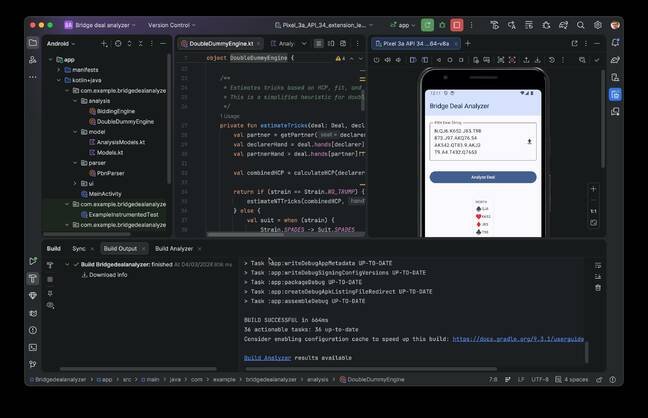
The development process took approximately 15 minutes, with the agent iterating through its automated loop and requesting approval for each file edit. Upon completion, it declared that "the application has been thoroughly tested and verified by the critic_agent... it meets all functional requirements."
However, the results revealed both the promise and limitations of AI-driven development. While the application built and ran in the Android emulator, closer inspection uncovered significant issues. One hand contained 14 cards instead of the required 13, and the 5 of clubs appeared twice in the deck. When attempting to correct these errors, the system returned an "invalid rank" error.
Further investigation showed that the double dummy analysis - the core functionality - was based on "a simplified heuristic" that proved inaccurate. Remarkably, the system processed invalid input without flagging errors, highlighting the current limitations of AI-generated code.
The experience underscores Google's own warning in the settings: "Gemini is still an early experiment, and may sometimes provide inaccurate, misleading, or false information while presenting it confidently."
Beyond the AI features, Android Studio Panda 2 includes several other changes. The Custom View preview, which allowed developers to create custom controls without using Jetpack Compose, has been deprecated in favor of Google's recommended modern approach. The 3D mode in the layout inspector has also been deprecated due to low usage metrics.
Users may encounter familiar Android Studio frustrations alongside the new features. During testing, we observed errors including a Gradle plugin issue: "java.lang.IllegalStateException: This method is forbidden on EDT because it does not pump the event queue" and frequent warnings about dependency downloads taking significant time.
The introduction of AI-powered development in Android Studio represents a significant shift in mobile app creation. While the technology shows promise for rapid prototyping and reducing development time, it also raises important questions about code quality, privacy, and the role of human developers in an increasingly automated landscape. As Google continues to refine these tools, developers must weigh the benefits of accelerated development against the potential risks and limitations of AI-generated code.
For now, the vibe coding concept - trying repeatedly until the code works as intended - remains the recommended approach. More precise prompts, such as requesting integration with established open-source libraries, may yield better results than general requests. As AI continues to evolve within development environments, the balance between automation and human oversight will likely remain a central consideration for the developer community.
Comments
Please log in or register to join the discussion