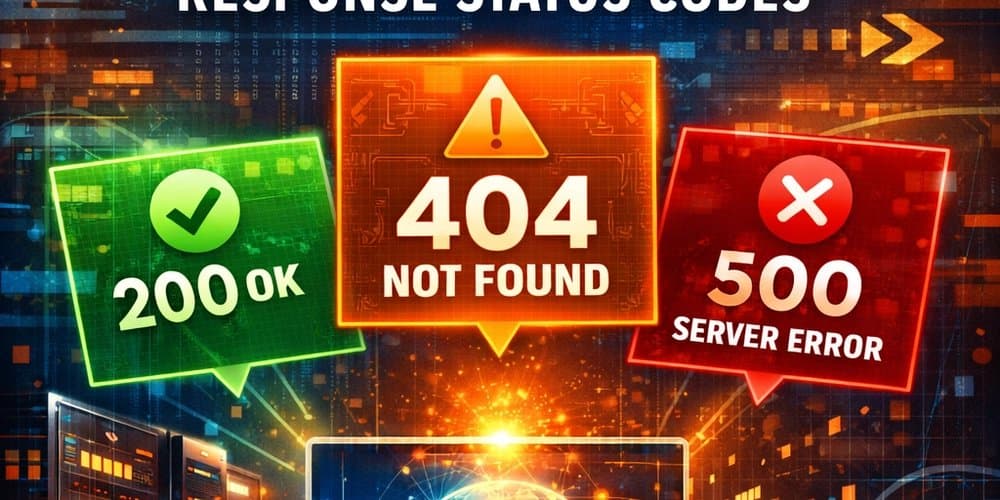
Understanding HTTP status codes is essential for building robust APIs. This guide covers all five classes of status codes with practical examples and production guidelines.
HTTP Response Status Codes are fundamental to web communication, providing standardized ways to indicate the status or result of an HTTP request. These codes are classified into five main categories based on their first digit: Informational responses [1xx], Successful responses [2xx], Redirection messages [3xx], Client error responses [4xx], and Server error responses [5xx].
Informational Responses (1xx)
Informational responses (1xx) indicate that the request has been received and the process is continuing. They are mainly used for preliminary communication before the final response is sent.
Large File Upload Example
When a client wants to send a very large file, the process works as follows:
- The client first sends the request headers only, including Content-Length, Content-Type, Expect: 100-continue
- The server checks the request headers and performs processes like Authentication, Authorization, and performs validations ensuring File size limits, Content type validity
- At the end, server responds with: 100 Continue → Client can now send the file body OR a final error like 401 Unauthorized, 403 Forbidden, 413 Payload Too Large
This prevents the client from uploading a huge file if the request will be rejected anyway.
Use-cases and Status Codes
| Status Code | Name | Purpose |
|---|---|---|
| 100 | Continue | Generic error: Client should continue sending request body |
| 101 | Switching Protocols | Server agrees to protocol upgrade |
| 102 | Processing | Request received and still being processed |
| 103 | Early Hints | Allows browser to preload resources early |
In most backend frameworks, these requests expecting response 1xx are temporary and handled automatically. They are rarely used directly in REST API logic.
Successful responses [2xx]
Successful responses (2xx) indicate that the request is received, understood, and processed successfully. These responses can be added to most HTTP request types and are used widely.
Use-cases and Status Codes
| Status Code | Name | Purpose |
|---|---|---|
| 200 | OK | Generic error: Standard success response; data returned successfully (GET, PUT, PATCH) |
| 201 | Created | Resource successfully created (POST) |
| 202 | Accepted | Request accepted but processing happens asynchronously |
| 203 | Non-Authoritative | Response from proxy/modification, not directly from origin server |
| 204 | No Content | Success, but no response body (DELETE, some updates) |
| 205 | Reset Content | Request succeeded, client should reset the view/form |
| 206 | Partial Content | Partial response for range requests (download/resume) |
Redirection messages [3xx]
Redirection messages [3xx] status codes indicate that the requested resource is available but at a different path/URL/location. In these cases, to complete and fulfill the request, the client should take extra steps like:
- Make another request to new location
- Forward requests via proxy
- Handle caching (using data already given in previous request)
- Switch method
Use-cases and Status Codes
| Status Code | Name | Purpose |
|---|---|---|
| 300 | Multiple Choices | Generic error: Multiple options for the resource; client may choose one |
| 301 | Moved Permanently | Resource permanently moved to a new URL; update bookmarks/links |
| 302 | Found / Temporary Redirect | Resource temporarily located at a different URL; original URL still valid |
| 303 | See Other | Redirect to another URL using GET (commonly after POST) |
| 304 | Not Modified | Resource not changed; client can use cached version |
| 305 | Use Proxy | Resource must be accessed through a proxy (rarely used) |
| 307 | Temporary Redirect | Like 302, but HTTP method must not change (POST remains POST) |
| 308 | Permanent Redirect | Like 301, but HTTP method must not change (method preserved) |
Client error responses [4xx]
Client error responses [4xx] indicate that the request made is incorrect and cannot be processed. These can be due to:
- Malformed request syntax (i.e., header or body errors)
- Using wrong HTTP methods
- Unauthorized access
- Validation errors
In these cases, the server will not process the request, but the client can retry with a corrected request next time.
Use-cases and Status Codes
| Status Code | Name | Purpose |
|---|---|---|
| 400 | Bad Request | Generic error: Malformed request syntax or invalid request |
| 401 | Unauthorized | Client must authenticate to access the resource |
| 402 | Payment Required | Reserved for digital payment; rarely used |
| 403 | Forbidden | Client is authenticated but not authorized to access the resource |
| 404 | Not Found | Resource does not exist; endpoint valid but resource missing |
| 405 | Method Not Allowed | HTTP method not supported by the resource |
| 406 | Not Acceptable | No content matching client's requested criteria |
| 407 | Proxy Authentication Required | Client must authenticate with proxy |
| 408 | Request Timeout | Server timed out waiting for the client to send the request |
| 409 | Conflict | Request conflicts with the current state of the server |
| 410 | Gone | Resource permanently deleted; no forwarding address |
| 411 | Length Required | Request missing Content-Length header |
| 412 | Precondition Failed | Conditional request headers not met by server |
| 413 | Content Too Large | Request body exceeds server-defined size limits |
| 414 | URI Too Long | Requested URI is longer than server is willing to process |
| 415 | Unsupported Media Type | Server does not support the format of the request body |
| 416 | Range Not Satisfiable | Requested range cannot be fulfilled by the server |
| 417 | Expectation Failed | Server cannot meet the Expect request header |
| 418 | I'm a teapot | April Fools / humorous response; server refuses to brew coffee |
| 421 | Misdirected Request | Request sent to a server unable to produce a valid response |
| 422 | Unprocessable Content | Well-formed request but semantic errors prevent processing |
| 423 | Locked | Resource is currently locked (WebDAV) |
| 424 | Failed Dependency | Request failed because a previous request failed |
| 425 | Too Early | Server refuses to process a request that may be replayed |
| 426 | Upgrade Required | Client must switch protocols (Upgrade header sent) |
| 428 | Precondition Required | Request must be conditional to prevent lost updates |
| 429 | Too Many Requests | Rate limiting; client sent too many requests in a short time |
| 431 | Request Header Fields Too Large | Header fields too large; client must reduce size |
| 451 | Unavailable For Legal Reasons | Resource unavailable due to legal reasons (e.g., censorship) |
Server error responses [5xx]
Server error responses indicate that the server failed to fulfill a valid request due to an issue on the server side. These can include:
- Bugs and errors in backend code
- Backend server crashed, overloaded, or temporarily unavailable
- Services used by the backend are unavailable
- Unsupported functionality, such as incorrect HTTP protocol version
- Resource limitations, like disk full, memory exhausted, storage limits exceeded, infinite loops, or resource deadlocks
These errors usually mean the client did nothing wrong, and retrying may succeed once the server issue is resolved.
Use-cases and Status Codes
| Status Code | Name | Purpose |
|---|---|---|
| 500 | Internal Server Error | Generic error: server encountered a situation it does not know how to handle |
| 501 | Not Implemented | Request method not supported by the server (except GET/HEAD) |
| 502 | Bad Gateway | Server acting as a gateway received an invalid response from upstream |
| 503 | Service Unavailable | Server temporarily unavailable (maintenance or overload); Retry-After header recommended |
| 504 | Gateway Timeout | Server acting as a gateway did not get a response in time from upstream |
| 505 | HTTP Version Not Supported | HTTP version used in the request is not supported by the server |
| 506 | Variant Also Negotiates | Internal configuration error; circular content negotiation detected |
| 507 | Insufficient Storage | Server cannot store the representation needed to complete the request |
| 508 | Loop Detected | Infinite loop detected while processing the request (WebDAV) |
| 510 | Not Extended | HTTP extension required by client is not supported |
| 511 | Network Authentication Required | Client must authenticate to gain network access |
Production-Grade API Response Guidelines
In production, always ensure your APIs:
- Return specific and relevant HTTP status codes that accurately reflect the result or error
- Include a JSON response body describing success or error with meaningful information so clients can handle responses programmatically
- Never expose sensitive data including stack traces, internal server paths, database queries, or secrets in responses but only send safe messages to clients
Following these guidelines ensures your APIs are robust, secure, and provide clear communication between client and server, making them easier to debug and maintain in production environments.
Comments
Please log in or register to join the discussion