
Following WWDC6, Apple released beta versions of Icon Composer 2 and SF Symbols 8, bringing Liquid Glass icon creation tools and over 7,000 animated symbols to iOS 27, macOS 27, and beyond.
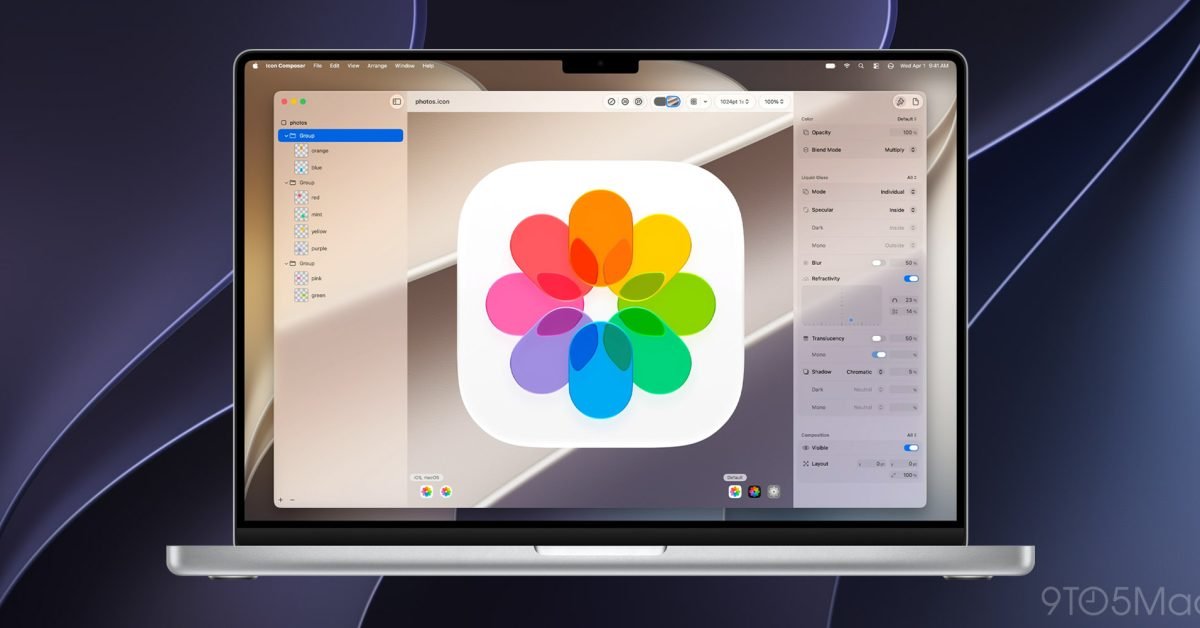
Apple has made its next-generation design tools available for beta testing following Monday's WWDC6 keynote. Icon Composer 2 and SF Symbols 8 are now downloadable from Apple's Design Resources portal, giving developers and designers early access to tools that will shape app icons and interface symbols across all Apple platforms in the coming year.
The beta releases arrive alongside updated design assets for iOS 27, iPadOS 27, and macOS 27 Golden Gate. While Apple's portal initially lacked explicit download links for these two tools, both are now accessible to registered developers.
SF Symbols 8: Expanded Library with Animation Capabilities
SF Symbols 8 continues Apple's push toward more expressive, system-wide iconography. The updated library includes multiple new symbols that were introduced during the WWDC6 keynote, bringing the total catalog to more than 7,000 symbols.
For developers working across platforms, this matters. SF Symbols 8 supports animations, effects, and variable renderings that were introduced in the previous generation. These capabilities allow symbols to respond to user interactions, adapt to different contexts, and maintain visual consistency across Apple's ecosystem.
The beta is available for testing against iOS 27, iPadOS 27, macOS 27 Golden Gate, watchOS 27, tvOS 27, and visionOS 27. This broad platform support means symbols designed today will work across iPhone, iPad, Mac, Apple Watch, Apple TV, and Vision Pro.
From a cross-platform development perspective, SF Symbols reduces the friction of maintaining consistent iconography. Rather than exporting custom assets for each platform, developers can reference a single symbol that adapts automatically to different sizes, weights, and rendering modes.
Icon Composer 2: Liquid Glass Icon Creation
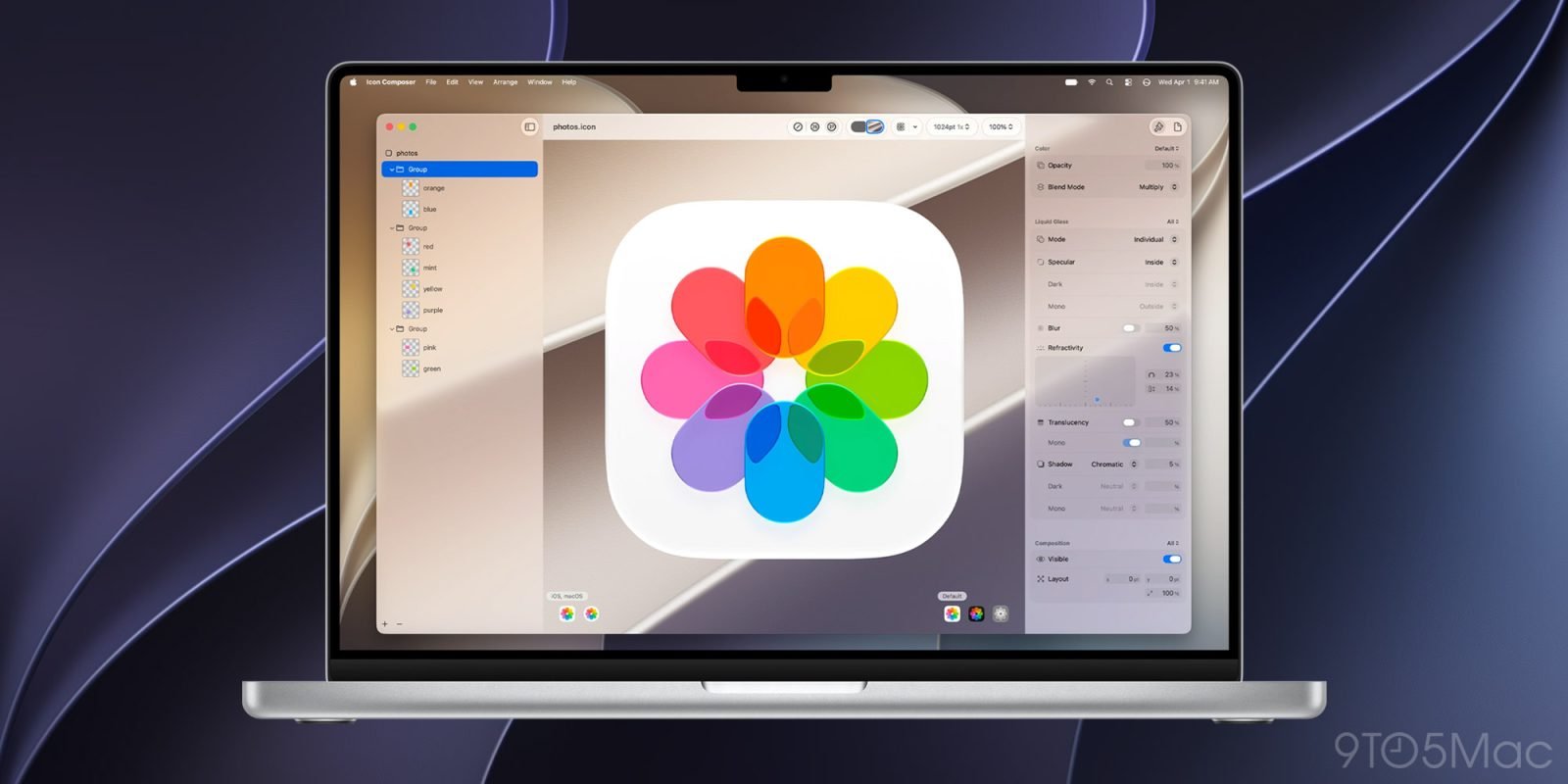
The bigger change for visual design is Icon Composer 2. This tool is specifically built for creating Liquid Glass app icons, the new visual language Apple introduced at WWDC6.
Three headline features define this release:
Refraction allows icon layers to bend light and interact with content behind them. Developers can control the strength of this effect per layer, ranging from subtle edge distortion to lens-like transparency. This creates depth without requiring manual shadow or highlight work.
Specular Highlights add crisp, reflective edges to icon layers. These highlights can be positioned inside or outside each layer, and Icon Composer can determine placement automatically based on the icon's structure. The result is better contrast and definition, particularly at smaller sizes.
Extended Preview lets developers see how icons render on both the current and previous generation of operating systems. This is critical for teams maintaining backward compatibility. An icon optimized for Liquid Glass on iOS 27 may look different on iOS 26, and Extended Preview helps catch those differences before release.
Developer Impact: What Changes in Your Workflow
For teams shipping apps on both iOS and Android, these tools reinforce Apple's commitment to platform-specific design language. Liquid Glass is not a universal standard. It is Apple's interpretation of depth, transparency, and layered interfaces.
This creates a decision point for cross-platform developers. You can:
- Build platform-specific icons that take advantage of Liquid Glass on Apple platforms while maintaining Material Design consistency on Android.
- Use a unified icon set that works acceptably on both platforms without platform-specific optimizations.
- Invest in dynamic icon systems that detect the platform and render accordingly.
Option 1 is the most work but produces the best results on each platform. Option 2 is fastest to ship but may feel generic. Option 3 is the middle ground, requiring some infrastructure but delivering tailored experiences.
SF Symbols 8 complicates this further. If you use SF Symbols in your iOS app, you are locked into Apple's library. Android does not have a direct equivalent. Teams maintaining apps on both platforms often need to maintain separate icon assets or use a cross-platform icon library like Phosphor Icons or Lucide as a baseline.
Migration Considerations
If you plan to adopt these tools, here is what to account for:
Testing timeline: Both tools are in beta. Apple typically releases final versions alongside new OS releases in September. Plan to test your updated icons and symbols against beta builds throughout the summer.
Backward compatibility: Extended Preview in Icon Composer 2 shows how icons render on older OS versions. Use this to ensure users on iOS 26 and earlier still see a clean icon. Liquid Glass effects will not translate to older systems.
Symbol availability: SF Symbols 8 includes symbols not available in earlier versions. If your app references SF Symbols by name, verify that the symbols you use exist on all targeted OS versions. SF Symbols has a versioning system that maps symbol availability to OS versions.
Design system updates: If you maintain a design system or component library, document which SF Symbols are safe to use across your minimum deployment target. This prevents designers from using symbols that break on older devices.
The Cross-Platform Reality
Apple's design tools are excellent for Apple platforms. They are not designed for cross-platform workflows. If your team ships on both iOS and Android, you will need to maintain separate design assets or invest in abstraction layers that bridge the two ecosystems.
This is not a flaw in Apple's approach. It is a consequence of platform-specific design languages. Apple optimizes for its hardware and software. Google does the same for Android and Material Design. The result is two excellent but incompatible systems.
The practical takeaway: download the betas, experiment with Liquid Glass icons, and evaluate whether the investment in platform-specific icons is worth the visual improvement for your users. For many apps, a clean, well-designed icon that works everywhere is better than a stunning icon that only works on one platform.
Comments
Please log in or register to join the discussion