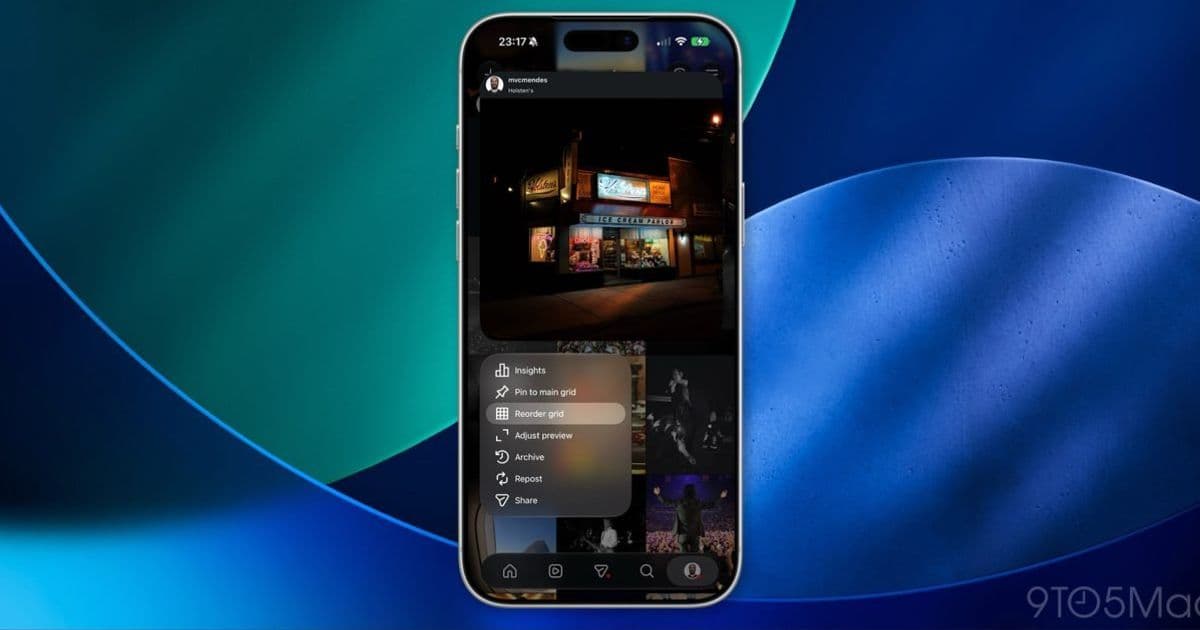
Instagram is rolling out manual post reordering for profile grids this week. The feature ships server-side, so there's no SDK bump or app update involved, but it's a useful look at how Meta handles client-parity features across both platforms.
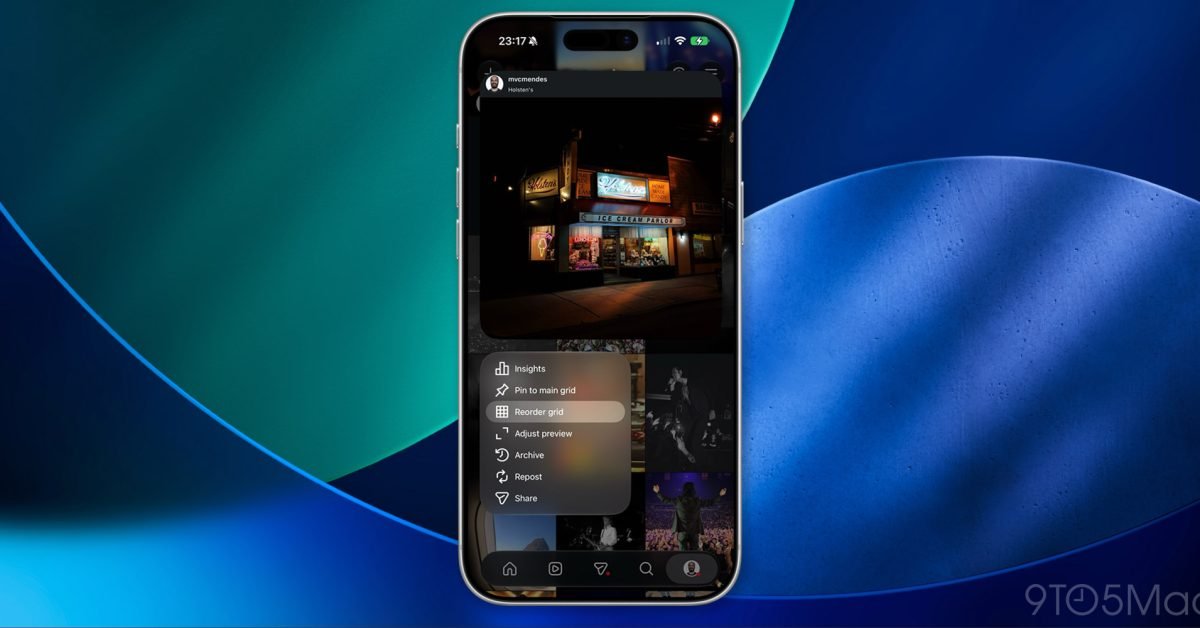
Instagram is finally letting people rearrange the posts on their profile grid. Tap any photo, select "Reorder grid," drag your posts into whatever order you want, then back out with the chevron and the new arrangement sticks. Meta's Threads account says it's rolling out starting this week, which is the usual phased release pattern, so not everyone sees it on day one.
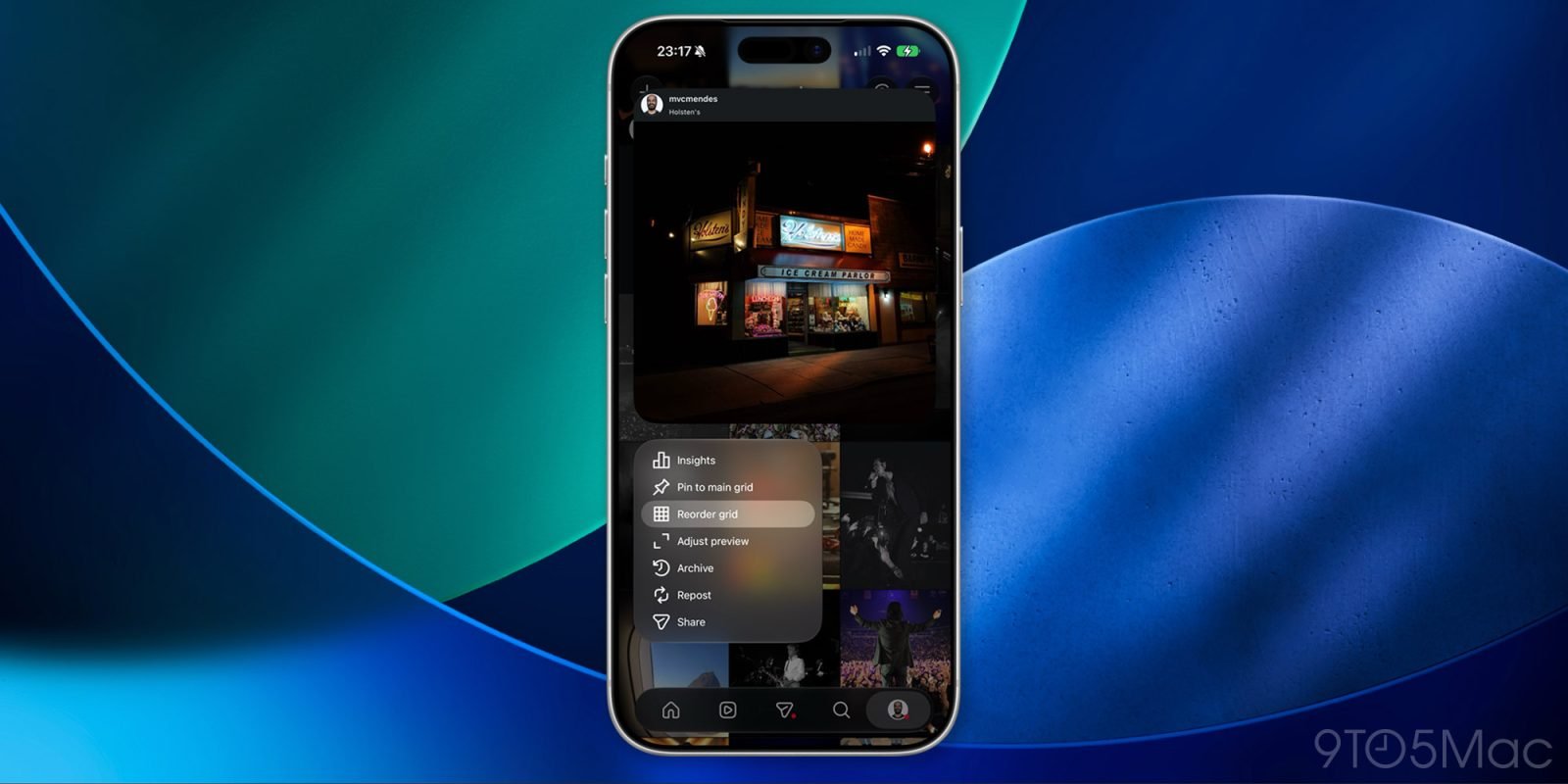
For anyone who builds apps on both iOS and Android, the interesting part isn't the feature itself. It's how it arrived. There's no new SDK version, no minimum OS requirement change, and nothing in the App Store or Play Store release notes that flips this on. The reorder capability is gated server-side and surfaced through the existing app binaries. That's worth understanding if you maintain a comparable product on both platforms.
What actually shipped
Instagram already added carousel reordering back in March, letting users shuffle images inside a single post after publishing. Grid reordering extends that same drag-and-drop interaction model up one level, to the arrangement of posts on the profile itself. The UI is the same on iOS and Android: long-press or tap into an edit mode, drag tiles around a grid, commit on exit.
The data model behind this is straightforward. A profile grid is normally rendered in reverse-chronological order by publish timestamp. Manual reordering means Instagram now stores an explicit ordering index per post, decoupled from the creation date. The client sends the new order to the backend, the backend persists it, and every subsequent fetch returns posts in that custom sequence rather than by timestamp. The mobile clients didn't need to learn anything new to display this, because they were already rendering whatever ordered list the API handed them.
Why it ships without an app update
This is the pattern Meta uses constantly, and it's the reason a feature can be "available starting this week" without showing up in your update queue. The functionality was compiled into the app weeks or months ago during the testing period mentioned in the original report. It sat behind a feature flag. The rollout is just Meta toggling that flag for an expanding percentage of accounts on the server.
For cross-platform developers, this is the architecture that keeps iOS and Android in sync without coordinating two separate App Store and Play Store review cycles. If grid reordering required a client update, you'd inevitably get version skew: iOS users on an older build wouldn't have the feature while Android users on the latest build would, or vice versa, depending on which review queue cleared first. Apple's review can take anywhere from a few hours to a couple of days, and Google's staged rollouts move on their own schedule. Feature flags sidestep all of that. Both platforms get switched on from the same backend, at the same time, for the same cohort.
The trade-off is bundle weight and dead code. Every flagged feature that isn't live yet still ships inside the binary, adding to download size and giving you code paths that aren't exercised in production until the flag flips. Teams running this model lean hard on remote config systems and accept that their app contains more than what any given user can currently see.
What this means if you're building something similar
If you maintain a photo or social app across both platforms, there are a few practical takeaways here.
First, design your ordering as server-authoritative from the start. If your grid sort lives only in client logic, adding manual reordering later becomes a migration headache, because you have to introduce a persisted order field and backfill it. Instagram clearly had the server returning an ordered list all along, which is why the client side was a comparatively small lift.
Second, treat drag-and-drop reordering as a shared spec, not two separate implementations. On iOS this is typically built with UICollectionView and its drag delegate methods, or the SwiftUI .onMove modifier on a grid. On Android, the equivalent is RecyclerView with ItemTouchHelper, or a LazyVerticalGrid with reorderable modifiers in Compose. The gesture mechanics differ per platform, but the contract with your backend, send the new index order, should be identical. Defining that contract once and implementing the native gesture handling twice keeps the platforms behaviorally consistent.
Third, use feature flags for parity-sensitive launches. The whole point of "available starting this week" is controlled exposure. You can roll out to one percent, watch your error rates and backend load, then expand. If something breaks, you flip the flag off without shipping an emergency build through either store. For a feature that writes new ordering data to every reordering user's profile, that kill switch is genuinely valuable.
The migration angle
There's no migration required from the user's side, and that's by design. Existing grids keep their reverse-chronological order until someone explicitly reorders. The custom ordering only kicks in once a user opts into it. That backward-compatible default is the right call, because it means the rollout can't visibly disrupt profiles that never touch the feature.
For developers, the lesson is that a feature like this should degrade gracefully. A client on an older build that doesn't yet have the reorder UI still needs to render a custom-ordered grid correctly, since the ordering is enforced server-side. As long as your clients always render the list the API returns rather than re-sorting locally, an older app showing a reordered profile just works. Break that rule by sorting on the client, and you'd get profiles that look different depending on app version, which is exactly the kind of inconsistency feature flags are meant to prevent.
Grid reordering is a small feature, but it's a clean example of how a mature cross-platform app ships behavioral changes: server-authoritative data, native gesture handling per platform, a shared API contract, and a feature flag doing the actual launch. No SDK bump, no forced update, and the same result whether your users are on an iPhone or a Pixel.
Comments
Please log in or register to join the discussion