iOS 26's new features eliminate the need for third-party password managers by adding credit card support and version history to Apple Passwords.
iOS 26 has finally made Apple Passwords the only password manager I need. After years of relying on both Apple's built-in solutions and third-party tools like 1Password, three key improvements in the latest iOS release have consolidated my password management entirely within Apple's ecosystem.
When Apple Passwords first launched with iOS 18, I was immediately impressed. I had already been using iCloud Keychain for years to generate and save logins across my devices, so the dedicated Passwords app felt like a natural evolution. The interface was clean, the integration was seamless, and it handled the vast majority of my password management needs.
However, I still kept 1Password around for two specific reasons. First, Apple Passwords lacked support for credit card information, which meant I needed another solution for storing and accessing payment details. Second, the absence of version history occasionally caused problems when the app overwrote saved logins before I could confirm changes on websites.
iOS 26 addresses both of these pain points comprehensively. The Wallet app now allows you to manually input full details for saved credit cards, eliminating the previous limitation where most cards would only display the last four digits. This means I no longer need to switch to 1Password whenever I need to access complete credit card information.
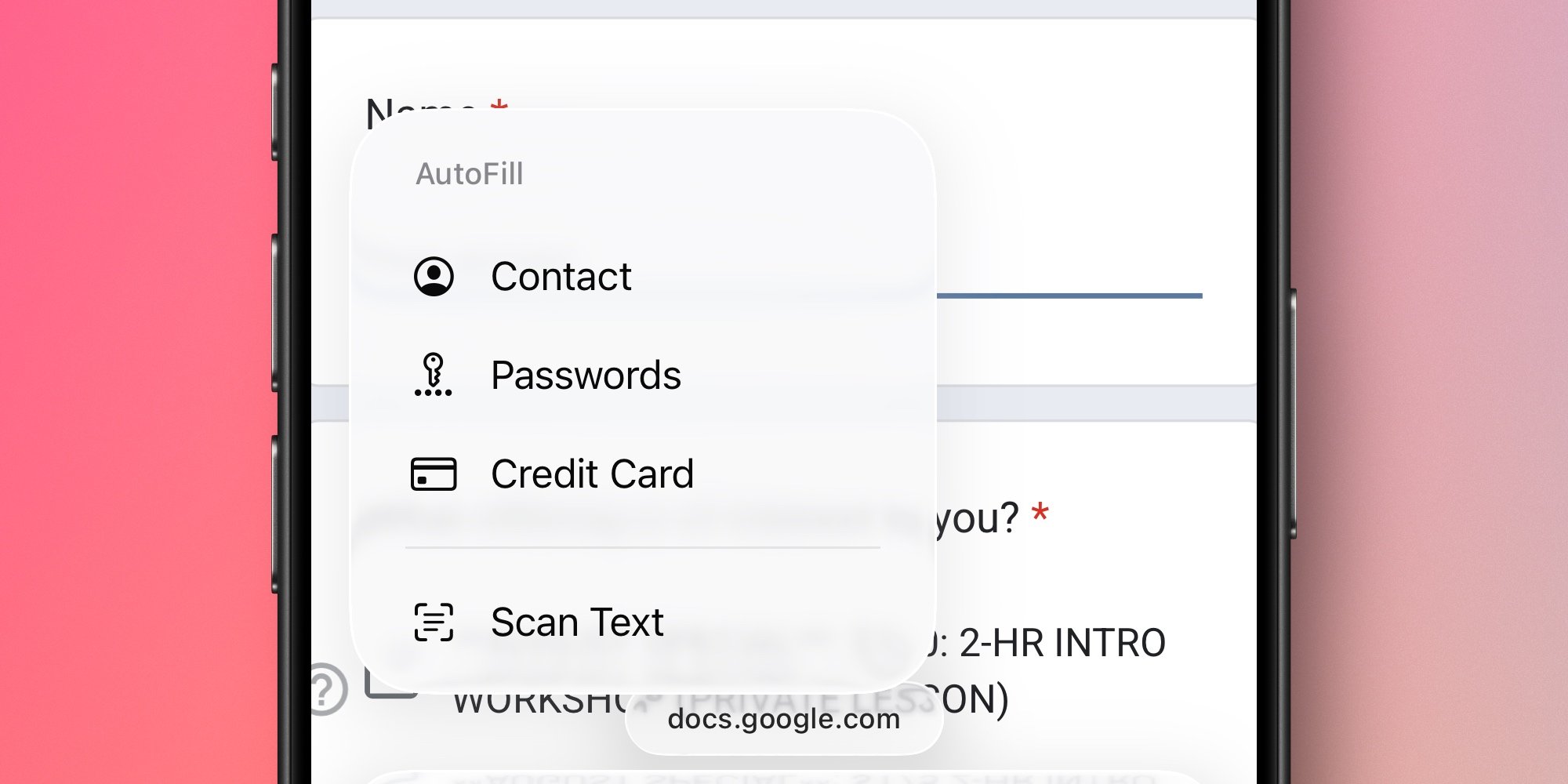
The systemwide AutoFill menu has also been expanded to include a dedicated Credit Card option. This enhancement has been transformative for my daily workflow. Now I can access credit card information with ease no matter which app I'm using, without even needing to open the Wallet app most of the time.
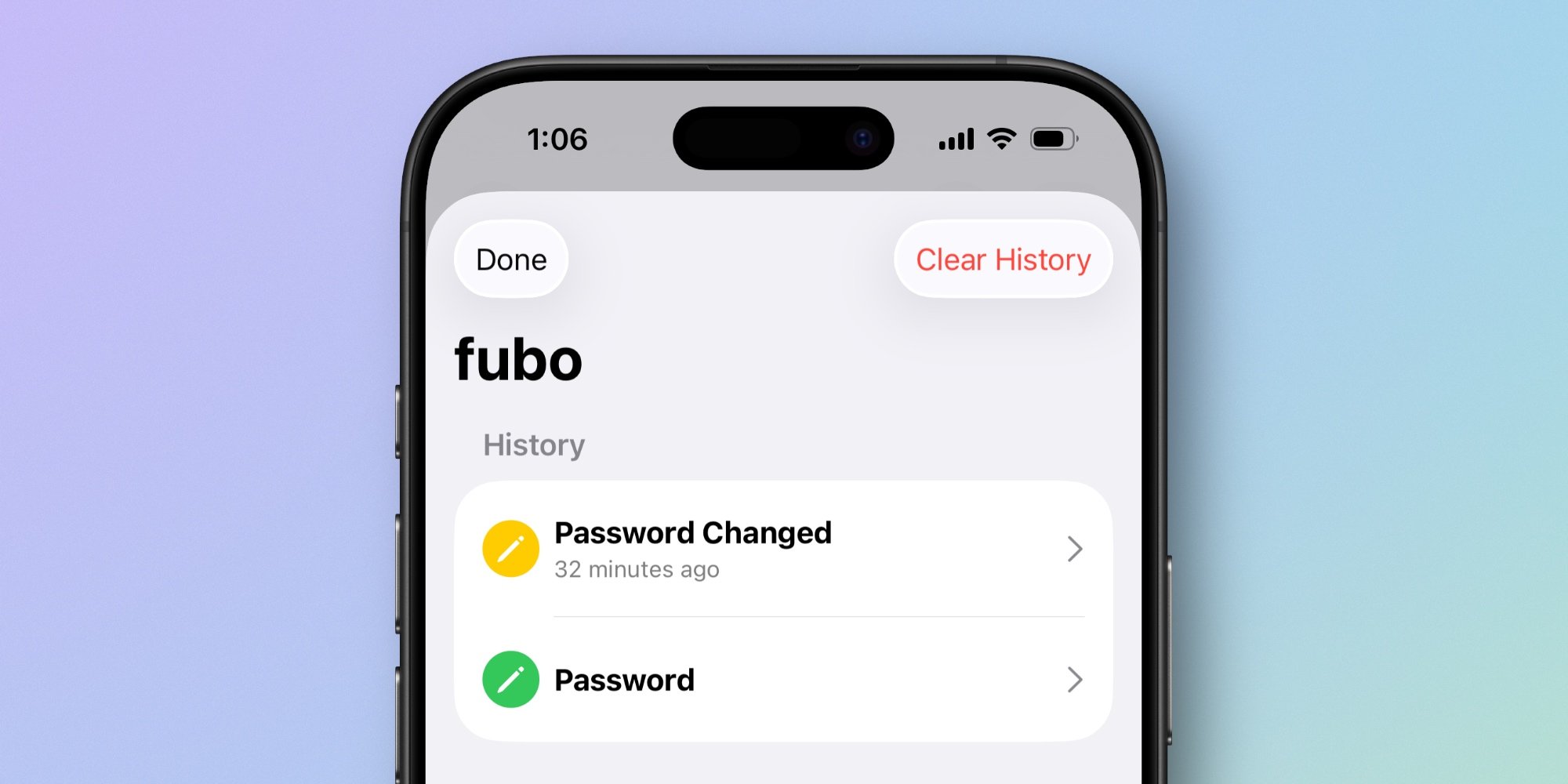
Perhaps most importantly, the Passwords app itself now offers version history for all logins. In iOS 18, there were several occasions when Apple Passwords would overwrite a saved login before that revision was actually confirmed on a website. This forced me to revert to 1Password to retrieve the correct details. With version history now available, I have a safety net that prevents data loss and gives me confidence in the app's reliability.
These improvements have completely changed my password management workflow. Since upgrading to iOS 26, I haven't needed to open 1Password at all. The combination of credit card support through Wallet, systemwide AutoFill enhancements, and version history within the Passwords app has made Apple's solution comprehensive enough to handle all my needs.
This consolidation represents a significant shift in how I think about password management. For years, the conventional wisdom has been that third-party password managers offer features and flexibility that built-in solutions can't match. But iOS 26 demonstrates that Apple's ecosystem has matured to the point where it can provide a complete, integrated solution that works seamlessly across all Apple devices.
The privacy and security benefits of keeping everything within Apple's ecosystem are substantial. With Apple Passwords, my sensitive information stays entirely within Apple's secure infrastructure, benefiting from the company's strong privacy stance and security features like Face ID and Touch ID authentication.
Of course, this transition may not work for everyone. Power users who need advanced features like secure note storage, document sharing, or cross-platform support for Windows and Android devices may still find third-party solutions more suitable. But for users deeply embedded in the Apple ecosystem who primarily need password and credit card management, iOS 26 makes Apple Passwords a compelling all-in-one solution.
I'm curious to hear from other users: Are you still using a third-party password manager, and if so, what features do you feel Apple Passwords is missing in iOS 26? The comments section is open for discussion about whether Apple's solution can truly replace dedicated password management tools for everyone.
Comments
Please log in or register to join the discussion