While iOS 26 brings hundreds of changes, four features have become indispensable in daily use: a smarter Notes toolbar, a Mac-like Preview app, a clearer Health sleep metric, and Maps search powered by Apple Intelligence.
Major iOS updates always ship with a laundry list of new features, but the real test is which ones actually stick around in your daily workflow. After using iOS 26 for weeks, four additions have become permanent fixtures on my iPhone, fundamentally changing how I work, track health, and navigate.
1. Adaptive Toolbar in Notes: Context-Aware Editing
Apple Notes has evolved from a simple notepad into a powerful document editor, but that power has come with a cost: feature discovery. With each annual update, more tools pile into the toolbar, creating a cluttered interface where finding the right button requires scrolling or remembering where Apple hid a specific function.
The Adaptive Toolbar in iOS 26 solves this elegantly by making the interface context-sensitive. When you're editing standard text, the toolbar shows only the essentials: bold, italics, underline, and highlight. This keeps the interface clean for the 80% of the time you're just typing.
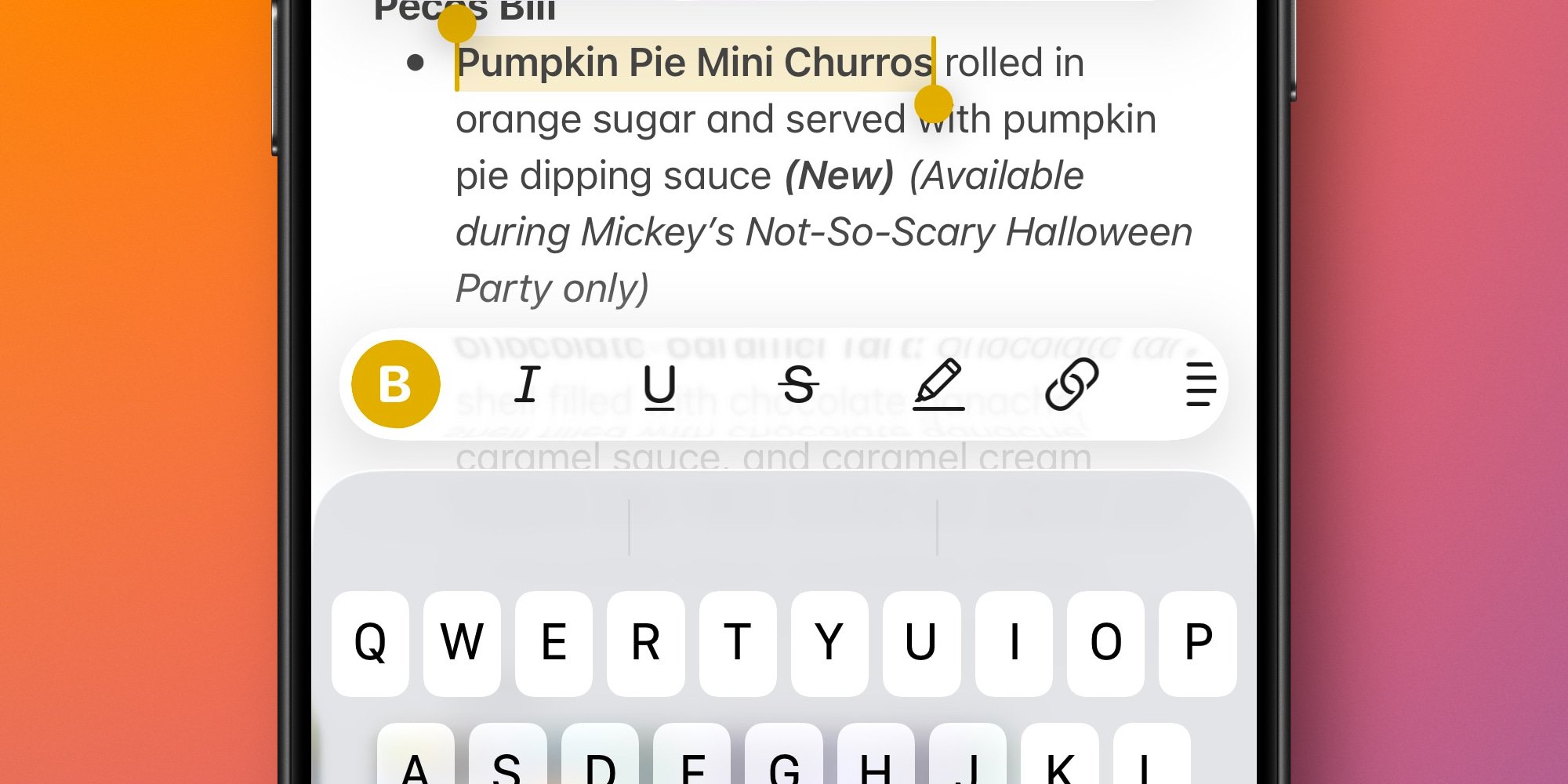
The magic happens when you select multiple lines of text. The toolbar automatically transforms to show list options, indentation controls, outdent buttons, and block quote tools. It's not just showing more buttons—it's showing the right buttons for the task at hand.
For power users like me with over 2,600 notes, this reduces cognitive load significantly. I no longer need to remember that checklist tools appear when I'm in a list, or that formatting options change when I select a paragraph. The app anticipates my needs based on what I'm actually doing.
The full tool palette remains accessible with a swipe, so nothing is lost. But in practice, I rarely need to reach for it. The Adaptive Toolbar has made Notes feel more responsive and intuitive, turning it from a tool I occasionally use into one I reach for constantly.
2. Preview App: Mac-Like Document Management
For years, iOS users have relied on Quick Look within the Files app to view PDFs and images. It worked, but it was a single-purpose tool that forced you to exit the file browser to view a document. The new Preview app changes this dynamic completely.
Preview isn't just a port of the Mac version—it's a strategic addition to iOS's file management ecosystem. While much of its functionality overlaps with Files, the key difference is window management. You can now view a document in Preview while simultaneously browsing your file system in the Files app.
This might sound minor, but it's transformative for anyone who works with multiple documents. Consider reviewing a lengthy PDF report while cross-referencing data in a separate spreadsheet. On a Mac, you'd open both documents in separate windows and arrange them side by side. On iOS before 26, you'd constantly switch between viewing the PDF and browsing for the next file.
With Preview and Files working in tandem, iOS 26 finally delivers the multi-window document workflow that makes the Mac so productive. The experience feels closer to desktop computing, which matters as more professionals rely on iPhones for work tasks that previously required a computer.
3. Sleep Score in Health: Actionable Insights
Sleep tracking has existed in iOS for years, but the data presentation has always felt clinical and fragmented. The Health app showed duration, heart rate, and respiratory rate, but synthesizing this information into a meaningful assessment required manual analysis.
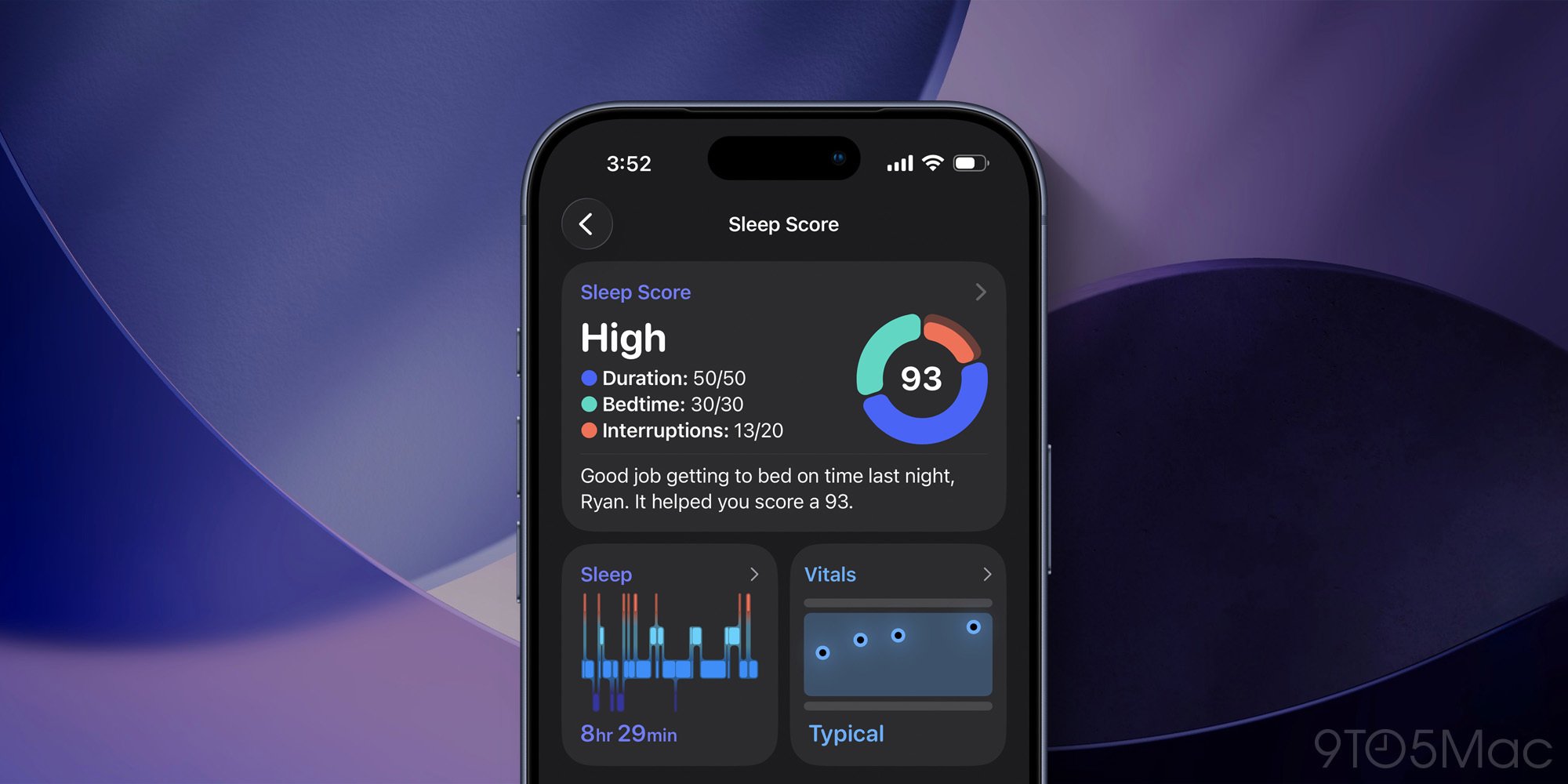
The new Sleep Score changes this by aggregating all your sleep data into a single, understandable metric. Each night receives a score based on three factors: Duration (how long you slept), Bedtime (consistency of your sleep schedule), and Interruptions (how often you woke up).
This isn't just a number for its own sake. Like Apple Watch's Activity rings, the Sleep Score creates a feedback loop that motivates better habits. When my score drops, I can immediately see whether it's because I went to bed late, slept poorly, or had fragmented sleep. This clarity makes it easier to identify patterns and make adjustments.
For anyone who's struggled to interpret raw sleep data, the Sleep Score provides the context that turns numbers into insights. It's a simple addition that makes the Health app's sleep tracking genuinely useful rather than just interesting.
4. AI-Powered Search in Maps: Natural Language Queries
Search is arguably the most critical function in Apple Maps, and in iOS 26, it's been completely reimagined with Apple Intelligence. The upgrade is most noticeable on AI-compatible iPhones, where the search engine now understands natural language queries and provides more relevant results.
This isn't just about better keyword matching. The AI-powered search can parse complex, multi-parameter queries that would have confused previous versions. Instead of searching for "Italian restaurant downtown," you might ask, "Find a quiet Italian place with outdoor seating near my office that's open after 9 PM." Maps can now interpret and act on this.
More importantly, the AI excels at disambiguation. When there are multiple locations with similar names, or when your query is ambiguous, the system uses context and your history to surface the most likely result. This reduces the friction of searching for places you already know exist but struggle to find quickly.
The improvement extends to discovery as well. By understanding the intent behind queries rather than just matching keywords, Maps can suggest relevant options you might not have considered. It's a subtle but significant shift from a search engine that matches text to one that understands intent.
The Cumulative Effect
What makes these four features stand out isn't just their individual utility, but how they collectively make iOS feel more mature and professional. The Adaptive Toolbar and Preview app address workflow efficiency, making the iPhone a more capable tool for productivity. Sleep Score and AI Search in Maps improve daily life management—one through better health insights, the other through smarter navigation.
These aren't flashy features that will make headlines, but they're the kind of thoughtful additions that transform how you use your device. They demonstrate Apple's focus on refining the user experience rather than just adding features for feature's sake.
For developers and power users, these changes also signal important platform trends. The Adaptive Toolbar shows Apple's commitment to adaptive interfaces that respond to context. Preview represents a broader push toward desktop-class multitasking on mobile. The Sleep Score exemplifies Apple's strategy of turning raw data into actionable insights. And AI Search demonstrates how Apple Intelligence is being woven into the fabric of core apps.
As iOS 26 continues to roll out, these four features have proven their value not through novelty, but through daily utility. They've earned their place in my workflow by making common tasks simpler, clearer, and more efficient. That's the true measure of a successful feature—not how many times you use it, but how much you miss it when it's gone.
Comments
Please log in or register to join the discussion