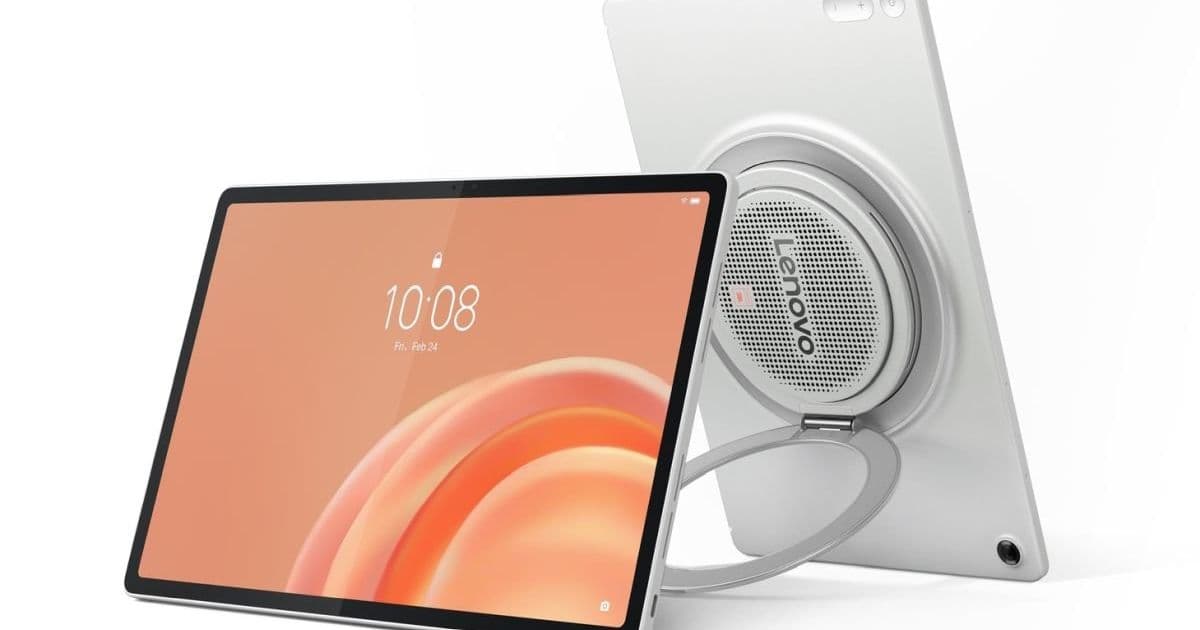
Lenovo built its new Android 16 tablet around media playback, with a large rear speaker module, a rotating kickstand, and enough large-screen behavior changes to matter for app teams.
Platform update
Lenovo launched the Tab Plus Gen 2 Tuesday, giving its media tablet line a 12.1-inch 2.5K screen, Android 16, and a nine-speaker JBL system in a large rear bump.
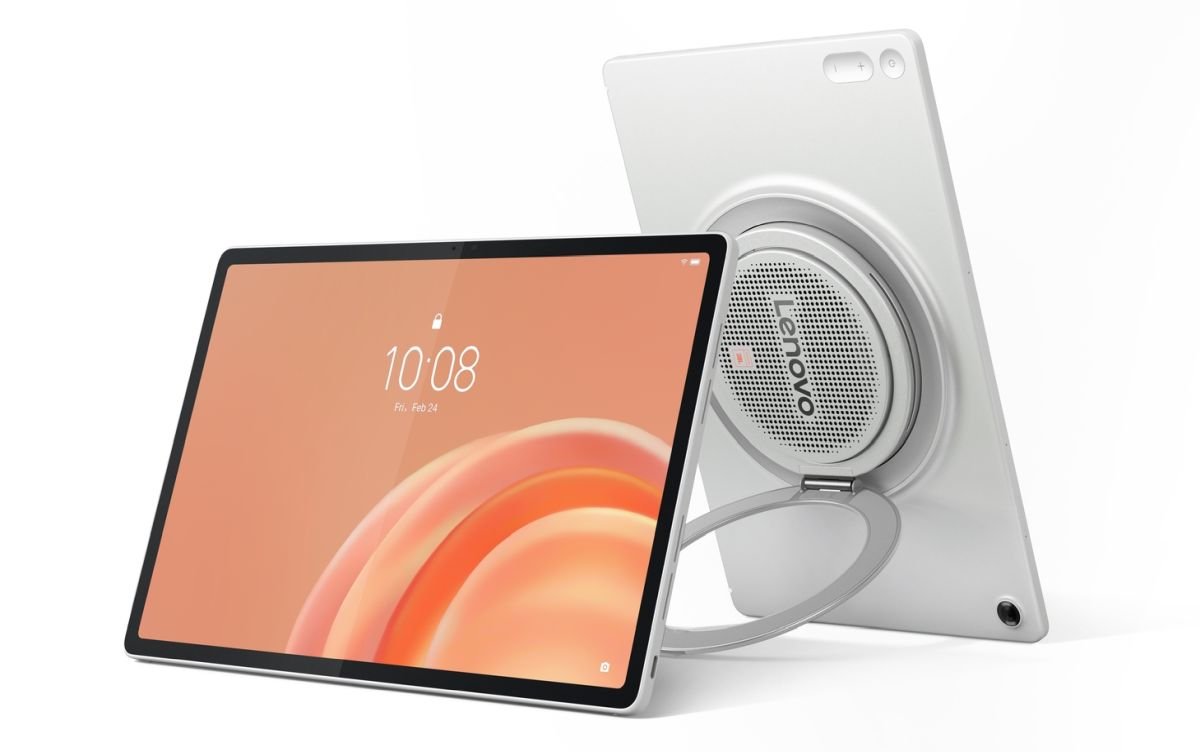
Lenovo plans to sell the tablet in select global markets at $399.99 and up, according to Lenovo's launch release. Liliputing first reported the product details after Lenovo disclosed the design through an award listing earlier this year.
Lenovo designed the device for streaming, music, and room-to-room use. The company gives it a 2560 x 1600 LCD panel with a 120 Hz refresh rate, up to 800 nits in High Brightness Mode, Dolby Vision, and HDR10. With that panel, Lenovo gives buyers a stronger screen than many budget Android tablets offer, then puts the design budget into audio.
Lenovo puts nine JBL speakers in the rear module and tunes them for Dolby Atmos. The company calls the system a cinematic audio setup with dedicated bass units. You can also use the tablet as a Bluetooth speaker for a phone or another device, which gives the hardware a role that most Android tablets do not try to fill.
Lenovo built a 360-degree rotating kickstand into the rear bump. You can prop the tablet in portrait or landscape orientation, lean it back for video, or hang it from a hook. That matters for kitchens, desks, and hotel rooms, where a tablet often needs to stand without a case.
Lenovo uses MediaTek's Dimensity 7400 processor. The company starts the line at 6GB of memory and 128GB of storage, then offers models with up to 12GB of memory and 256GB of storage. Users can add up to 2TB through microSD.
Lenovo includes a 13MP rear camera with auto-focus, an 8MP front camera with fixed focus, Wi-Fi 6, Bluetooth 5.4, and a USB-C 2.0 port for charging and audio. Lenovo lists a 10,200 mAh battery and up to 15 hours of YouTube streaming. The company caps charging at 45W, though it sells a 68W USB-C charger as an accessory.
Developer impact
Android developers should treat the launch as a tablet test case. Google assigns Android 16 to API level 36 in its Android 16 developer documentation, so teams should build and test against SDK Platform 36 before they sign off on tablet behavior.
App teams that target API 36 need large-screen testing. Google uses Android 16 to push app makers toward adaptive layouts on large screens. Developers who lock portrait orientation or assume phone-width controls will ship poor layouts on hardware like the Tab Plus Gen 2.
Users will rotate this tablet, stand it on a table, hang it, and use it as a speaker. You need layout support for each posture. Video controls need touch targets that work at arm's length. Reading views need sane line lengths on a 12.1-inch panel. Settings panels should avoid phone-style full-screen flows when a side panel would fit.
Media app teams face audio behavior questions. Teams should test media session controls and Bluetooth route changes. You should handle audio focus with care because users may stream audio from a phone to the tablet, then switch back to local playback.
Flutter teams should size video controls with LayoutBuilder and test split layouts on tablet widths. React Native teams should recheck safe areas, orientation changes, and Dimensions updates. Kotlin Multiplatform teams should keep shared media logic away from Android window assumptions, then let Android-specific UI code handle posture and width classes.
Design teams should avoid phone-only control placement. A bottom control bar can work on a phone and feel cramped on a tablet in landscape. A side rail, split pane, or floating transport control can reduce reach issues when the kickstand puts the screen farther from the user.
Accessibility teams should test captions and transcript surfaces. Lenovo includes AI Live Transcript with real-time translation, and app teams that provide their own captions should check size, contrast, and safe placement around video controls. A tablet that sells on media features will expose weak caption layouts fast.
Migration
Start migration with the SDK. Install Android SDK Platform 36, update CI images, and run tablet tests before changing production targets. Set compileSdk to 36 first. Move targetSdkVersion to 36 after QA signs off on Android 16 behavior changes.
Use a physical tablet when you can. Emulators help with API coverage, but they do not reproduce this hardware's speaker mode, kickstand use, or Bluetooth handoff patterns. A media app can pass emulator tests and still mishandle a living-room playback case.
Audit orientation locks next. Remove hard portrait rules from screens that can support landscape. Replace fixed dp widths with adaptive containers. Compose teams can use window size classes and Material 3 adaptive components. XML teams can still get good results with resource qualifiers and measured tablet layouts.
Check media controls after layout. Test playback from local storage, streaming sessions, Bluetooth output, and Bluetooth speaker mode. Confirm lock-screen controls, notification controls, and headset controls all point at the right session. Users will blame the app when audio routes feel wrong.
Keep minSdk tied to your install base. Lenovo's tablet ships with Android 16, but Android tablet users still run older releases. Teams that support both phones and tablets should gate Android 16 behavior behind version checks while keeping shared UI rules broad enough for older large-screen devices.
Lenovo promises two OS upgrades through Android 18 and security patches through 2030. Enterprise and education buyers can plan for several years of use, so app teams should treat this as a durable test target for Android large-screen work rather than a short-cycle consumer tablet.
The Tab Plus Gen 2 also sharpens a cross-platform lesson. Apple and Google both push developers toward adaptive layouts, and users expect media apps to work across phone, tablet, desktop, and TV surfaces. Teams that maintain Android and iPadOS apps should use this launch as another reason to retire phone-first layouts and test media behavior on real tablet hardware.
Comments
Please log in or register to join the discussion