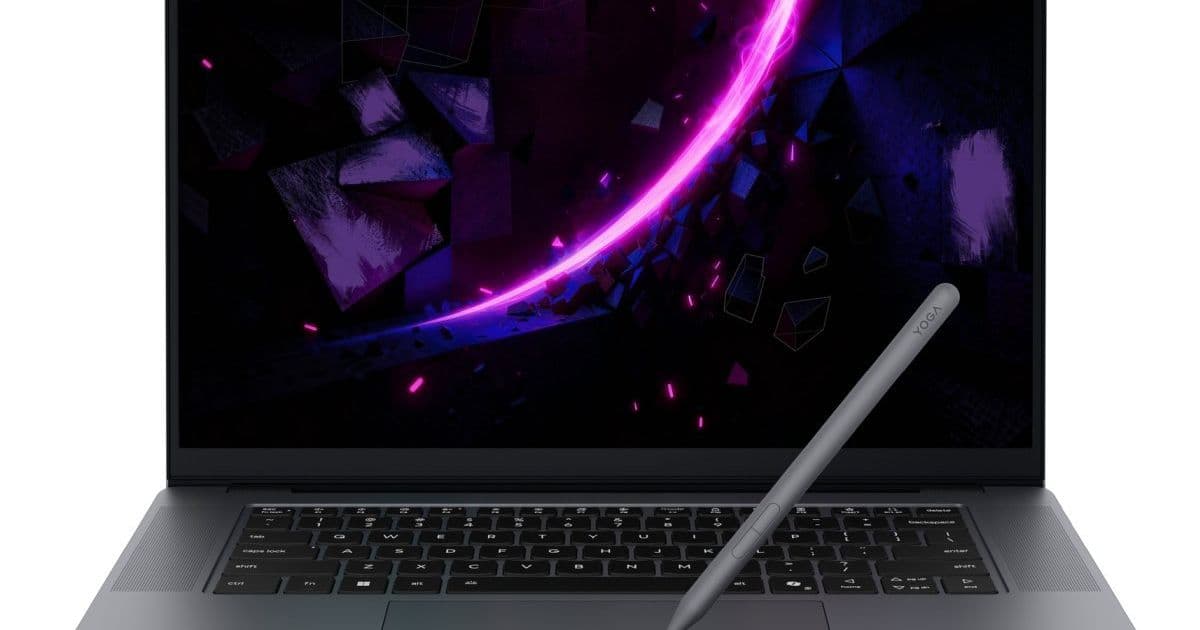
Lenovo's new Yoga Pro 7i and 9i Aura Edition laptops introduce a haptic touchpad that doubles as a pressure-sensitive drawing surface, challenging the need for separate graphics tablets.
Lenovo is pushing the boundaries of laptop input devices with its latest Yoga Pro 7i and 9i Aura Edition laptops, announced at CES. The standout feature is a large haptic touchpad that supports pressure-sensitive stylus input, effectively turning the trackpad into a built-in graphics tablet. This move follows Acer's similar introduction with the Swift 16, signaling a potential shift in how mobile professionals approach digital sketching and note-taking.
The Technology Behind the Sketchpad
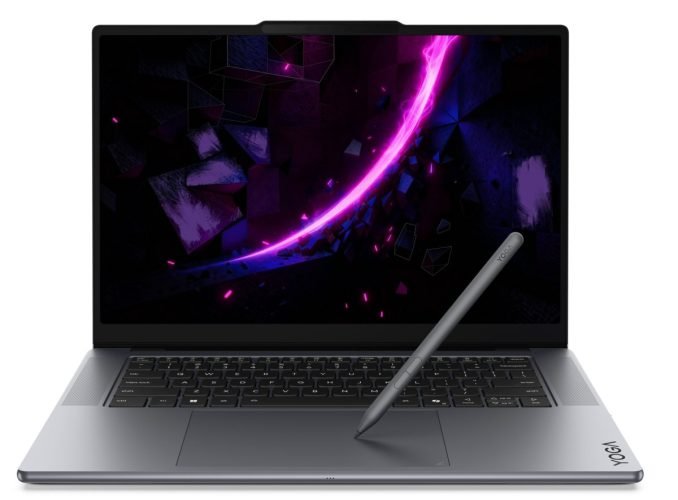
The feature Lenovo calls "Glass Force Pad w/Sketchpad support" measures 150 x 95mm (5.9" x 3.7") on both the 15-inch and 16-inch models. This is substantially larger than standard trackpads, providing enough surface area for comfortable drawing and writing. The touchpad is compatible with the included Lenovo Yoga Pen Gen 2, a pressure-sensitive stylus that doesn't require pairing or charging.
What makes this different from simply using a stylus on a laptop screen is the dedicated surface below the keyboard. For developers and designers who work in clamshell mode most of the time, this means you can sketch UI wireframes, annotate code diagrams, or take handwritten notes without smudging your screen or needing an external device. The haptic feedback system also allows the touchpad to function as a normal clickable trackpad when you're not using the pen.
Configuration Options and Pricing
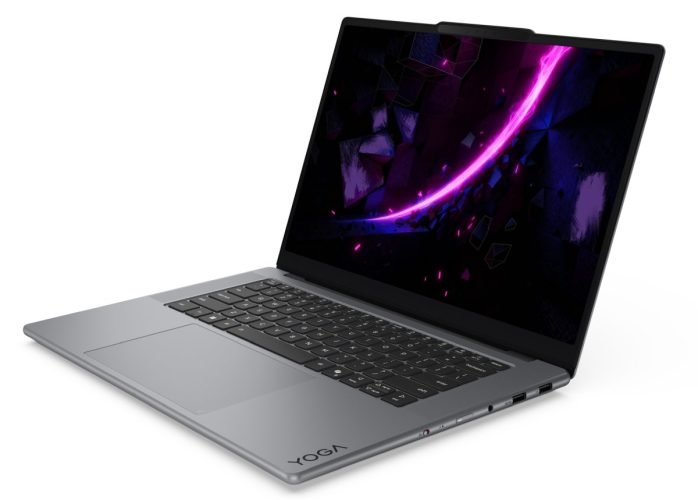
Lenovo offers these laptops with a choice between a standard clickable touchpad or the haptic touchpad with pen support. This is an important distinction from Acer's approach, which makes the pen-enabled touchpad standard. For developers who don't need sketching capabilities, this option might save some cost.
The pricing reflects the premium nature of these features:
- Yoga Pro 7i Aura Edition (15"): Starting around $1,800
- Yoga Pro 9i Aura Edition (16"): Starting at $1,900
Both models launch in Q2 2026, giving developers time to evaluate whether this input method fits their workflow.
Hardware Specifications for Mobile Development
Beyond the touchpad innovation, these laptops pack substantial hardware for cross-platform development work:
Processing Power
Both models support up to an Intel Core Ultra 9 386H 16-core processor with 4-core Intel Xe3 integrated graphics. For developers running Android emulators, iOS simulators, or multiple Docker containers, the 16-core configuration provides headroom. The integrated Xe3 graphics handle light GPU-accelerated development tasks, while discrete GPU options up to NVIDIA GeForce RTX 5070 support CUDA development, mobile app testing with hardware acceleration, or game development.
Memory and Storage
Support for up to 64GB of LPDDR5x-7467 memory addresses the growing memory demands of modern development stacks. Running Android Studio with an emulator, Chrome with multiple tabs, and a code editor can easily consume 32GB. The 64GB ceiling means you can run multiple virtual machines or heavy container setups.
Storage options up to 2TB PCIe Gen 4 M.2 SSD provide fast compile times and ample space for SDKs, virtual devices, and project files. The PCIe Gen 4 interface ensures quick read/write operations when building large projects or managing extensive dependency caches.
Display Options
Yoga Pro 9i (16"):
- Up to 16-inch, 3200 x 2000 pixel, 120 Hz OLED
- High resolution benefits code readability and multi-window layouts
- 120Hz refresh rate makes stylus input feel more responsive
Yoga Pro 7i (15"):
- Up to 15.3-inch, 2560 x 1600 pixel, 165 Hz OLED
- Slightly lower resolution but higher refresh rate
- Better for developers prioritizing smooth pen input over maximum screen real estate
Battery and Power
The 92.5 Wh battery in the 16-inch model and 140W power supply in the 15-inch model suggest these are designed for mobile work. For developers who need to work on trains, in coffee shops, or between meetings, the battery capacity should support full development sessions. The 245W power supply for the 16-inch model indicates the discrete GPU draws significant power under load.
Connectivity for Cross-Platform Development
The port selection covers most development needs:
- 2 x Thunderbolt 4: Essential for high-speed peripherals, external displays, and fast data transfer. Thunderbolt 4 supports up to 40Gbps, useful for external SSDs or connecting to test devices.
- 2 x USB 3.2 Gen 2 Type-A: Legacy support for USB-A devices without dongles. Many hardware debugging tools and test devices still use USB-A.
- 1 x HDMI 2.1: Direct connection to external monitors or projectors for presentations. HDMI 2.1 supports 4K at 120Hz or 8K at 60Hz.
- 1 x 3.5mm audio: For headphones during calls or debugging audio issues in apps.
- 1 x SD card reader: Useful for developers working with embedded systems, IoT devices, or photographers who also develop mobile apps.
Wireless capabilities include WiFi 7 and Bluetooth 6. WiFi 7 offers theoretical speeds up to 46Gbps, though real-world performance depends on network infrastructure. For developers downloading large SDKs or syncing with cloud services, this provides future-proofing. Bluetooth 6 improves connectivity stability for wireless peripherals, important when using external keyboards, mice, or test devices.
Use Cases for Mobile Developers
Android Development
The pressure-sensitive touchpad could be useful for:
- Sketching app UI layouts before implementing in XML or Jetpack Compose
- Annotating screenshots during bug reports
- Taking handwritten notes during code reviews
iOS Development
While Xcode runs only on macOS, developers using Hackintosh setups or remote Mac builds could benefit from the pen input for:
- Storyboard planning
- Sketching custom view hierarchies
- Quick diagramming of navigation flows
Cross-Platform Tools
For Flutter, React Native, or Xamarin developers:
- Drawing state diagrams for complex app logic
- Sketching responsive layouts for multiple screen sizes
- Annotating API response structures
Web Development
Frontend developers could use the touchpad for:
- Wireframing component structures
- Sketching responsive breakpoints
- Drawing flowcharts for complex user interactions
Trade-offs and Considerations
The 150 x 95mm drawing area, while generous for a trackpad, is smaller than dedicated graphics tablets. Wacom's Intuos Pro Medium, for comparison, has a 216 x 137mm active area. Developers accustomed to full-sized tablets may find the trackpad cramped for extended drawing sessions.
The haptic touchpad with pen support is an optional configuration. This means the base models might not include this feature, potentially requiring an upgrade. The exact price difference between configurations isn't specified in the announcement.
The laptops are launching in Q2 2026, which is several months away. For developers needing hardware now, this requires patience. The pricing also puts these in the premium category, competing with high-end mobile workstations.
Industry Context
This innovation reflects a broader trend of converging input methods. Apple's iPad Pro with Magic Keyboard blurs the line between tablet and laptop. Microsoft's Surface line has long offered pen input on laptop form factors. Lenovo's approach is unique in dedicating the trackpad to pen input rather than making the entire screen a drawing surface.
For developers, this could reduce the need to carry separate peripherals. A lightweight laptop with built-in sketching capability might replace a laptop plus external graphics tablet setup.
Development Environment Implications
The pen-enabled touchpad works with the included Yoga Pen Gen 2. For developers considering custom tooling, the stylus uses standard pressure sensitivity protocols, likely compatible with common drawing APIs. However, the trackpad surface is optimized for pen input, not multi-touch gestures in the same way as standard trackpads.
Developers building apps that use stylus input could use these laptops for testing touch-optimized interfaces. The pressure sensitivity levels aren't specified in the announcement, but typical pressure-sensitive styluses support 1024 to 4096 levels of pressure.
Availability and Next Steps
Both models will be available in Q2 2026 through Lenovo's business channels and retail partners. Developers interested in evaluating the workflow benefits should consider:
- Waiting for hands-on reviews that test the actual pen latency and pressure sensitivity
- Checking if their primary development tools support stylus input on trackpads
- Evaluating whether the $1,800+ price point fits their hardware budget
- Considering if the 15-inch or 16-inch form factor better suits their mobile workflow
The Yoga Pro 7i and 9i Aura Edition represent an interesting experiment in laptop input design. For developers who frequently sketch diagrams or take handwritten notes, this could streamline their workflow. For those who prefer traditional keyboard and mouse setups, the premium for this feature might not justify the cost. The real test will be whether the trackpad-based drawing experience feels natural enough to replace dedicated sketching tools.
Lenovo Yoga Pro 7i and 9i Aura Edition product page Lenovo Yoga Pen Gen 2 information CES 2026 laptop announcements coverage
Comments
Please log in or register to join the discussion