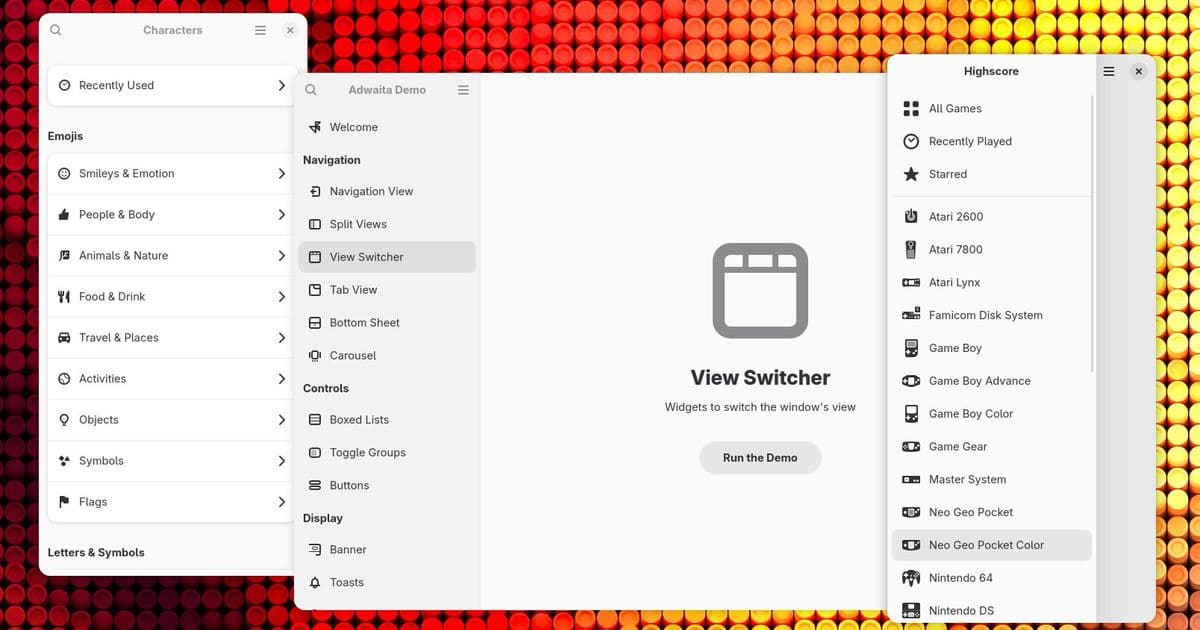
Libadwaita 1.9 introduces a new sidebar widget, view switcher sidebar, and enhanced mobile support, along with accessibility improvements and reduced motion support.
The GNOME desktop environment continues to evolve with the release of Libadwaita 1.9, bringing significant improvements to user interface components and mobile responsiveness. This latest update, while described as a "slow cycle" by developer Alice, introduces several key features that enhance both developer experience and end-user interaction.
The New Sidebar Widget: Consistency at Last
One of the most prominent additions in Libadwaita 1.9 is the new AdwSidebar widget. Previously, developers had to create their own sidebar implementations using GtkListBox or GtkListView combined with the .navigation-sidebar style class. This approach led to inconsistent designs across different applications, with each app implementing sidebars slightly differently.
Alice illustrates this problem with examples showing how sidebars previously varied wildly between applications. Some had icons, some didn't. Some included sections with non-dimmed labels, while others used separators or bold text. The inconsistency was particularly problematic on mobile devices, where sidebars often became flat lists that were difficult to interact with.
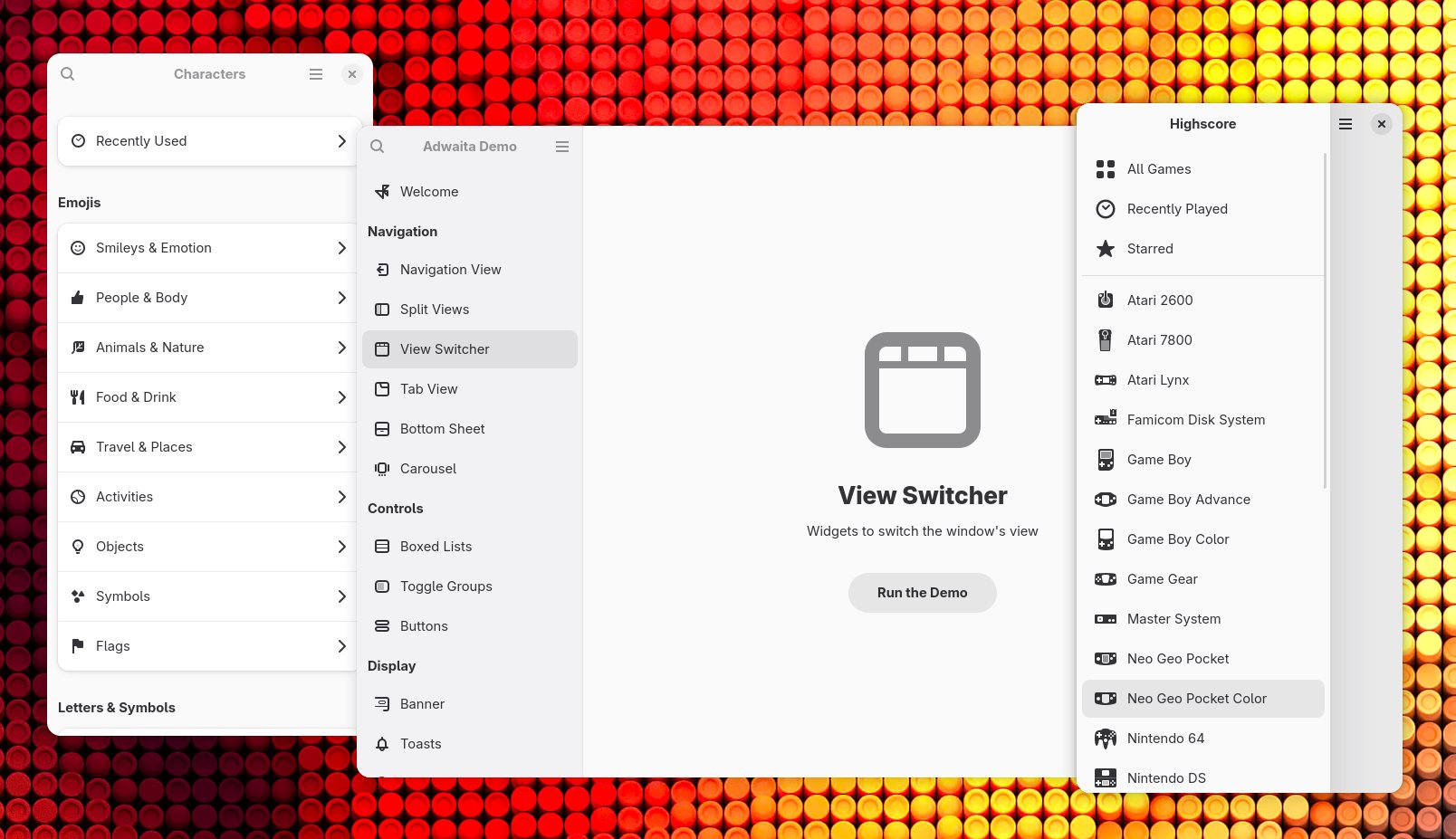
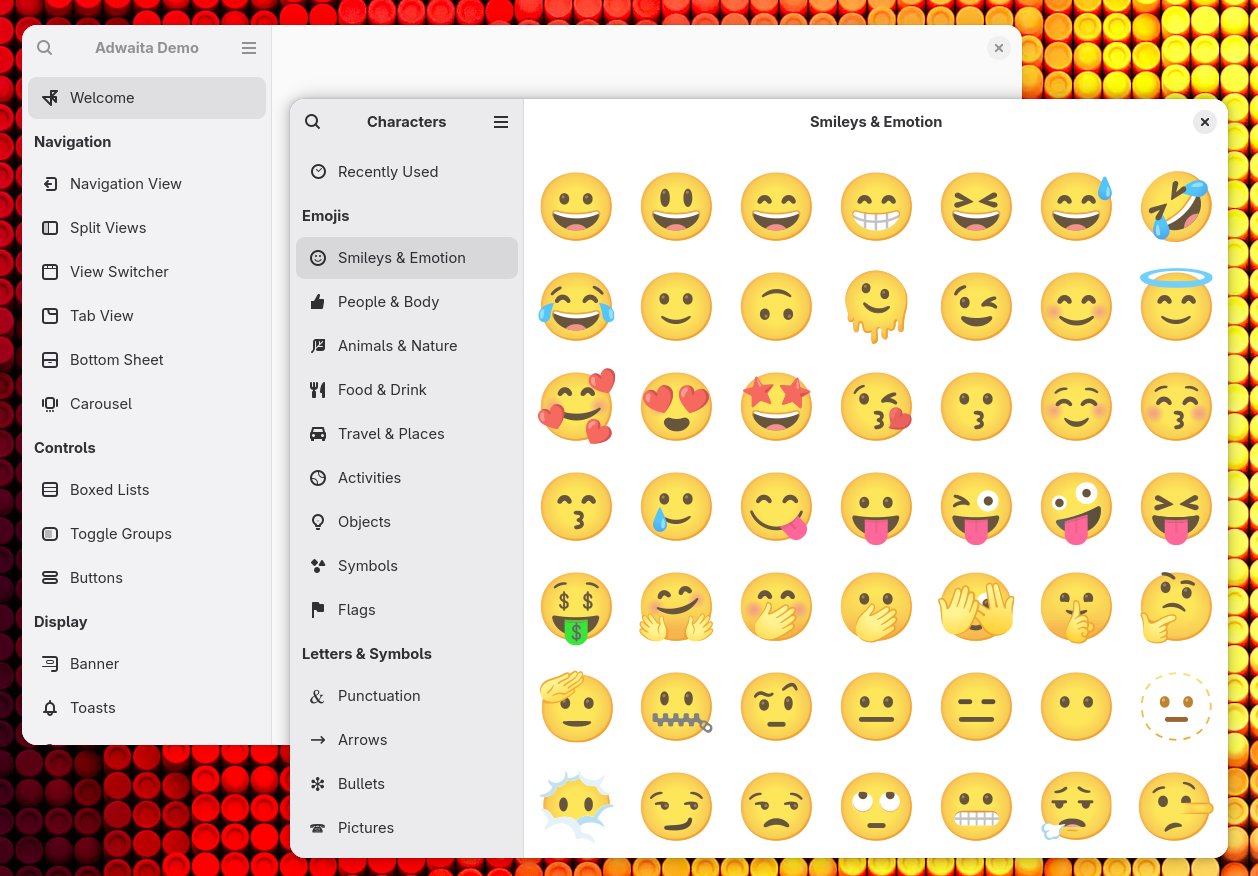
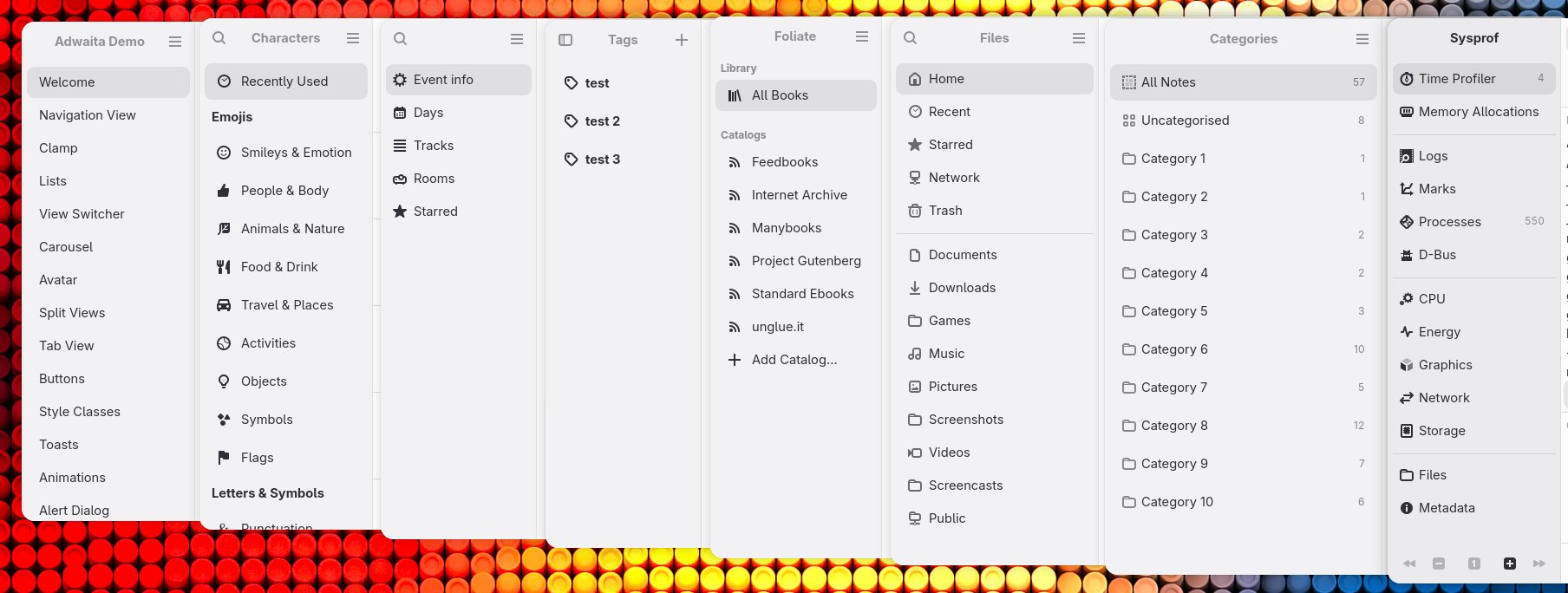
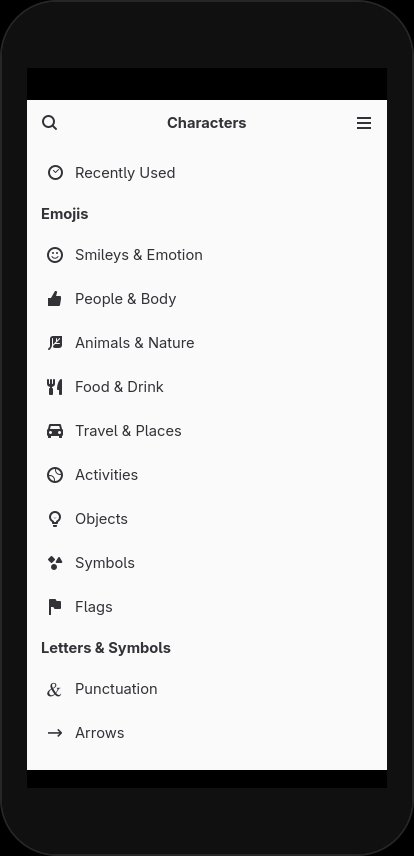
The new AdwSidebar aims to solve these issues by providing a pre-built component that handles common use cases. It includes selection, sections (with or without titles), tooltips, context menus, drop targets, and suffix widgets. A notable feature is the built-in search filter, which can be implemented by providing a GtkFilter and a placeholder page.
Mobile-First Design Philosophy
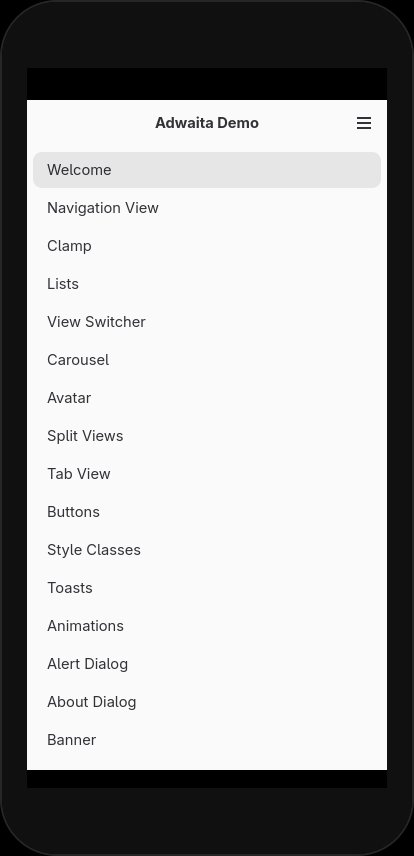
Libadwaita 1.9 takes a significant step toward mobile-first design with the introduction of the mode property on AdwSidebar. When set to ADW_SIDEBAR_MODE_PAGE, the sidebar transforms into a boxed list that's indistinguishable from other pages in the interface. This approach acknowledges that traditional sidebars don't work well on mobile devices, where screen real estate is limited.
In this mode, item selection is hidden but still tracked internally. Users can still interact with the sidebar programmatically, and selections update when items are activated. When switching back to ADW_SIDEBAR_MODE_SIDEBAR, the sidebar returns to its original appearance.
This adaptive behavior is part of a broader trend in Libadwaita toward creating interfaces that work seamlessly across different device types and screen sizes. The adaptive layouts page in the documentation has been updated with detailed examples of creating UIs that adapt to different contexts.
View Switcher Sidebar: A Natural Extension
With the new sidebar widget in place, it was only natural to introduce a GtkStackSidebar replacement. AdwViewSwitcherSidebar serves this purpose, working with AdwViewStack rather than GtkStack. It includes all the features of existing view switchers, plus the ability to organize items into sections.
Developers can define sections using the :starts-section and :section-title properties on AdwViewStackPage. The AdwViewStack:pages model now functions as a section model, making it easier to organize complex interfaces. Like regular sidebars, the view switcher sidebar supports the boxed list mode and search filtering.
Enhanced Demo and Reduced Motion Support
With the sidebar implementation complete, the Libadwaita demo has been fully updated to showcase the new features. The sidebar has been reorganized into sections with icons and search functionality. This also enables other improvements, such as a more scalable preferences dialog.
Accessibility and user preferences have received attention in this release. Most widgets with animations now respect the new reduced motion preference, replacing sliding and scaling animations with crossfades or otherwise toning down animations. For example:
AdwDialogopen/close transitions use crossfades except for swipe-to-close gesturesAdwBottomSheettransitions use crossfades when there's no bottom barAdwNavigationViewtransitions use crossfades except during swipe gesturesAdwTabOverviewtransitions use crossfades
Other Notable Improvements
Several other enhancements make this release worthwhile:
AdwAboutDialogrows containing links now have context menus- GTK_DEBUG=builder diagnostics are supported for all Libadwaita widgets
- All
GListModelimplementations now include:item-typeand:n-itemproperties AdwTabView:pagesmodel now implements sections for pinned and unpinned pagesAdwTogglehas a new:descriptionproperty for accessible descriptions- Adrien Plazas contributed accessibility improvements across multiple widgets
AdwNoneAnimationTargetprovides an alternative to emptyAdwCallbackAnimationTargetcallbacksAdwPreferencesPagenow properly validates child widget types
Looking Ahead: Icon API Revamp
The next major focus for Libadwaita is a revamp of the icon API. GTK has introduced a new icon format that supports stateful icons with animated transitions, variable stroke weight, and other advanced capabilities. While Libadwaita doesn't yet make use of these features, they're planned for future releases.
In preparation, the internal icons in Libadwaita itself, as well as in the demo and documentation, have already been updated to use the new format.
Developer Experience and Future Plans
Alice notes that 2026 is an "interesting period of time to live in," explicitly stating that Libadwaita does not contain any AI-generated content and has no plans to incorporate such features. This commitment to traditional development approaches stands out in an era where many projects are rushing to adopt AI tools.
The release also includes deprecation warnings for apps still using style-dark.css, style-hc.css, and style-hc-dark.css resources, encouraging developers to switch to a single style.css with conditional loading using media queries.
With its focus on consistency, mobile responsiveness, and accessibility, Libadwaita 1.9 represents another step forward in GNOME's mission to create a cohesive, modern desktop experience. The new sidebar widget alone should significantly reduce development time for applications while improving the overall user experience across the GNOME ecosystem.
Comments
Please log in or register to join the discussion