Microsoft is automatically migrating ExpressRoute gateways from Basic to Standard public IP SKUs to enhance reliability, with a 15-day validation period before final cutover.
Microsoft has begun an automated migration process for ExpressRoute virtual network gateways, upgrading them from Basic SKU public IP addresses to Microsoft-managed Standard SKU public IPs. This backend migration, which started rolling out in early 2026, aims to enhance gateway reliability and availability while maintaining service continuity for Azure customers.
Why the Migration Matters
The migration addresses the retirement of Basic SKU public IPs, which Microsoft announced would be deprecated as of September 30, 2025. Basic SKUs lack several features that Standard SKUs provide, including improved DDoS protection, availability zone support, and better integration with Azure's networking services. By moving to Standard SKUs, Microsoft ensures customers benefit from these enhanced capabilities without manual intervention.
Customers receive notifications about scheduled maintenance windows, and Microsoft provides options to control the migration timeline. Those who prefer to manage the migration themselves can use the ExpressRoute Gateway Migration Tool in the Azure portal or via PowerShell, allowing migration at a time that best suits their business needs.
The Migration Process
The automated backend migration follows a four-stage process designed to minimize service disruption:
Validate: Azure checks that the gateway and connected resources meet all migration requirements. If prerequisites aren't met, validation fails and the migration doesn't proceed.
Prepare: A new virtual network gateway is provisioned alongside the existing one, with all configurations (connections, settings, routes) copied over. This stage typically takes up to 45 minutes.
Migrate: Traffic is cut over from the old gateway to the new one, which may cause brief connectivity interruptions of less than one minute.
Commit or Abort: After a 15-day validation period, customers can commit to finalize the migration or abort to revert to the original gateway.
During the Prepare stage, the new gateway is tagged with "CreatedBy: GatewayMigrationByService" to indicate it was provisioned through the automated process. The old gateway is locked to prevent configuration changes, though customers can abort the migration if needed.
What Customers Experience
Throughout the migration, customers see status updates in the Azure portal. A banner appears in the ExpressRoute gateway's Overview blade indicating the migration status and timeline. During the 15-day validation period after migration, resources associated with both gateways remain locked to prevent modifications.
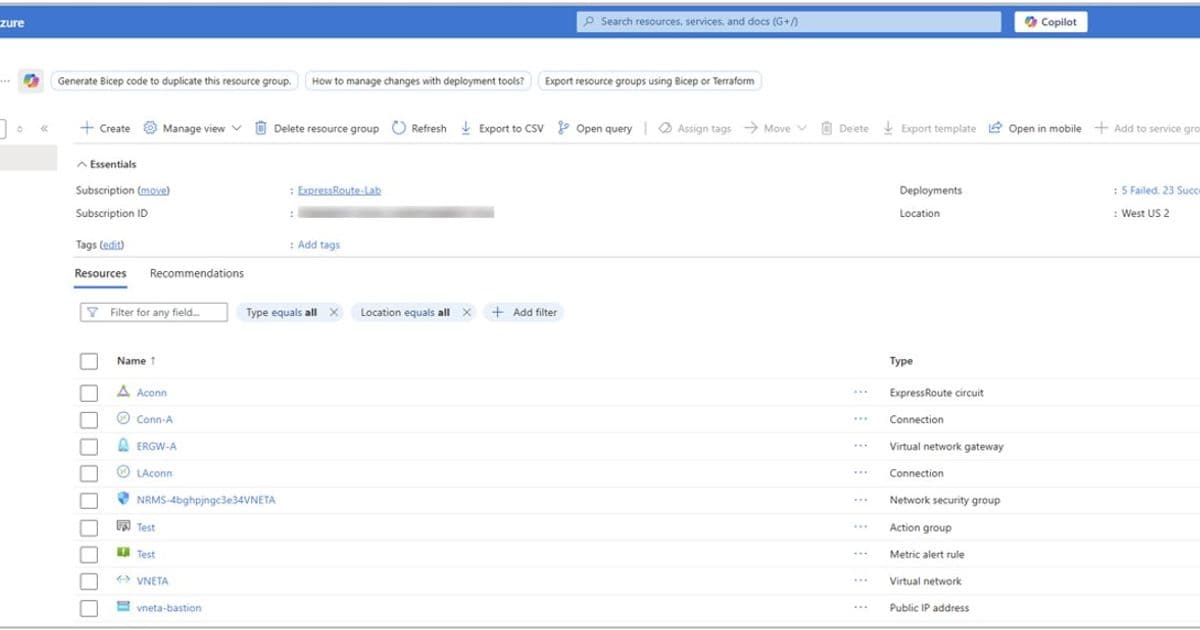
Customers can commit early by typing "yes" and selecting Commit in the portal, which removes the old gateway and its connections. The migration completes when only the new migrated gateway remains in the resource group.
Business Impact
For most organizations, this migration will occur without noticeable impact. The process is designed to maintain connectivity throughout, with only brief interruptions during the traffic cutover phase. However, businesses should be aware of the 15-day validation period and plan accordingly if they need to make changes to their ExpressRoute configuration during this time.
The migration represents Microsoft's ongoing effort to modernize Azure networking infrastructure and ensure customers benefit from the latest reliability and security features without manual upgrades. Organizations using ExpressRoute should monitor their Azure portal for migration notifications and decide whether to use the self-service tool or allow Microsoft to handle the migration automatically.
For detailed guidance on the migration process, including step-by-step instructions for using the migration tool, visit the Azure ExpressRoute documentation.
Comments
Please log in or register to join the discussion