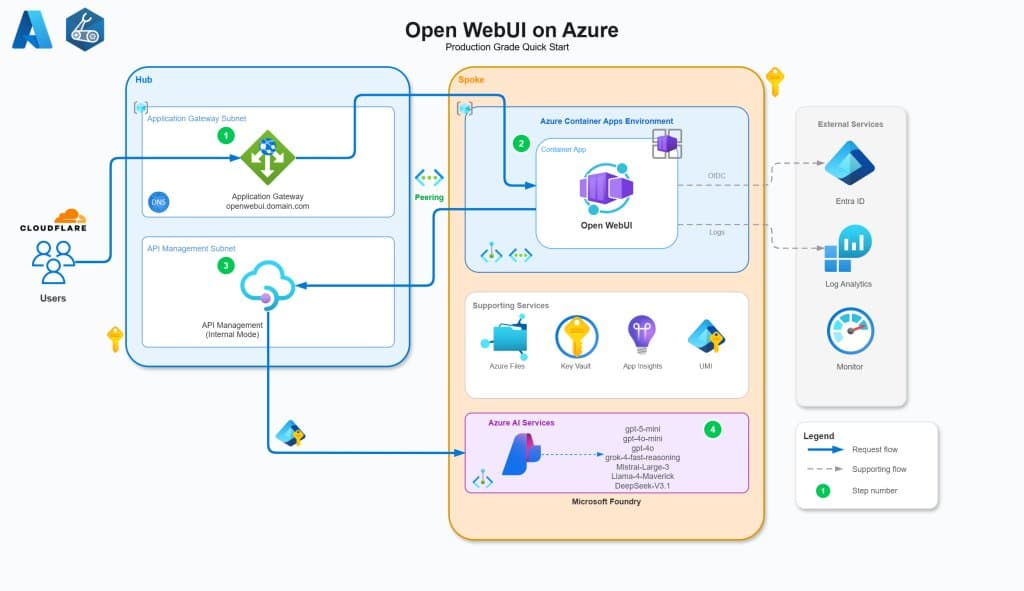
A comprehensive guide to deploying Open WebUI on Azure using Container Apps, API Management, and Foundry, with a focus on enterprise-grade security, identity integration, and cost optimization.
Deploying a self-hosted AI platform like Open WebUI in an enterprise environment requires more than just running a container. It demands a thoughtful architecture that addresses security, scalability, identity management, and observability. This guide details a production-ready Azure architecture for Open WebUI that leverages managed services, zero-trust principles, and centralized API governance.
The solution, available as a GitHub repository, provides Infrastructure as Code (Bicep) to deploy a multi-tenant capable AI platform. It integrates Open WebUI with Azure Entra ID for authentication, proxies requests through Azure API Management (APIM) for control and analytics, and connects to multiple AI models via Microsoft Foundry.
Core Architectural Components
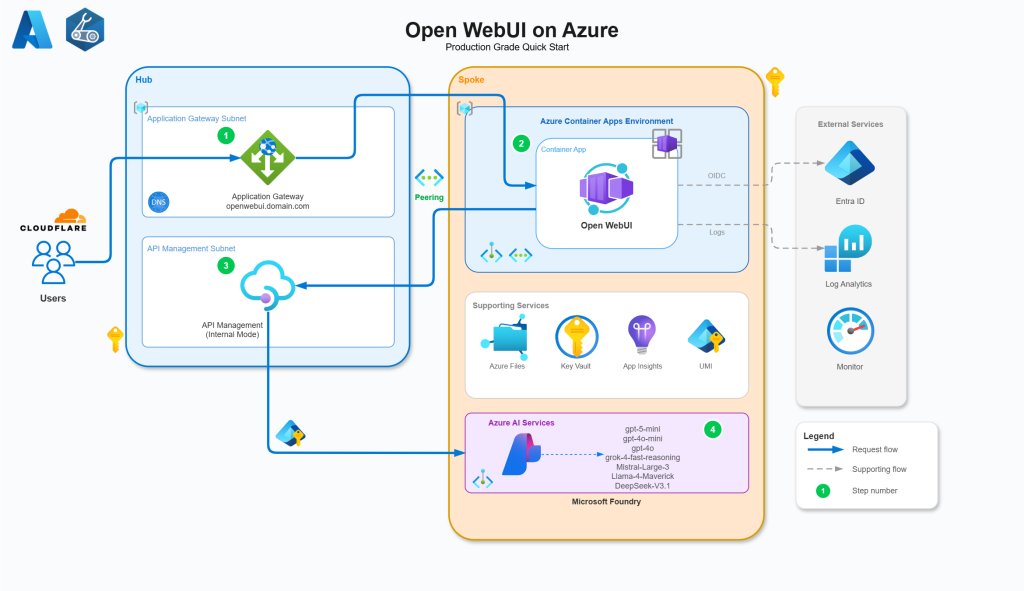
The architecture is designed around a hub-and-spoke network model, ensuring isolation of resources and secure traffic flow. The primary components are:
- Azure Container Apps (ACA): Hosts the Open WebUI application.
- Azure API Management (APIM): Acts as a secure proxy and governance layer for AI API calls.
- Microsoft Foundry: Provides access to diverse AI models (OpenAI, Grok, Llama, etc.).
- Azure PostgreSQL Flexible Server: Stores persistent user data and chat history.
- Azure Files (SMB): Provides persistent storage for media and cache files.
- Azure Application Gateway: Handles external HTTPS traffic and TLS termination.
- Azure Key Vault: Manages secrets and certificates.
Identity and Access Management
A cornerstone of this architecture is the elimination of static secrets in favor of Managed Identities and OIDC flows. Every resource-to-resource communication uses Azure RBAC backed by System or User-Assigned Managed Identities.
- Entra ID Application: Configured with OIDC to avoid client secrets. It requests delegated permissions for
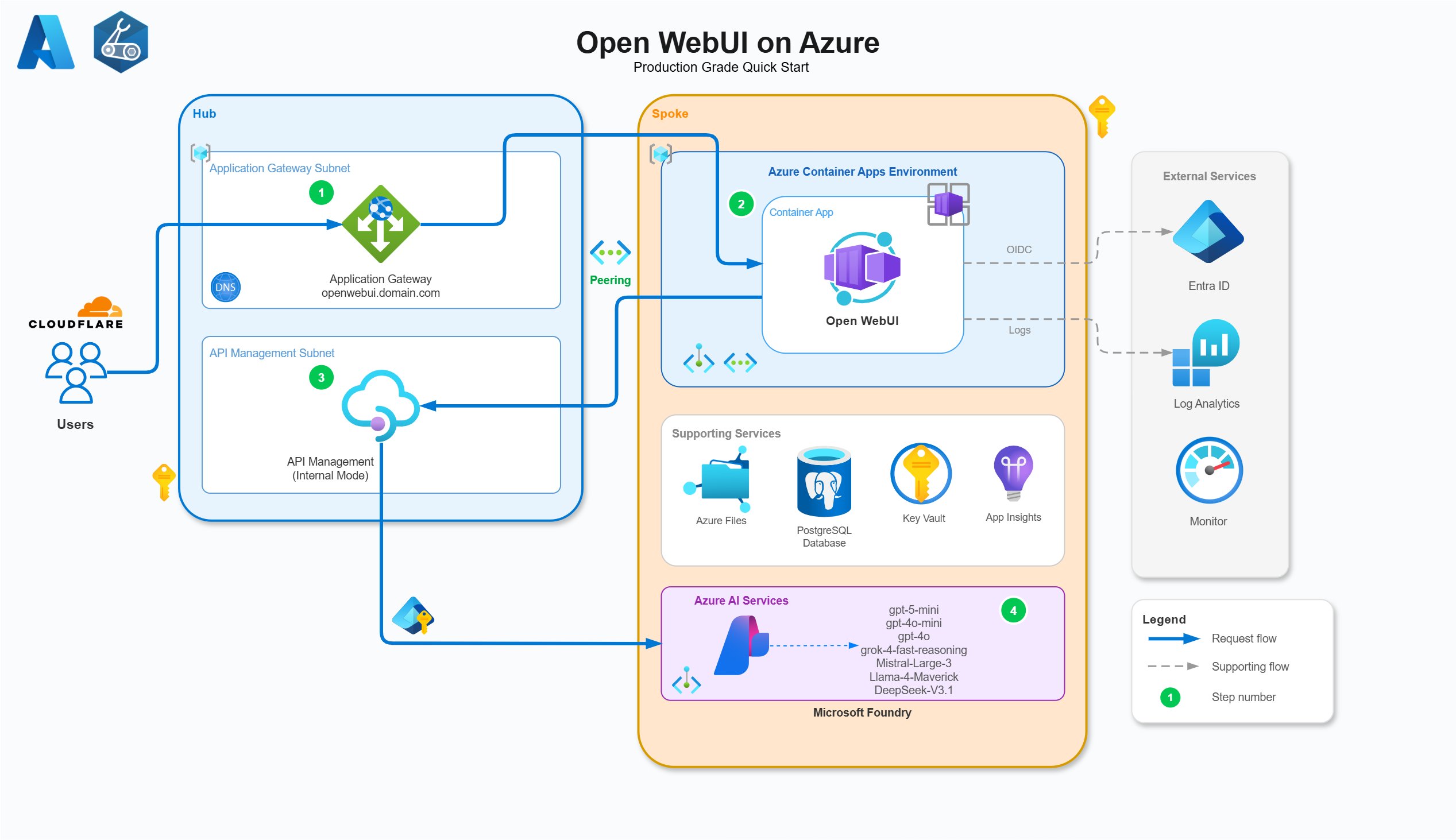
User.ReadandGroupMember.Read.Allto sync organizational groups into Open WebUI roles. App roles (admin,user) are defined and flow through JWT tokens to both Open WebUI and APIM for authorization. - Managed Identity RBAC: The diagram below illustrates the specific RBAC assignments required for secure operation. For example, the Application Gateway's Managed Identity retrieves the TLS certificate from Key Vault, while APIM's identity authenticates to Microsoft Foundry.
Networking and Traffic Flow
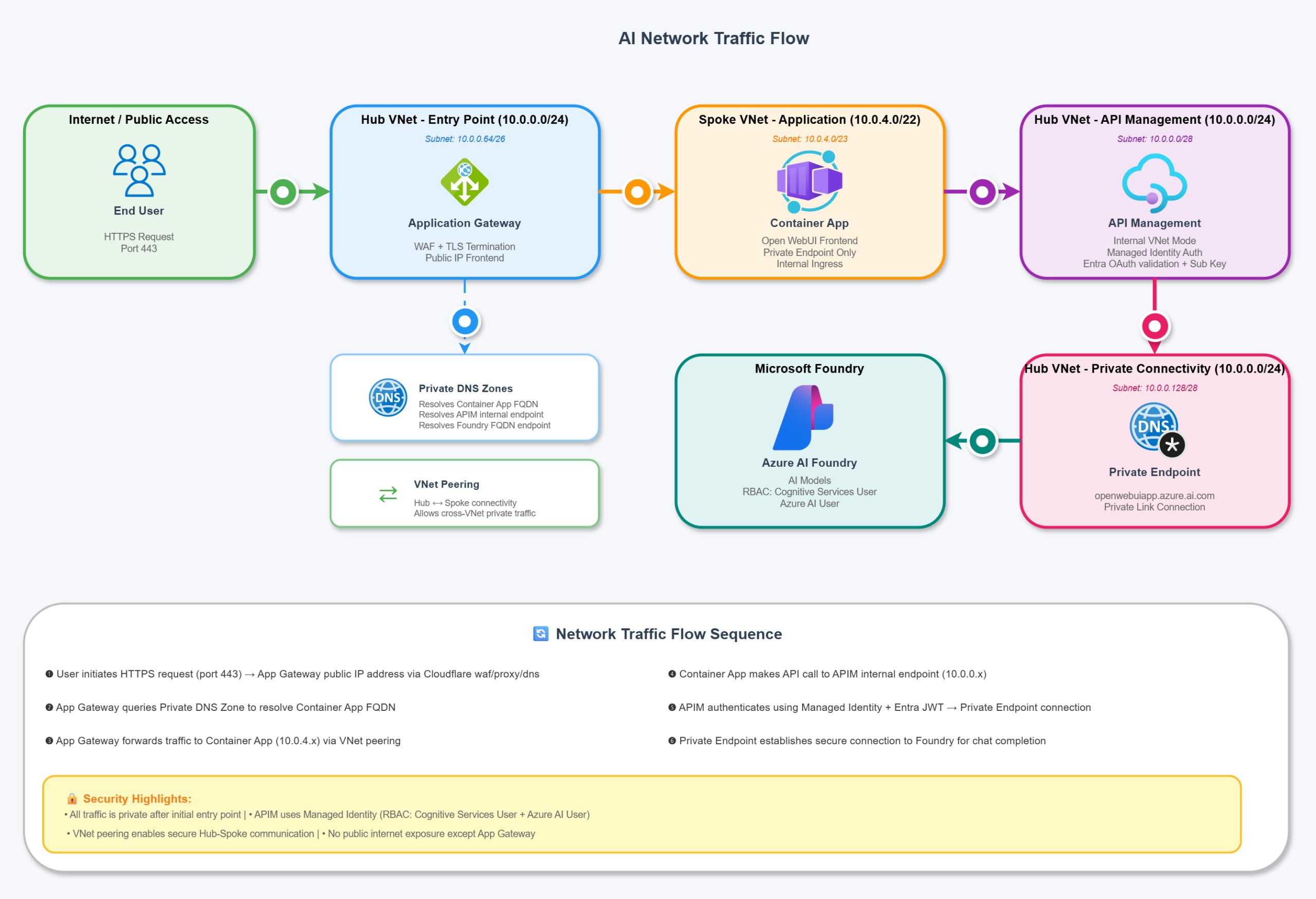
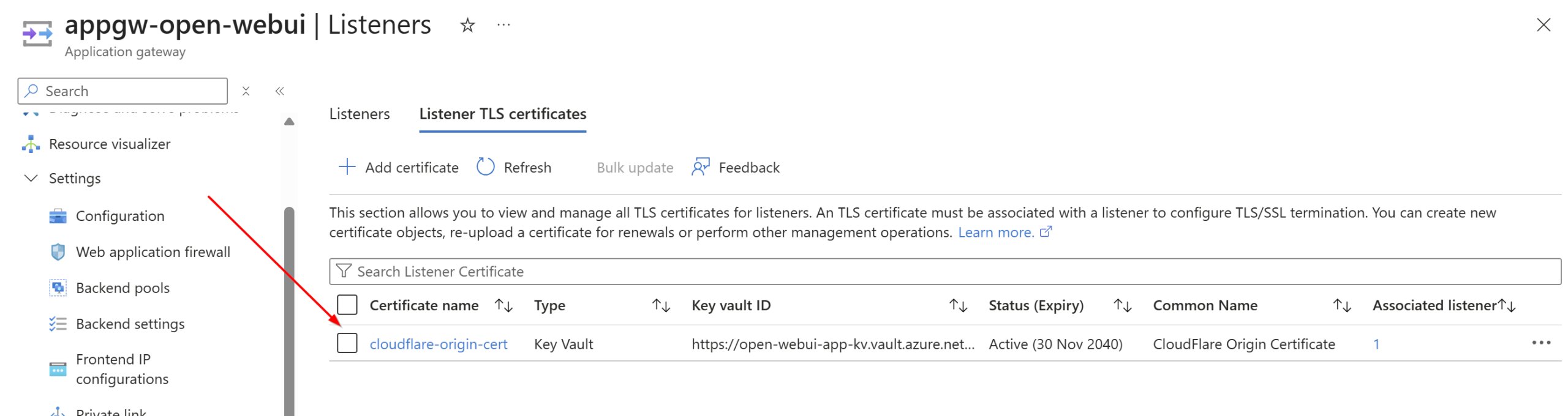
Traffic enters through the Application Gateway, which terminates TLS using a certificate stored in Key Vault (e.g., a Cloudflare Origin Certificate). The gateway forwards traffic to the internal Azure Container Apps environment.
- Ingress: ACA ingress is restricted to the virtual network. The Application Gateway uses session affinity to maintain user connections to specific backend instances, improving UX for streaming responses.
- Egress to AI: Open WebUI does not call Foundry directly. Instead, it calls APIM. APIM is deployed in internal mode, accessible only via private endpoints. This ensures all AI traffic flows through a controlled gateway for logging, rate limiting, and security validation.
Data Persistence and Database Strategy
While Open WebUI defaults to SQLite, this is unsuitable for distributed containerized deployments due to concurrency and reliability issues.
- PostgreSQL: The architecture uses Azure PostgreSQL Flexible Server for user data, chats, and settings. It is deployed with a private endpoint, isolating it from the public internet. A notable limitation is that Open WebUI does not natively support Entra ID authentication for PostgreSQL connections; therefore, a password-based connection string is stored securely in Key Vault and injected into the Container App environment.
- Azure Files (SMB): For media uploads, cache files, and static assets, an Azure Files SMB share is mounted to the Container App. This ensures data persists across container restarts and scaling events. The mount options (
nobrl,noperm,mfsymlinks,cache=strict) are tuned specifically for Azure Files compatibility and performance.
Azure API Management: The Governance Layer
APIM is the strategic core of this solution. It is not merely a reverse proxy; it is the control plane for AI usage.
- Centralized Access: APIM proxies the OpenAI v1 API calls to Microsoft Foundry. Open WebUI is configured to point to the APIM endpoint, not Foundry directly.
- Policy Enforcement: APIM policies validate the Entra ID JWT token, extracting user claims (IP address, group IDs) for authorization and custom metric logging.
- Observability: By routing through APIM, you gain detailed analytics on token usage, costs, and model performance per user or group. This data is streamed to Application Insights.

Deployment Workflow
The deployment is fully automated via Bicep and divided into logical steps:
- Hub Infrastructure: Deploy networking, DNS zones, and APIM.
- Spoke/App Infrastructure: Deploy Foundry, Container Apps, PostgreSQL, and the Entra App registration. This step generates the necessary outputs (FQDNs, App IDs) required for the next phase.
- Hub Re-deployment: Configure APIM with the Foundry backend and RBAC policies once the spoke resources are available.
- OpenAPI Import: Manually import the OpenAI specification into APIM (due to Bicep inline limits) to expose the
/openai/v1endpoint.
Cost Considerations
The architecture is cost-optimized for low-to-medium usage but scales predictably:
- Application Gateway: The most expensive component. If public access isn't required (e.g., via VPN), removing it significantly reduces costs.
- Container Apps: Running behind an App Gateway prevents scaling to zero due to health probes. If cost is a priority, exposing ACA directly allows for scale-to-zero, though cold starts will occur.
- PostgreSQL: Use Burstable SKUs (B1MS) for dev/low usage. Monitor closely, as General Purpose SKUs can become expensive quickly.
- APIM: The Developer SKU is used here, but Basic/Standard SKUs are recommended for production workloads.
Conclusion and Next Steps
This architecture provides a robust foundation for running Open WebUI in Azure. It solves common production challenges: secure authentication, persistent storage, and API governance. By utilizing Managed Identities and private networking, it adheres to zero-trust principles.
In Part 2 of this series, we will deep dive into Azure API Management policies, specifically how to implement custom token tracking, usage limits, and detailed LLM metric breakdowns.
Comments
Please log in or register to join the discussion