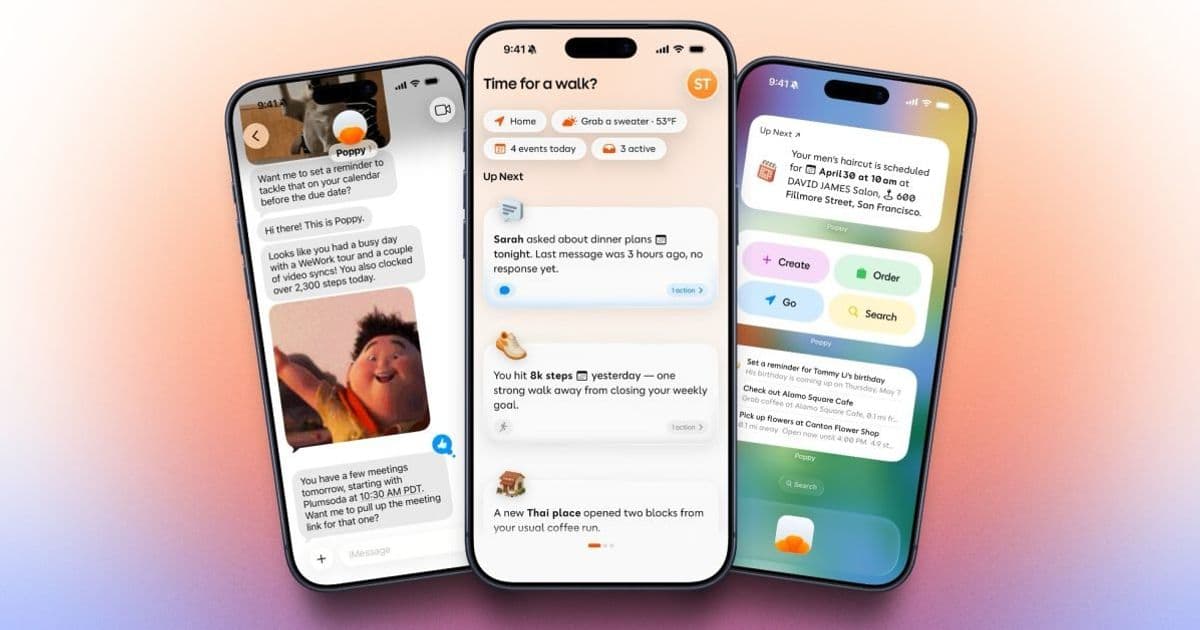
Indie app Poppy launches on iOS 26 with background AI that links email, calendar, health data and location to deliver proactive suggestions. The article explains the new SDK requirements, the impact on existing iOS projects, and how to migrate or build similar cross‑platform experiences.
Poppy’s Proactive AI Assistant Hits iOS 26
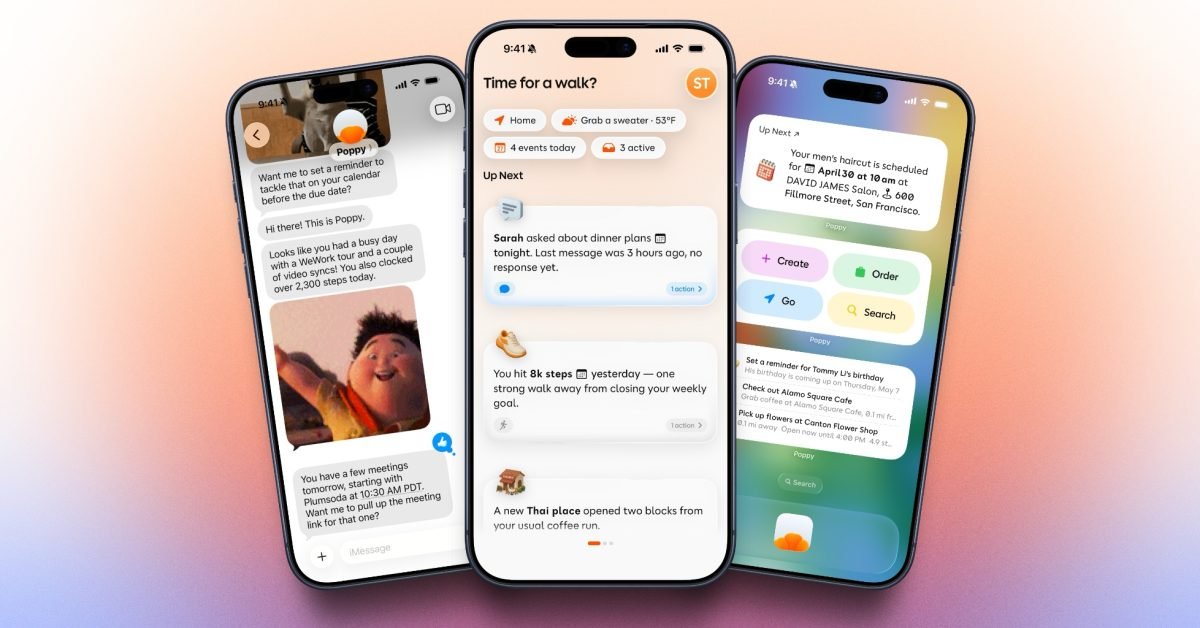
The indie‑focused app Poppy is now available on the App Store for iPhone users running iOS 26 or later. Unlike a traditional chatbot, Poppy runs quietly in the background, pulls data from a user’s email, calendar, reminders, health kit, and location services, then pushes context‑aware suggestions via notifications, widgets, or in‑app messages. For developers who keep apps on both iOS and Android, the release raises a few practical questions about SDK versions, permission handling, and how to replicate the experience on other platforms.
Platform Update – iOS 26 and New SDKs
- Minimum OS: iOS 26 (released September 2026). The app will not install on devices stuck on iOS 25 or earlier.
- Xcode requirement: Xcode 15.4 or later, which bundles the iOS 26 SDK.
- Swift version: Swift 6.0 is now the default language for new projects; Poppy’s codebase targets Swift 6.0 for its AI pipeline and Combine‑based data streams.
- Privacy changes: iOS 26 introduces a granular consent flow for health‑related data. Apps must request
HKAuthorizationShareWriteseparately for each data type (e.g., steps, sleep). Poppy implements the newHealthKitPermissionRequestAPI to surface a single, user‑friendly dialog. - Background processing: The new
BGTaskSchedulerAPI allows longer execution windows for AI inference. Poppy registers aBGProcessingTaskthat runs every few hours, fetching fresh context without draining the battery.
Developer Impact – What This Means for Your Apps
1. Permission Model Overhaul
If your app already reads calendar or health data, you’ll need to audit the request flow. iOS 26 splits location‑always and location‑while‑using into distinct entitlements. Failing to request the correct one will cause the system to silently deny background location updates, breaking proactive features.
2. AI Model Size and On‑Device Inference
Poppy ships a Core ML model (≈12 MB) that runs on‑device using the new MLComputeDevice API. The model is compiled at install time, which reduces runtime overhead. Projects that embed custom models should migrate to MLModelConfiguration with computeUnits = .cpuAndNeuralEngine to stay compatible.
3. WidgetKit Enhancements
The app uses the refreshed WidgetKit timeline provider that can now deliver multiple entries per day based on AI predictions. If you already have widgets, consider adding a TimelineProvider that respects the relevanceScore field – this lets the system surface the most useful suggestion on the lock screen.
4. Cross‑Platform Considerations
Poppy is iOS‑only, but the concept can be ported to Android using Jetpack Compose, WorkManager, and Google ML Kit. The biggest gap is iOS’s tight integration with HealthKit; Android developers will need to combine Google Fit and Location Services APIs to achieve similar depth.
Migration Path – Getting Your App Ready for iOS 26
Upgrade Xcode
- Install Xcode 15.4 from the Mac App Store.
- Open your project and let the migration assistant update the project settings to the iOS 26 SDK.
Update Deployment Target
- In the project’s General tab, set Deployment Target to iOS 26. If you still need to support older devices, keep a separate Legacy target and conditionally compile new features with
#available(iOS 26, *)guards.
- In the project’s General tab, set Deployment Target to iOS 26. If you still need to support older devices, keep a separate Legacy target and conditionally compile new features with
Refresh Permission Requests
- Replace old
requestAuthorization(toShare: ...)calls with the newHealthKitPermissionRequestflow. - Add
NSLocationAlwaysAndWhenInUseUsageDescriptionandNSLocationWhenInUseUsageDescriptionkeys toInfo.plistif you need background location.
- Replace old
Migrate Background Tasks
- Register a
BGProcessingTaskinInfo.plistunderBGTaskSchedulerPermittedIdentifiers. - Implement the handler using
BGTaskScheduler.shared.register(forTaskWithIdentifier:using:launchHandler:)and schedule withBGTaskScheduler.shared.submit(taskRequest).
- Register a
Integrate Core ML Model
- Add the
.mlmodelccompiled model to your bundle. - Create an
MLModelConfigurationwithcomputeUnits = .cpuAndNeuralEngineand load the model viatry MyModel(configuration: config).
- Add the
Enhance Widgets
- Adopt the new
TimelineEntrystructure that includes arelevanceproperty. - Use
WidgetCenter.shared.reloadAllTimelines()after each AI inference to push fresh suggestions.
- Adopt the new
Optional: Building a Cross‑Platform Companion
If you want to offer a similar proactive assistant on Android:
- Use WorkManager for periodic background AI runs.
- Store user context in Room and sync with a cloud endpoint (e.g., Firebase).
- Leverage ML Kit on‑device models for inference.
- Expose suggestions through a NotificationCompat builder and a home‑screen AppWidget.
Bottom Line
Poppy demonstrates how iOS 26’s new privacy and background APIs enable truly proactive AI experiences without sacrificing battery life. For developers, the update is a reminder to audit permissions, adopt the latest BGTaskScheduler patterns, and consider how to bring comparable functionality to Android using Jetpack tools. By following the migration steps above, you can keep your app modern, respect user data, and start delivering context‑aware assistance that feels natural on today’s iPhone.
For more details on the iOS 26 SDK, see Apple’s official documentation.
Poppy’s App Store page: Poppy – Proactive AI Assistant.
Comments
Please log in or register to join the discussion