Our survey of 900+ software engineers reveals mounting AI costs, usage limits hitting 30% of developers, and uneven impacts across different engineering archetypes.
Recently, we ran a survey asking readers of The Pragmatic Engineer how you use AI tools, which tools you use, what does and doesn't work, and what it's like working with AI, in general. For today's issue, we've dug into your 900+ responses to look for trends in AI tool usage among software engineers and engineering leaders.
This article surfaces insights that are less about specific tools, and more about the effect these tools have on tech professionals. We cover:
- Costs. Unsurprisingly, companies pay for most tool usage, and those responsible for budgets are increasingly nervous that AI-related costs are headed only one way: up.
- Usage limits. Around 30% of respondents say they have hit limits. Switching tools, upgrading plans, or moving over to API pricing are common responses.
- Impact on "Builders." Folks who make larger code changes and do "quality-of-life" work are builders, and they're also dealing with more AI slop. Some also grapple with a loss of professional identity.
- AI tools speed up "Shippers." Engineers who focus more on getting things done are the most positive about AI tools. But they also add tech debt faster and might build the wrong things.
- "Coasters:" learning faster while generating AI slop. Less adept engineers can uplevel faster with AI, but they generate a lot of "AI slop" while doing so, which frustrates builders.
- Changing software engineer & engineering manager (EM) roles. Engineers have to orchestrate and context switch more often, while engineering managers can be more hands on. It's interesting to see the engineer and manager roles becoming more similar.
- Other impacts on the craft. We're going from "how" to build to "what" to build, solo devs are seeing improved results, workloads are increasing with AI tools, and more.
We previously published a detailed summary of the survey which focused on AI tooling for software engineers, covering the most-used AI tools, trends, AI agent usage, company size and usage, and tools that engineers love.
1. Costs
Concern about the cost of AI tools is a trend throughout the survey, with around 15% of respondents mentioning it in some way. Tech companies foot the bill for the majority of spending on AI tools. More respondents say their employers pay for AI coding tools than those who say they pay themselves, and predictably, employers fund more expensive packages than what individuals buy personally.
Companies commonly pay for "max" plans with the likes of Claude Code, Cursor, and Codex (around $100-200/month per engineer), although some companies' budgets only stretch to $20/month per engineer – around the price point of GitHub Copilot, and the cheapest Claude or ChatGPT subscriptions.
The most-mentioned AI tool spending patterns:
When companies pay: ~$200/month plans. Many have enterprise subscriptions, sometimes with subsidies and vendor lock-in. Some companies allow usage-based coverage on top of monthly plans.
When personally paying for tools: ~$20/month or free tiers. This can stack up across different tools. Around 5% of respondents have separate work and personal subscriptions, and free tier usage is widespread for personal use.
For now, companies seem to be in the experimentation phase with AI tools, and several respondents say that they believe their companies have unsustainable AI-tooling budgets. This is likely because businesses are figuring out the best way of leveraging the tools, and the message to engineers at such places is to not worry about price and usage while that unfolds.
A CTO at a small, US-based company shares: "Right now, we're not sweating the costs because we're trying to evolve best practices for the tools, but that has resulted in some devs really blowing through budget, so we may start instituting caps on spending."
Breaking the budget
At small and mid-sized companies, leadership teams seem more comfortable about going over budget, than engineers running out of budget. There are more accounts from C-level folks and founders about racking up large bills than there are from engineers.
A CPTO (Chief Product and Technology Officer) at a mid-sized company: "I ran up several monthly bills of $600 with Cursor. We have the dev team subscribed to ~$100/month plans. We're now in the process of moving the rest of the team to Claude Code, as we can get more resources for around $100/month in cost."
Top spenders can be allocated higher budgets. A number of tech businesses have separate, larger budgets for their heaviest AI users.
A senior C++ engineer working in the video game industry says: "I've become my team's AI champion. In theory, my limits are higher than normal, but I keep myself limited to what others can use, so I can show them useful things they can do."
UK and EU companies worry more about budgets than US-based ones. Most responses which mention finance teams pushing back against spending even $30-50/month per engineer on AI tools are based in the UK and EU. One amusing example is a 10-person, seed-stage startup where the CEO questioned why they were paying as much as £25/month per engineer for one of the cheapest AI tools around.
In general, it feels like European companies want to see clear value-add in order to justify an increase in tooling spend, whereas US companies are more comfortable with investing first and measuring impact later. At present, the impact of these tools is hard to quantify.
A niche approach is that of AI teams educating devs to use cheaper models. Some European companies go as far as offering education to new joiners on using cheaper models.
From an AI Enablement Lead at a 1,000+ person, digital transformation company: "Within our organisation, we've had incidents where our Claude users have overshot their limits. We're now attempting to educate devs in knowing the difference between different models (knowing when to use Claude Sonnet versus Claude Opus)."
Cost trajectory worries
The cost trajectory of AI tools is generally considered unsustainable in our survey. Devs using the tools heavily tend to hit usage limits, and their employers then have to pay more. At places with API-based pricing, usage is increasing. Those in leadership positions who are responsible for budgets are generally concerned about the direction of costs.
Subsidies are keeping things at bay – for now. A common enough pattern in our survey is of heavily-subsidized enterprise plans that come with vendor lock-in. Several responses raise concerns about what will happen when the subsidies run dry. Experienced engineering leaders recall that cloud providers also played the same game of subsidizing for a few years, then raising prices when a customer was fully "locked in."
The AI hype cycle is dampening awkward conversations about budgets at some places. A principal engineer at a Fintech tells us: "The AI hype has created a special, generous budget for AI tools, and there's no effective budget – yet!"
But some finance teams are getting grumpy. A CTO at a sports-tech company says: "It's hard to keep our CFO supportive about investing in these tools because the productivity benefits have proven difficult to conclusively prove. The point that resonated the most was the loss of value when people hit daily limits: having to stop work immediately! Surprisingly, our CFO is still pushing back, despite having experience of getting a lot of value through their own AI usage with their spreadsheets."
Most survey respondents think the price of AI tools will have to rise. If that happens, it would cause problems at several companies – particularly those in Europe:
"I cannot see how the spend on AI tools is fiscally sustainable in its current form; Max 100 with Claude Code is $100 a month. A single small task powered by Kimi K2.5 using OpenCode is $5, mostly in input cost. If we assume that the third party inference providers are doing so at a sustainable price, the much more expensive Opus model cannot be sustainable, never mind profitable at these plan costs." — Founder at a seed-stage company, Europe.
"From the economic perspective, at some point, these companies will need more funding or profit, I'm curious how much it costs them to have a proper agent, and still become profitable. It feels slow when you run out of credits when working on repetitive tasks." — Principal Software Engineer at a seed-stage company, Europe
2. Usage limits
Another major trend in our survey results is the topic of usage limits:
Hitting limits: ~30% of respondents. Running out of tokens or hitting reset limits is frustrating and disruptive, especially when you're working on a task or are in a flow state. The majority of respondents who complain about hitting limits are on cheaper plans (typically $20/month.) But this issue is also mentioned about higher subscription levels.
Under the limit: ~20% of respondents. Avoiding usage caps generally correlates with being on more expensive plans with higher limits, or in roles with enough non-coding work for it not to matter, or when devs do enough work "manually" for AI usage to not be an issue.
Why users of AI tools hit limits
Common reasons cited in the survey:
- Being a new AI user or a power user. These are two distinct groups, but an engineering manager at a mid-sized company in Canada says that each one similarly blows through token limits for different reasons: "We're mindful of trying to manage costs by setting AI spend limits across the org. We have two subsets of users at odds with each other: Individuals who are still learning and blow through their credits at an inordinate rate, forcing us to keep limits low. Power users who hit the limit through regular use and apply pressure to raise the limit. It's a tough balance."
- Using Opus for all work. A few engineers mention being careful about how they use Opus because it previously ate up their token budgets. Here's a software engineer at a mid-sized company in Europe: "I made the mistake of using Opus in the past and burning through budgets quickly. Now, my routine is to start in 'plan' mode with Opus. I then paste the acceptance criteria and description of the issue and let the plan mode figure it out. I then switch to Composer or Sonnet and have the agent take over from there."
- Mistakes that eat up tokens are easy to make. These include starting on work or a problem from the wrong end, using AI directly for a task rather than opting for a simple script, trying some new tool or technique that ends up consuming tokens (OpenClaw and Ralph Loops are cited), and others.
What happens when the limit is hit?
Hitting the limit with an AI tool is inconvenient and happens to many developers, who take a variety of next steps:
- Switch the model or tool. Around a quarter of respondents who hit limits mentioned switching. From a software engineer at working at Atlassian: "In my company, for Cursor and Windsurf we have monthly limits. Our internal coding tool (called codelassian) also has daily prompt and hourly token limits. When I hit a limit in one tool, I switch to the other."
- Upgrade to a pricier plan. When it's an option, this is a no-brainer at most places, especially as the alternative would be devs twiddling their thumbs waiting for the limit to be reset. A senior engineering manager at a mid-sized company says: "In my team, we are regularly hitting session limits with Claude. We upgraded some teammates to the Max 20x plan – and on this plan we have not been hitting limits, so far."
- Adopt API-based pricing. This is the easiest way to keep working without abandoning a task you're knees-deep in. A senior engineer at a large company says: "The company provides both the Claude and Copilot corporate offerings. When the limits are reached, I tend to use API keys that my teammates give me."
3. Impact on "builders"
We identified three different types of professional in the survey:
- Builders: those who care about quality, good architecture, following good coding practices, and who talk about the craft of software engineering, etc.
- Shippers: those who primarily focus on outcomes for a product, features, testing, and experimenting with users. A fair number of leaders, managers, and engineers who were more hands-off with coding before AI tools are in this category, as are product engineers.
- Coasters: engineers who are not considered particularly good or great engineers, but they get the work done. They often do this without much taste or concern for quality, and seem to be mostly coasting along and doing what they're told.
The overall consensus in our survey results is that AI will amplify and multiply tendencies and patterns that existed before, and the impact of the tools varies accordingly among users. Let's start with the impact we've observed upon builders in the responses:
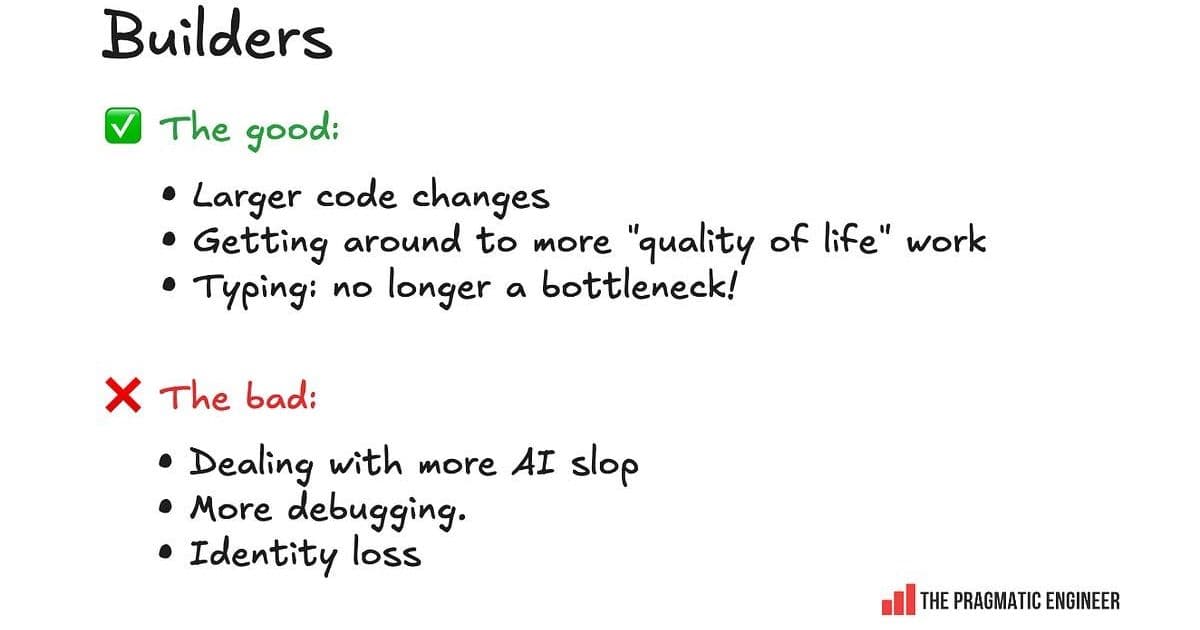
The good and bad of AI tools, as shared by respondents in the Builder archetype
Builders say they get value from AI tools in the following areas:
- Larger code changes. Builders generally find AI helpful for work like: Refactoring Migrations Improving test coverage Carrying out large codebase changes All these are changes that are laborious, but not very challenging technically. They also require experience in knowing what you want to do and how to do it.
- Accomplishing "quality of life" tasks. Builders mention that with AI tools, they get to fix and improve things like nagging bugs that otherwise wouldn't be "worth it" in time invested, but the barrier to entry is lower with AI. A good example of this is in last week's podcast with David Heinemeier Hansson (DHH), the creator of Ruby on Rails, in which he revealed how one of their engineers optimized P1 – the fastest 1% of web requests: "One of our most agent accelerated people asked: "What about P1? What about the floor? Can we fix the floor?" He found that the floor [of request speed] was 4 milliseconds. Well, 4 milliseconds can add up if you have a bunch of fast requests. So, he just said: "We're going to optimize P1. The fastest 1% of requests, we're going to make them even faster." He took it from 4 milliseconds to less than half a millisecond. He did this P1 project over a couple of days, like a side project. He had an intuition that there was something here. He let agents run with it. The work ended up being 12 pull requests, and about 2,500 lines of code changed. This is exactly why the explosion of the pie suddenly lets us look at problems we would never have contemplated looking at before."
- Typing is no longer a bottleneck. Some builders report falling even more in love with coding with the help of AI and agents, since physically typing out code is no longer a bottleneck for them. They enjoy being able to prompt. From one "builder": "For someone who loves to build – but also values code quality, performance, reliability, and security – I ship a lot more quality code faster, if for no other reason than because the AI can read and write 100x faster than me. I get to stay at the conceptual level of shipping a product, and I can dive into debugging with the agent as needed. But if the agent has a good handle on the situation I can give it as much of the tedious parts as I wish." – Staff Engineer, at a large tech company, US
The negative sides of AI tools, as experienced by builders:
- More AI slop. Builders seem to be the most overwhelmed and derailed by reviewing a lot more AI-generated code. They can get frustrated with low-quality code shipped by colleagues which could be categorized as "AI slop."
- More debugging. AI-generated code introduces bugs and issues, and builders tend to spend the most time debugging and fixing those issues.
- Identity loss. Some builder-types report a sense of identity loss and even some grief. Much of this relates to no longer doing hands-on coding because they cannot justify it, since AI agents generate pretty decent code faster than someone can type it.
4. AI tools speed up "Shippers"
The "shipper" archetype thrives when they get things to production quickly. This group is by far the most enthusiastic about AI tools in survey responses. They are also the ones who praise – or hype up – the tools because of their personal experiences of shipping much faster with them.
Good and bad things about AI tools for shippers
The biggest upsides mentioned by shippers:
- Faster shipping. Shippers report dramatically reduced time-to-production, with some claiming 2-3x improvements in delivery speed.
- Reduced friction. The ability to quickly generate boilerplate code, tests, and scaffolding removes traditional bottlenecks.
- Experimentation. Shippers can test more ideas faster, leading to more rapid iteration and learning.
The downsides for shippers:
- Technical debt accumulation. The speed comes at a cost – shippers often acknowledge shipping more technical debt.
- Less thoughtful architecture. The focus on speed can lead to suboptimal architectural decisions that need to be revisited later.
- Building the wrong things faster. Shippers worry they might be building features that don't actually solve user problems, just faster than before.
5. "Coasters:" learning faster while generating AI slop
Less adept engineers can uplevel faster with AI, but they generate a lot of "AI slop" while doing so, which frustrates builders. This group represents engineers who are not considered particularly good or great engineers, but they get the work done. They often do this without much taste or concern for quality, and seem to be mostly coasting along and doing what they're told.
The AI tools have been particularly helpful for this group in terms of:
- Rapid skill acquisition. Coasters report learning new technologies and patterns much faster with AI assistance.
- Overcoming knowledge gaps. They can tackle problems they wouldn't have attempted before, using AI as a crutch.
- Increased confidence. The ability to generate working code boosts their confidence, even if the code quality is questionable.
However, this comes with significant downsides:
- Proliferation of AI slop. The code generated by coasters often requires significant cleanup by more experienced engineers.
- Superficial understanding. Some coasters admit they don't fully understand the code they're generating, just that it works.
- Dependency on AI. There's a risk of becoming overly reliant on AI tools without developing fundamental skills.
6. Changing software engineer & engineering manager (EM) roles
Engineers have to orchestrate and context switch more often, while engineering managers can be more hands on. It's interesting to see the engineer and manager roles becoming more similar.
Engineer role evolution
- From "how" to "what" to build. Engineers are spending less time on implementation details and more time on decision-making about what to build.
- Increased orchestration. The role is shifting toward coordinating AI tools, reviewing outputs, and integrating results rather than writing code from scratch.
- More context switching. Engineers report having to jump between different AI tools, contexts, and approaches more frequently.
Engineering manager role evolution
- More hands-on involvement. EMs report being able to contribute more directly to coding tasks using AI tools.
- Focus on outcomes over process. With AI handling much of the implementation, managers can focus more on business outcomes.
- New coaching responsibilities. Managers need to coach teams on effective AI tool usage and when to rely on them versus when to code manually.
7. Other impacts on the craft
We're going from "how" to build to "what" to build, solo devs are seeing improved results, workloads are increasing with AI tools, and more.
Solo developers
Solo developers report particularly strong benefits from AI tools:
- Reduced isolation. AI tools provide a form of pair programming for solo developers.
- Broader capability. Solo devs can tackle more complex projects that would have required teams before.
- Faster iteration. The ability to quickly generate and test ideas is especially valuable for solo developers.
Workload changes
- Increased expectations. Many engineers report that AI tools have increased expectations for what they can deliver.
- More frequent releases. The speed of development has led to more frequent release cycles in many organizations.
- New types of work. Time previously spent on coding is now often spent on reviewing, testing, and integrating AI-generated code.
The craft of software engineering
- Focus shift. The craft is shifting from implementation details to higher-level design and architecture.
- New skills required. Engineers need to develop skills in prompting, reviewing AI-generated code, and integrating AI tools into workflows.
- Quality concerns. There's ongoing debate about whether AI tools are improving or degrading overall code quality.
The survey reveals a complex picture of AI's impact on software engineering. While the tools offer significant productivity gains, they also introduce new challenges around costs, quality, and the nature of engineering work itself. The impact varies significantly based on individual roles, company contexts, and how the tools are used.
Comments
Please log in or register to join the discussion