Modern security operations centers must move from pure detection to rapid uncertainty reduction. By keeping detection feeds fresh, enriching alerts with full context, and delivering response‑ready reports, SOC teams can stop threats before they become business‑impacting incidents.
Three SOC Practices That Cut Incident Risk Early
Most security teams still think of defense as a fortress: stronger walls, more guards, another detection engine. In reality, attackers rarely smash through the front gate. They slip in under the guise of normal activity, hide inside legitimate processes, and let risk accumulate long before anyone calls it an "incident."
What changes the game? Reducing the amount of unknown that the business lives with. Every unidentified process, every alert lacking context, every delayed investigation adds operational debt that can explode into downtime, compliance breaches, or reputation loss.
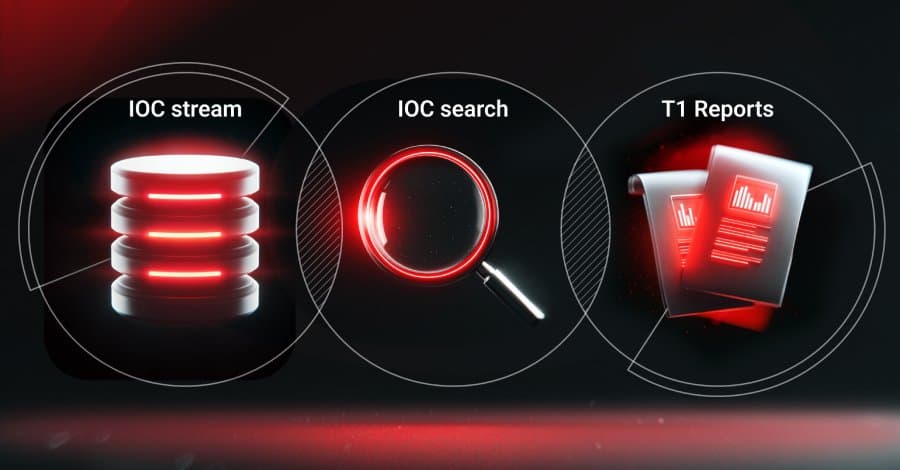
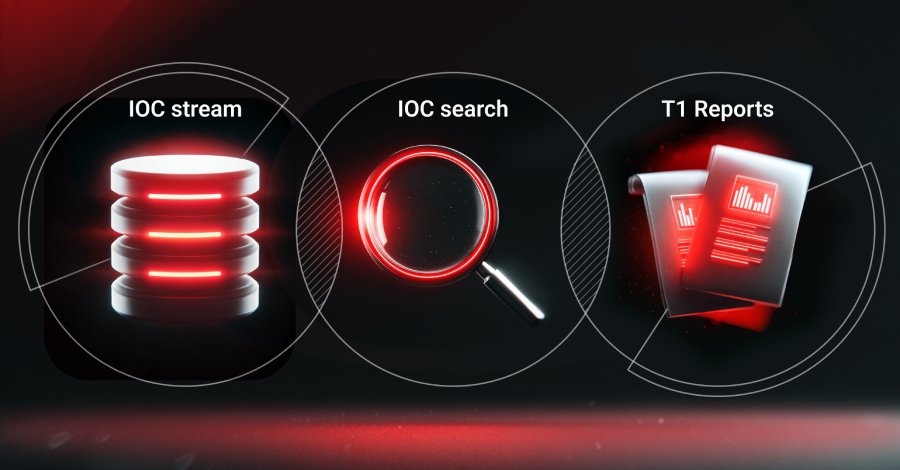
The most effective SOCs focus on three practical steps:
- Keep detection feeds current.
- Enrich alerts with full triage context.
- Deliver response‑ready reports instantly.
Below is a deeper look at each step, with expert commentary and actionable takeaways.
1. Keep Monitoring Systems Up‑to‑Date
"A SIEM that only knows yesterday’s indicators is a paper‑towel for a fire," says Lena Ortiz, SOC Director at Fortress Cyber. "Fresh intelligence turns the SIEM into a radar, not a static log."
Why it matters
Adversaries constantly register new domains, spin up fresh C2 servers, and mutate malware families. If your threat feeds lag, those new artifacts pass unnoticed.
Practical actions
- Subscribe to execution‑based feeds. Services like ANY.RUN Threat Intelligence provide IOCs harvested from live sandbox runs across thousands of organizations. The data arrives in STIX/TAXII, CSV, or JSON, so you can push it directly into SIEM, firewall, or EDR without manual steps.
- Automate feed rotation. Configure your SIEM to purge stale IOCs every 24 hours and replace them with the latest batch. This keeps the detection rule set lean and reduces false positives.
- Validate feed health. Schedule a weekly sanity check that verifies the feed’s schema and sample size. A simple script can alert you if the feed drops below a threshold.
Business impact
Continuous feed updates shrink the window an attacker can remain hidden, lowering the probability of ransomware spread, supply‑chain contamination, and costly recovery.
2. Enrich Alerts with Complete Triage Context
"The bottleneck isn’t the number of alerts; it’s the missing data that forces analysts to hunt manually," notes Dr. Sameer Patel, Principal Threat Analyst at Cybersight Labs.
The hidden risk
An alert that only shows an IP address or hash forces the analyst to open separate tools, query external sources, and piece together a story. That extra friction delays containment.
Practical actions
- Integrate a real‑time TI lookup service. When an alert fires, the platform should automatically pull related information—malware family, associated campaigns, typical victim sectors, and historical activity—into the alert view.
- Standardize enrichment fields. Include: source IP reputation, domain age, file hash similarity scores, process tree, registry keys, and any known mitigation steps. Use a consistent schema so downstream automation can parse it.
- Leverage AI‑assisted summarization. Modern SOC platforms can generate a one‑sentence summary of the threat, helping Tier‑1 analysts prioritize within seconds.
Business impact
Enriched alerts cut triage time by up to 60 %, reduce false‑positive rates, and free Tier‑1 staff to handle higher volumes without sacrificing quality.
3. Supply the Team with Response‑Ready Reports
"A well‑crafted report is a catalyst, not a chore," says Mia Chen, Incident Response Lead at NovaSec. "When the analysis is already packaged for the responder, the clock stops ticking."
The gap
After an analyst finishes a sandbox detonation, the findings often sit in raw logs. Translating those logs into actionable steps for IT, management, or compliance can take hours.
Practical actions
- Use an interactive sandbox that auto‑generates reports. ANY.RUN’s sandbox captures process execution, network traffic, dropped files, and persistence mechanisms, then produces:
- A detailed technical report for engineers.
- An AI‑generated executive summary.
- Visual execution graphs.
- Exportable IOC lists in STIX format.
- Automate ticket creation. Connect the sandbox output to your ticketing system (e.g., ServiceNow or Jira) so a remediation ticket opens the moment the analysis finishes.
- Tailor report templates. Define separate templates for security, IT, and compliance audiences. Populate them automatically from the sandbox metadata.
Business impact
Response‑ready reporting eliminates the hand‑off lag, speeds remediation, improves cross‑team communication, and reduces the overall cost of an incident.
Putting It All Together
- Refresh detection feeds daily – treat threat intel as a living data source.
- Enrich every alert at ingestion – give analysts the full picture before they click “investigate.”
- Automate report generation and ticketing – turn analysis into immediate action.
When these steps are consistently applied, the SOC shifts from a reactive alarm system to a proactive risk‑reduction engine. The result is fewer surprise incidents, lower compliance exposure, and a clearer security posture for the entire organization.
Quick Checklist for SOC Leaders
- Subscribe to at least one execution‑based threat feed.
- Deploy automated enrichment pipelines for all alerts.
- Enable sandbox‑driven, auto‑generated response reports.
- Verify integration with ticketing and SIEM platforms.
- Review KPI changes (triage time, false‑positive rate) monthly.
Further reading
- ANY.RUN Threat Intelligence overview: https://any.run/threat-intelligence
- STIX/TAXII specification: https://oasis-open.github.io/cti-documentation/
- SOC automation best practices (MITRE): https://attack.mitre.org/resources/automation/

Image caption: NGINX CVE‑2026‑42945 exploited in the wild, illustrating why up‑to‑date feeds matter.
Author’s note: The recommendations above are based on real‑world deployments at Fortune‑500 enterprises and have been validated by independent red‑team assessments.
Comments
Please log in or register to join the discussion