
AI is transforming backend development workflows, but understanding its limitations is just as important as leveraging its strengths. From code explanation to debugging assistance, AI excels at accelerating repetitive tasks and information processing. However, it falls short in areas requiring deep system understanding, business context, and operational responsibility. This article breaks down the practical boundaries of AI assistance in backend work.
AI has become the ubiquitous assistant in modern development teams, but its effectiveness varies dramatically across backend engineering tasks. Understanding these boundaries isn't just about productivity—it's about avoiding the trap of false confidence that can lead to production incidents and architectural mistakes.
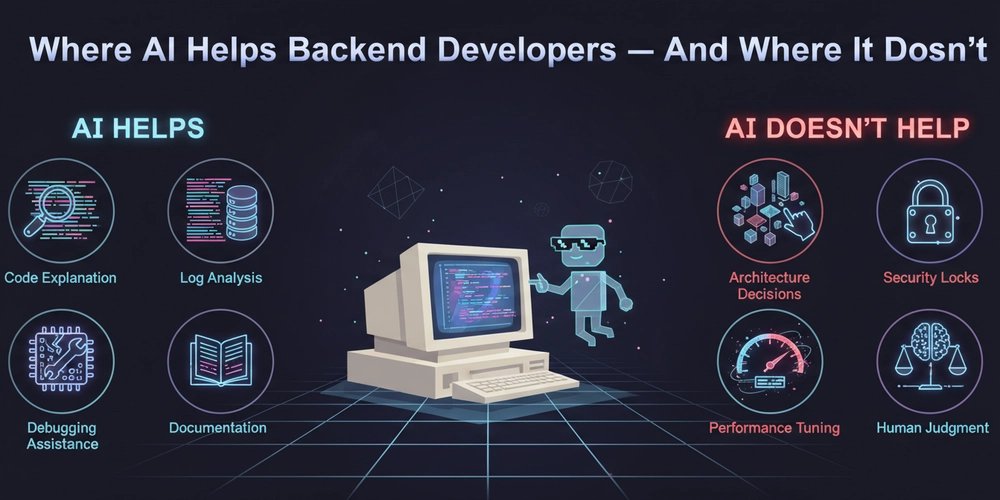
✅ Where AI Actually Helps Backend Developers
1. Understanding Existing Code
What AI does well:
- Explains unfamiliar code patterns and libraries
- Summarizes large files and complex modules
- Walks through logic step-by-step
Perfect scenarios:
- Legacy codebases without documentation
- Onboarding to unfamiliar projects
- Deciphering cryptic variable names and function chains
The reality check: AI reduces reading time, not thinking responsibility. It can explain what code does, but it won't tell you why it was written that way or what business assumptions it encodes. The context lives in the team's collective memory, not in the syntax.
2. Debugging With Context
When AI shines:
- Error messages with stack traces
- Log files spanning multiple services
- Distributed tracing output
What it provides:
- Explanations of error meanings
- Common root causes for specific exceptions
- Step-by-step debugging workflows
Critical caveat: You still verify the fix. AI might suggest adding a null check, but it won't understand that the null indicates a deeper race condition in your message queue processing.
3. Writing Boilerplate Code
High-value targets:
- CRUD endpoints with standard validation
- DTO definitions and schema validation
- Data mappers and transformers
- Configuration files (Docker, CI/CD, service configs)
Time saved: This is where AI delivers immediate ROI. Repetitive work that follows predictable patterns gets automated, freeing mental bandwidth for core business logic.
Boundary: Core algorithms, complex business rules, and performance-critical paths remain human territory.
4. Documentation & Communication
AI excels at:
- Writing OpenAPI/Swagger documentation
- Summarizing pull requests for review
- Converting code into plain-language explanations
- Generating commit messages that follow conventions
Team impact: This directly improves knowledge sharing and reduces the "tribal knowledge" problem. New team members can onboard faster when documentation is consistently generated.
5. Log & Data Summarization
Production use cases:
- Aggregating error patterns across distributed systems
- Highlighting unusual spikes in metrics
- Grouping similar log entries for root cause analysis
Particularly valuable for:
- On-call engineers during incidents
- DevOps teams monitoring complex deployments
- Post-mortem analysis
Tooling ecosystem: Services like Sentry, Datadog, and Honeycomb increasingly integrate AI-powered log analysis.
❌ Where AI Does Not Help (Much)
6. System Architecture Decisions
AI can suggest patterns, but it fundamentally cannot:
- Understand team dynamics and skill distribution
- Predict future growth patterns specific to your business
- Feel operational pain from yesterday's outage
- Balance technical debt against shipping velocity
Architecture is about tradeoffs, not answers. Choosing between microservices and monolith isn't just about technical merits—it's about your team's ability to operate complexity, your deployment pipeline maturity, and your scaling timeline. AI doesn't know these variables.
7. Business Logic & Rules
What AI misses:
- Real business constraints ("We can't charge customers until the 15th of the month")
- Edge cases that only emerge from production usage
- Legal or financial risk boundaries
- Regulatory compliance requirements
These must come from:
- Domain experts who understand the business
- Product decisions rooted in customer needs
- Human judgment about risk tolerance
Example: An AI might generate perfect code for a payment processing system, but it won't know that your business requires dual approval for transactions over $10,000 due to internal fraud prevention policies.
8. Performance Tuning at Scale
AI struggles with:
- Query optimization for your specific data distribution
- Cache strategy decisions (what to cache, TTL policies, invalidation patterns)
- Identifying production bottlenecks that require real metrics
- Understanding the interplay between database locks, queue depth, and CPU utilization
What these require:
- Actual performance metrics from your environment
- Load testing results under realistic conditions
- Deep experience with your specific stack
The pattern: Performance optimization is empirical. You need to measure, hypothesize, test, and measure again. AI can suggest indexes, but it can't run EXPLAIN ANALYZE on your production query with 10 million rows.
9. Security & Authorization Logic
AI should never:
- Decide permission models without explicit business rules
- Generate auth rules blindly
- Handle secrets or credential management
- Make decisions about data privacy requirements
Why security is different: Security requires precision, not probability. A 95% accurate security model is a vulnerability. AI generates probable solutions; security demands deterministic correctness.
Real example: An AI might suggest a role-based access control system, but it won't know that your business requires attribute-based access control because of complex customer hierarchies and data residency requirements.
10. Ownership & Accountability
What AI can do:
- Suggest fixes
- Assist with implementation
- Explain failures
What AI cannot do:
- Own the consequences of a production outage
- Take responsibility for security breaches
- Be on-call at 3am when the database fails
- Make the call to roll back a deployment
The fundamental limit: AI has no skin in the game. It doesn't get paged. It doesn't face customers. It doesn't lose sleep over architectural decisions that will affect the team for years.
🧠 How to Use AI the Right Way
Think of AI as:
A junior engineer - Fast, eager, but needs supervision. Great for tasks you can review quickly.
A tireless explainer - Can walk through code repeatedly without frustration. Perfect for understanding unfamiliar systems.
A pattern matcher - Excellent at recognizing common error signatures and suggesting standard solutions.
Not as:
An architect - It doesn't understand your constraints, your team, or your future.
A decision-maker - It can inform decisions but cannot make them.
A source of truth - It generates probable answers, not certain ones.
🎯 The Core Principle: AI Accelerates Thinking, It Doesn't Replace It
Backend development is fundamentally about:
- Clarity - Understanding what needs to be built and why
- Correctness - Building it in a way that handles edge cases and failures
- Reliability - Ensuring it continues working under load, with changing data, and as the team grows
AI helps with speed and support. Humans handle judgment and responsibility.
Practical Workflow Integration
Use AI for:
- Initial exploration of unfamiliar code
- Drafting boilerplate that you review
- Summarizing logs during incidents
- Generating documentation drafts
- Suggesting debugging approaches
Keep humans for:
- Architecture reviews
- Business logic validation
- Security model design
- Performance testing and optimization
- Production incident decision-making
- Code reviews of critical paths
The False Confidence Trap
The biggest risk isn't that AI will fail—it's that it will succeed often enough to build trust, then fail catastrophically when the context is too nuanced.
Mitigation strategies:
- Always verify AI suggestions in non-production environments
- Use AI for exploration, but validate with tests and metrics
- Maintain human review gates for security, performance, and business logic
- Remember that AI doesn't share your on-call burden
Conclusion: Partnership, Not Replacement
The most effective backend teams treat AI as a force multiplier, not a replacement for engineering judgment. They automate the repetitive while preserving human oversight for the critical. They leverage AI's speed while maintaining their own responsibility for correctness.
In backend development, where reliability and correctness are paramount, AI is a powerful assistant but never the architect of record. The engineer who understands this distinction will ship faster with fewer bugs. The engineer who doesn't will eventually face a 3am page that AI cannot help them resolve.
The future belongs to engineers who know when to ask AI for help—and when to trust their own experience instead.
Comments
Please log in or register to join the discussion