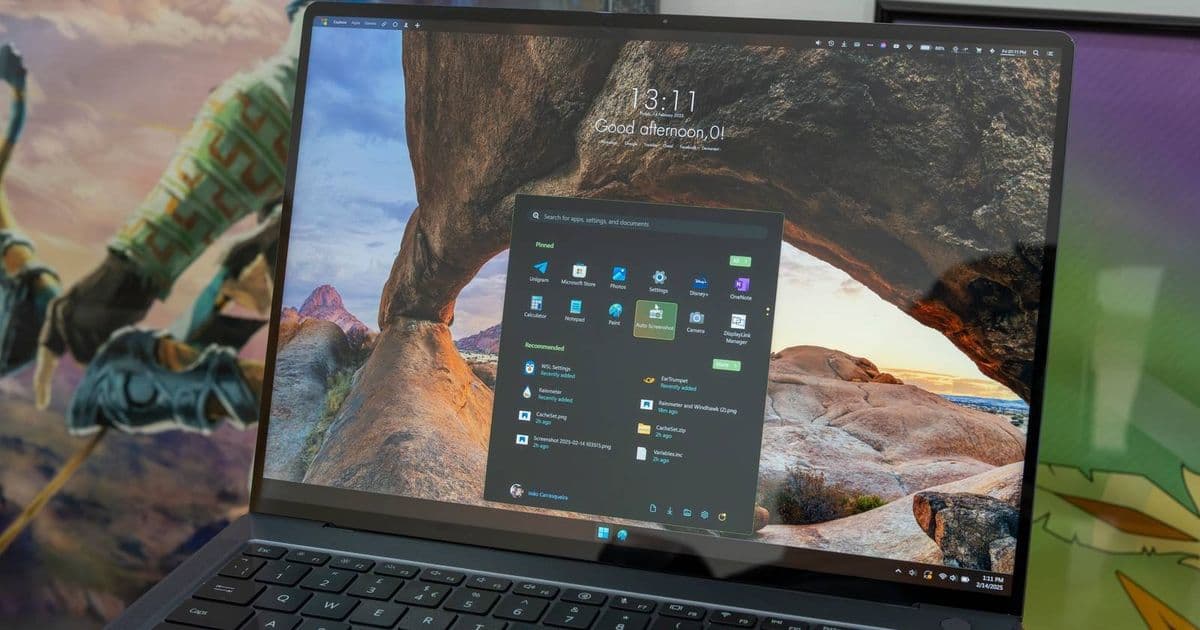
A new Windhawk mod called 'Taskbar Volume Control Per-App' adds direct volume control to taskbar buttons, letting you scroll over any app's icon to adjust its volume or Ctrl+click to mute it instantly.
Windows 11's volume mixer has always been a chore to use. You have to click the speaker icon, expand the mixer, find the right app in the list, and then drag a tiny slider. If you're switching between applications frequently or trying to balance audio levels while screen sharing, this workflow breaks your concentration.
The Windhawk team just released a mod that eliminates this friction entirely. Their new "Taskbar Volume Control Per-App" mod transforms your taskbar into a dedicated volume control panel.
How the mod works
Once installed, the mod adds three interactions to every taskbar button:
- Scroll over the icon to increase or decrease that specific app's volume
- Ctrl+click the icon to instantly mute or unmute the application
- Hover over the icon to see a tooltip displaying the current volume percentage
The tooltip also handles edge cases gracefully, showing "No audio session" when an app isn't producing any sound.
This isn't to be confused with Windhawk's existing "Taskbar Volume Control" mod, which controls overall system volume. The new per-app version works alongside it, giving you granular control without leaving your taskbar.
What is Windhawk?
Windhawk is an open-source customization platform for Windows that injects code into system processes to modify their behavior. Unlike traditional theming tools that just reskin interfaces, Windhawk can actually change how Windows components function.
The platform hosts a marketplace of user-created mods that can:
- Modify the taskbar (like this volume mod)
- Change Start menu behavior
- Customize window management
- Add new features to system UI
You can find Windhawk on GitHub or download it from their official website.
Platform considerations
This is a third-party modification, not a native Windows 11 feature. Windhawk works by:
- Hooking into Windows system DLLs
- Injecting custom code at runtime
- Modifying UI behavior without touching system files
This approach means:
- Updates can break mods - Microsoft frequently changes Windows internals
- Security software may flag it - Some antivirus tools detect injection techniques
- It requires admin privileges - System-level modifications need elevated access
The Windhawk team actively maintains compatibility, but you're relying on community developers to keep mods working across Windows updates.
Why this matters for developers
For developers who regularly test audio applications, screen share, or stream, this mod demonstrates the power of runtime modification. It shows how Windows' extensibility can be leveraged without waiting for Microsoft to implement quality-of-life improvements.
The mod also highlights a pattern we're seeing more of: community-driven solutions filling gaps in official OS features. Instead of waiting for Windows 12 or 13, users can extend Windows 11's functionality today.
Installation and setup
To use this mod:
- Download and install Windhawk from windhawk.net
- Open Windhawk and browse the mods marketplace
- Search for "Taskbar Volume Control Per-App"
- Install and enable the mod
- Restart Explorer or log out/in if required
The mod works on Windows 10 and Windows 11, though the taskbar implementation differs between versions.
The broader Windhawk ecosystem
This mod joins a growing collection of taskbar enhancements. Popular Windhawk mods include:
- Taskbar Clock Customization - Show seconds, custom date formats
- Taskbar Volume Control - System-wide volume via taskbar
- Windows 11 Start Menu Styler - Restore Windows 10 behavior or create custom layouts
- Thumbnail Toolbars - Add custom buttons to window thumbnails
The platform's strength lies in its modular approach. You pick only the mods you need, and they work independently. If a mod breaks after an update, it doesn't take down your entire customization suite.
Trade-offs and warnings
Before installing Windhawk, understand the risks:
Stability: Injecting code into system processes can cause crashes or instability, though Windhawk's sandboxing reduces this risk.
Security: You're trusting third-party code with system-level access. Stick to well-maintained mods from known developers.
Updates: Major Windows updates (like 22H2 to 23H2) often break mods until they're updated.
Performance: Minimal impact, but each mod adds some overhead to the targeted processes.
The "can't go back" effect
The article mentions that once you customize Windows with Windhawk, returning to stock feels limiting. This is a common pattern with power-user tools. The initial investment in setup pays dividends in daily efficiency, but it creates dependency on the customization layer.
For mobile developers maintaining Windows development environments, this is worth considering. If your team standardizes on Windhawk mods, you'll need to:
- Document which mods are installed
- Include Windhawk setup in onboarding
- Monitor mod compatibility after Windows updates
- Have a rollback plan if mods break
Alternative approaches
If Windhawk feels too invasive, consider these native alternatives:
- Windows Volume Mixer - Built-in but clunky
- EarTrumpet - Third-party but uses official APIs
- AutoHotkey scripts - Custom automation without injection
- PowerToys - Microsoft's official power-user toolkit
Each has trade-offs in features, safety, and ease of use.
Looking ahead
This mod represents a broader trend: users demanding more control over their desktop experience. Microsoft has been slowly opening up Windows customization (PowerToys, Settings improvements), but community tools like Windhawk move faster.
For developers, it's a reminder that user experience extends beyond your application. If your users are on Windows, understanding their customization tools helps you anticipate support issues and design better integrations.
The mod is available now in Windhawk's marketplace. If you're tired of alt-tabbing to volume controls, it's worth trying—just understand what you're installing and keep backups.
Related resources:
- Windhawk GitHub Repository
- Windhawk Official Site
- Taskbar Volume Control Per-App Mod (check marketplace)
- Windows 11 Subreddit discussion - search for Windhawk threads
Comments
Please log in or register to join the discussion