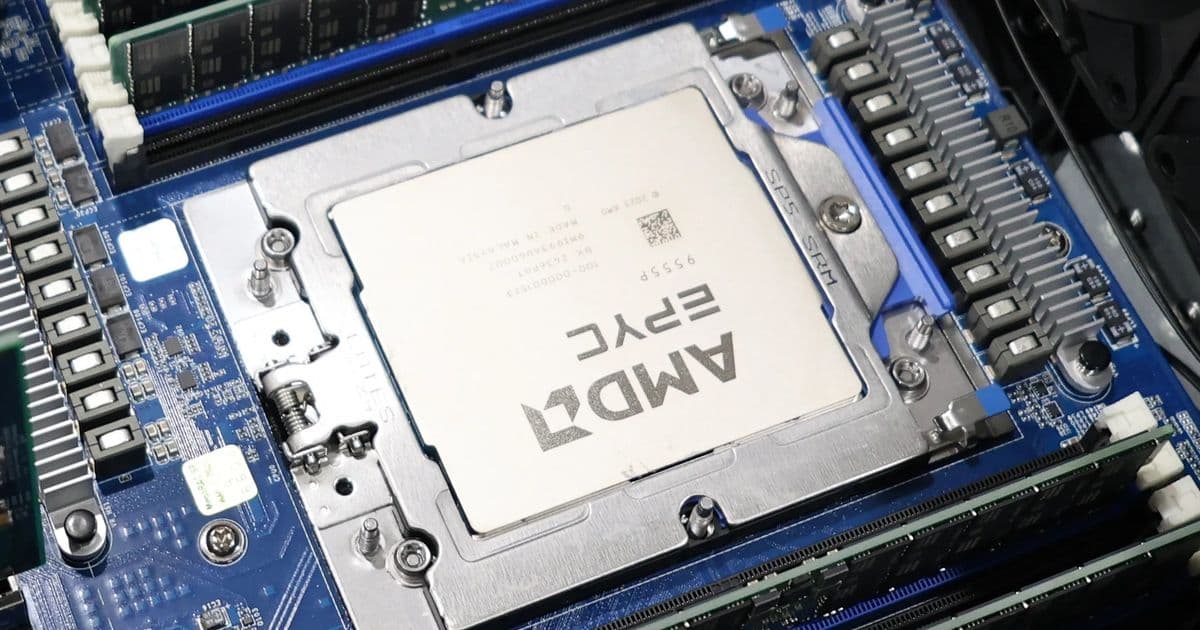
A current-generation EPYC 9005 server board can now boot with AMD openSIL plus Coreboot via Dasharo, giving firmware tinkerers a measurable path away from opaque AGESA-era BIOS images.
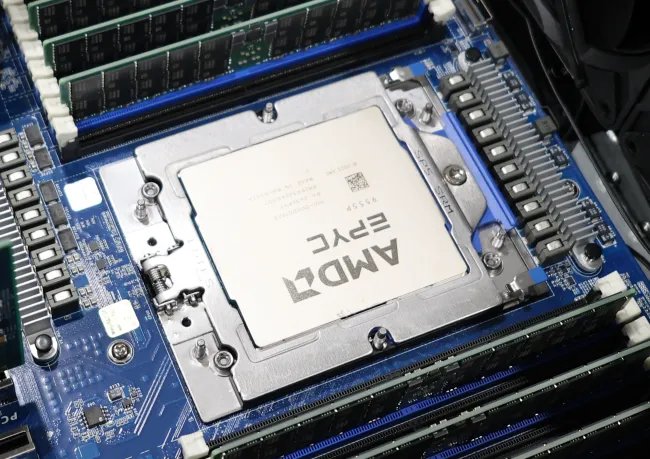
The short version: AMD openSIL is no longer just a slide-deck promise or a reference-platform science project. Thanks to 3mdeb’s Dasharo port for the Gigabyte MZ33-AR1, a retail single-socket EPYC server motherboard can now run an openSIL plus Coreboot firmware stack on AMD EPYC 9005 hardware. Michael Larabel’s Phoronix hands-on shows the most interesting part for builders: this is not only compiling code, it is booting real server silicon.
That matters because AMD’s traditional server firmware path has been tied to AGESA and vendor UEFI images. Those images usually work, but for security teams, firmware developers, hyperscalers, and obsessive homelab builders, they are hard to audit, hard to trim, and hard to compare in a clean way. AMD’s openSIL project changes the model by splitting silicon initialization into C libraries that can be linked into host firmware. Coreboot supplies the lightweight host firmware side, while Dasharo packages that work into a distribution with board-specific release notes, update flows, and validation.
Product: EPYC 9005 on a Gigabyte MZ33-AR1, now with Dasharo
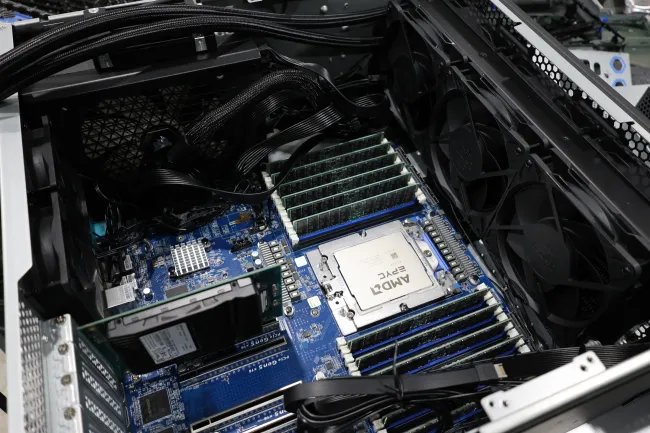
The board in play is the Gigabyte MZ33-AR1, a full-size single-socket server platform for AMD EPYC. Dasharo’s own MZ33-AR1 documentation describes it as supporting AMD Genoa and Turin EPYC processors, which puts this port in a different class from the old open-firmware AMD story. This is not a decade-old Opteron board being kept alive for ideological purity. This is modern Zen 5 server hardware with current I/O expectations, current memory capacity expectations, and the kind of platform you could actually put into a rack for virtualization, build workers, storage services, or lab automation.
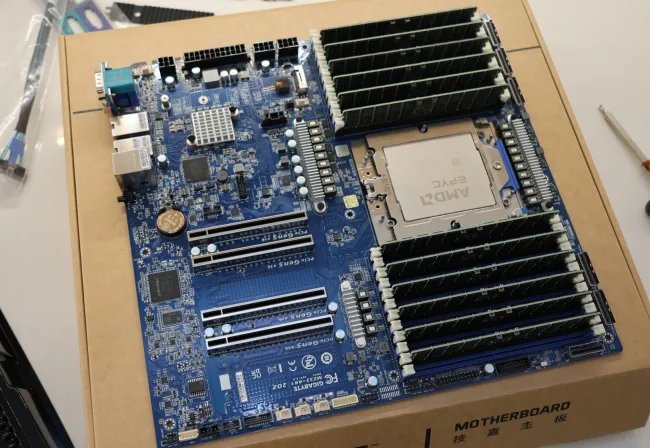
The firmware stack looks like this:
| Layer | Role | Why builders should care |
|---|---|---|
| AMD openSIL | Silicon initialization libraries | Handles the low-level CPU, memory, and platform bring-up work that AGESA historically covered |
| Coreboot | Host firmware | Initializes the board quickly and hands off to payloads or UEFI services with less closed firmware surface |
| Dasharo | Board-specific firmware distribution | Adds release packaging, documentation, validation, update guidance, and security defaults |
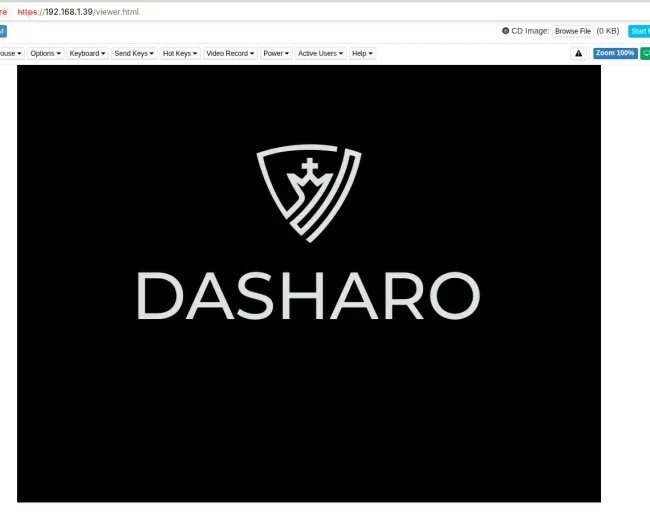
| BMC flashing path | Deployment mechanism | Lets the MZ33-AR1 move to or from Dasharo through the management interface, avoiding external SPI flashing for normal installs |
Dasharo’s release notes for the MZ33-AR1 list v0.9.0, dated May 14, 2026, as the initial release for the board. The feature list is the real signal. It includes UEFI-compatible boot, configurable boot options, Secure Boot support, USB boot, NVMe boot, Ubuntu LTS booting, Windows 11 booting, serial console redirection, TPM measured boot, AMD ROM Armor based SMM BIOS write protection, BMC firmware flashing with RBU files, AMD SME, AMD SEV-SNP support, memory context save and restore, ACPI CPU temperature reporting, and SBOM generation for AMD PSP blobs.
That is a long way from “it shows a prompt if you hold the right jumper.” It is still not something I would call a drop-in production BIOS replacement for every EPYC deployment, but the bones are there for serious testing.
Performance data: the right first benchmark is boot behavior
The first thing to measure on a firmware swap is not Cinebench, kernel compile time, or PostgreSQL TPS. Those workloads should not change much once the operating system is running unless firmware settings alter memory training, NUMA exposure, boost behavior, C-states, PCIe policy, or security features. The first benchmark is firmware behavior itself.
A good lab run should capture cold boot, warm reboot, BMC-initiated power cycle, time to VGA or serial output, time to bootloader, time to Linux userspace, and whether boot time changes after memory context save and restore has warmed up. Coreboot-based stacks often win by doing less pre-OS work, but server platforms complicate that because memory training, PCIe enumeration, BMC handoff, option ROM policy, and Secure Boot all add measurable time.
A sane first-pass comparison table looks like this:
| Test | Vendor BIOS baseline | Dasharo openSIL plus Coreboot target | What to watch |
|---|---|---|---|
| AC restore to first serial output | Measure with smart PDU and serial logger | Measure same way | BMC delay can hide firmware gains |
| AC restore to bootloader | Measure from power-on event | Measure from power-on event | NVMe discovery and boot order policy matter |
| Warm reboot to bootloader | Measure from reboot command | Measure from reboot command | Memory context restore can change this sharply |
| Linux boot to SSH | Measure with systemd-analyze plus external timer | Measure with same OS image | Kernel and initrd noise must be controlled |
| Idle package power | Read from wall and platform sensors | Read same sensors | Firmware C-state defaults can dominate |
| All-core sustained power | Use fixed workload and wall meter | Use same workload | BIOS power limits and boost tables must match |
| NVMe link state | Record PCIe generation and width | Record generation and width | A x16 slot at x8 or Gen4 instead of Gen5 is a real regression |
| Memory bandwidth | Run STREAM or likwid-bench | Run same binary and NUMA binding | Memory timing or interleaving changes show up fast |
Phoronix reports that the latest builds were stable after early issues with Turin Dense support and high-core-count data structures were addressed. That is valuable, because the ugly failures are exactly where firmware ports usually get exposed. High core counts stress AP bring-up, ACPI table generation, topology reporting, and firmware data structure sizing. Dense Turin variants add another compatibility axis. A firmware stack that only works on low-core-count validation CPUs is not enough for EPYC buyers who buy EPYC precisely for core density.
Power consumption: measure at the wall, then explain the sensors
For power, I would split testing into three buckets: pre-boot power, idle OS power, and loaded OS power. Firmware can affect all three, but not equally.
Pre-boot power is the messy one. During memory training and device enumeration, the system may pull a burst that looks ugly on a PDU graph but has little impact on daily energy use unless the machine reboots often. Still, it is useful for lab automation. A rack that power-cycles twenty nodes during validation can trip limits if the firmware stack changes inrush timing or fan behavior.
Idle power is more interesting. If Dasharo exposes different defaults for C-states, deterministic performance, memory power management, PCIe ASPM, or fan curves, the wall meter will catch it. A 20 W idle difference on a server that runs 24/7 is about 175 kWh per year. In a homelab, that is visible on the bill. In a small cluster, it becomes cooling load.
Loaded power should be tested with fixed workloads and fixed firmware settings. For CPU, run something repeatable like stress-ng, y-cruncher, SPEC-style internal workloads if licensed, kernel builds, or Phoronix Test Suite workloads. For memory, run STREAM with CPU affinity. For I/O, test fio against the same NVMe device, same queue depth, same governor, same filesystem state. If performance differs, check the boring items first: power cap, boost mode, NUMA nodes, memory speed, PCIe link speed, SMT state, and kernel command line.
My minimum power sheet for this platform would be:
| Scenario | Instrumentation | Pass condition |
|---|---|---|
| BMC idle, host off | Smart PDU plus BMC sensor dump | No unexplained increase after firmware swap |
| Firmware setup screen idle | Wall power, fan RPM, CPU temp | Fans do not pin without thermal reason |
| Linux idle, 30 minutes settled | Wall power, turbostat, sensors | C-states and clocks behave as expected |
| 100 percent CPU load, 15 minutes | Wall power, package telemetry, temperatures | Sustained clocks match vendor BIOS within margin |
| NVMe write load | Wall power plus drive telemetry | PCIe speed and cooling policy remain correct |
The big warning is that open firmware does not automatically mean lower power. It means you can inspect and tune more of the path. A closed BIOS with mature power tables can beat a young open stack if the open stack still has conservative defaults. The win is that the reason becomes discoverable instead of hidden behind a vendor setup menu.
Compatibility: this is usable, but not boring yet
Dasharo’s MZ33-AR1 release notes list a strong compatibility base, including Ubuntu LTS, Windows 11, USB boot, NVMe boot, Secure Boot, TPM measured boot, and UEFI capsule update support. That covers the core OS install path for a lot of labs. Proxmox and other hypervisor use cases are not explicitly the same as “Ubuntu boots,” though. For a builder, the checklist should be stricter.
| Component | What to validate before trusting it |
|---|---|
| EPYC CPU | Exact OPN, core count, Dense versus non-Dense variant, SMT behavior, reported topology |
| DDR5 RDIMM | Capacity, speed, channel population, ECC reporting, memory training repeatability |
| NVMe | Bootability, PCIe generation and width, hot reset behavior, error counters |
| Add-in NIC | Link training, PXE/iPXE behavior, SR-IOV if used, ASPM settings |
| GPU or accelerator | PCIe resource allocation, Above 4G decoding, IOMMU groups |
| TPM | Measured boot PCR values, OS visibility, recovery flow after firmware change |
| Secure Boot | Key enrollment, OS shim behavior, kernel module signing policy |
| Virtualization | IOMMU, SEV-SNP exposure, nested virtualization if needed |
| Remote management | BMC power control, serial-over-LAN, firmware rollback path |
The known-issue list also deserves respect. Dasharo notes issues including capsule behavior across resets, previous power-state restoration when powered off, Linux I3C initialization failure, Fast Boot not reducing boot time, and inconsistent measurements after flashing and reset-to-defaults. None of those automatically blocks lab use, but each one maps to a real operational habit. If your rack expects nodes to return after a power outage, power-state restoration matters. If your security workflow depends on stable measurements, inconsistent post-flash measurements need investigation before the platform handles sensitive workloads.
Why openSIL changes the AMD firmware conversation
AMD’s openSIL architecture writeup describes three library groups: xSIM for silicon initialization, xPRF for platform reference firmware, and xUSL for utilities and services. The design goal is to make silicon initialization linkable into different host firmware projects instead of binding it tightly to a monolithic UEFI implementation.
That split matters. Server firmware is not one thing. It is CPU initialization, memory training, PSP interaction, ACPI table generation, PCIe setup, RAS plumbing, boot policy, security policy, update mechanisms, and a user interface. When everything ships as one opaque vendor BIOS, debugging becomes a support ticket and a prayer. When the stack is split into auditable layers, a firmware engineer can reason about where a bug belongs.
For homelab builders, the practical gain is simpler: fewer mystery boxes. If a BIOS update changes idle power, you can compare configuration and code. If a high-core-count CPU exposes a table-size assumption, that bug can be fixed where the assumption lives. If Secure Memory Encryption should be enabled by default, the firmware distribution can make that policy explicit.
Build recommendations: who should flash this now
This is where I would draw the line.
| Builder profile | Recommendation | Reason |
|---|---|---|
| Firmware developer | Flash and test | This is exactly the hardware class that needs coverage |
| Security lab | Flash on non-production nodes | Measured boot, SBOM work, and open review are worth evaluating |
| Homelab virtualization host | Try it if you can tolerate rollback testing | BMC flashing lowers risk, but validate power recovery and IOMMU first |
| Storage server | Wait unless you have backups and a second boot path | NVMe and SATA support exist, but storage boxes punish firmware surprises |
| Production fleet | Pilot only | AMD still frames openSIL as pre-production for this generation |
For a careful EPYC lab build, I would start with a single MZ33-AR1, one supported Turin or Genoa CPU, a conservative RDIMM population, one boot NVMe, one known-good NIC, and a serial log. Flash through the BMC, keep the vendor BIOS image ready, and record every firmware setting before and after. Then run the same OS image under both firmware stacks.
The benchmark pack should include boot timing, lscpu topology capture, dmidecode, fwupd security output, turbostat idle logs, STREAM, fio, stress-ng, iperf3 if networking matters, and a 24-hour idle plus load cycle. For virtualization, add IOMMU group dumps, VFIO passthrough tests, live migration if the node joins a cluster, and SEV-SNP reporting checks if confidential computing is part of the build plan.
My bias as a measurement-first homelab builder is simple: do not flash firmware because it feels cleaner. Flash it because you are going to measure what changed. The exciting part of this openSIL plus Coreboot milestone is that the measurements can now include the firmware stack itself, not just the operating system sitting above it.
Bottom line
AMD openSIL plus Coreboot on the Gigabyte MZ33-AR1 is the first AMD server firmware story in years that feels both modern and testable. It brings open firmware to EPYC 9005-class hardware, supports a credible list of boot and security features through Dasharo, and can be deployed through the board’s BMC instead of requiring a bench full of SPI tools.
The caution flag is still up. AMD’s openSIL roadmap has treated production readiness as a later target, and Dasharo’s first MZ33-AR1 release has known issues that real operators should read before flashing. But for builders who care about boot measurements, power behavior, firmware auditability, and reproducible platform state, this is the point where AMD open firmware stops being theoretical and starts becoming something you can put on a rack shelf, instrument, and argue about with data.
Comments
Please log in or register to join the discussion