
Apple's Mail app introduces inbox categories in iOS 18, but a hidden manual categorization feature lets users override automatic sorting to ensure important messages always reach Primary.
I've used Apple's Mail app for years across my iPhone, iPad, and Mac, but the recently added inbox categories were a mixed bag for me until I started regularly using one hidden feature. Apple's Mail app lets you manually categorize where senders go in your inbox

For most of my 15+ years using Apple devices, the default Mail app has stayed surprisingly consistent. That changed recently, with some of the biggest Mail changes happening in iOS 18. One of particular note is the introduction of a new inbox categorization system. Mail now automatically filters messages into four categories:
- Primary
- Transactions
- Updates
- Promotions
If you get a lot of email, categories can be a helpful tool for taming your inbox. But for me, several confusing choices on the feature's part initially left me frustrated. There were senders I would regularly read messages from, and sometimes even message back, that somehow didn't make it into Primary.
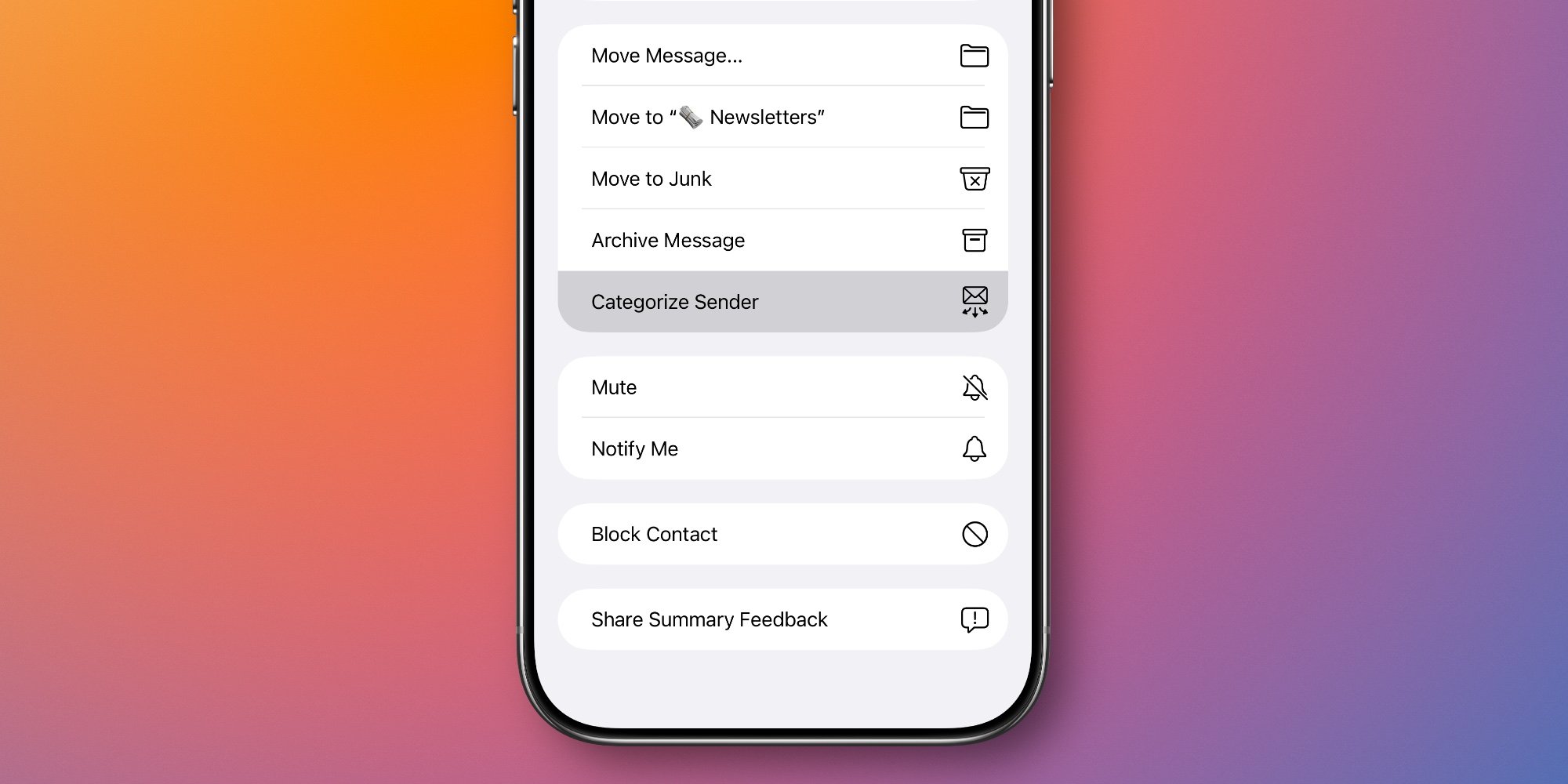
My frustration left me in want of a fix—and fortunately, Apple provides one. If you swipe left on any message in your inbox, then tap the 'More' button, you can scroll down to find a 'Categorize Sender' action.
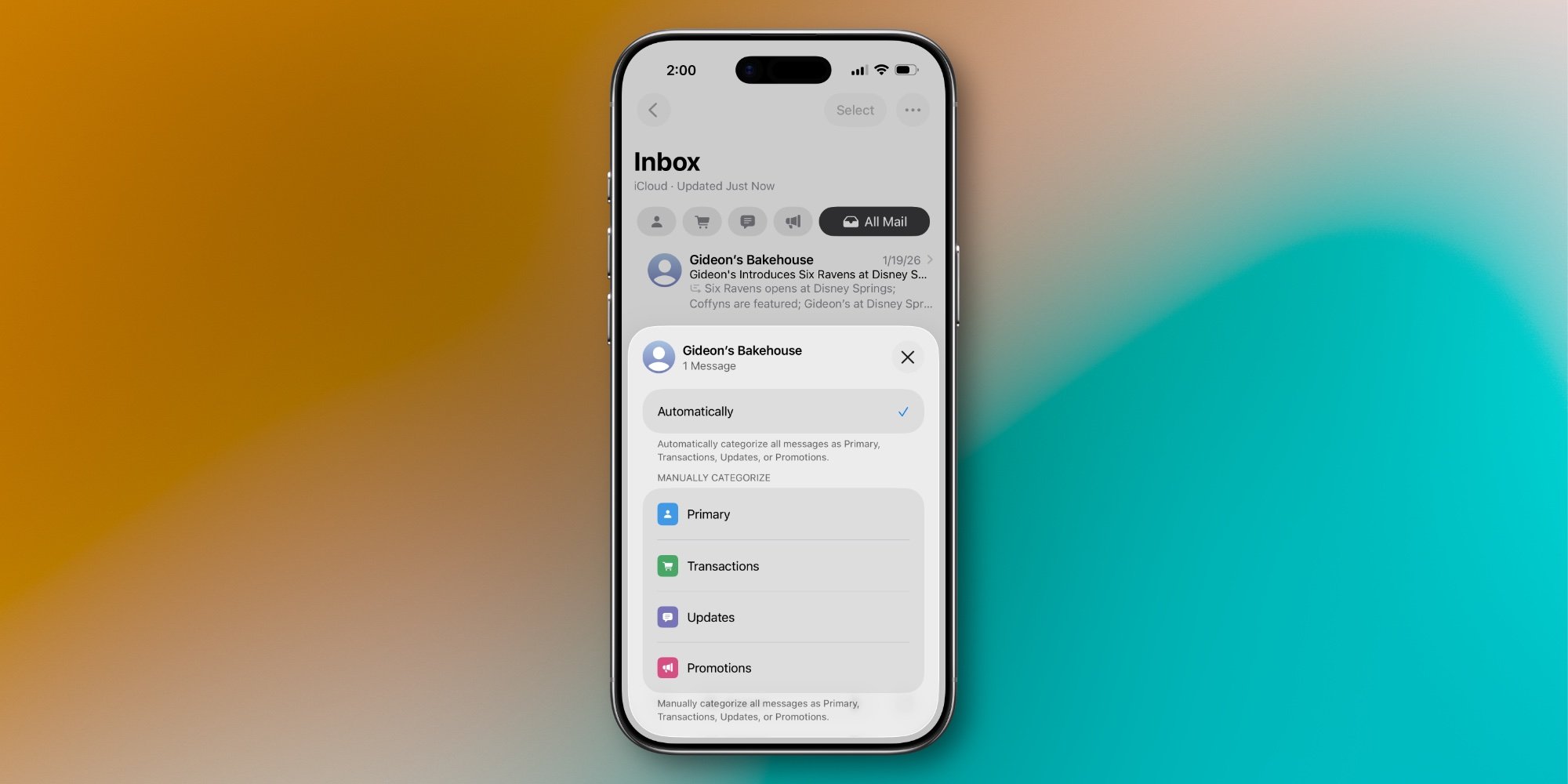
After hitting Categorize Sender, you're given the option to manually select which category that sender's messages will go to. So if there's someone important you never want to miss a message from, you can have all their communications delivered to Primary. Or on the flip side, if a sender keeps mistakenly being put in another category that makes no sense to you, you can easily fix that for all future messages.
The ability to manually categorize senders has made Mail's new inbox system much more useful for me. Without it, I'd probably disable the feature altogether. But now I've been able to still benefit from what it offers.
Do you use Mail's inbox categories, and do you ever need to manually categorize? Let us know in the comments.

Comments
Please log in or register to join the discussion