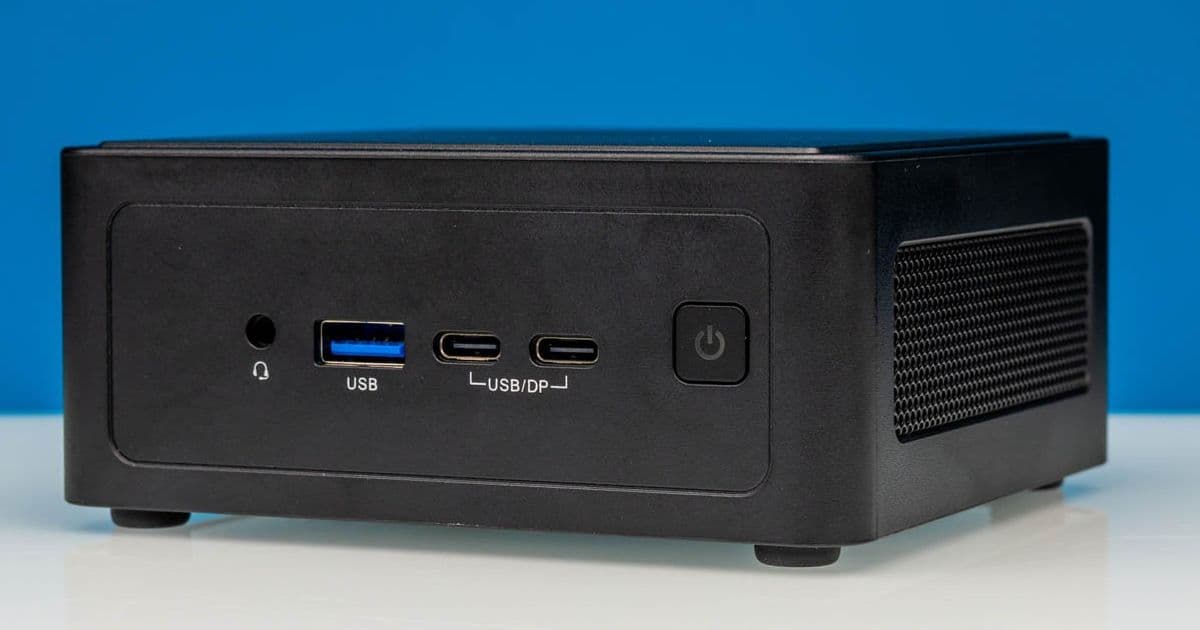
ASRock Industrial dropped a full-fat Core Ultra X7 358H, 16 cores, Arc B390 graphics, and dual 2.5GbE into a 4-inch chassis. The single Thunderbolt port is an odd cost-cutting quirk, but the spec sheet reads like an ultraportable laptop with the screen and battery surgically removed.
The NUC form factor refused to die. When Intel handed off its in-house NUC business a few years back, plenty of people assumed the 4-inch-by-4-inch box would quietly fade into legacy status. Instead, ASRock Industrial picked up the torch and has kept shipping a new model with nearly every Intel and AMD platform refresh since. The latest is the BOX-358H, and it crams Intel's Panther Lake silicon into a chassis with a footprint of roughly 117.5 x 110 x 49 mm. That works out to about 0.63 liters of internal volume, less than half the size of a standard 1-liter mini PC, and it still manages a 16-core CPU and Intel's best integrated graphics.
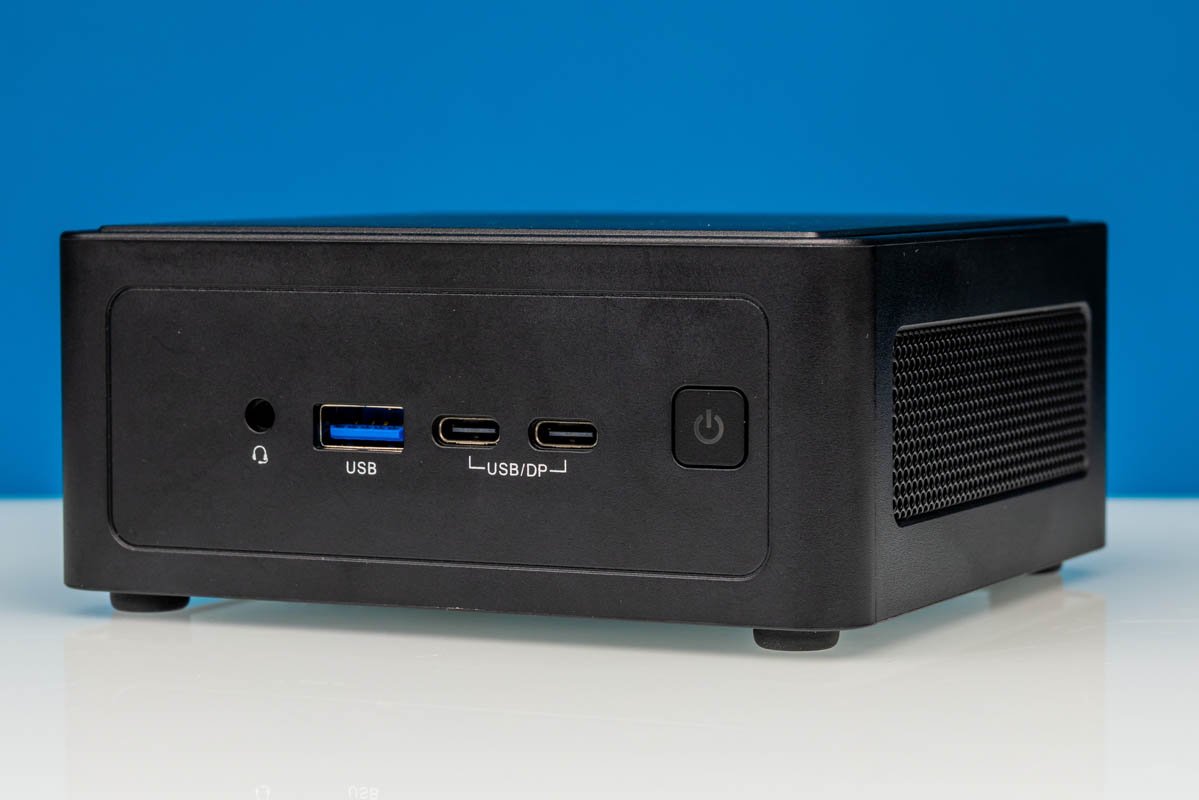
For a homelab where rack units and shelf space are finite resources, that volume-to-performance ratio is the entire pitch. You can velcro one of these behind a monitor or bolt it to a DIN rail and forget it exists.
What's Actually Inside
The headline part is the Intel Core Ultra X7 358H. This is a complete Panther Lake implementation with a hybrid layout of 4 performance cores, 8 efficient cores, and 4 low-power efficient cores, 16 cores total, with the P-cores boosting to 4.8 GHz. Graphics come from an integrated Intel Arc B390, built on the Xe3 architecture with 12 Xe cores. That is not a token iGPU bolted on as an afterthought. It is genuinely capable of light gaming, media transcode duty, and accelerating local inference workloads.
| Component | As Shipped | As Tested |
|---|---|---|
| CPU | Core Ultra X7 358H (4P + 8E + 4 LPE, 4.8 GHz) | same |
| Memory | Empty, 2x SO-DIMM | 96GB DDR5-5600 (2x48GB) |
| Primary storage | Empty M.2 2280, PCIe Gen5 x4 | 1TB Crucial P3 Plus (Gen4 x4) |
| Secondary storage | Empty M.2 2242, PCIe Gen4 x4 | unused |
| GPU | Intel Arc B390 (Xe3, 12 Xe cores) | same |
| Networking | 2x 2.5GbE (i226LM + i226V), Wi-Fi 7, BT 6.0 | same |
A detail worth flagging for anyone planning storage: the primary M.2 2280 slot runs PCIe Gen5 x4, but the system shipped with a Gen4 Crucial P3 Plus installed. The barebones nature means you bring your own drive, so a Gen5 SSD here would actually be fed full bandwidth. The second M.2 2242 slot tops out at Gen4 x4, which is plenty for a boot or cache drive.
The memory ceiling matters too. Two SO-DIMM slots populated with 48GB modules gets you to 96GB of DDR5-5600. That is a serious amount of RAM for a box this size, enough to run a stack of containers, a couple of VMs, or hold a mid-sized language model in memory alongside the Arc GPU doing the heavy lifting.
The Networking Story Is the Real Homelab Hook
Two independent 2.5GbE ports is the spec that earns this thing a place in a wiring closet. One is driven by Intel's i226LM controller with vPro support, the other by the i226V. The vPro-capable NIC means out-of-band management is on the table, which is exactly what you want on a headless node you never plan to plug a keyboard into.
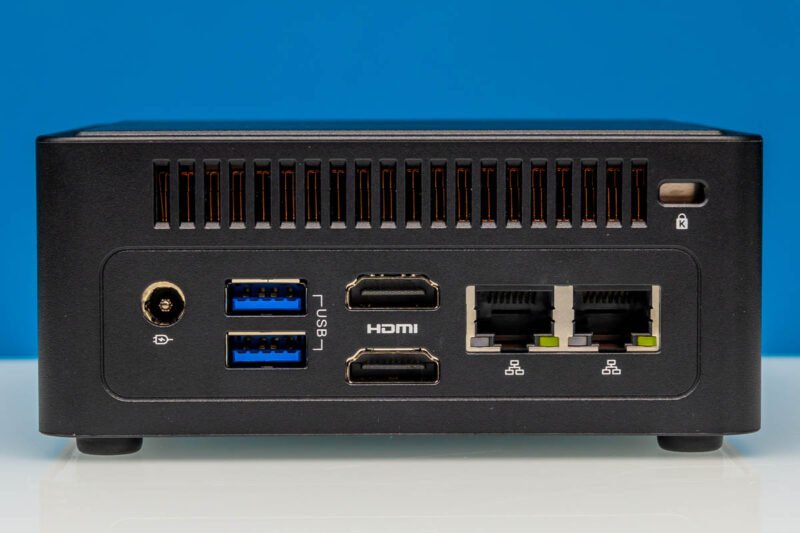
Dual NICs open up the obvious roles. Run it as a pfSense or OPNsense router with a WAN and LAN interface. Use it as a Proxmox node with one link for management and one for VM traffic. Bond them for 5 gigabit aggregate to a switch that supports it. The i226 family has had a rocky reputation in some early steppings, but it remains the standard 2.5GbE option across this entire class of hardware, so driver support everywhere is mature.
Wi-Fi 7 and Bluetooth 6.0 come from an Intel BE211 module, which is a nice touch even though most people deploying these will run them wired.
The Single Thunderbolt Port Is a Genuinely Strange Choice
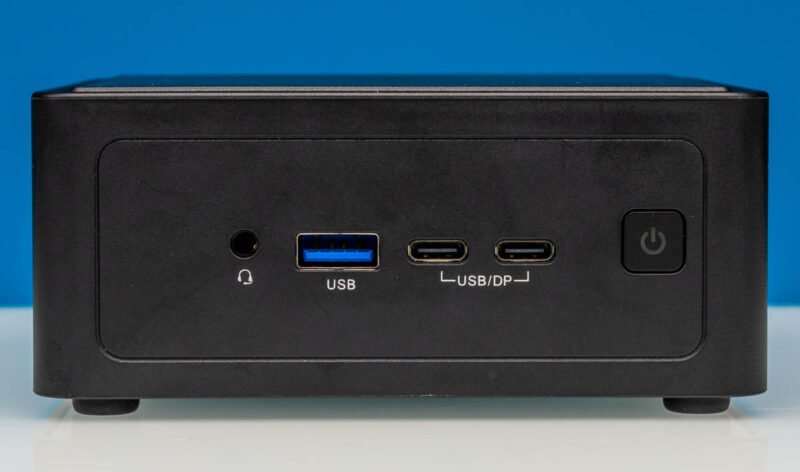
Here is the quirk that separates this box from nearly everything else on the market. The front panel carries a 40Gbps USB-C Thunderbolt 4 port, a 20Gbps USB-C port, a 10Gbps USB-A port, and a combo audio jack.
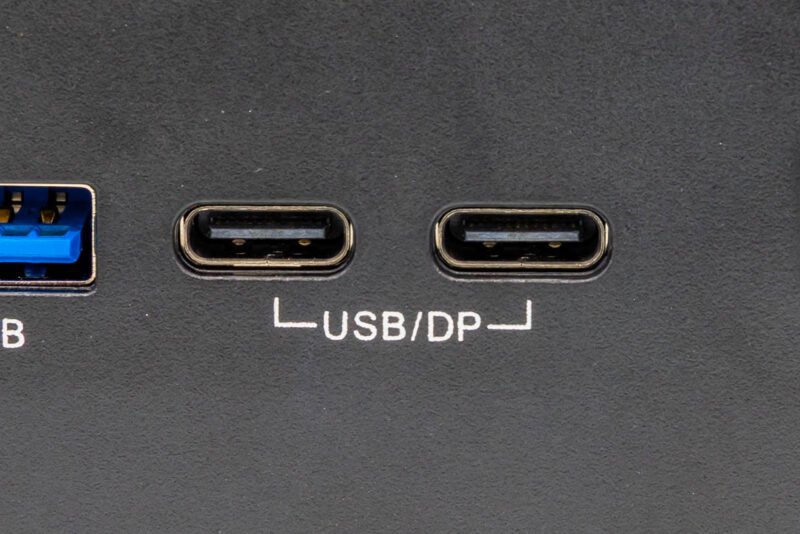
Intel's SoCs natively expose Thunderbolt in pairs. Almost every vendor ships two TB4 ports because the silicon hands them over for free. ASRock Industrial instead installed only a single TB4/USB4 retimer, so the left USB-C port gets full Thunderbolt 4 and the right one is capped at 20Gbps USB 3.2 Gen 2x2. Both support DisplayPort Alt Mode, with the left doing DP 2.1 and the right doing DP 1.4.
This is almost certainly a board-cost decision, and for the industrial market it probably does not matter. If you were hoping to daisy-chain Thunderbolt storage or run a Thunderbolt eGPU while also driving a high-bandwidth dock, the single port is a real constraint. Plan your peripheral layout around it.
The rear adds two more 10Gbps USB-A ports and two HDMI 2.1 outputs. Combined with the two DP Alt Mode USB-C ports up front, the box can drive up to four displays, which is more than respectable for digital signage or a multi-monitor workstation.
My one consistent complaint matches the reviewer's: nothing is labeled with its actual speed. Every port is marked only with its type. Anyone can identify a USB-A or HDMI connector by sight. What you cannot tell by looking is whether that USB-A is 10Gbps or which HDMI carries the higher bandwidth. That non-obvious information is exactly what stenciling should communicate, and it is missing.
Cooling and Power
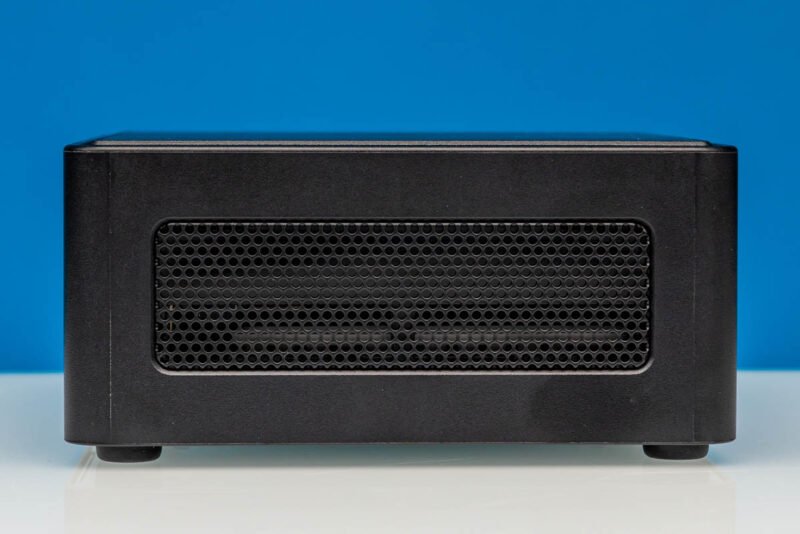
The thermal design is straightforward. The system pulls fresh air through ventilation holes around the top border, a single blower fan cools the SoC, and the only real exhaust vent sits at the rear. The side vents are passive, meant for the less critical components rather than active airflow. In a box this dense, sustained all-core loads on a 16-core Panther Lake part are going to lean on that single blower hard, so this is the spec I would most want to see logged under a long compile or a transcode batch before trusting it in a fanless-adjacent enclosure.
Power input is a DC barrel jack rather than USB-C PD, and the included brick is a chunky 120W unit (19V at 6.32A) that is physically wider than the NUC itself. The system accepts anywhere from 12V to 24V input, which is the detail that makes it genuinely useful in vehicle, solar, or industrial deployments where you are feeding it off a 12V or 24V rail directly. ASRock Industrial could have gone GaN to shrink the adapter, but for the target buyer the brick size is irrelevant.
Where It Fits
The BOX-358H is a barebones box. No RAM, no storage, no OS in the box. You supply all of it, which is exactly how a homelab buyer wants it. The value proposition is clear: laptop-class Panther Lake performance, 96GB RAM capacity, Gen5 storage, vPro management, and dual 2.5GbE in a sub-1-liter chassis you can mount with the included VESA bracket.
The compromises are the single Thunderbolt port and the unlabeled I/O, neither of which is a dealbreaker for a node you configure once and leave running. If you want one, ASRock Industrial publishes the NUC BOX-358H product details on its site, and ServeTheHome's full teardown and benchmark coverage is the place to watch for thermal and power numbers once the internals get pulled apart.
For a homelab builder who measures everything, this is the kind of box you buy two of: one to run, one to keep as a cold spare, because the chassis design has barely changed in years and swapping a dead node takes about ninety seconds.
Comments
Please log in or register to join the discussion