Microsoft announces general availability of Azure Monitor Pipeline, a centralized telemetry ingestion solution built on OpenTelemetry that addresses enterprise-scale challenges around security, reliability, and cost optimization.
Today, Microsoft announced the general availability of Azure Monitor Pipeline, a telemetry pipeline designed for secure, high-scale ingestion across any environment. Built on open-source technologies from the OpenTelemetry ecosystem, this solution addresses the persistent challenges enterprises face when managing telemetry at scale.
The Problem: Why Traditional Approaches Fall Short
Before diving into the solution, it's worth understanding the real-world problems that drove this development. Microsoft's conversations with enterprise customers revealed consistent pain points:
- Security concerns: Managing certificates on hundreds or thousands of hosts creates significant attack surface and operational overhead
- Cost inefficiencies: Traditional forwarders ship all telemetry—signal and noise—directly to Azure, driving up ingestion costs
- Reliability gaps: Network blips and connectivity issues cause data loss, particularly problematic for security telemetry
- Scale limitations: Traditional forwarders buckle under sustained high-volume loads, dropping events during spikes
- Operational complexity: Configuring each host individually creates brittle infrastructure that demands constant maintenance
These aren't edge cases. For many organizations, getting data into the system itself is the hardest part of observability—and by the time telemetry reaches Azure Monitor or Sentinel, it's already too late to fix these problems.
What Makes Azure Monitor Pipeline Different
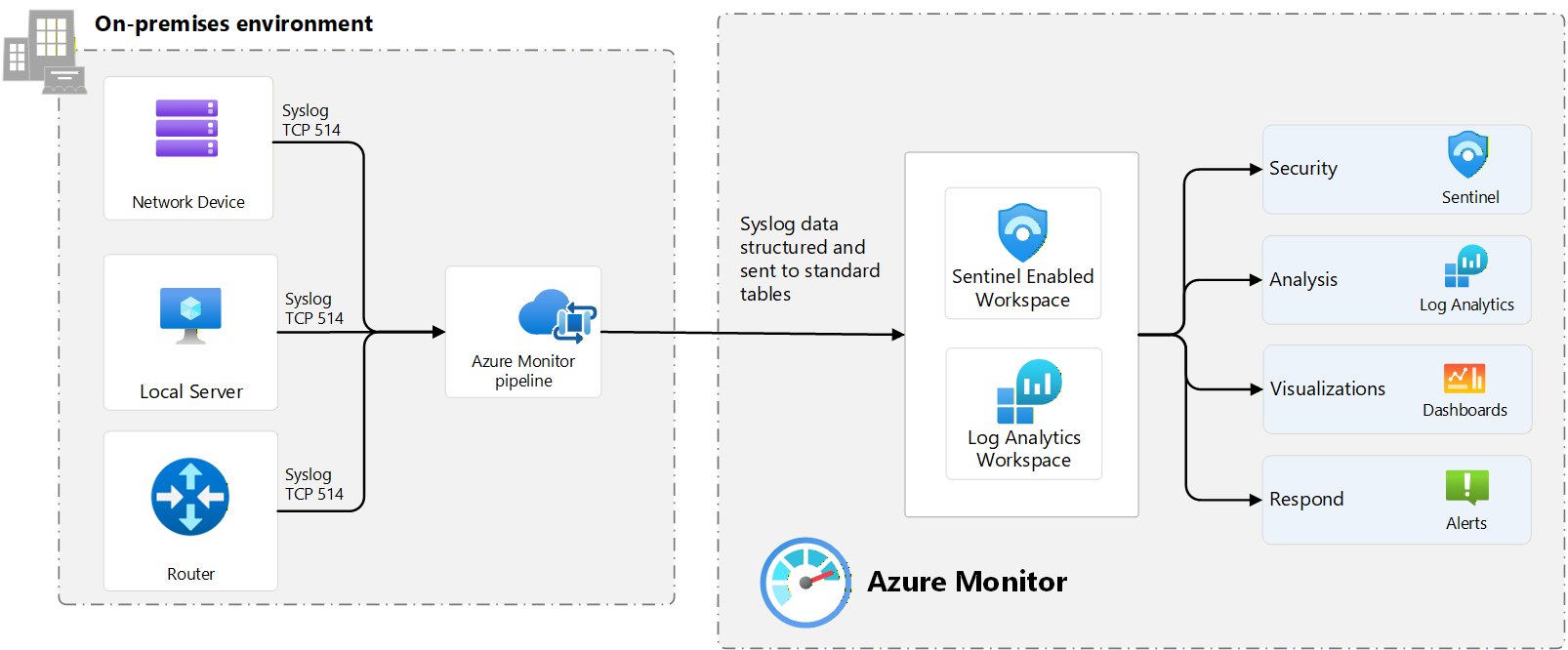
Azure Monitor Pipeline provides a centralized control point for telemetry ingestion and transformation, specifically designed for secure, high-throughput, enterprise-scale scenarios. Unlike traditional agents that collect telemetry from individual machines, this solution solves the problem of how to ingest telemetry from across your environment through a centralized pipeline.
Key Capabilities at GA
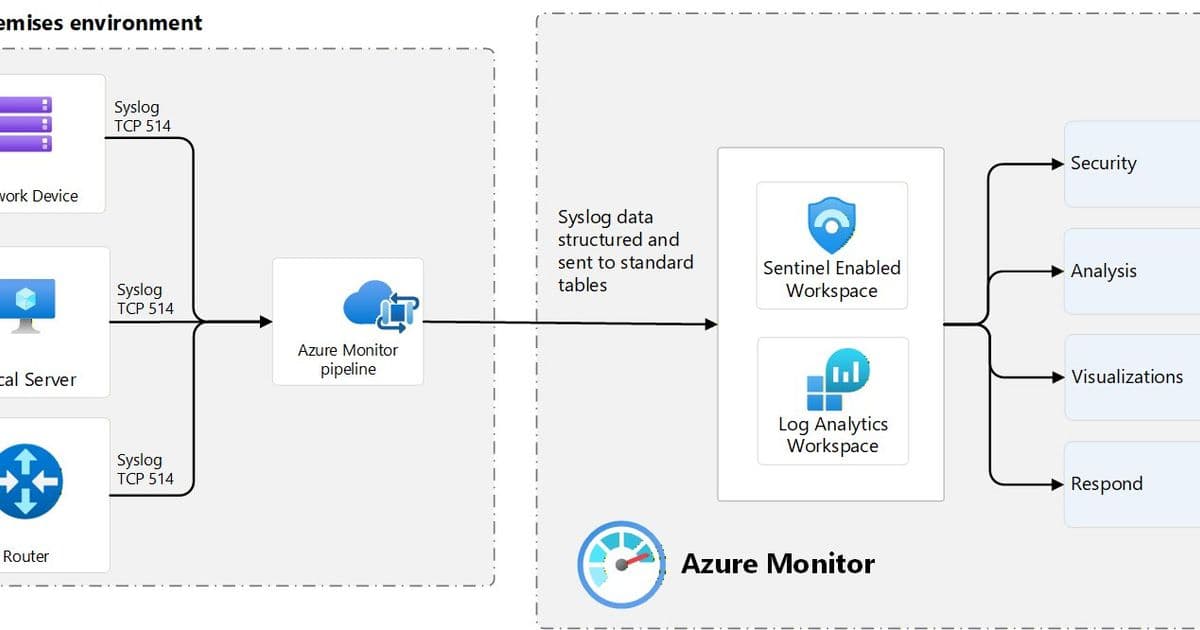
Automatic Schematization One of the most requested features during preview, Azure Monitor Pipeline automatically shapes and schematizes data so it lands directly in standard Azure tables such as Syslog and CommonSecurityLog. This eliminates:
- Custom parsing pipelines downstream
- Broken detections due to schema drift
- Manual mapping efforts
- Time to value for security teams
Local Buffering with Automated Backfill Networks fail. Maintenance happens. Sites go offline. The pipeline buffers telemetry locally in persistent storage during network interruptions and automatically backfills data when connectivity is restored. The result: no gaps in security visibility, no manual replays, and confidence that critical telemetry isn't lost.
Edge-Level Filtering and Aggregation With Azure Monitor Pipeline, customers can filter, aggregate, and shape telemetry at the edge, sending only high-value data to Azure. This approach helps teams reduce ingestion costs while improving detection quality—cost optimization and signal quality are no longer trade-offs.
Horizontal and Vertical Scaling Designed for sustained high throughput ingestion, the pipeline scales horizontally and vertically to handle hundreds of thousands to millions of events per second. This isn't about theoretical limits; it's about handling the real-world extremes that break traditional forwarders.
Secure Ingestion with TLS and mTLS Security teams consistently report that plain TCP ingestion isn't acceptable—especially in regulated environments. Azure Monitor Pipeline provides TLS-secured ingestion endpoints with mutual authentication, ensuring telemetry is encrypted in transit and accepted only from trusted sources. The solution includes automated certificate provisioning and zero-downtime rotation, with support for bringing your own certificates if you have existing PKI systems.
Built-in Health Monitoring If this pipeline is critical, you need to see how it's doing. Azure Monitor Pipeline now exposes health and performance signals, so it's no longer a black box. Customers can monitor whether their pipeline is receiving, processing, and sending telemetry, track CPU and memory usage, and identify why a pipeline might be unhealthy or down.
Infrastructure Sizing Guidance Planning pipeline infrastructure shouldn't be a guessing game. GA includes clear sizing guidance to help you plan the right infrastructure based on your expected telemetry volume and workload characteristics. These practical starting points give you a confident baseline so you can design intentionally, deploy faster, and avoid costly over- or under-provisioning.
Business Impact and Pricing
Azure Monitor Pipeline is included at no additional cost for ingesting telemetry into Azure Monitor and Microsoft Sentinel. This makes it a compelling option for enterprises already invested in the Microsoft ecosystem who need to solve telemetry ingestion challenges at scale.
For organizations managing environments with 100,000 to 1 million events per second across mixed on-premises and cloud environments, this solution addresses the core infrastructure challenges that have traditionally made telemetry management complex and expensive.
Getting Started
The general availability means Azure Monitor Pipeline is production-ready and can handle the most demanding ingestion scenarios with confidence. Organizations already using it in preview can now operate with full GA support, while new customers can begin implementation knowing they're working with a stable, supported solution.
Microsoft encourages feedback from the community, recognizing that customer input drives continued development and improvement of the platform.
For more information about Azure Monitor Pipeline and to begin implementation, visit the official Azure Monitor documentation.
Comments
Please log in or register to join the discussion