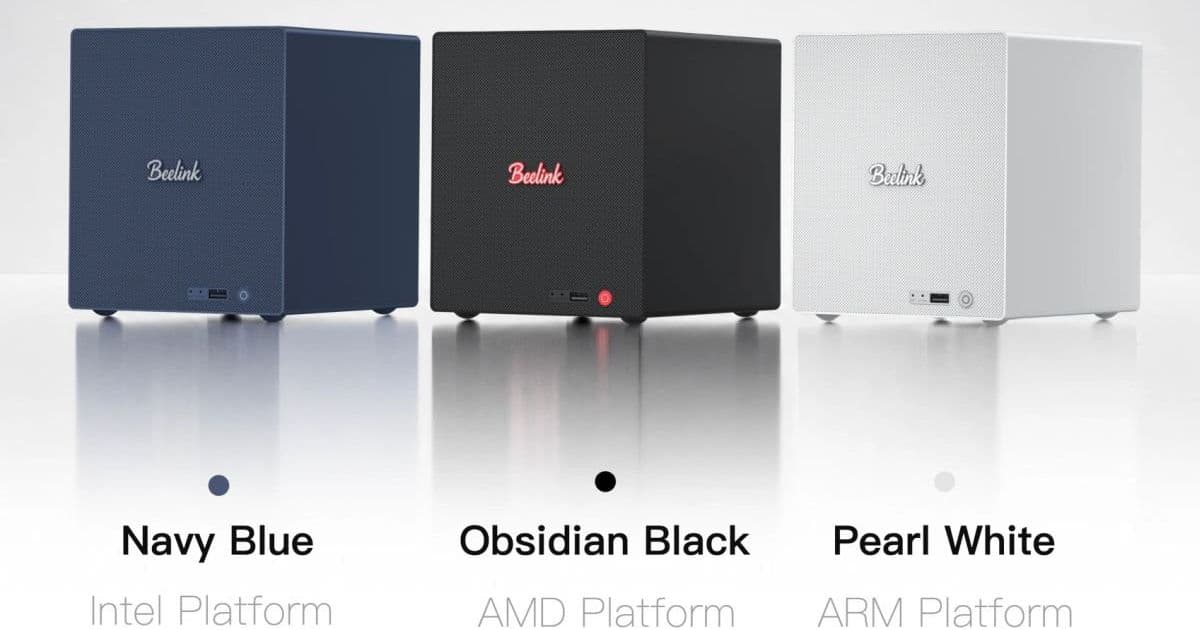
Beelink’s modular ME Pro line now offers Intel Core i5‑13420H, AMD Ryzen 7 H255 and Ryzen AI 9 HX370 processors, boosting performance for storage‑heavy workloads while keeping the compact form factor. The article breaks down the hardware changes, their impact on developers, and how to migrate existing setups.
Beelink ME Pro Gets Faster Intel and AMD CPUs – What It Means for Mini‑PC and NAS Users
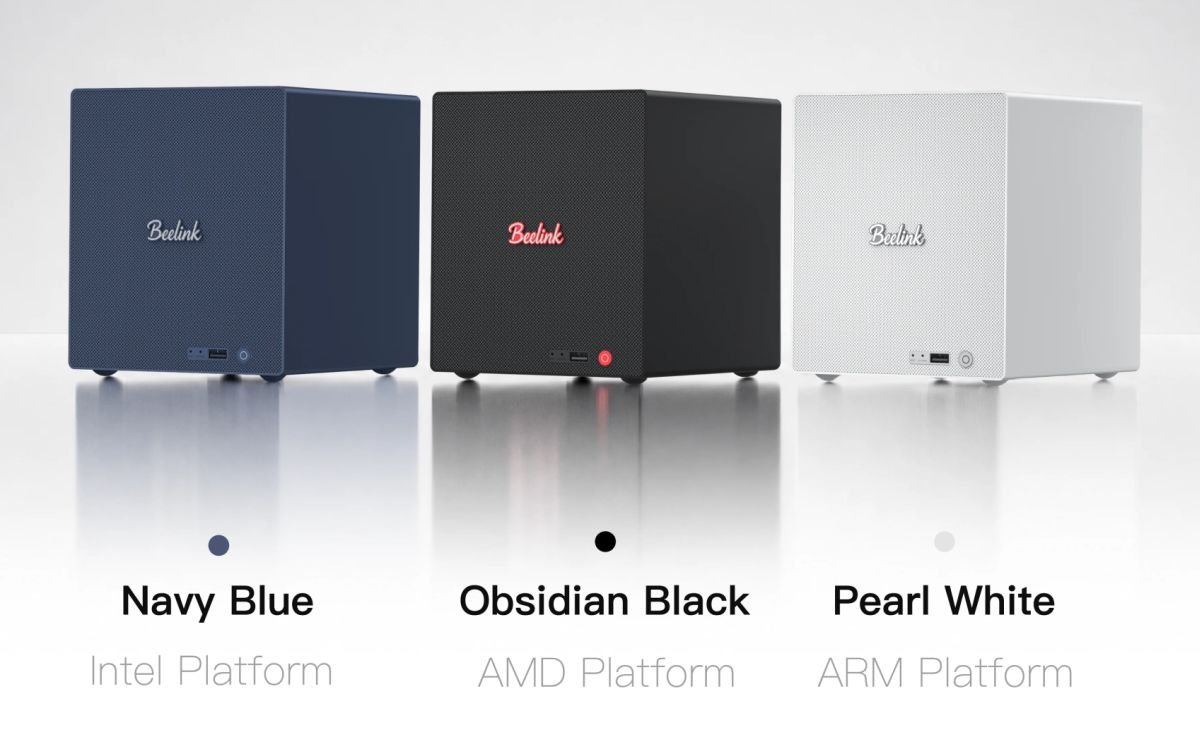
Beelink announced that the ME Pro family, originally launched with low‑power Intel N95 and N150 chips, will soon be available with three much more capable processors: the 13th‑gen Intel Core i5‑13420H, AMD Ryzen 7 H255 and the high‑end Ryzen AI 9 HX370. The move expands the product’s appeal from simple home‑file servers to more demanding workloads such as media transcoding, AI inference and light‑weight development environments.
New processor options
| Processor | Core / Thread count | Architecture | Key features |
|---|---|---|---|
| Intel Core i5‑13420H | 4 / 8 | Raptor Lake (13th‑gen) | 10 nm, integrated Xe graphics, 4.6 GHz boost |
| AMD Ryzen 7 H255 | 8 / 16 | Hawk Point (Zen 4) | 7 nm, Radeon 700M graphics, 5.0 GHz boost |
| AMD Ryzen AI 9 HX370 | 12 / 24 | Strix Point (Zen 4) | 16‑core RDNA 3.5 GPU, 50 TOPS NPU, 5.2 GHz boost |
The Intel i5‑13420H is a “standard” mobile part, but it still delivers a sizable uplift over the N95/N150 chips, especially in single‑threaded tasks and graphics‑assisted transcoding. The Ryzen 7 H255 brings an octa‑core design that is well‑suited for parallel file‑system operations, while the Ryzen AI 9 HX370 adds a dedicated neural‑processing unit (NPU) that can accelerate TensorFlow Lite or ONNX models directly on the device.
Why developers should care
1. SDK and API versioning
Both Intel and AMD’s newer chips support the latest Windows 11 SDK (10.0.22621) and Linux kernel 6.6+. If you are building native Windows apps that target the Windows App SDK (formerly Project Reunion), you can now safely use APIs that depend on Direct3D 12 Feature Level 12_2, which the RTX‑compatible integrated graphics in the HX370 expose. For Linux‑based containers, the newer kernels bring cgroup v2 and eBPF improvements that make resource‑limiting and monitoring more precise—useful when you run Docker or Podman workloads on the ME Pro.
2. Cross‑platform storage handling
The ME Pro continues to offer two M.2 2280 slots plus 2‑ or 4‑bay 3.5‑inch bays. With the higher‑performance CPUs, you can now run ZFS on Linux or ReFS on Windows with real‑time compression without choking the system. The integrated 10 GbE and 2.5 GbE NICs are already capable of saturating a 10 Gbps link; the new CPUs have more PCIe lanes, allowing you to add a NVMe‑over‑Fabric adapter if you need even more bandwidth.
3. Mobile‑first development workflow
Because the ME Pro’s mainboard sits on a removable tray, you can swap the board without reinstalling the OS. This modularity lets you keep a development image on a USB‑C boot drive, test a new kernel, then slide the tray back into the chassis for production use. For React Native or Flutter developers targeting Android on‑device emulation, the i5‑13420H’s integrated Xe graphics can run the Android Emulator with hardware acceleration via Intel HAXM or WHPX, reducing the need for a separate workstation.
Migration path for existing owners
- Back up your data – The ME Pro uses UEFI with a single ESP partition. Clone the ESP and any data drives using
ddor a tool like Macrium Reflect before swapping hardware. - Check BIOS version – New CPUs may require a BIOS update. Download the latest firmware from the Beelink support page and flash it via the USB‑C recovery port.
- Re‑install or migrate the OS – Windows 11 will detect the new CPU automatically; however, for Linux, you may need to regenerate the initramfs to include the correct microcode packages (
intel-microcodeoramd-microcode). - Validate drivers – Install the latest Intel Graphics Driver (or AMD Radeon Software) to unlock the full GPU feature set. For the NPU on the HX370, follow AMD’s AI SDK installation guide at the AMD developer portal.
- Adjust memory configuration – Current models ship with LPDDR5‑4800 soldered RAM. If future revisions allow DIMM slots, you can upgrade to 32 GB for heavy VM workloads. Until then, plan your workloads around the existing memory ceiling.
What to expect price‑wise
Beelink has not released pricing, but the current N95‑based configuration starts at $379. Historically, a jump to a mid‑range CPU adds roughly $120‑$150, while a top‑tier AI‑focused part can push the price above $600. Expect the AMD‑based models to be priced similarly to comparable mini‑PCs from the Intel NUC or ASUS PN series.
Bottom line
The expanded processor lineup turns the ME Pro from a niche NAS into a versatile edge‑compute box. Developers can now run more demanding containers, experiment with on‑device AI, and even use the device as a low‑cost Android emulator. The modular tray design keeps upgrades painless, though you’ll need to watch for BIOS updates and driver releases.
For anyone already using a Beelink ME Pro, the migration steps are straightforward, and the performance gains—especially in multi‑threaded file handling and GPU‑accelerated workloads—are likely to be noticeable.
Related reading:
Comments
Please log in or register to join the discussion