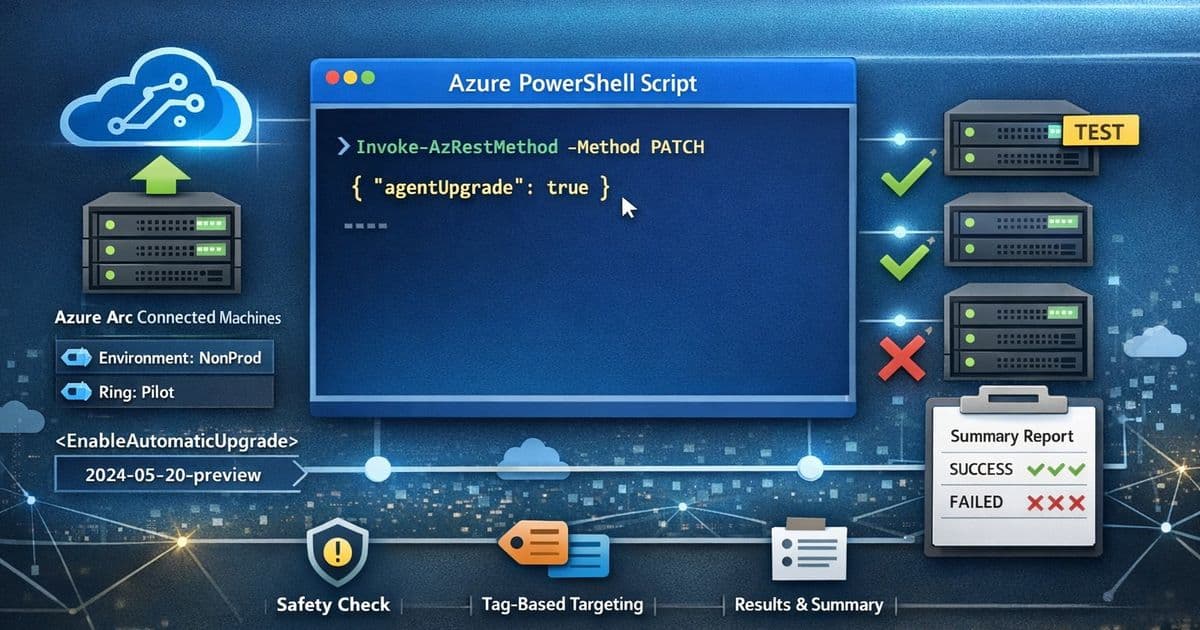
A PowerShell script enables Azure Arc Connected Machine agent automatic upgrades at scale using tag-based targeting and ARM PATCH operations, providing controlled rollout with safety gates and per-machine reporting.
Managing Azure Arc Connected Machine agents across hybrid server estates can be challenging, especially when dealing with hundreds or thousands of machines. Keeping these agents current is a foundational hygiene task that ensures security, stability, and access to the latest features. While Azure Arc supports automatic agent upgrade capabilities, enabling this feature across an entire infrastructure without proper controls can be risky.
This blog post by Abhishek Sharan presents a practical, enterprise-ready approach to enabling automatic upgrades for Azure Arc Connected Machine agents at scale. The solution demonstrates how to use Azure PowerShell and ARM PATCH operations to selectively turn on agent auto-upgrade for tag-scoped Azure Arc machines, enabling controlled rollout via pilot rings.
Why Tag-Scoped Enablement Matters
In enterprise deployments, tags serve as the simplest way to define deployment rings or cohorts of servers. Common tagging strategies might include:
- Ring=Pilot for early validation
- Environment=NonProd for testing
- Workload=LowRisk for gradual rollout
The script leverages this tagging approach to discover resources of type Microsoft.HybridCompute/machines in a given resource group and filters them by a tag/value pair. This enables teams to:
- Onboard machines first
- Apply tags as part of provisioning
- Flip on agent auto-upgrade only for the right cohort
Script Walkthrough
1. Safety Gate: Disclaimer + Explicit User Consent
The script begins with a critical safety measure: it prints a disclaimer block and requires the operator to type "Y" to proceed. This prevents accidental execution, especially in shared shells or jump boxes, and reinforces that this is a potentially impactful change across multiple machines.
2. Configuration: Subscription, Resource Group, and Tag Scope
After setting the active Azure context with Set-AzContext -Subscription "YOUR SUBSCRIPTION", the script defines:
$resourceGroup- Target resource group$tagName,$tagValue- Tag-based filtering criteria
3. Discovery: Find Azure Arc Machines with Target Tag
Using Get-AzResource -ResourceType "Microsoft.HybridCompute/machines", the script filters by tag match on the returned resource object. This ensures targeting only Arc-enabled servers represented as Microsoft.HybridCompute machine resources. If no machines are found, the script exits cleanly, avoiding silent failures and helping operators validate scope selection.
4. Update: Enable Automatic Upgrade via ARM PATCH
For each machine, the script uses Invoke-AzRestMethod with:
- ResourceProviderName: "Microsoft.HybridCompute"
- ResourceType: "Machines"
- ApiVersion: "2024-05-20-preview"
- Method: "PATCH"
- Payload:
{"properties":{"agentUpgrade":{"enableAutomaticUpgrade":true}}}
This ARM PATCH operation directly modifies the agent upgrade settings for each targeted machine.
5. Output: Per-Machine Result + Final Summary Table
The script records results into an array of PSCustomObject entries with:
- MachineName
- EnableAutomaticUpgrade
- Result (Success/Failed)
A formatted table provides quick operator confirmation, change records, and output that can be attached to internal work items or change tickets.
Operational Benefits
This script represents a solid operational accelerant for teams managing Arc-enabled servers at scale. It combines:
- Safety: Explicit disclaimer + opt-in
- Control: Tag-based targeting for controlled blast radius
- Automation: Bulk enabling via ARM PATCH
- Observability: Clear per-server results and final summary
For organizations trying to standardize operational hygiene across hundreds of Arc machines, this tag-scoped enablement approach offers one of the cleanest ways to start small, learn safely, and then scale.
Getting Started
The script is available in the ExtensionManagement GitHub repository by Abhishek Sharan. Teams can customize the tagging strategy and rollout approach based on their specific organizational needs and risk tolerance.
By implementing this controlled rollout pattern, organizations can ensure their Azure Arc Connected Machine agents remain current without the risks associated with blanket enablement across their entire hybrid infrastructure.
Comments
Please log in or register to join the discussion