
Dell's 16-inch mobile workstation crams a Core Ultra 9 285HX, an RTX PRO 5000 Blackwell GPU, 128GB of CAMM2 memory, and RAID 0 Gen5 storage into a 2.55kg chassis. It needs a 280W brick and nearly half its underside is grate, but it trades the 18-inch luggable bulk for something you can actually move.
Dell's high-end workstation laptops have stayed credible even as the rest of the company's portfolio churned. The line now ships under the Pro Max Plus name following Dell's branding overhaul, and the mandate has not changed: build big, run fast, and skip the cost-cutting. The Dell Pro Max 16 Plus is the smaller of the two members of that family, sitting below the 18-inch model, and it is the one that makes the most sense if you ever intend to carry the thing.
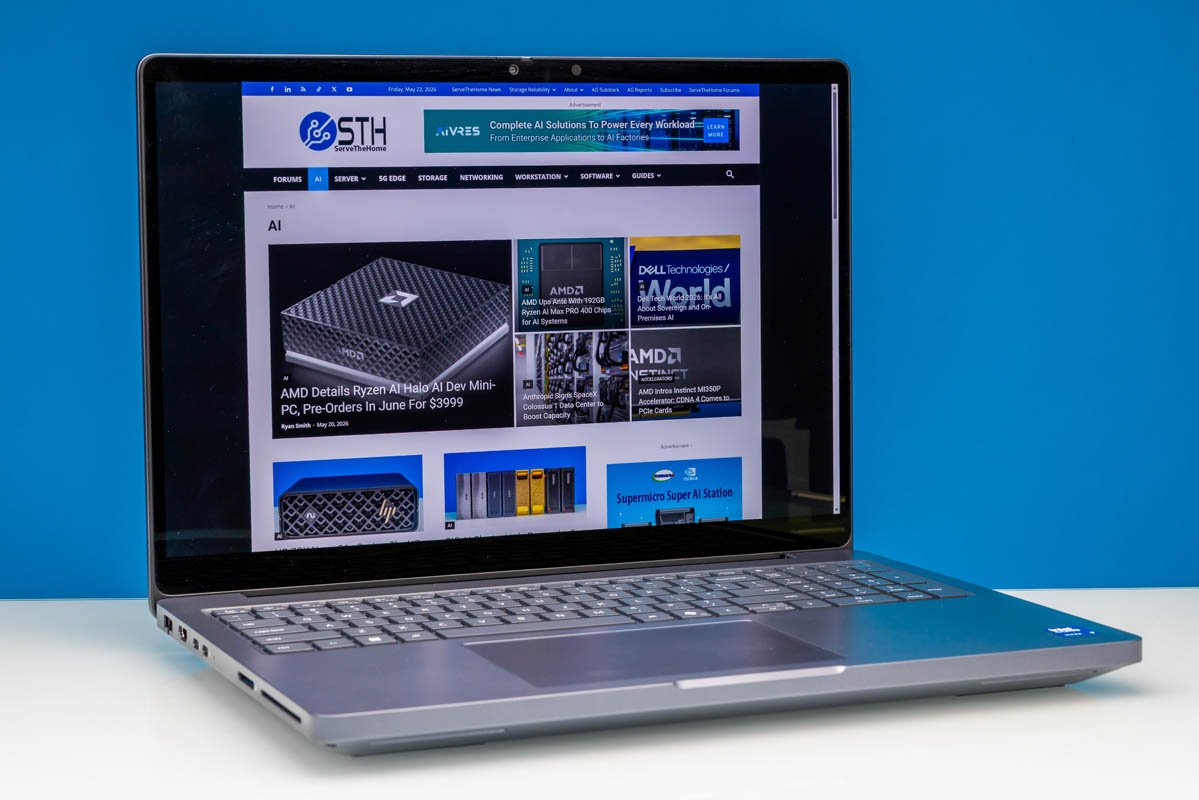
Dell classifies it as a desktop-replacement-class laptop, which is honest. The review configuration is built entirely from flagship parts, and the spec sheet reads like a checklist of every premium option a 16-inch chassis can physically accommodate.
Specifications
The review unit, model MB16250, lands like this:
- CPU: Intel Core Ultra 9 285HX, 8 performance cores plus 16 efficiency cores, 5.5GHz boost
- GPU: NVIDIA RTX PRO 5000 Blackwell, with Intel Xe-LPG integrated graphics (4 Xe cores) handling display-out duties
- Memory: 128GB DDR5-6400 on a dual-channel CAMM2 module
- Storage: 2x 1TB PCIe Gen5 x4 M.2 2280 SSDs in RAID 0
- Display: 16-inch 3840x2400 OLED, 16:10, 120Hz VRR, 500 nits, 100% DCI-P3, touch, VESA True Black 1000
- Battery: 96Wh, 6-cell
- Wireless: Wi-Fi 7 and Bluetooth 5.4 via Intel BE200
- Weight: 2.55kg (5.63 lbs)
- Dimensions: 360 x 258.6 x 29.4 mm
- Power supply: 280W
The Core Ultra 9 285HX is Intel's Arrow Lake-HX flagship, a 24-core part that anchors the high end of the mobile workstation segment. Pairing it with the RTX PRO 5000 Blackwell, NVIDIA's professional Blackwell-generation mobile GPU, gives you a machine aimed squarely at CUDA-accelerated rendering, simulation, and local AI inference workloads. Dell also offers Qualcomm discrete NPUs as add-in accelerator options elsewhere in the Pro Max Plus lineup, which is an unusual touch for a Windows workstation laptop.
The memory deserves a note. Rather than soldered LPDDR or traditional SO-DIMMs, Dell uses a CAMM2 module running DDR5-6400 in dual channel. CAMM2 is the compression-attached memory standard that replaces stacked SO-DIMMs with a single flat module, which improves signal integrity at high clocks and frees vertical space inside the chassis. Getting 128GB of DDR5-6400 in a laptop is a direct benefit of that approach.
Storage is a pair of 1TB Gen5 drives striped in RAID 0. That maximizes sequential throughput for scratch-heavy professional workflows, at the cost of doubling your failure surface. For a workstation that is presumably backed by a network share or cloud target, that is a defensible trade, but it is worth knowing the array has no redundancy.
External hardware
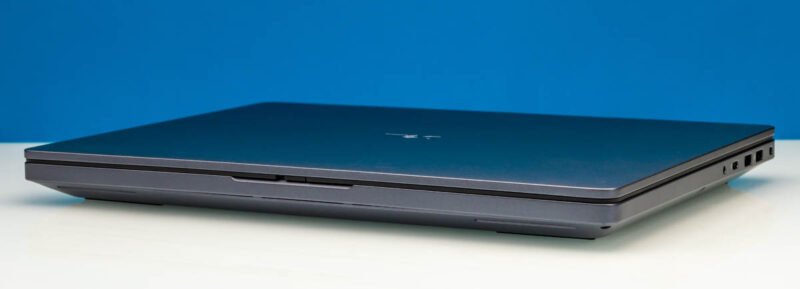
The chassis is gray, industrial, and slightly plasticky in feel. It tapers gently from rear to front but is still 29.4mm at its thickest, and it weighs 2.55kg. That is not light, but the 18-inch Pro Max Plus models start at 3.25kg, so the 16-inch version is meaningfully more transportable. The 280W power supply tells you what kind of thermal envelope Dell is designing around.
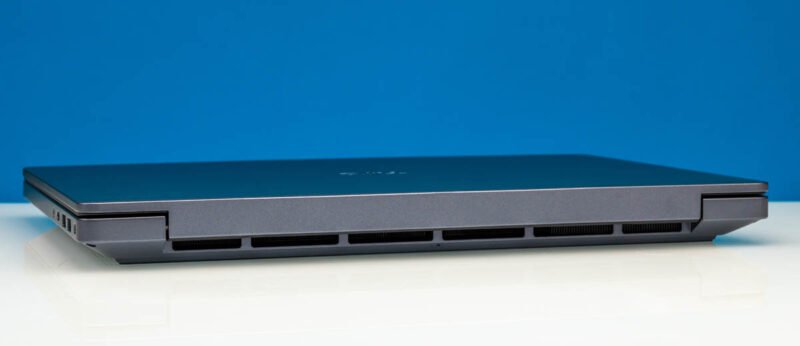
The rear of the laptop is mostly vent. Large exhausts run the full width of the body to dump heat from the CPU and GPU, and Dell makes no attempt to disguise that this is a high-power machine.
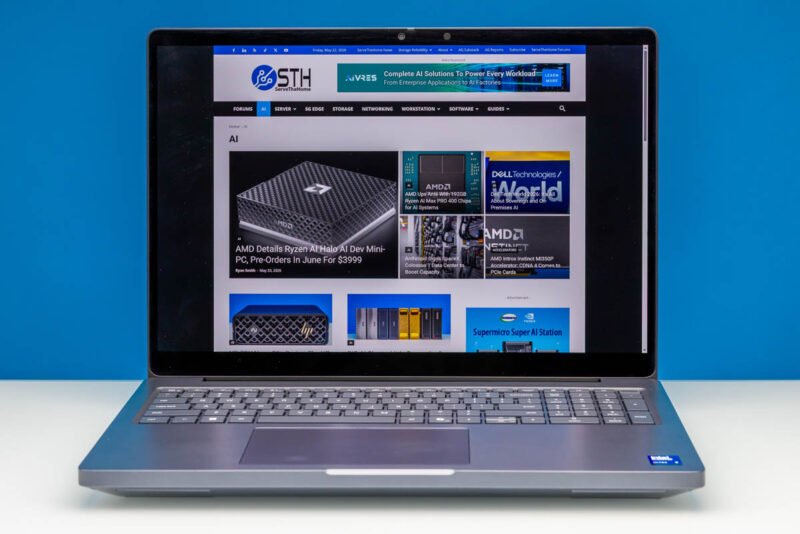
Open it up and the layout is conventional for a large laptop. The backlit keyboard includes a full numeric keypad, which pushes the trackpad off-center to the left to make room. That offset is a common ergonomic compromise on 16- and 17-inch workstation chassis.
The display is the standout. Dell offers several panels across the Pro Max 16 Plus range, all 16:10 for the extra vertical working space. The top option, fitted here, is a 3840x2400 OLED rated at 500 nits, 100% DCI-P3, and VESA True Black 1000, the highest current OLED HDR certification. It runs up to 120Hz with variable refresh rate, which kicks in when the Blackwell GPU cannot sustain the frame target, and it is the only touch-capable option in the lineup.
If you do not want to drive a 4K OLED, Dell sells two LCD alternatives. The mid-tier panel is a 1920x1200 LCD with full DCI-P3 coverage and 120Hz VRR but no HDR. The budget panel is another 1920x1200 LCD with no VRR and a sub-sRGB gamut, which is the configuration to avoid if color work matters to you.
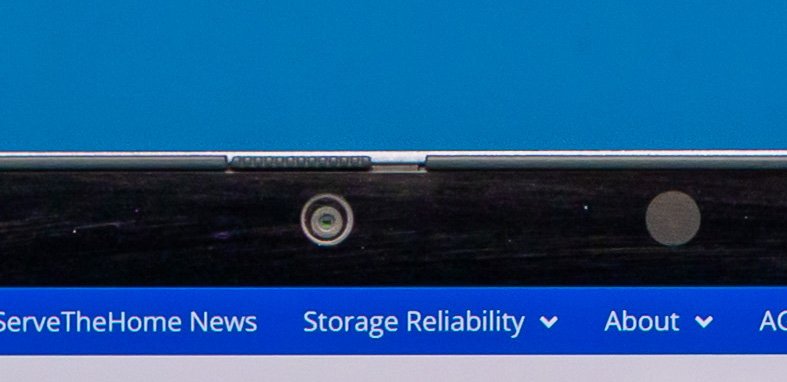
The camera is optional on built-to-order configs, but the OLED panel forces the 8MP plus IR module, which enables Windows Hello and includes a physical privacy shutter. Audio is handled by two 2W downward-firing speakers along the front edge, which is the bare minimum you would expect at this tier.
I/O and connectivity
The port selection is where this laptop earns the Pro designation. The left side carries the bulk of the connectivity: a collapsing RJ45 jack for 2.5GbE, an HDMI 2.1 output wired to the Arrow Lake integrated GPU, two USB-C ports, a full-size SD card reader (non-Express), and a smart card reader.
The two left-side USB-C ports are Thunderbolt 5, which is the headline networking and expansion feature. Dell fit a discrete Thunderbolt 5 controller, giving these ports 80Gbps symmetric and up to 120Gbps in the asymmetric Bandwidth Boost mode, plus USB4 v2 compatibility. They are full-feature ports with DisplayPort Alt Mode for external displays and power delivery for charging. Even with the laptop's high draw, charging happens over USB-C rather than a proprietary barrel.
The right side adds two 5Gbps USB-A ports with PowerShare device charging, a third USB-C port (Thunderbolt 4, 40Gbps, connected to the Arrow Lake SoC) that can also charge the system, and a 3.5mm combo audio jack. Being able to charge from either side is a genuine convenience on a desk where the outlet is not always on the correct side.
The underside is roughly 50% open grate, with rubber strips front and rear that both grip the surface and lift the body for airflow clearance. Combined with the full-width rear exhaust, the cooling design is clearly built for sustained high-wattage operation rather than thin-and-light aesthetics.
What it means
The Pro Max 16 Plus is not subtle about what it is. The 280W adapter, the open underside, and the full-width vents all point to a machine that expects to run a 24-core CPU and a professional Blackwell GPU under load for extended periods. The interesting decisions are the modern infrastructure choices around those chips: CAMM2 for 128GB of fast DDR5, Thunderbolt 5 for 120Gbps external bandwidth, Gen5 storage in a stripe, and 2.5GbE plus Wi-Fi 7 for fast wired and wireless networking.
For anyone running local AI inference, GPU rendering, or large simulation jobs who needs to leave the desk occasionally, the value proposition is the 16-inch form factor itself. It delivers most of what the 18-inch model offers while shedding nearly 700 grams. The RAID 0 array and the high-wattage cooling are the kind of details a buyer should weigh against their actual workflow, but as a 16-inch mobile workstation, Dell has assembled about as much hardware as the category allows.
Comments
Please log in or register to join the discussion