iOS 26.4 adds a dedicated 'Urgent' smart list to Apple's Reminders app, making it easier to track time-sensitive tasks across all your lists.
Apple's Reminders app recently got my favorite new feature in a long time: 'Urgent' reminders. And in iOS 26.4, the feature's getting upgraded with the one thing it was missing: a dedicated smart list.
'Urgent' reminders have their own dedicated smart list in iOS 26.4
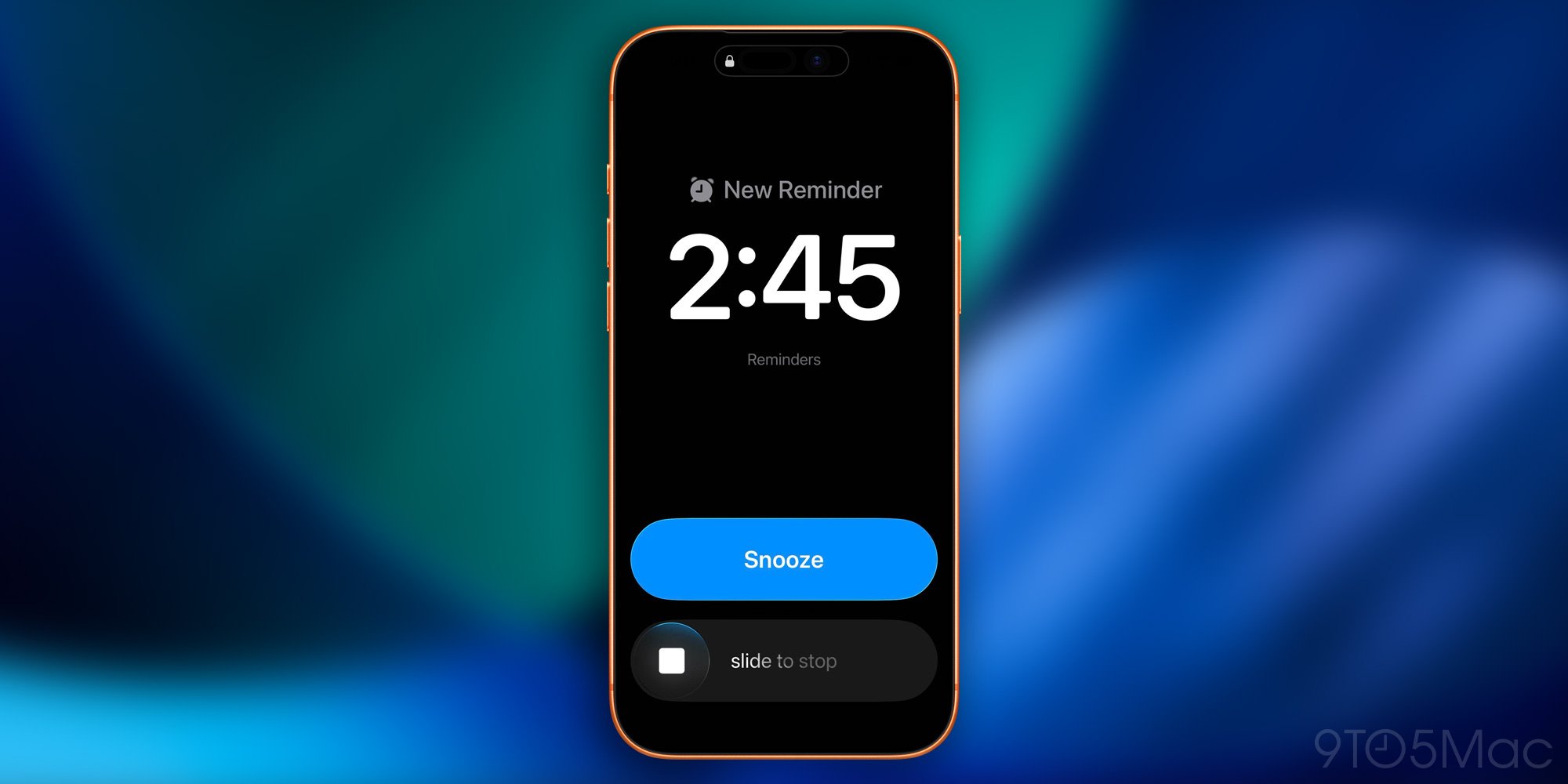
I'm a big fan of Reminders' newest feature: 'Urgent' reminders. Here's how it works, per my previous coverage: Whenever you create a task with a due time, Reminders now offers the option of marking it as 'Urgent.' If you mark it Urgent, your iPhone will trigger an alarm when that due time arrives. The alarm screen will show an option to either Snooze for 9 minutes, or stop the alarm.
It's not uncommon for me to have a reminder due time arrive, but be tied up doing something else right then. And if I can't take care of a task right away, it's easy for me to forget about it. But the new snoozing system, and the way urgent reminders trigger a Live Activity, has solved that problem for me. Plus, having an alarm trigger ensures I never miss important reminders in the first place.
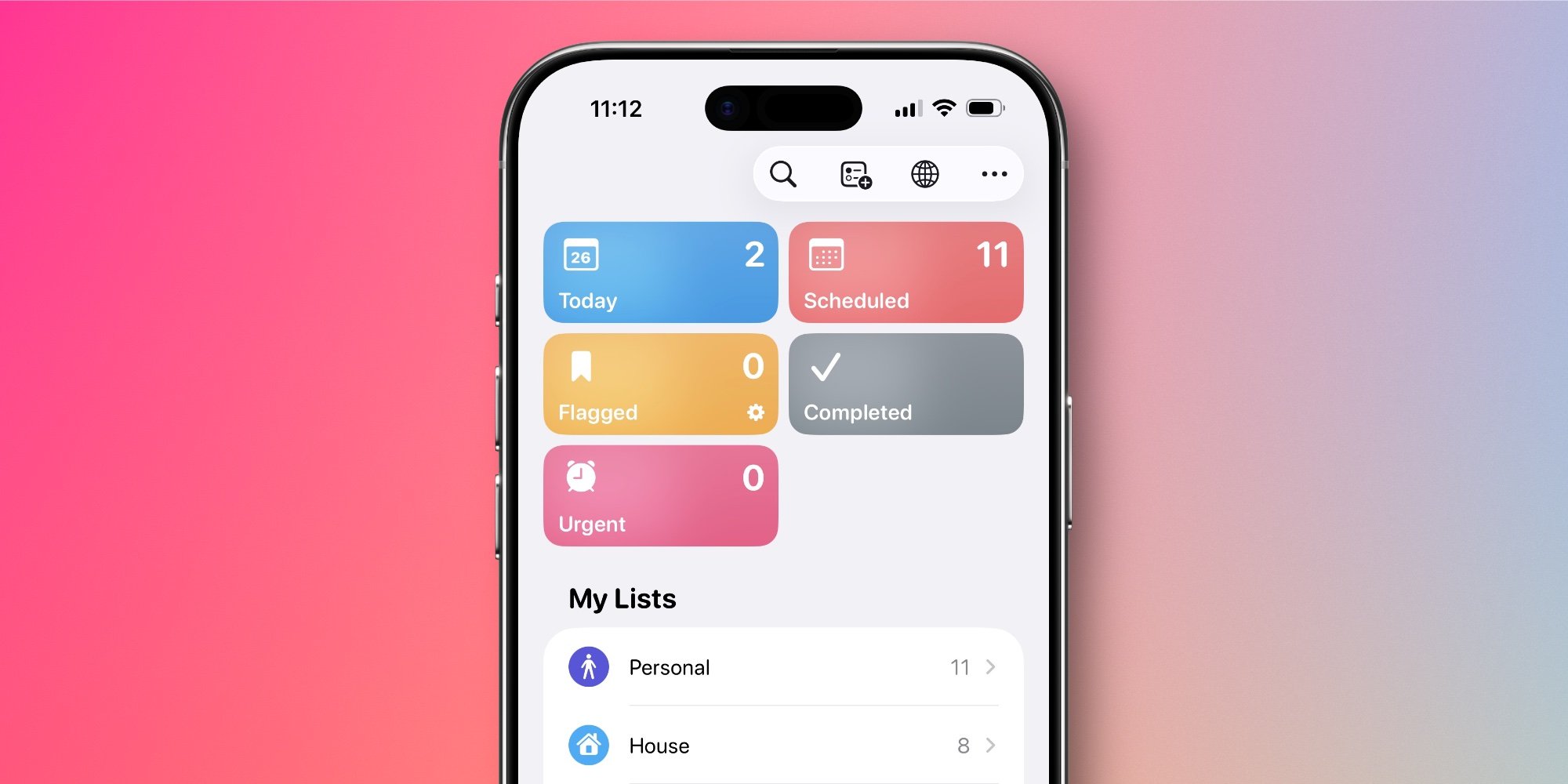
The feature was already very well thought-through and implemented when it launched in iOS 26.2. But soon, Apple will add the one enhancement it was missing. iOS 26.4 gives Reminders a dedicated 'Urgent' smart list at the top of the screen. Now, all of your tasks marked 'Urgent' will be accessible in this one list, regardless of which other lists they're assigned to.
If you're a heavy Reminders user, this is a great addition because it essentially puts all your most important tasks in one place. If your 'Today' list ever gets out of hand, then switching to 'Urgent' might be an easy way to see all tasks that actually have hard deadlines. Thus, you can focus on the tasks that need your attention most.
Have you been using Urgent reminders on your iPhone? How's the feature working for you? Let us know in the comments.

Guides
- iOS 26 Reminders
- iOS 26.4
Author Ryan Christoffel (@iryantldr)
Ryan got his start in journalism as an Editor at MacStories, where he worked for four years covering Apple news, writing app reviews, and more. For two years he co-hosted the Adapt podcast on Relay FM, which focused entirely on the iPad. As a result, it should come as no surprise that his favorite Apple device is the iPad Pro.
Comments
Please log in or register to join the discussion