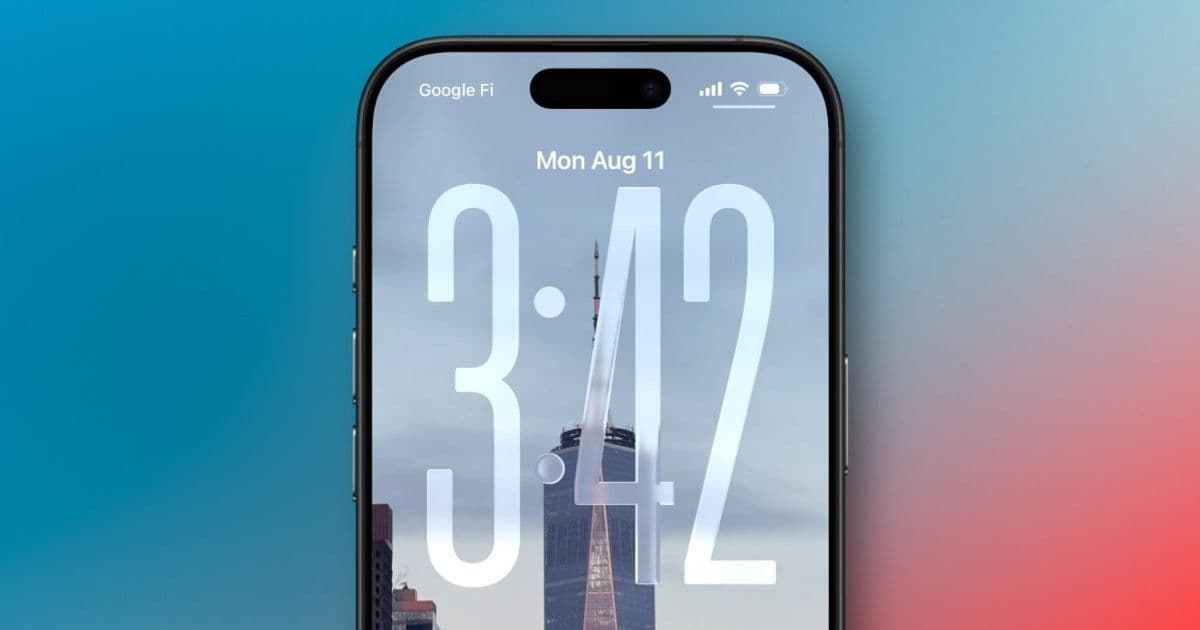
iOS 26 introduces a subtle but significant change to iPhone's Always On Display, blurring wallpapers by default to improve legibility while sparking user debate about the feature's purpose.
Apple's Always On Display has been a staple feature on iPhone Pro models since the iPhone 14 Pro, providing users with quick access to essential information while conserving battery life. With the release of iOS 26, Apple has made a subtle yet impactful change to how this feature works, and it's generating mixed reactions among users.
The Change: Blurred Wallpapers by Default
In previous iOS versions, when your iPhone's display was dimmed for the Always On Display mode, it simply showed a darker version of your Lock Screen wallpaper. This allowed your chosen image to remain visible while making the clock and notifications more prominent.
iOS 26 changes this behavior significantly. Now, by default, the system applies a blur effect to your Lock Screen wallpaper when the display is dimmed. The intention behind this change is clear: to improve the legibility of the clock and widgets by reducing visual noise from the background image.
The Debate: Purpose vs. Legibility
The change has sparked an interesting debate among iPhone users. On one hand, the blurred effect does make the time, date, and widgets stand out more clearly against the background. This could be particularly beneficial for users who prioritize quick readability of information.
However, many users argue that this change defeats the purpose of the Always On Display feature. For those who carefully select Lock Screen wallpapers to express their personality or match their aesthetic preferences, seeing a blurred version of their chosen image may feel like a step backward.
As one user noted, "I'd rather not show any wallpaper at all than be presented with a blurred version of my Lock Screen image." This sentiment reflects the frustration of users who value the visual aspect of the Always On Display as much as its functional benefits.
Apple's Solution: User Control
Recognizing that this change might not appeal to everyone, Apple has included a toggle to restore the previous behavior. Users can navigate to Settings > Display & Brightness > Always On Display and disable the "blurred wallpapers" option. This returns the Always On Display to its pre-iOS 26 behavior, showing the dimmed but unblurred version of the Lock Screen wallpaper.
This approach demonstrates Apple's commitment to user choice, allowing individuals to select the behavior that best suits their preferences. Whether you prioritize legibility or visual fidelity, iOS 26 provides the flexibility to customize the Always On Display to your liking.
The Bigger Picture: Evolution of Always On Display
The Always On Display feature has evolved significantly since its introduction. Initially, it was a simple, dimmed version of the Lock Screen. Over time, Apple has added more customization options, allowing users to control whether the wallpaper appears at all and whether notifications are shown.
iOS 26's change represents another step in this evolution, refining the balance between functionality and aesthetics. While the default behavior has changed, the underlying philosophy remains the same: to provide users with quick access to essential information while maintaining a degree of personalization.
User Preferences: What Do You Think?
The introduction of this change raises an interesting question: which behavior do you prefer? Is the improved legibility of a blurred background worth the trade-off of not seeing your chosen wallpaper clearly? Or does the blur effect defeat the purpose of having a personalized Lock Screen in the first place?
Some users might argue that the blur effect offers better privacy and sensitivity, as it makes it harder for others to discern the details of your Lock Screen wallpaper. Others might contend that if privacy is a concern, they would simply choose not to display the wallpaper at all.
Looking Ahead: The Future of Always On Display
As iOS continues to evolve, it's likely that the Always On Display feature will see further refinements. Apple's approach with iOS 26—changing the default behavior while providing an option to revert—suggests a willingness to experiment with new ideas while respecting user preferences.
Future iterations of iOS might introduce even more customization options for the Always On Display, allowing users to fine-tune the balance between legibility and aesthetics. Perhaps we'll see options to adjust the intensity of the blur effect or to apply it selectively to certain parts of the Lock Screen.
Conclusion
The change to the Always On Display in iOS 26 is a prime example of how even small tweaks can have a significant impact on user experience. By blurring wallpapers by default, Apple has prioritized legibility, but at the potential cost of visual appeal for some users.
The inclusion of a toggle to disable this behavior demonstrates Apple's understanding that user preferences vary widely. Whether you embrace the new blurred look or prefer the classic dimmed appearance, iOS 26 ensures that your iPhone's Always On Display can be tailored to your liking.
As users continue to explore and adapt to this change, it will be interesting to see how the debate unfolds and whether Apple considers further adjustments in future updates. For now, the power is in your hands to decide how your iPhone's Always On Display should look and function.
Comments
Please log in or register to join the discussion