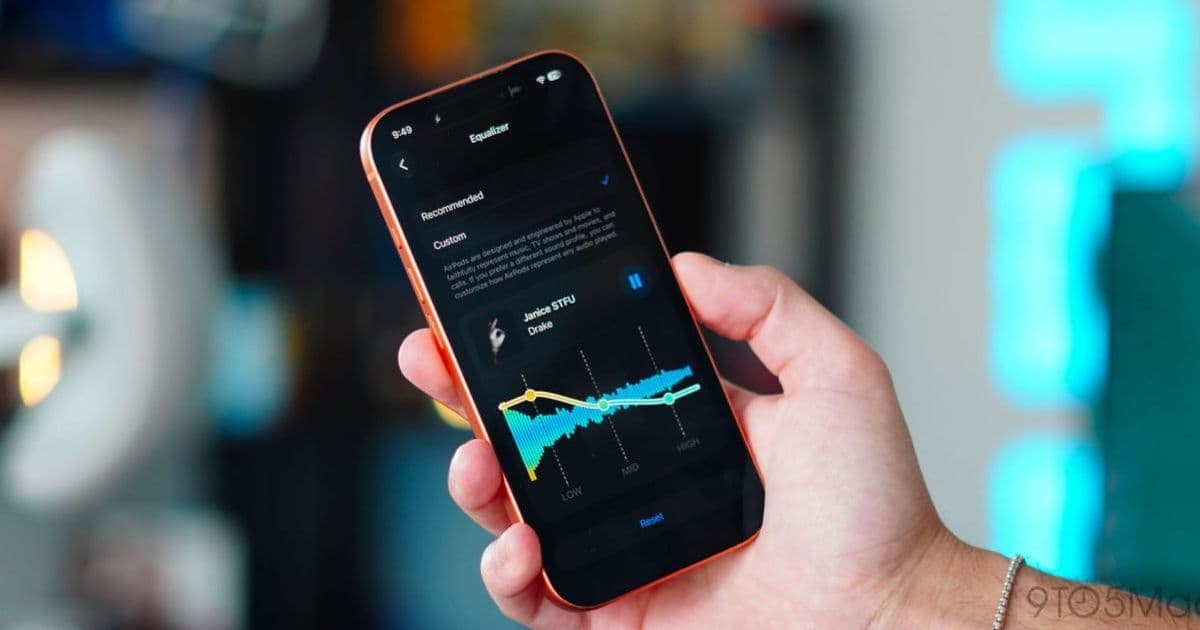
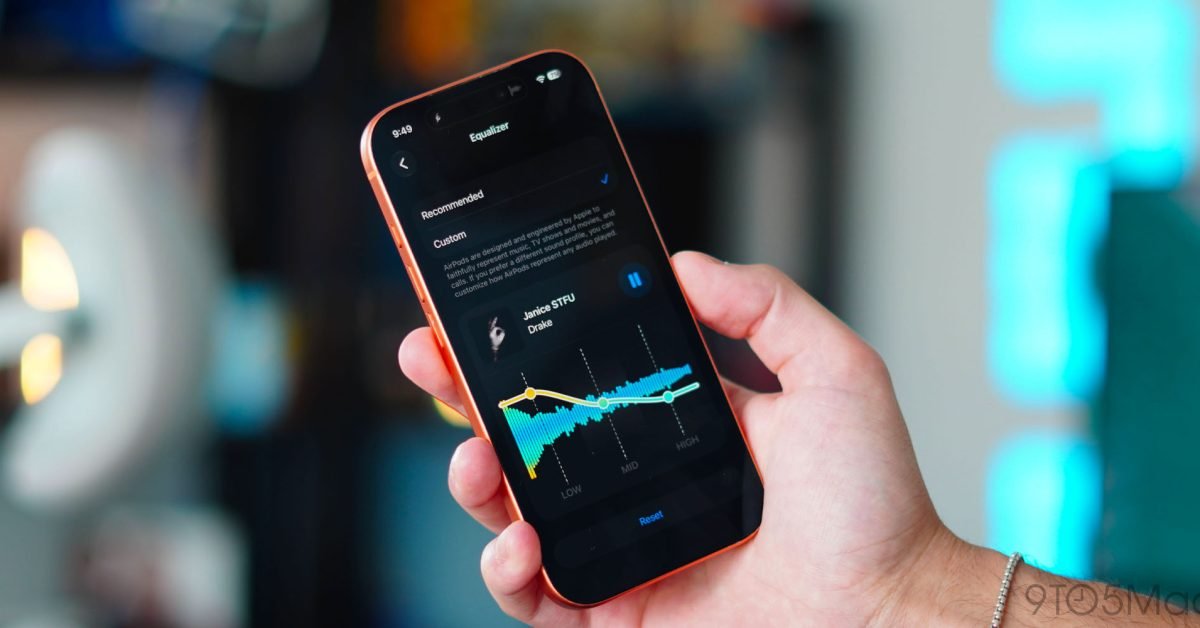
Apple's iOS 27 update brings a long-requested custom equalizer to H2-equipped AirPods, plus GymKit heart rate broadcasting on the AirPods Pro 3 and Precision Finding support. The features ship through a separate AirPods firmware channel, and the H2 chip gate has real implications for developers building around AudioServices and CoreMotion.
Apple released a set of AirPods features alongside iOS 27 that change how the hardware behaves at the system level. The headline additions are a user-facing custom equalizer, on-device heart rate broadcasting from the AirPods Pro 3, and Precision Finding support across iPhone and Apple Watch. For anyone maintaining audio or fitness apps on both platforms, the more interesting story is how these features are gated and delivered, because the firmware path and the H2 chip requirement shape what your app can actually rely on.
The firmware delivery model matters
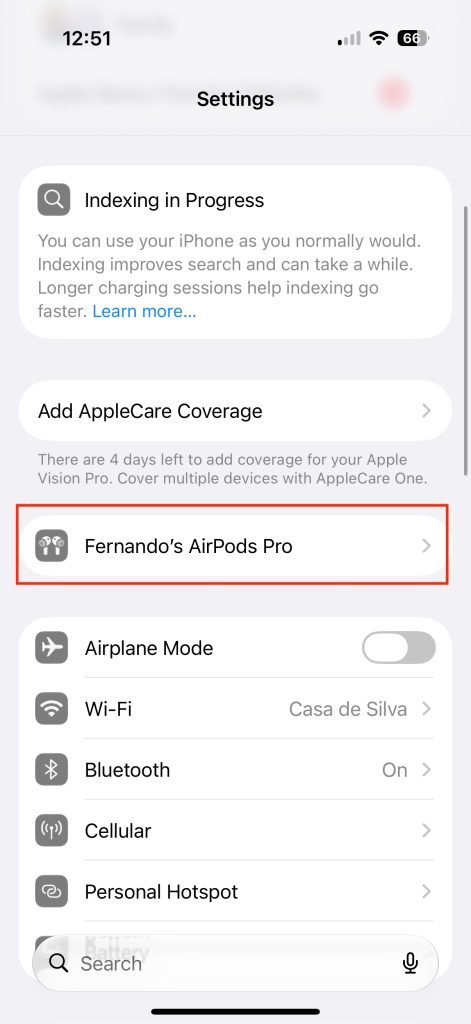
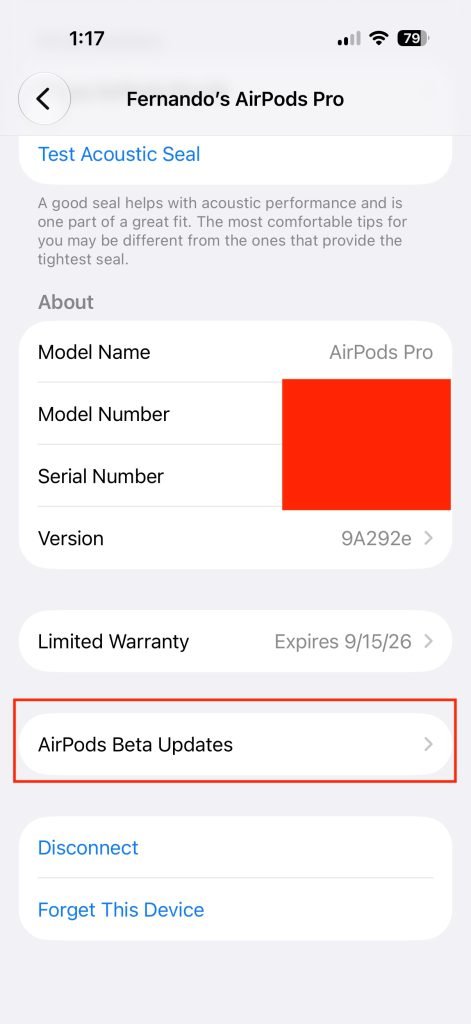
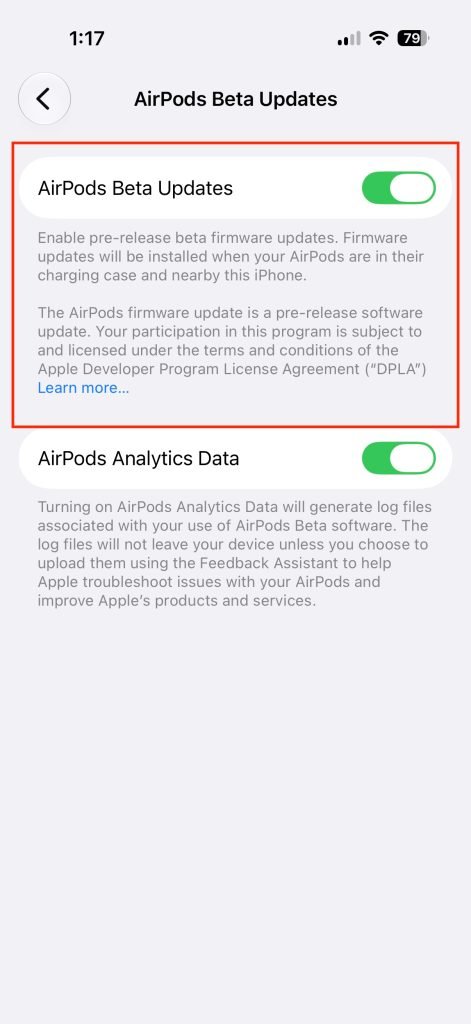
AirPods features do not ship with the iOS system update the way most platform changes do. They arrive through a separate firmware channel that updates over the air when the AirPods sit in their case on a charger near a connected iPhone. There is no manual update button in the UI. On the iOS 27 beta, Apple exposes an AirPods Beta Updates toggle under the AirPods section in Settings, but the install still happens opportunistically, usually while the hardware charges overnight.
This split delivery has been true for years, and it has a practical consequence for development. The iOS version and the AirPods firmware version are independent variables. A user can run the latest iOS 27 build while their AirPods sit on stale firmware for days, which means any feature detection in your app needs to check the actual capability at runtime rather than assuming an OS version implies a hardware capability. Do not key behavior off UIDevice OS version alone for AirPods features.
Hardware gating: the H2 chip is the real requirement
Apple lists the supported models as the AirPods Pro 3, AirPods Pro 2 with USB-C, AirPods Max 2, and AirPods 4 with and without active noise cancellation. Other models receive the firmware but not the new features. The common factor is the H2 chip. The H2 is what enables the new audio processing for the equalizer and the sensor pipeline for heart rate.
For developers this is the cross-platform tax of working with Apple silicon in accessories. There is no clean public API that says "this earbud supports custom EQ." You infer capability from the connected model identifier and the firmware revision. If you are building an iOS app that surfaces EQ state or fitness data, plan for graceful degradation on older H1-based AirPods rather than feature parity.
Custom EQ finally arrives
For years Apple shipped an adaptive EQ that tuned output per genre automatically and gave users no manual control. iOS 27 adds a custom equalizer found under Settings > AirPods > Audio and Routing > Equalizer > Custom, with adjustable Low, Mid, and High bands.
It is a three-band EQ, not a parametric one, so the granularity is modest. The current limitation worth flagging is that there is a single custom profile. You cannot save multiple presets and switch them by media type, which is the obvious next step. For audio app developers, the system EQ sits ahead of your app's output in the signal chain, so any in-app EQ you ship now stacks on top of a user-controlled system band. Test your mix against an aggressive custom EQ setting, because users who boost low end at the system level will hear your content differently than your defaults assume.
Heart rate broadcasting without an Apple Watch
The AirPods Pro 3 carry a built-in heart rate sensor, and iOS 27 lets that data feed GymKit-enabled equipment directly. Previously, tap-to-sync on a treadmill or other connected machine required an Apple Watch to broadcast heart rate to the display. Now the flow is: wear the AirPods Pro 3, tap the iPhone to GymKit equipment, and the heart rate readings the earbuds collect sync to the machine.
This is exclusive to the AirPods Pro 3 because no other AirPods model has the sensor. For fitness app developers, this expands the set of users who generate continuous heart rate data without a wrist wearable. If your app reads heart rate through HealthKit, you should already pick this up as another source, but verify how the data is attributed and how sampling frequency compares to the Apple Watch, since the optical sensor placement and update cadence differ.
Precision Finding extends to AirPods
Precision Finding, the directional locate experience first built for AirTag, now works for AirPods through the Find My app on both iPhone and, with watchOS 27, Apple Watch. The flow is straightforward: open Find My, select the AirPods, tap Find Nearby, and follow the directional guidance.
The feature remains limited to Apple's own hardware. Third-party accessories using the Find My network still cannot implement the close-range directional UI, which keeps Precision Finding a first-party advantage rather than something the broader accessory ecosystem can build against.
What this means for developers maintaining both platforms
None of these features cross to Android, which is expected, but the pattern they reinforce is worth tracking if you build on both. Apple keeps pushing capability into the accessory firmware and gating it behind specific silicon, then exposing it through existing frameworks like HealthKit and Find My rather than new public APIs. The practical guidance is consistent: detect capability at runtime, degrade gracefully on unsupported hardware, and assume the firmware version is decoupled from the OS version. Custom EQ in particular is the most visible change to the everyday AirPods experience in years, and it sits in front of whatever your audio app produces, so it belongs in your test matrix now.
Comments
Please log in or register to join the discussion