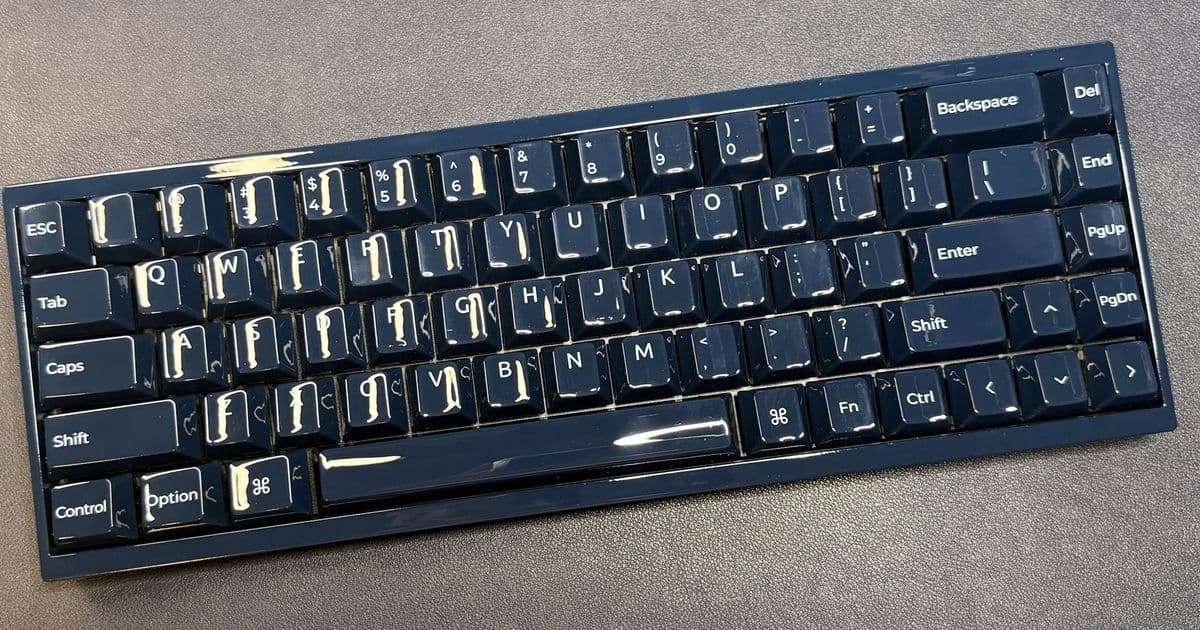
The Q16 HE 8K may be all-ceramic, but it doesn't sound or feel better than non-ceramic keyboards.
Tom's Hardware Verdict The Q16 HE 8K may be all-ceramic, but it doesn't sound or feel better than non-ceramic keyboards.
Pros
- Attractive
- Hot-swappable
- 8K polling rate
Cons
- Attracts fingerprints
- Typing experience is underwhelming
- Expensive
Why you can trust Tom's Hardware Our expert reviewers spend hours testing and comparing products and services so you can choose the best for you. Find out more about how we test.
As we saw at CES, Keychron is all about making keyboards entirely out of unusual materials. Before it announced its upcoming designs in concrete, resin, and marble, Keychron launched a keyboard — the Q16 HE 8K — made (almost) entirely of ceramic.
The Keychron Q16 HE 8K is a 65-percent wired magnetic keyboard with an enclosure and keycaps made of ceramic. It features a hot-swappable PCB, RGB backlighting, built-in PC/Mac modes, and up to an 8,000 Hz polling rate. Keychron may not (really) be a gaming company (or, well, it has a separate gaming division — Lemokey), but this keyboard is clearly designed with gamers in mind. Gamers who live for the aesthetic, that is.
Of course, the aesthetic doesn't come cheap — the Q16 HE 8K is available now in navy blue or light green colorways, and it costs $229.99.
LATEST VIDEOS FROM TOM'S HARDWARE
Design and Construction of the Q16 HE 8K The Q16 HE 8K is a 65-percent wired magnetic switch keyboard with a ceramic case and ceramic keycaps. It has a 65-percent layout, with alphanumeric keys, arrow keys, and a single column of navigation keys (Delete, End, Page Up, and Page Down) on the right side. It's small, but many gamers are looking for something small — it doesn't take up too much desk space, so you have plenty of room to make big mouse swipes, and a lot of games don't require more than a handful of alphanumeric keys, anyway. (A 65-percent keyboard at least has arrow keys; 60-percent keyboards ditch even those and take some getting used to.)
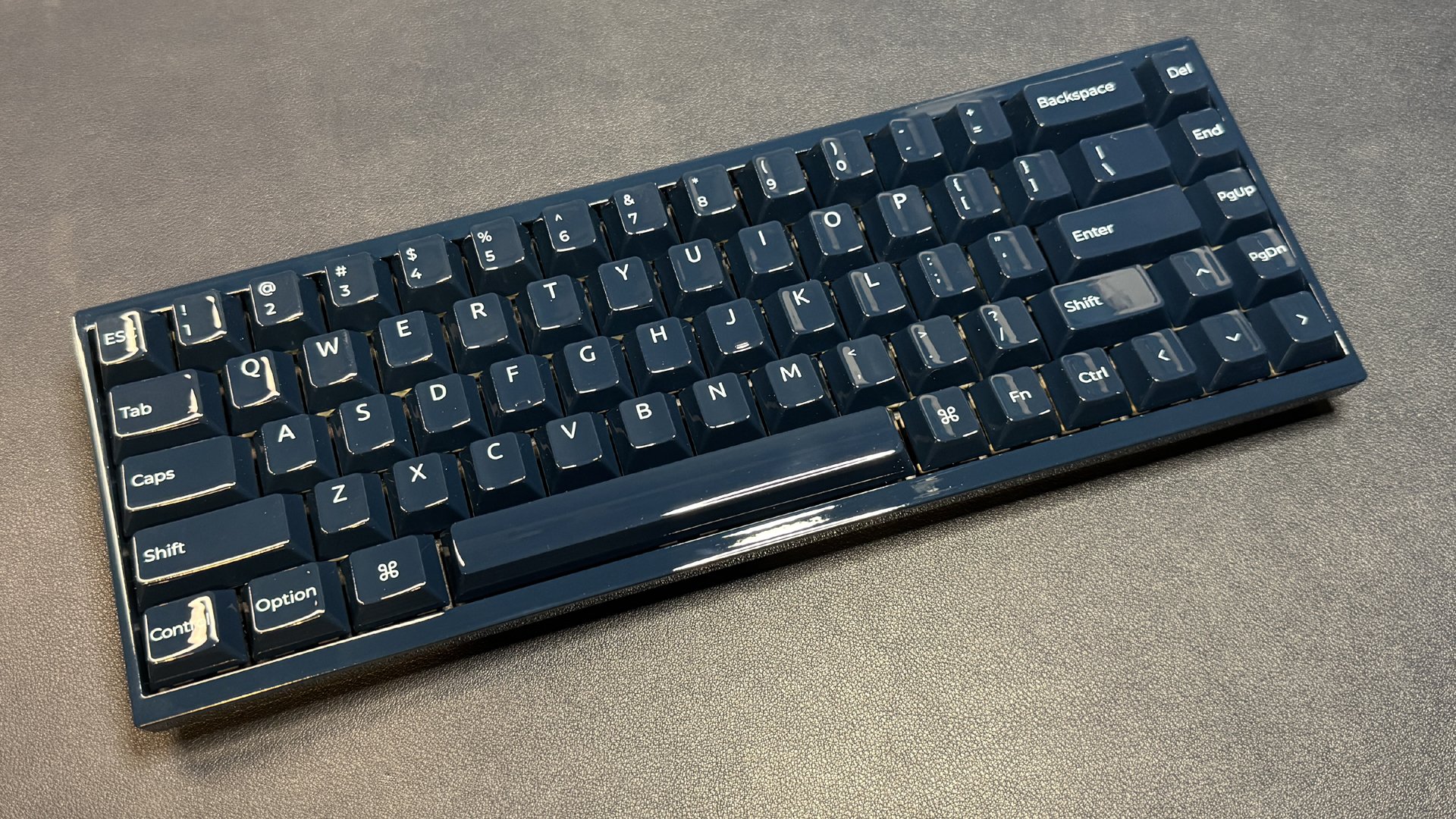 The keyboard measures 12.4 inches (315mm) wide by 4.36 inches (110.8mm) deep, and is 1.54 inches (39.09mm) thick at its thickest point, including the keycaps. This is close to the same size as the Arbiter Studio Polar 65 — one of my favorite 65-percent magnetic switch keyboards, which measures 12.4 x 4.29 x 1.57 inches (315 x 4.29 x 40mm). The Q16 HE 8K weighs slightly more than the Polar 65 at 2.34 pounds (1,060g) versus 2.2 pounds (990g).
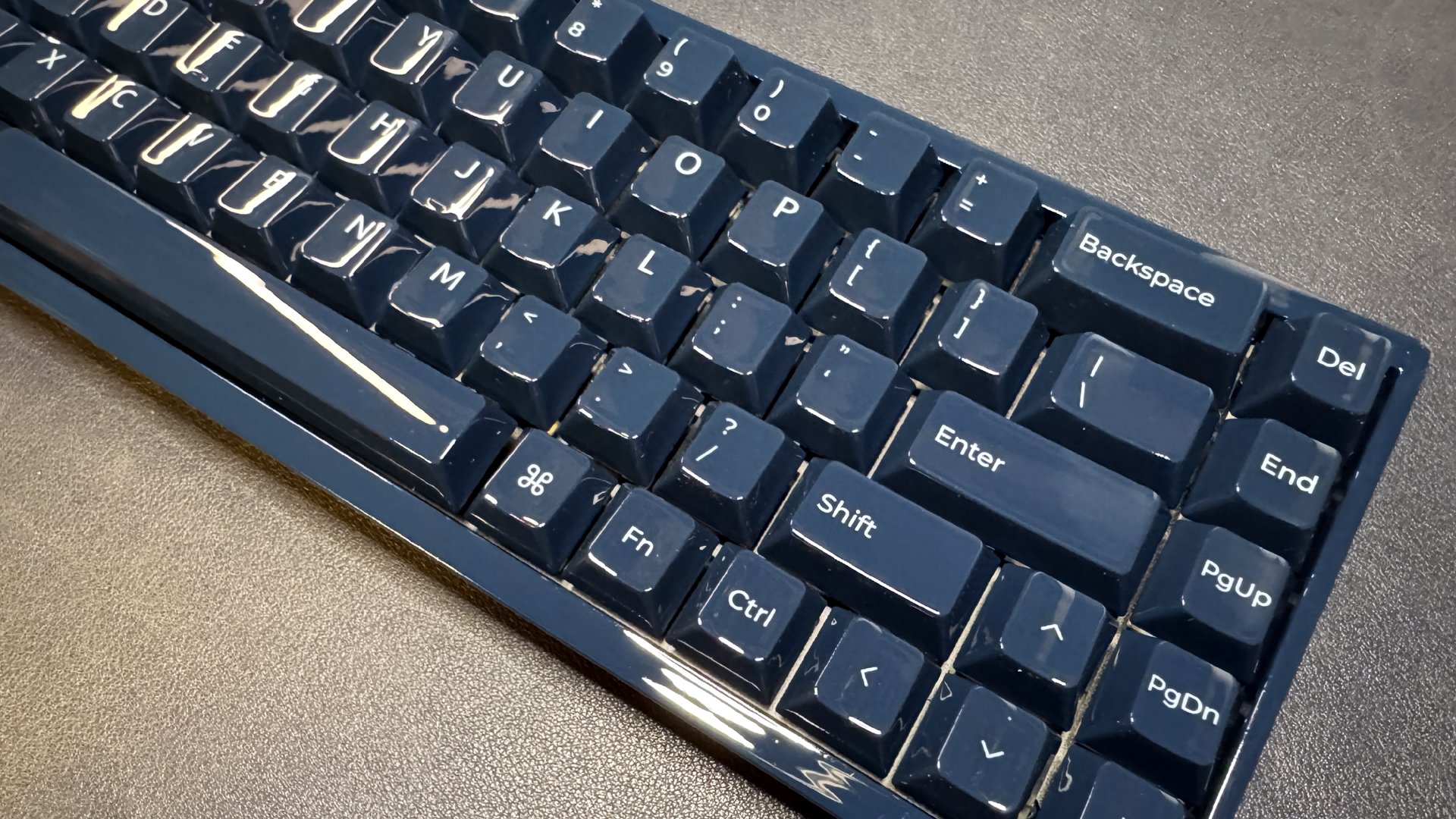
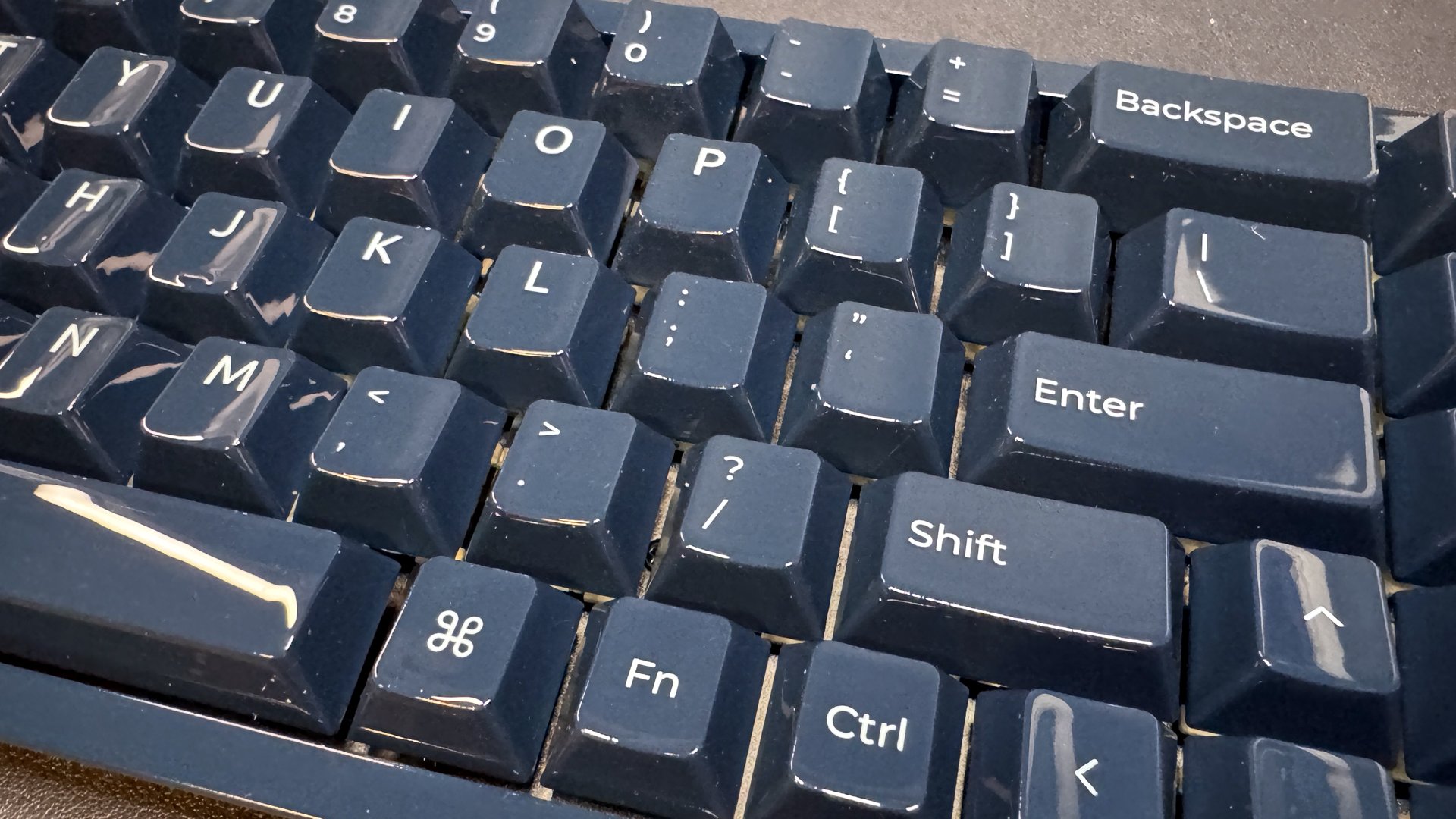
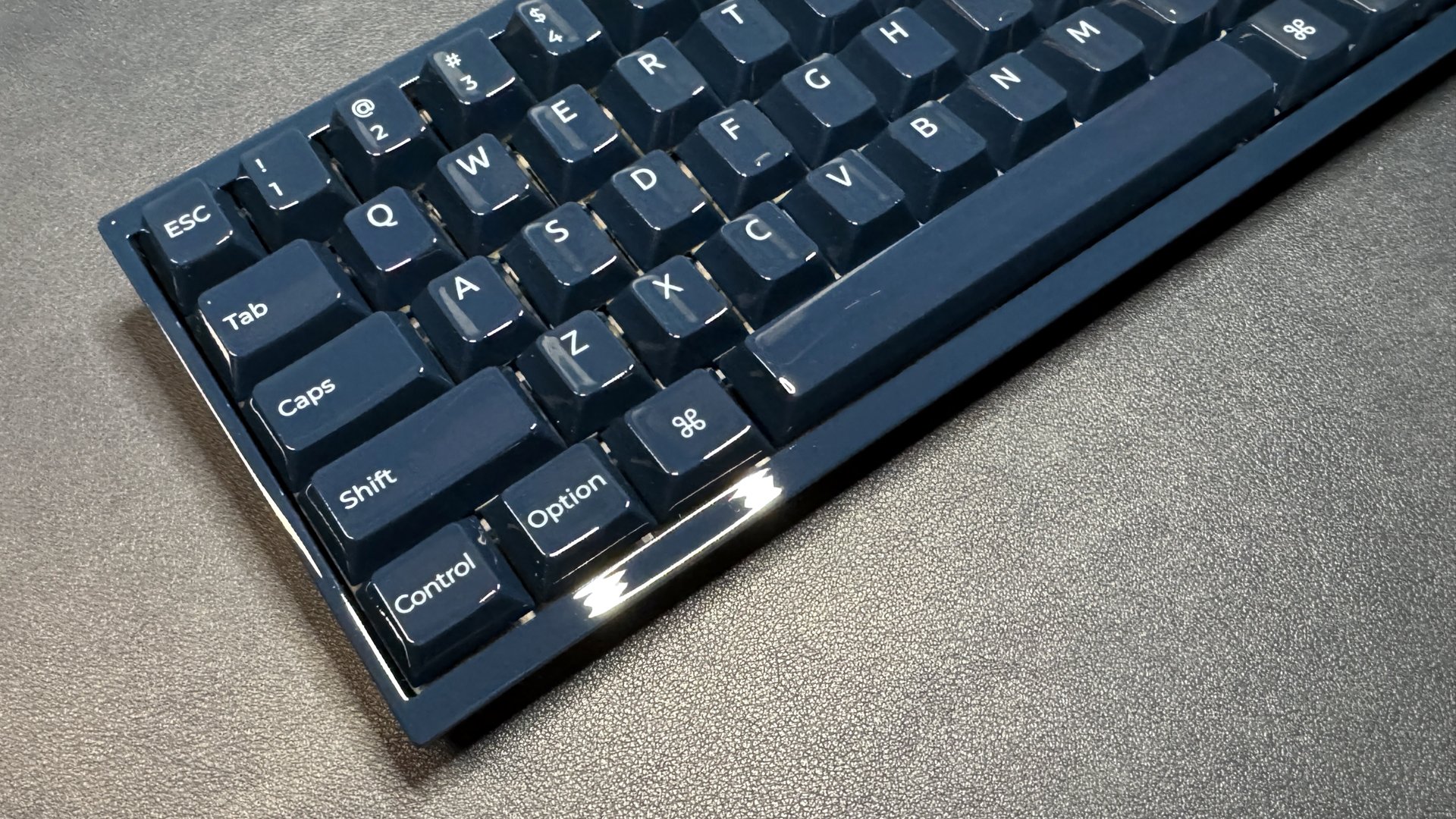 The keyboard is made entirely of glossy-coated ceramic, which looks nice as long as you don't touch it. If you're thinking that glossy ceramic keycaps sound like they'd be a nightmare for fingerprints, you are correct — this keyboard attracts fingerprints instantly. I basically had to wipe it down for every single picture, and handle it with white gloves otherwise. Keychron does include a microfiber cleaning cloth in the box, which is good because you'll use it more often than you use the keyboard. I think the color might also play into this — the navy blue is darker and seems like it shows fingerprints more easily.
Also, while the glossy ceramic is definitely a look, I wouldn't necessarily say it's the super-premium look of ceramic that I assume Keychron is going for. The high shine and uniform color was a little underwhelming for me.
The keycaps feature a Cherry profile (lower-profile, with sculpted rows), and feel like... well, what you expect something very glossy to feel like: not too different from regular keycaps with a gloss coat. They are very slippery, but the low profile and the sculpted rows helped keep my fingers in place. Still, I'm not sure I love this texture for fast-paced gaming where you're darting between keys.
Stay On the Cutting Edge: Get the Tom's Hardware Newsletter Get Tom's Hardware's best news and in-depth reviews, straight to your inbox.
Contact me with news and offers from other Future brands Receive email from us on behalf of our trusted partners or sponsors
The back of the keyboard looks about like what you'd expect — four rubber strips for keeping the board in place, and... not much else. Like many enthusiast keyboards, it's on the heavier side, so it doesn't come with flip-out feet for adjusting the angle. There's a USB-C port at the top center, with a PC/Mac switch for switching between modes next to it.
In the box, the Q16 HE Pro comes with a few accessories: a 5-foot (1.5m) braided USB-C to USB-C cable, a USB-C to USB-A adapter, a dual keycap/switch puller, a screwdriver, extra screws and feet, the alternate Mac OS keycaps, and a microfiber cleaning cloth.
Specs Swipe to scroll horizontally
Size 65%
Switches Keychron Lime
Backlighting Yes
Onboard Storage Yes / No
Dedicated Media Keys No
Game Mode No
Additional Ports 0
Connectivity Wired (USB-C)
Cable 5ft. / 1.5m USB-C to USB-C
Keycaps Ceramic
Construction Ceramic
Software Keychron Launcher (web-based)
Dimensions (LxWxH) 12.4 x 4.36 x 1.54 inches / 315 x 110.8 x 39.09 mm
Weight 2.34lbs / 1060g
MSRP / Price at Time of Review $229.99 / $229.99
Typing and Gaming Experience on the Q16 HE 8K The Q16 HE 8K comes with Keychron's "Ultra-fast" Lime magnetic switches, which are pre-lubed linear switches with a starting force of 30g and an ending force of 55g and an actuation range of 0.1 - 3.35mm. The keyboard features a hot-swappable PCB, so you can swap in your own switches, though, like most magnetic switch keyboards, you can only use other magnetic switches — and Keychron warns that it's not compatible with Gateron, Jade, or other magnetic switches. So that leaves you... with Keychron's magnetic switches? Let's just say that you probably shouldn't consider this board if you hate the sound of the switches it comes with.
Typing on the Q16 HE 8K is... well, let's just say it wasn't my favorite typing experience. Now, I'll point out that I haven't tried a lot of ceramic keycaps — and I haven't tested any for longer than a quick feel. But I have tested other non-ceramic keycaps and keyboards, and given that the allure of ceramic is supposed to be a better feel and sound, I can confidently say I was not impressed.
As I mentioned earlier, the keycaps don't feel much different from extremely glossy non-ceramic keycaps on the surface. Of course, there aren't a lot of extremely glossy keycaps (because extreme gloss attracts fingerprints, I assume), so I suppose they're somewhat unique-feeling in that sense. I can feel the difference when I'm typing, however — the ceramic keycaps feel a little heavier and thicker.
Keychron describes these keycaps as offering a "uniquely cool and silky-smooth touch, while delivering a clear, resonant sound with every press." And while they are smooth (too smooth), I'm not getting this "clear, resonant sound." They're clacky, but not in a good way — my keypresses are very loud for how hollow and rattly they sound. This is not only the keycaps' fault, of course, and the board does have sound-absorbing foam and a latex bottom pad to tune the acoustic profile, it's... not really working. I just didn't expect this keyboard to be so... noisy — and again, not in a good way.
As for feel, since the keycaps don't feel particularly good (or bad), the only takeaway there is that they're a little too heavy — I'm definitely starting to feel some fatigue, and I write a lot, so that's saying something. The switches, at least, feel good — they're very smooth, stable, and responsive, and the lighter starting actuation is perhaps the main thing that's keeping my fingers from tiring.
As for gaming — the Q16 HE 8K has all the hot gaming features thanks to its magnetic switches — Rapid Trigger, SOCD, dual-actuation, long-press actuation, and adjustable actuation by individual key. It also gets up to an 8,000 Hz polling rate, which you can change using Keychron's web app (Keychron Launcher); it ships with a default polling rate of 1,000 Hz. But there are a lot of magnetic switch gaming keyboards with 8K polling rates out there — some of which are also from Keychron. Switch performance aside, these keycaps are just too slippery for gaming. While I didn't slip and miss keys a crazy number of times, I couldn't help thinking that I wouldn't have missed any if I'd been using regular keycaps.
Features and Software of the Q16 HE 8K The Q16 HE 8K is configurable with Keychron's web-based software, Keychron Launcher. While I don't love most non-web-based peripheral apps, I also don't love web-based apps — after all, it seems a little ridiculous to have to connect to the internet to remap a couple of keys or switch your polling rate.
That said, Keychron Launcher at least worked smoothly for me, unlike some web-based apps I've used recently. The app has a lot going on, but what you need to know is that this is where you can remap keys, customize the lighting, and adjust various magnetic switch features, such as actuation distance, Rapid Trigger, SOCD, and dual-actuation. You can program up to four layers on the keyboard, though you'll have to figure out which key you're using to switch between them. The keyboard comes with a handful of preset Fn key shortcuts, mostly for configuring the RGB lighting on the board; you'll probably need to set a few of your own, since you're working with fewer keys than most.
The RGB backlighting is moderately bright but the ceramic keycaps are of course not shine-through, so you'll only see the lighting as it filters through the gaps. Keychron includes 22 preset lighting effects that you can cycle through without even using the software. You can also set the keyboard's per-key RGB and layer multiple effects — more than you can do with QMK / VIA (the open-source software many boutique keyboard companies, including Keychron, use for their non-magnetic keyboards), so that's nice.
The Bottom Line For the world's first all-ceramic keyboard, the Keychron Q16 HE 8K is definitely underwhelming – at least to me. It looks nice if you like the ultra-glossy finish, but you'll need to wipe it down every time you want to look at it. And while I'm not necessarily a connoisseuse of ceramic keycaps, this keyboard didn't sound or feel as good as most of the non-ceramic keyboards I've tested recently. (The Corsair Makr Pro 75, which is also a magnetic board that costs way more than it should, sounded better than this.) If you're looking for that premium ceramic keycap feel, you unfortunately won't get it here. But if you're looking for a 65-percent magnetic switch gaming keyboard that you can also enjoy typing on, I still love the Arbiter Studio Polar 65.
SEE ALL COMMENTS (0)
Sarah Jacobsson Purewal Senior Editor, Peripherals
Sarah Jacobsson Purewal is a senior editor at Tom's Hardware covering peripherals, software, and custom builds. You can find more of her work in PCWorld, Macworld, TechHive, CNET, Gizmodo, Tom's Guide, PC Gamer, Men's Health, Men's Fitness, SHAPE, Cosmopolitan, and just about everywhere else.
Comments
Please log in or register to join the discussion