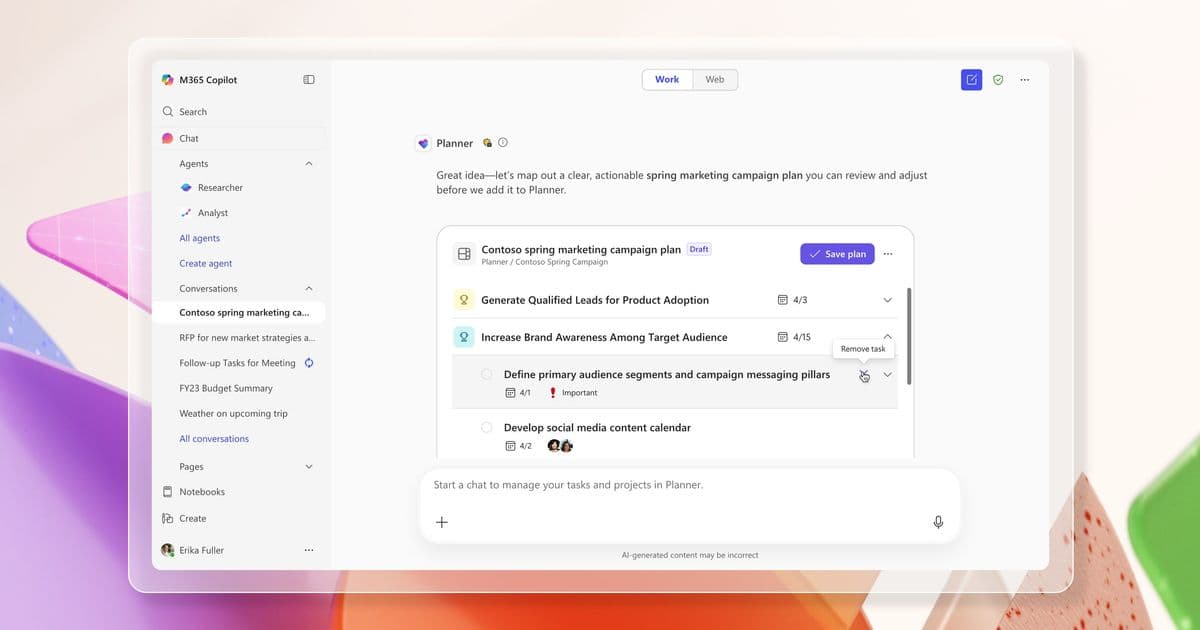
Microsoft has introduced Planner Agent, a new AI-powered assistant that brings intelligent task and work management directly into Microsoft 365 Copilot, helping users unify scattered work across multiple apps and take action without switching contexts.
Microsoft has unveiled Planner Agent, a new AI-powered assistant that brings intelligent work and task management directly into Microsoft 365 Copilot. This integration addresses a common pain point for knowledge workers: the scattered nature of modern work across multiple applications like Planner, To Do, email, and chat.
The Problem: Work Scattered Across Multiple Tools
Work rarely lives in one place. Your priorities may be spread across personal tasks, shared plans, email follow-ups, meeting notes, and chats. At the start of the day or week, the challenge isn't typically a lack of tasks—it's a lack of clarity. Pulling all that information into one clear picture takes valuable time that could be spent on actual work.
What Planner Agent Does
Planner Agent is designed to solve exactly that problem. Available now in Microsoft 365 Copilot through Frontier, it delivers intelligent work and task management right within the Copilot interface. Users can see what needs attention, take action, and keep projects moving—all in one place.
Intelligent Task Prioritization
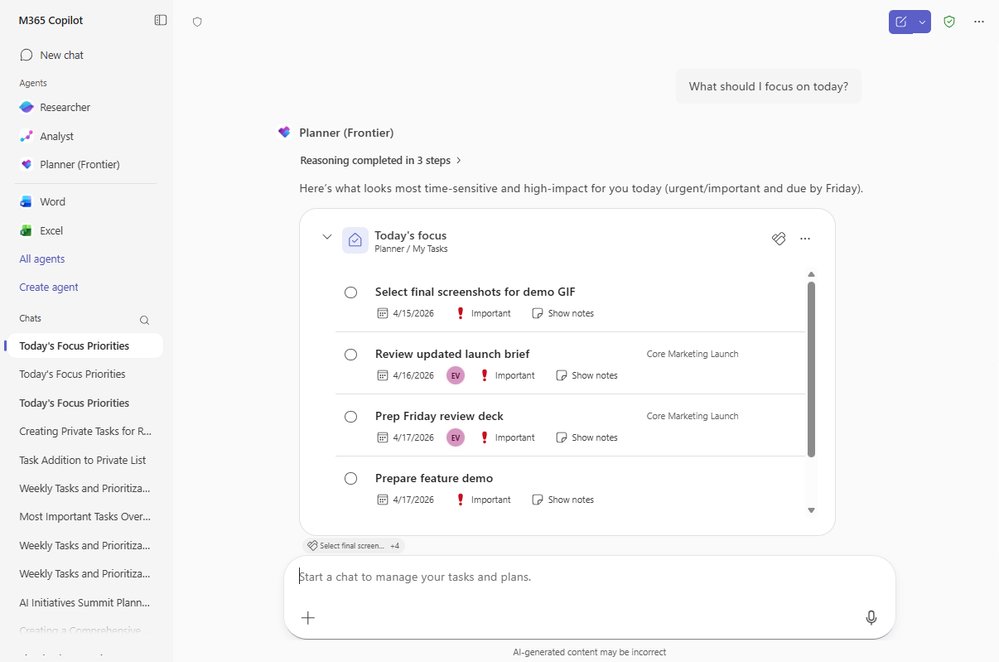
Start with a simple question such as, "What should I focus on today?" and Planner Agent will return a prioritized, interactive view so users can quickly understand what is urgent and act right away. The agent can unify commitments across Microsoft 365, capture follow-ups from the flow of work, and keep plans current without breaking momentum.
Cross-Platform Task Queries
With capabilities such as Q&A across multiple task sources, you can ask the agent about private tasks, tasks assigned to you, flagged emails, and unified plans. The broader capability set also supports grounding across enterprise sources during Q&A, task creation, and task editing.
For example, you can ask:
- "Show me my tasks due this week and help me prioritize what I need to work on."
- "What is the list of plans that need my attention right now and what actions should I take?"
- "Help me summarize the urgent tasks in the Marketing launch plan and highlight the biggest risks."
Planner Agent doesn't just fetch items—it can help you understand urgency, risk, and next steps more intelligently, so you can move from scattered information to clear action without having to piece everything together.
Creating Tasks from Conversations
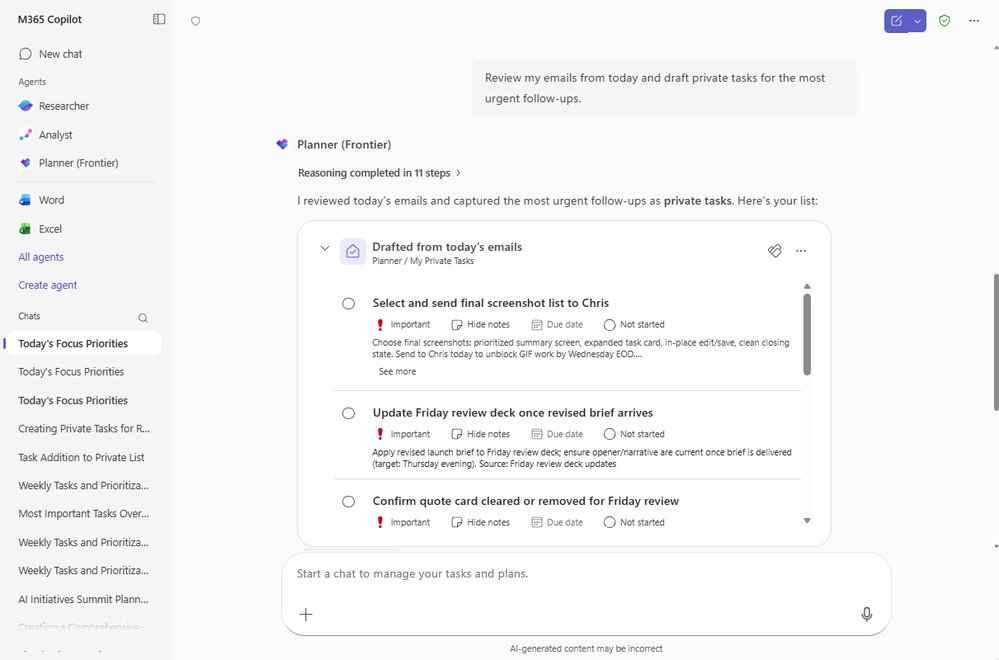
Planner Agent can also create new tasks directly in Copilot Chat. Users can create a single task, draft multiple tasks, or ground task creation in enterprise content such as email, chats, files, or meeting content. This helps turn work that is still in conversations into clear, actionable tasks.
For example, a user can review an email thread about a launch, ask Planner Agent to turn follow-ups into tasks, review the suggested titles and due dates in a preview card, remove anything unnecessary, and then confirm the final set before tasks are added to the plan.
You can ask Planner Agent to:
- "Create a task for me to draft the user study by Friday."
- "Review my emails from today and draft private tasks for the most urgent follow-ups."
- "Turn follow-ups from this meeting into tasks in the Marketing plan."
Editing Tasks Without Context Switching
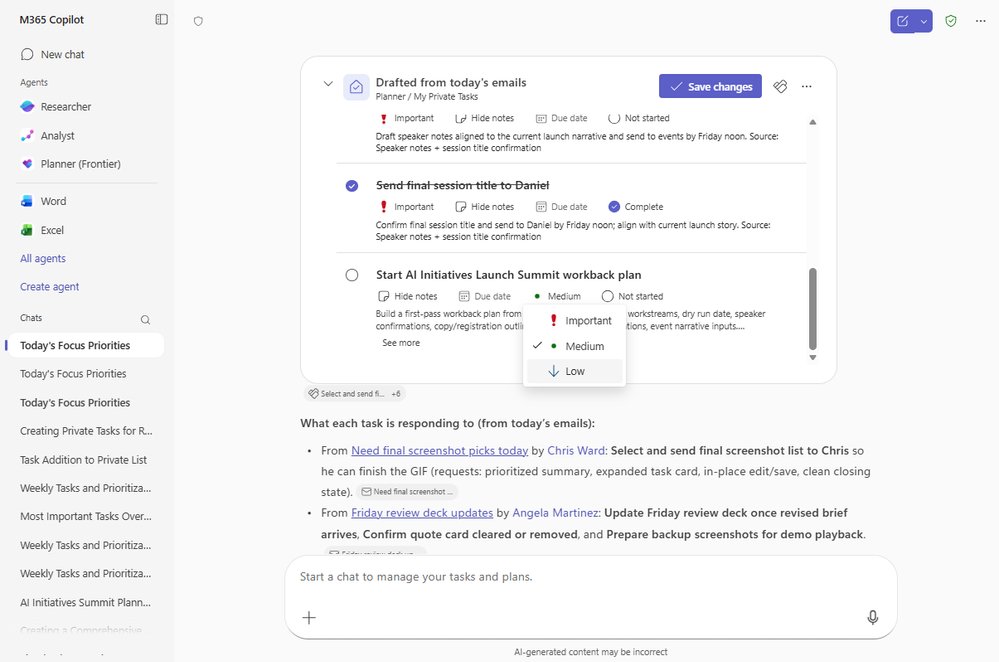
Planner Agent also lets you edit existing tasks in both private tasks and unified plans. You can make updates in natural language or directly in the interactive task card such as changing the task name, status, date, priority, or plan without leaving Copilot.
For example:
- "Help me adjust the deadline of my task to this Friday and change its priority to Important."
- "Mark 'Q4 launch brief review' as complete."
- "For tasks assigned to me across shared plans, push anything due next week by one week."
Updating work is often where momentum stalls. Planner Agent makes it easy for users to keep current work inline, without breaking focus. You can review, refine, and confirm task and plan updates before committing them, keeping work efficient, accurate, and in your control.
Generating Structured Plans from Scratch
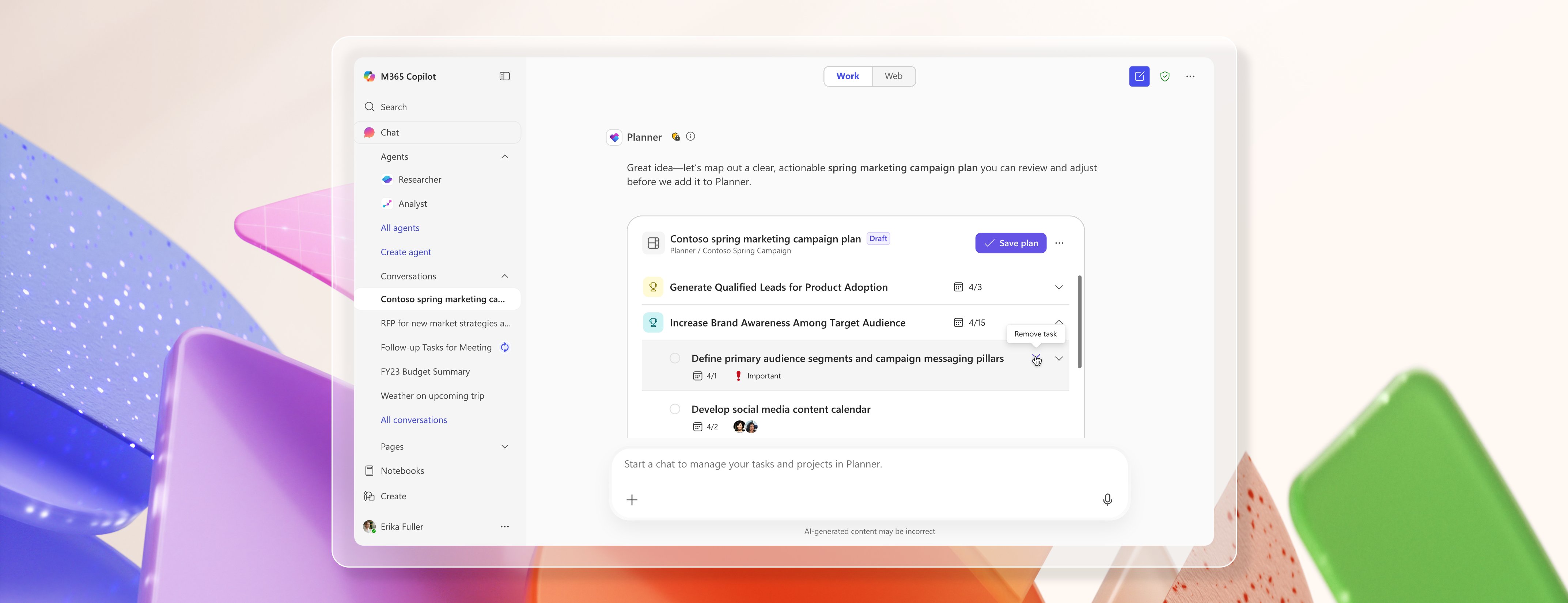
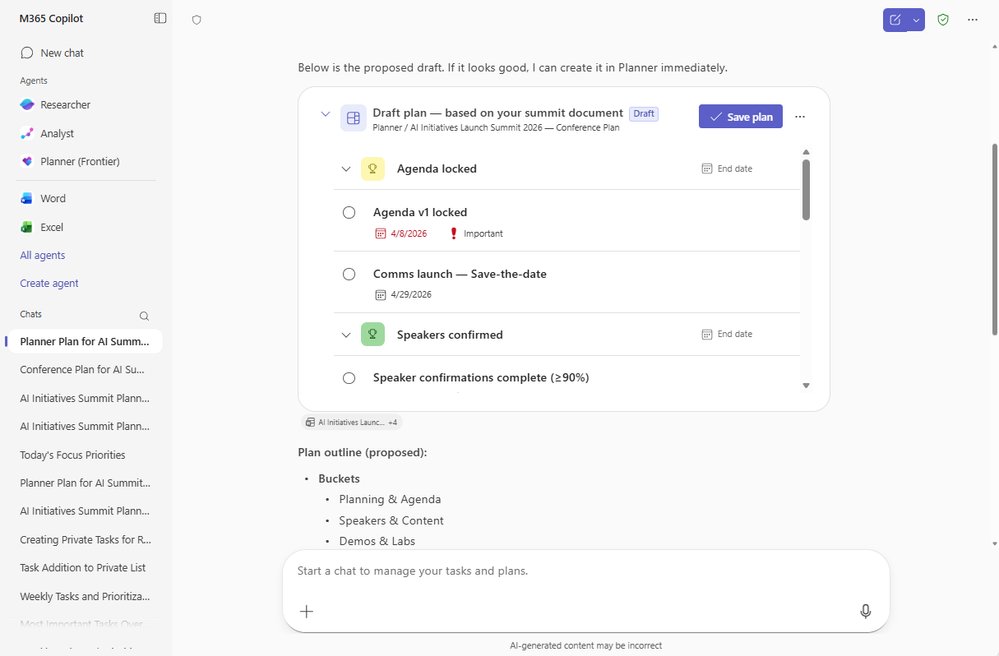
Beyond individual tasks, Planner Agent can help generate a comprehensive plan with structure. You can ask for a plan based on a request or a grounded source, and the agent drafts a structured plan for review before saving.
Planner Agent finds the right reference document, confirms it with the user, and drafts a plan based closely on that source. The plan goes beyond a simple task list—it includes hierarchy and organization, with goals to group related work and additional details like buckets and notes to make the plan easier to understand and manage.
This is especially helpful when you are starting a new project or turning a large set of information into an actionable plan. Instead of starting from scratch, you can begin with a goal, deadline, or source document. Planner Agent then provides a structured draft with milestones and tasks that can be quickly refined and saved to Planner.
For example:
- "Help create a new Planner plan for an upcoming conference based on the 'AI Initiatives Launch Summit 2026.' Break it down into goals and buckets and include the appropriate task details."
Getting Started with Planner Agent
Getting started is simple:
- Open Microsoft 365 Copilot for Work on the web or in Teams
- Navigate to All agents
- Search for Planner (Frontier)
- Add it, then start with a natural prompt like, "Show me my recent high-priority tasks and what's due this week."
You can also pin it for quicker access or call it directly in Copilot Chat with @Planner (Frontier).
Availability and Requirements
Planner Agent is available now in Microsoft 365 Copilot through Frontier for eligible Microsoft 365 tenants. Users need an active Microsoft 365 Copilot license, and access depends on admin enrollment and assignment for Frontier experiences.
The Bigger Picture
Planner Agent is designed for a very practical outcome: less time hunting for work, less time copying action items between tools, and more time moving tasks and plans forward in the flow of work. By making it easier to capture new tasks and update existing ones in the same Copilot conversation where work is already happening, it helps prevent important follow-ups from getting lost in the friction of switching between tools.
From answering questions across your private tasks, shared plans, and enterprise sources, to drafting new tasks, updating existing ones, and generating structured plans from scratch, Planner Agent brings work management into the flow of work itself.
As these experiences continue to evolve, the goal remains the same: help users understand their work faster, take action more easily, and keep work moving with less friction.
Providing Feedback
Your feedback is important! While using Planner Agent, use the thumbs up/down option in Copilot to share feedback. Microsoft also encourages users to share any feature requests by adding ideas to the Planner Feedback Portal. Your comments help inform the product roadmap.
Learn More
For additional information, Microsoft provides several resources:
- What is Planner Agent in Copilot?
- What can you do with Planner Agent in Copilot?
- Visit planner.cloud.microsoft to access Planner directly from your browser
- Sign up to receive future communication about Planner
- Check out the Planner adoption page and Planner help & learning page to learn more about Planner
- Visit the Microsoft 365 roadmap for feature descriptions and estimated release dates for Planner
Comments
Please log in or register to join the discussion