Microsoft has expanded Windows Backup for Organizations to support first sign-in restore on hybrid-joined devices, allowing users to recover settings and apps without manual setup.
Microsoft has expanded Windows Backup for Organizations to support first sign-in restore on hybrid-joined devices, allowing users to recover settings and apps without manual setup.
Microsoft has expanded Windows Backup for Organizations to support first sign-in restore on hybrid-joined devices, allowing users to recover settings and apps without manual setup.
The first sign-in restore experience is now generally available as part of Windows Backup for Organizations, extending restore functionality beyond Microsoft Entra joined devices to support hybrid-managed environments. This expansion allows employees to get productive faster on new or reimaged Windows 11 devices without requiring manual configuration steps.
What Changed
The restore functionality now works beyond the Windows out-of-box experience (OOBE), delivering a streamlined, admin-controlled restore experience across more device types and deployment scenarios. For the first time, users who sign in with a Microsoft Entra ID on eligible devices can restore their environment even if they missed the option during OOBE.
Broader Coverage for Hybrid Environments
The first sign-in restore experience provides several key improvements:
- Expanded device support: Safely restore more devices, including Microsoft Entra hybrid joined devices, multi-user setups, and Windows 365 Cloud PCs
- Consistent user experience: Restore Windows settings and Microsoft Store app lists at first sign-in, just as during OOBE
- User-centric recovery: Users who accidentally miss the restore opportunity during OOBE can still recover their personalized environment at first sign-in
Note that if users deliberately choose to skip the restore opportunity during OOBE, their preference will be respected, and the restore experience won't be shown at first sign-in.
IT Admin Control
The feature is controlled by existing Windows Backup for Organizations policies and managed using familiar tools like Microsoft Intune or other MDM policies. IT admins maintain control over deployment and scope, enabling organizations to restore Windows devices in alignment with environment design and compliance requirements.
Getting Started
For organizations already using Windows Backup for Organizations, enabling the first sign-in restore experience can be done through Microsoft Intune settings catalog or Group Policy. New guidance is available covering:
- System requirements
- Policy configuration
- The user restore experience
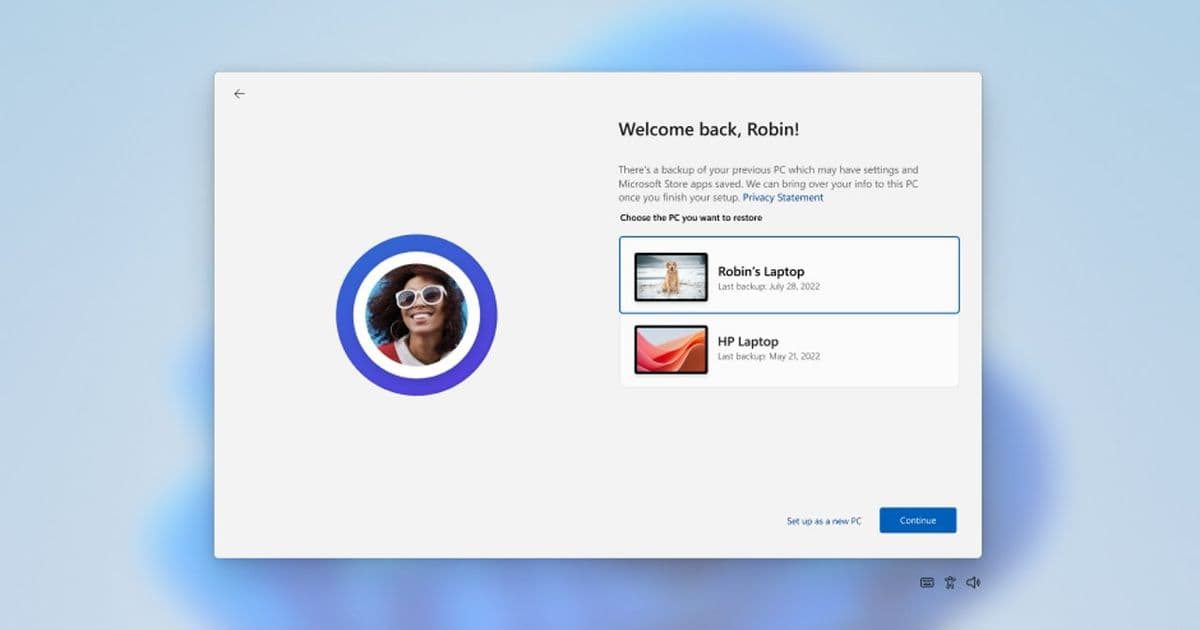
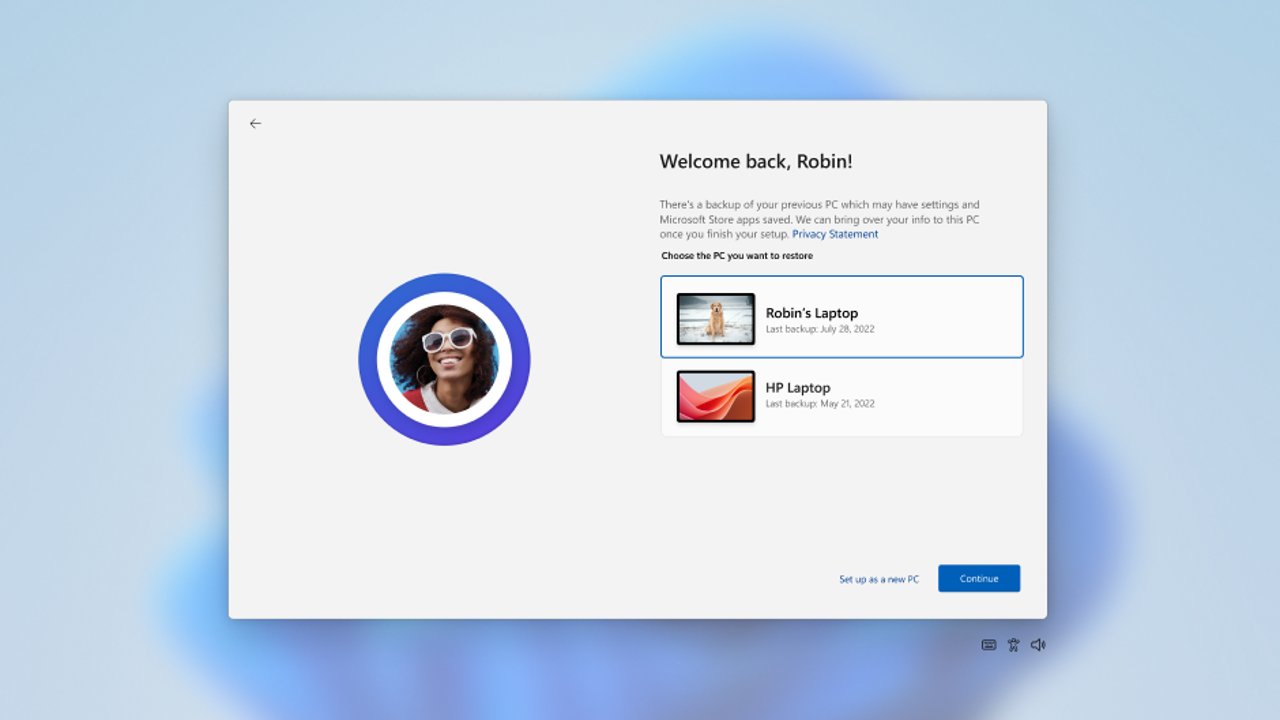
When users on eligible devices sign in for the first time, the restore window appears. Users can choose to restore a backup profile from a previous device or configure the device as new. To restore settings and Microsoft Store apps from a previous device, users select the device and then select Continue.
Strategic Impact
This expansion represents Microsoft's continued investment in simplifying device setup and improving employee productivity. The feature is particularly valuable as organizations migrate to Windows 11, manage new hardware deployments, and seek resilience in today's work environments.
The first sign-in restore experience addresses a common pain point in enterprise IT: the time and effort required to manually reconfigure devices after deployment or recovery. By automating the restoration of user settings and applications, organizations can reduce help desk tickets and improve user satisfaction during device transitions.
For IT departments managing hybrid environments, this feature provides a unified approach to device provisioning across different Azure AD join states. The ability to restore settings on hybrid-joined devices means organizations can maintain consistent user experiences regardless of how devices are joined to the domain.
As Windows 11 adoption continues and hybrid work models become more prevalent, tools that streamline device management and user onboarding become increasingly critical. This enhancement to Windows Backup for Organizations positions Microsoft to better serve enterprise customers with complex device management requirements.
Organizations interested in implementing this feature should review the system requirements and policy configuration guidance to ensure compatibility with their existing device management infrastructure.
Comments
Please log in or register to join the discussion