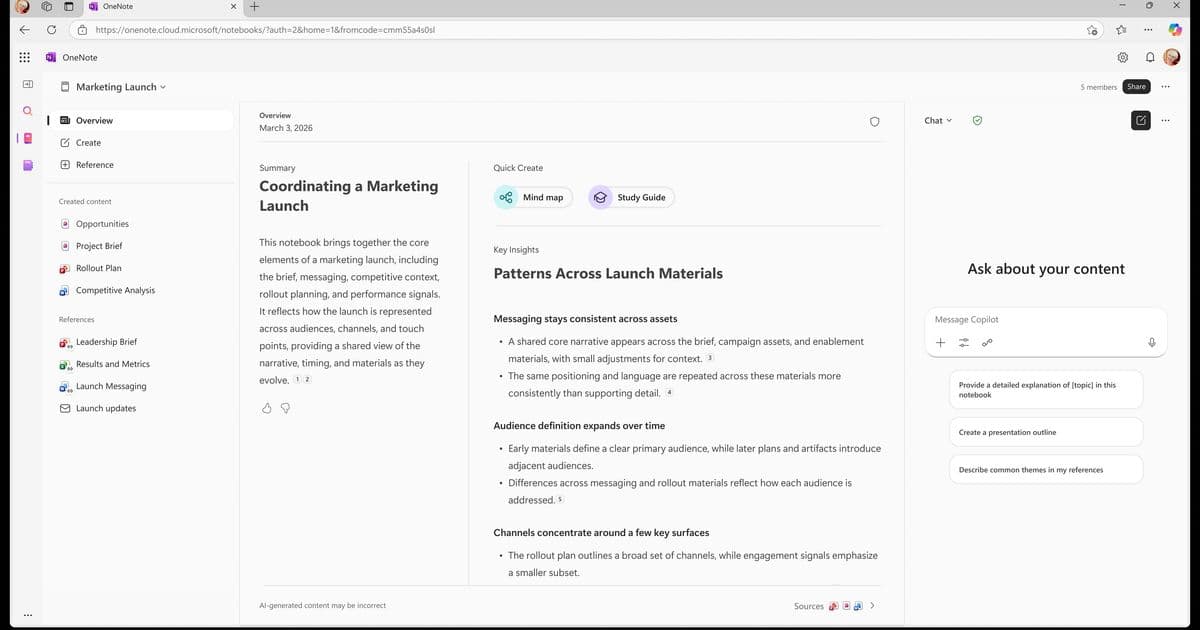
Microsoft is opening Copilot Notebooks to Copilot Chat users across commercial and education tenants, a move that shifts shared knowledge workspaces from a premium-only feature toward broad team availability. The change matters most for organizations running mixed M365 Copilot and Copilot Chat licensing, where collaboration boundaries and feature tiers now need rethinking.
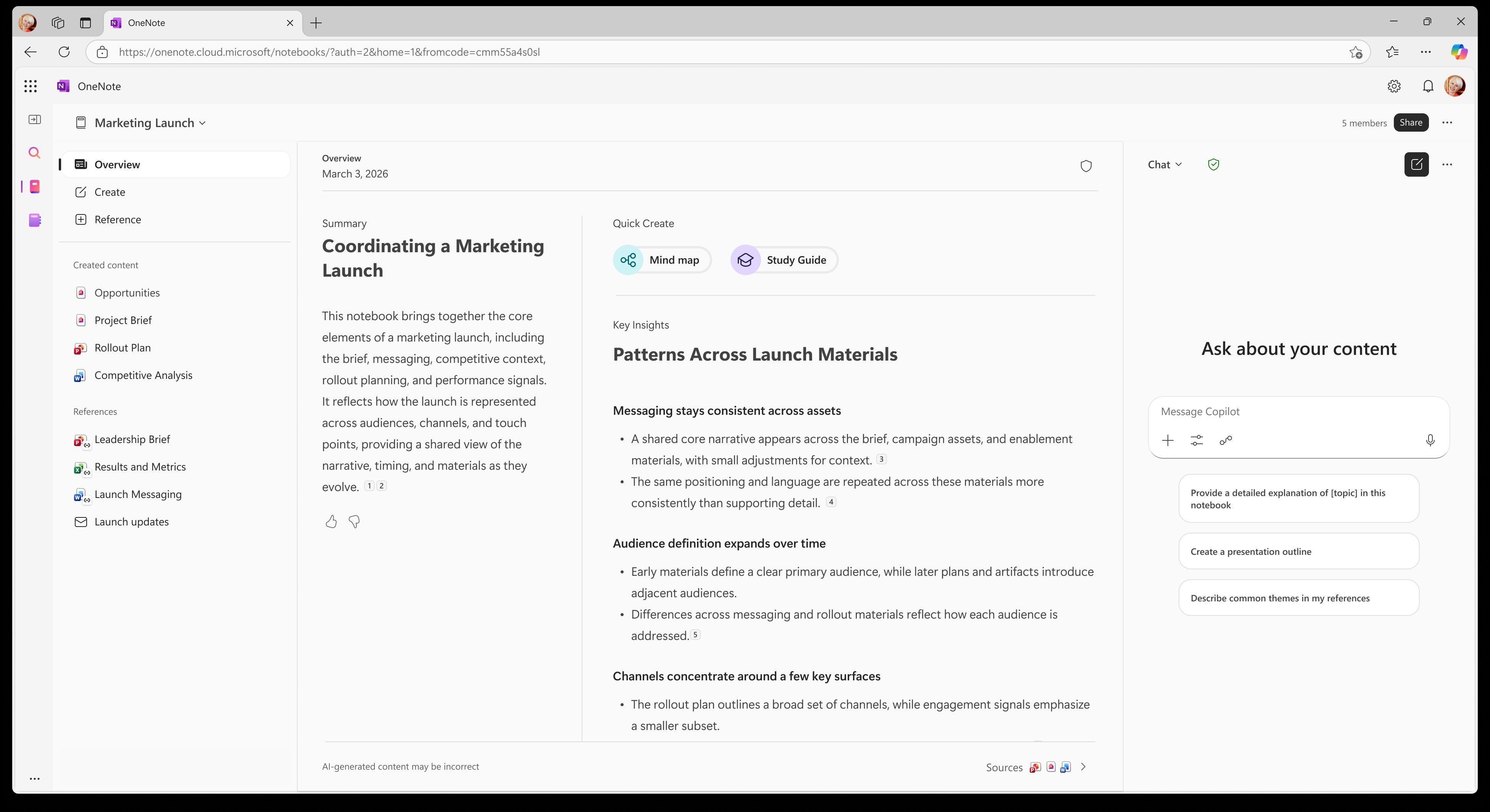
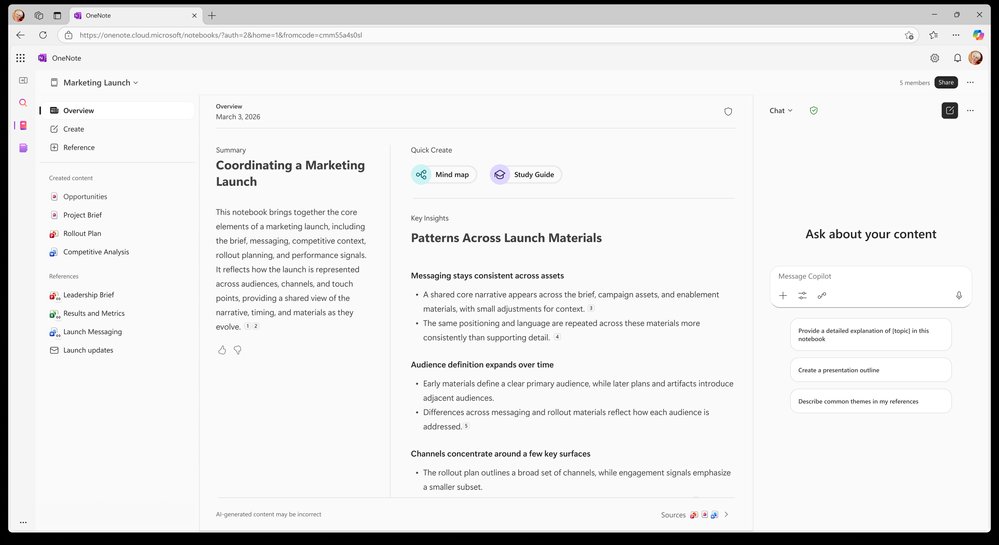
Microsoft has started rolling out Copilot Notebooks to Copilot Chat users in the Microsoft 365 Copilot app and OneNote, expanding access to a feature that was previously reserved for paid Microsoft 365 Copilot seats. The shared notebook workspace lets teams gather project context, pull in reference files, and generate mind maps and study guides from that material. For organizations weighing how to distribute Copilot capabilities across a workforce, this is a meaningful adjustment to where the line sits between free and premium tiers.
What Changed
Until this rollout, Copilot Notebooks lived behind the full Microsoft 365 Copilot license, the roughly $30-per-user-per-month add-on that unlocks Copilot across Word, Excel, Outlook, Teams, and the rest of the suite. Copilot Chat, by contrast, is the lower-cost or bundled conversational tier that many tenants already have access to through their Microsoft 365 subscriptions. Moving Notebooks down into that tier means a much larger share of any given organization can now create a notebook, attach Word documents, PowerPoint decks, Excel worksheets, and Outlook emails, and ask questions across all of those sources at once.
The feature centers on grounding. Rather than treating each file as a one-off upload, a notebook holds a persistent set of sources that Copilot reasons over together. From that grounded context, users can produce mind maps to visualize relationships and study guides as a learning aid. It is a retrieval and synthesis workspace more than a chat window, and that distinction is what makes it useful for project teams rather than individual queries.
Microsoft has tiered the access carefully. Copilot Chat users get a capped number of sources per notebook, access to standard sources only, and standard chat access. Microsoft 365 Copilot users retain the premium layer: more sources, premium source types, and advanced creation experiences. There is also a deployment caveat worth flagging for IT planners. Copilot Chat (Basic) commercial customers will only see Copilot Notebooks in OneNote on the web at this stage, not the full app surface.
Provider Comparison
Microsoft's approach here contrasts with how Google and the standalone AI vendors structure comparable functionality. Google's Gemini for Workspace folds document grounding into Gmail, Docs, and the broader NotebookLM product, where NotebookLM serves as Google's dedicated source-grounded research surface. NotebookLM has been available in a generous free tier for some time, with NotebookLM Plus layered on through Workspace and Google One subscriptions. In that sense, Google reached broad availability for grounded notebooks earlier, and Microsoft's current move can be read partly as a competitive response to keep Chat-tier users inside the Microsoft ecosystem rather than drifting to NotebookLM for research tasks.
The standalone players, OpenAI with ChatGPT Projects and Anthropic with Claude Projects, offer similar persistent-context workspaces but without the native pull into enterprise file stores. Their advantage is model flexibility and a cleaner collaboration model; their disadvantage for enterprise buyers is the lack of deep integration with SharePoint, OneDrive, and Exchange data that already governs how a Microsoft tenant handles permissions and compliance.
That integration is the real differentiator. When a Copilot Notebook reads an Outlook email or an Excel file, it inherits the existing Microsoft 365 permission boundaries and data residency commitments. For regulated industries, that inheritance is often the deciding factor over raw model quality. A consultant advising a healthcare or financial services client would weigh the compliance posture of grounded data far more heavily than whether one vendor's mind map renders more cleanly.
Business Impact
The strategic question this rollout raises is licensing optimization. Many organizations have been running pilots where a small group holds full Microsoft 365 Copilot licenses while everyone else sits on Chat. The assumption behind that structure was that Notebooks, agents, and the in-app Copilot experiences justified the premium spend for power users. Pushing Notebooks down to the Chat tier erodes part of that justification, which means procurement teams should revisit their seat allocation math.
The practical guidance is to map your actual collaboration patterns before renewal. If the primary value your team draws from full Copilot licenses was shared notebook collaboration, you may be able to reduce premium seat counts and rely on the Chat tier for a broad swath of knowledge-sharing work, reserving premium licenses for users who genuinely need advanced creation, premium sources, and in-document Copilot. The source caps and standard-only source restrictions on the Chat tier are the constraints that will determine whether a given team can step down, so test against real project sizes rather than assuming the free tier covers every case.
Mixed-license collaboration is the other operational shift. Microsoft has designed notebooks so that Chat users and full Copilot users can work in the same notebook, with premium users contributing premium sources and capabilities the Chat users cannot. That sounds clean, but it introduces a governance wrinkle: a notebook's capabilities now depend on who created it and who is contributing what. Administrators should document these boundaries clearly, because help-desk confusion over why one user can add a premium source and another cannot is a predictable support cost.
For education tenants, the calculus differs again. Microsoft has published a separate Copilot Notebooks in Education guidance track, and institutions evaluating Copilot against Google's heavily adopted education stack should treat grounded notebooks as a feature now available without the premium spend, which changes the cost comparison meaningfully.
The broader pattern is one to watch across all the major providers. Capabilities that launched as premium differentiators are steadily migrating into base tiers as competition intensifies, and the AI assistant tiers are repricing faster than traditional SaaS features ever did. Organizations that lock into multi-year licensing assumptions based on today's feature boundaries risk overpaying as those boundaries move. The reasonable posture is shorter commitment windows and regular reassessment of which tier actually delivers the capabilities your teams depend on. Full details on the current rollout are available in Microsoft's Copilot Notebooks support documentation, which is the authoritative source for the per-tier limits as they evolve.
Comments
Please log in or register to join the discussion