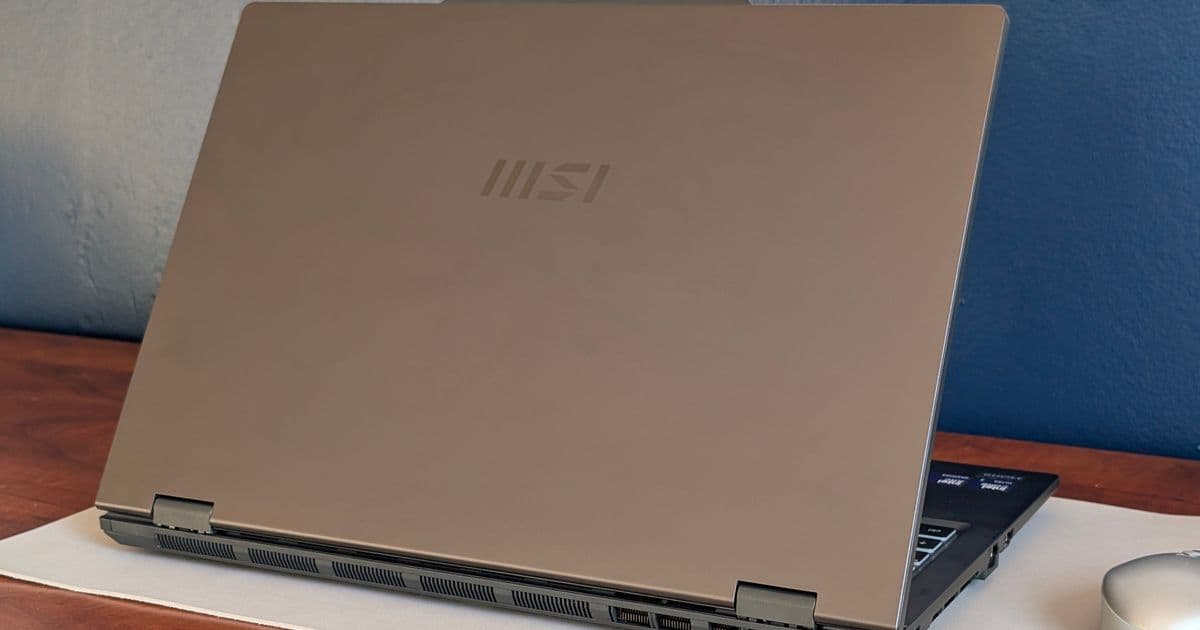
The MSI Venture 16 AI offers Core Ultra 7 performance at a lower price than the Prestige 16, but cuts corners on features like IR camera, SSD expandability, and USB-C charging.
MSI's latest business laptop, the Venture 16 AI, has quietly entered the market at a starting price of around $1000 for the IPS touchscreen configuration with a Core Ultra 7 255H processor. This model sits below MSI's flagship Prestige 16 in the company's office lineup, offering a more affordable entry point for business users who don't need all the premium features.
The price difference is substantial - several hundred dollars separate the Venture 16 from its more luxurious sibling. But this cost savings comes with some notable compromises that potential buyers should understand before making a decision.
What You're Giving Up
The Venture 16 makes several cuts to reach its lower price point. Most notably, it lacks an integrated IR camera for facial recognition login - a feature that's become standard even on many budget laptops. The storage configuration is also more limited, with no support for secondary SSDs, meaning you're stuck with whatever capacity you choose at purchase.
Connectivity takes a hit as well. While many modern laptops have embraced USB-C for everything including charging, the Venture 16 still uses a barrel-type AC adapter. This feels particularly dated given that even laptops without dedicated GPUs have largely moved to USB-C charging for its convenience and universality.
The display is perhaps the most significant compromise. The base model comes with a 1200p IPS touchscreen that covers only about 60% of the sRGB color gamut. For users who do any kind of photo or video editing, this limited color coverage is a real drawback. You'd need to upgrade to the more expensive OLED configuration to get fuller DCI-P3 colors, which adds considerably to the overall cost.
Weight is another consideration - the Venture 16 is somewhat heavy compared to other business laptops in its class. This might not matter for users who keep their laptop docked most of the time, but it's worth considering for those who travel frequently.
What You Get
Despite these compromises, the Venture 16 isn't without its merits. The relatively thick chassis, while not as sleek as thinner competitors, actually allows for easier servicing and maintenance. The RAM is upgradeable, which is becoming increasingly rare in modern laptops where components are often soldered to the motherboard.
Performance is a bright spot. The Core Ultra 7 255H processor is more powerful than the typical Core-U or Core-V chips found in many other business laptops. This means better multitasking and the ability to handle more demanding applications without slowdowns.
Cooling performance is also better than average, with core temperatures staying relatively cool under load. This not only helps with long-term reliability but also means less fan noise during typical office tasks.
Who Should Consider It?
The Venture 16 AI makes the most sense for budget-conscious business users who prioritize performance over premium features. If you need a capable processor for office applications, web browsing, and light content creation, but don't need the latest connectivity standards or color-accurate displays, it offers good value.
However, creative professionals, frequent travelers, or anyone who values the convenience of modern features like USB-C charging and IR login will likely find the compromises frustrating. For these users, spending more on the Prestige 16 or looking at competitors might be worthwhile.
MSI's strategy with the Venture 16 is clear: offer Core Ultra 7 performance at a price point that undercuts the competition, even if it means sacrificing some of the features that have become standard in the business laptop market. Whether that trade-off makes sense depends entirely on your specific needs and how much you value the features that were cut.
For a more detailed look at performance benchmarks and specific configuration options, check out our full MSI Venture 16 AI A2HMTG review.
Comments
Please log in or register to join the discussion