Phoronix reviews the ZimaBoard 2, an Intel N150-powered mini server with dual 2.5GbE, SATA ports, and PCIe expansion in a fanless aluminum chassis.
The ZimaBoard 2 represents an interesting entry in the compact server market, combining Intel's efficient N150 processor with thoughtful connectivity options in a fanless aluminum chassis. After several weeks of testing, this SOHO-focused mini server proves to be a capable platform for those seeking a low-power Linux server solution.
The hardware foundation centers on Intel's N150 Twin Lake processor, a quad-core chip without hyperthreading that boosts up to 3.6GHz. With a 6W base power rating and 10W limit, the N150 enables completely passive cooling while still delivering respectable performance for typical server workloads. The processor supports single-channel DDR4/DDR5/LPDDR5 memory, and Zima equips the board with LPDDR5-4800 modules.
Design and Build Quality
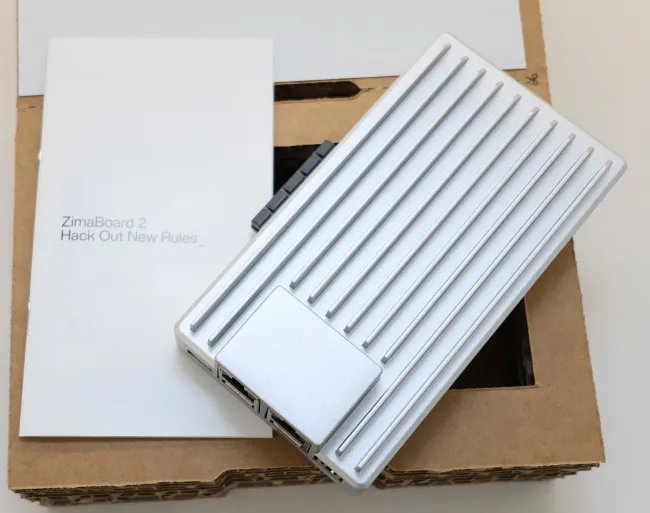
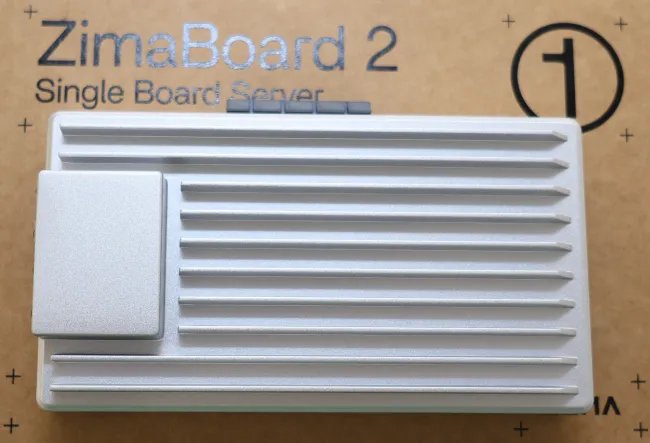
The ZimaBoard 2 ships in a well-constructed aluminum chassis that feels premium for its class. The passive cooling design eliminates fan noise entirely, though a 4-pin fan connector is available for those wanting enhanced cooling under heavy loads. The build quality stands out immediately - this isn't a bare PCB but rather a complete system ready for deployment.
Two models are available: the 832 variant with 8GB RAM and 32GB eMMC storage, and the 1664 model (reviewed here) with 16GB RAM and 64GB eMMC. The storage options reflect the device's intended use as a personal cloud server rather than a high-capacity storage appliance.
Connectivity Options
Where the ZimaBoard 2 shines is in its connectivity choices. Dual 2.5 Gigabit Ethernet ports provide network redundancy or separation capabilities. USB 3.1 Type-A ports handle peripheral connections, while a mini DisplayPort output offers flexibility for headed server configurations or alternative use cases.
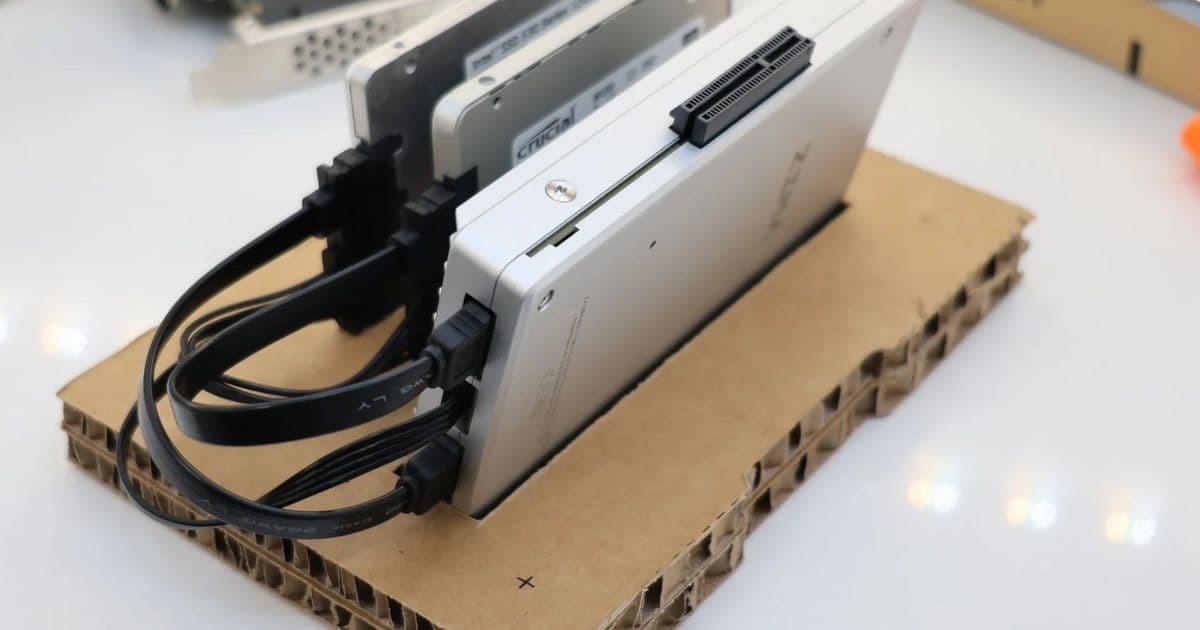
Storage connectivity includes two SATA 3.0 ports with power delivery for external HDD/SSD management. However, the standout feature is the PCIe 3.0 x4 connector on the side, which opens up significant expansion possibilities:
- M.2 NVMe SSDs via PCIe adapter
- Higher-end network adapters
- Graphics cards or accelerators
- Custom hardware solutions
The PCIe 3.0 limitation means performance won't match newer PCIe 4.0/5.0 standards, but for most SOHO applications this remains sufficient. One notable omission is onboard M.2 NVMe slots, which would have added convenience for internal high-speed storage.
Software Experience
The ZimaBoard 2 comes preloaded with ZimaOS, a Linux-based "personal cloud OS" designed to simplify SOHO server deployment. This tailored operating system provides an accessible interface for users who want server functionality without deep Linux administration experience.
ZimaOS handles common server tasks like file sharing, media streaming, and application hosting through a web-based management interface. The OS appears optimized for the N150 hardware, maintaining responsiveness even during multiple concurrent operations.
Performance Considerations
While comprehensive benchmark data isn't available in this initial overview, the N150's specifications suggest the ZimaBoard 2 will handle typical home server workloads competently:
- File serving and NAS operations
- Media streaming and transcoding
- Container hosting
- Light web services
- Development environments
The 16GB RAM configuration in the reviewed model provides headroom for multiple simultaneous tasks, while the 64GB eMMC storage adequately handles the OS and applications. Users requiring substantial local storage will need to leverage the SATA ports or PCIe expansion options.
Target Audience and Use Cases
The ZimaBoard 2 targets users who want a compact, quiet, and capable Linux server without building from scratch. Ideal applications include:
- Home media servers
- Personal cloud storage
- Development and testing environments
- Small business file sharing
- Network services hosting
The combination of dual 2.5GbE ports, expansion options, and fanless operation makes it particularly suitable for always-on deployments where noise and power consumption matter.
Value Proposition
At its price point, the ZimaBoard 2 competes with both DIY solutions and other compact servers. The included aluminum chassis, pre-installed ZimaOS, and thoughtful design touches add value beyond the raw hardware specifications. For users prioritizing convenience and build quality over maximum performance or storage capacity, the ZimaBoard 2 presents a compelling option.
The main trade-offs include the PCIe 3.0 limitation and lack of internal M.2 slots, but these decisions likely reflect the target market's needs and thermal constraints of the fanless design.
Final Thoughts
The ZimaBoard 2 successfully delivers on its promise as an interesting Intel-powered Linux home mini server. The N150 processor provides adequate performance for its intended use cases while enabling completely silent operation. The connectivity options, particularly the PCIe expansion, offer flexibility that many compact servers lack.
While not designed for high-performance computing or massive storage arrays, the ZimaBoard 2 excels in its niche as a capable, quiet, and well-built SOHO server solution. The ZimaOS software layer further enhances its appeal to users who want server functionality without Linux administration complexity.
For those seeking a compact, fanless Linux server with good connectivity options and solid build quality, the ZimaBoard 2 merits serious consideration. The upcoming detailed testing pages will provide deeper insights into its performance characteristics and real-world capabilities.
Comments
Please log in or register to join the discussion