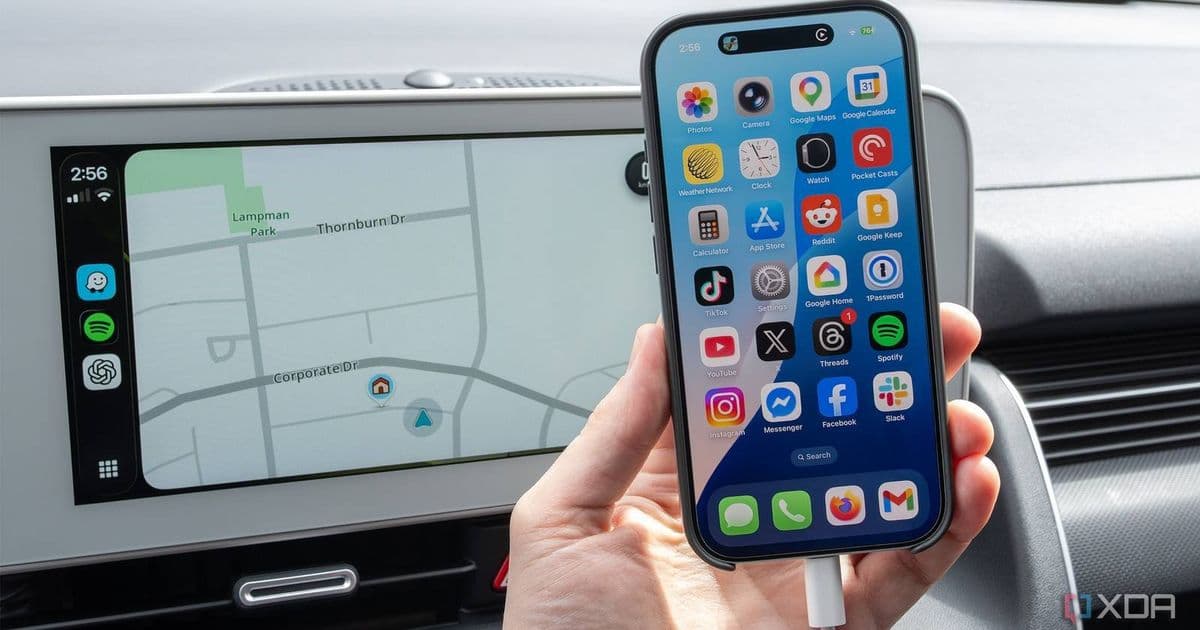
Wired CarPlay connection issues can often be resolved with simple cable checks, re-adding your car to settings, and ensuring proper lock screen access permissions.
Over the past few years, CarPlay has become an essential part of my daily driving experience, but nothing disrupts the flow quite like when it randomly disconnects. After dealing with this frustration repeatedly, I discovered three simple fixes that solved my CarPlay disconnection problems without requiring complex troubleshooting.
Check Your USB Cable Quality First
The most common culprit for CarPlay disconnection issues is often the simplest to overlook: your USB cable. When you think about it, your phone cable spends most of its time in your car's center console, getting tangled with sunglasses, wallets, other cables, hand sanitizer, and various other items. This constant jostling can cause internal breaks in the cable that aren't visible from the outside but still disrupt the connection.
I've learned the hard way that not all cables are created equal. After going through several USB cables in my four years of owning my Ioniq 5, I discovered that using an official Apple charging cable makes a significant difference. Currently, I use an older official Apple USB-A-to-Lightning cable paired with an official Lightning-to-USB-C adapter. Since making this switch, I haven't experienced any cord quality issues.
If you're using third-party USB-A-to-USB-C dongles, these can also cause CarPlay disconnection problems. I experienced this firsthand with a simple third-party dongle I purchased on Amazon. The connection would work initially but would drop randomly after a few minutes.
Another often-overlooked issue is debris in your iPhone's port. I once pulled out a significant amount of pocket lint that had worked its way deep inside my iPhone 17 Pro's USB-C port. After removing this debris, my CarPlay connection became far more reliable. It's worth taking a moment to inspect your phone's port for any accumulated dust or lint.
Re-Add Your Car to iPhone's CarPlay Settings
This might sound overly simple, but removing and re-adding your car to your iPhone's CarPlay settings can resolve mysterious disconnection issues. Here's how to do it:
- Connect your iPhone to your car's USB data port
- Unlock your phone
- When the CarPlay prompt appears, select "Allow"
Your iPhone will be added to CarPlay again. Since CarPlay settings like your app layout are saved to your phone and not your car, you shouldn't need to reconfigure anything once you re-add your iPhone to your vehicle.
I'd describe this as the equivalent of the standard "turn it off and on again" solution, but specifically for CarPlay. I don't really know why this solves CarPlay issues, but I've seen it work consistently, so it doesn't hurt to give it a try before moving on to more complex troubleshooting steps.
Ensure CarPlay Has Lockscreen Access
This was the culprit for my most frustrating CarPlay disconnection issue earlier this year when I first used my iPhone 17 Pro with CarPlay. The phone would connect initially and seem to work fine, but after a few minutes, it would randomly disconnect. It felt like every time the screen timed out and my iPhone's lock screen appeared, CarPlay disconnected.
As it turns out, this was happening because my USB Accessory settings had changed following an iOS update (I still have no clue why Apple made this change). Another quick thing to check is that you don't accidentally have Screen Time restrictions enabled, which can block CarPlay without you knowing.
To check these settings:
- Navigate to Settings > Screen Time > Content & Privacy Restrictions
- Either ensure Screen Time is Off, or set CarPlay to On
This permissions issue can be particularly frustrating because the connection works initially, leading you to believe everything is fine, only to have it drop when your phone locks. Making sure CarPlay has the necessary permissions to run in the background and on the lock screen can resolve this intermittent disconnection problem.
Additional Considerations
Before diving into these fixes, make sure you've covered the basics:
- Verify you're plugged into your vehicle's USB data port (not just a charging port)
- Ensure your iPhone is running iOS 26 or later
- Confirm your car's dashboard is updated to the latest version
With my Ioniq 5, I need to update the infotainment system's OS using a USB stick, but the process varies by vehicle manufacturer.
These three simple fixes have resolved my CarPlay disconnection issues consistently. While wireless CarPlay has its own set of challenges, these solutions specifically address wired CarPlay connectivity problems that many drivers encounter daily.
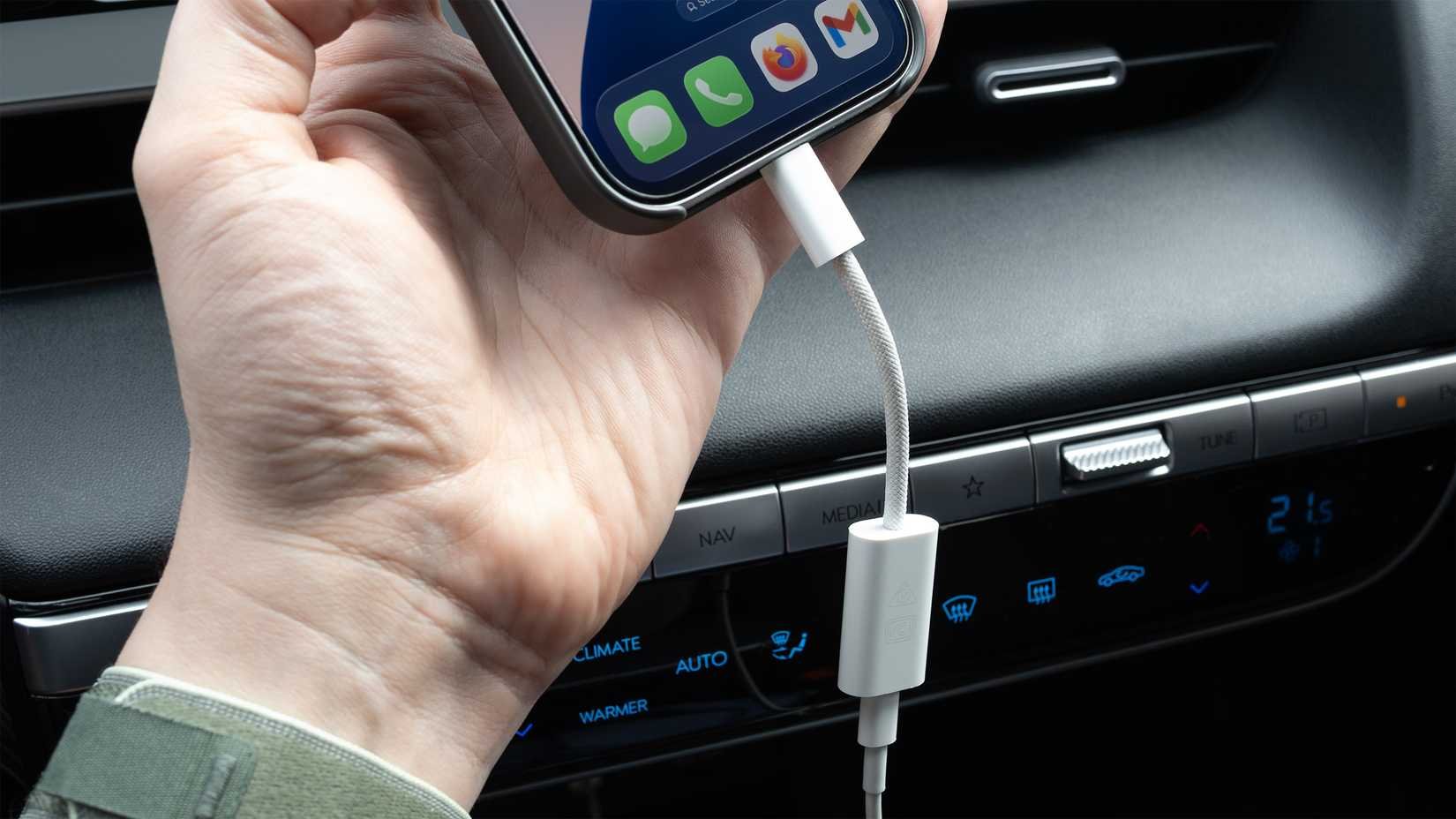
CarPlay hooked up via USB with the iPhone 17 Pro
Comments
Please log in or register to join the discussion