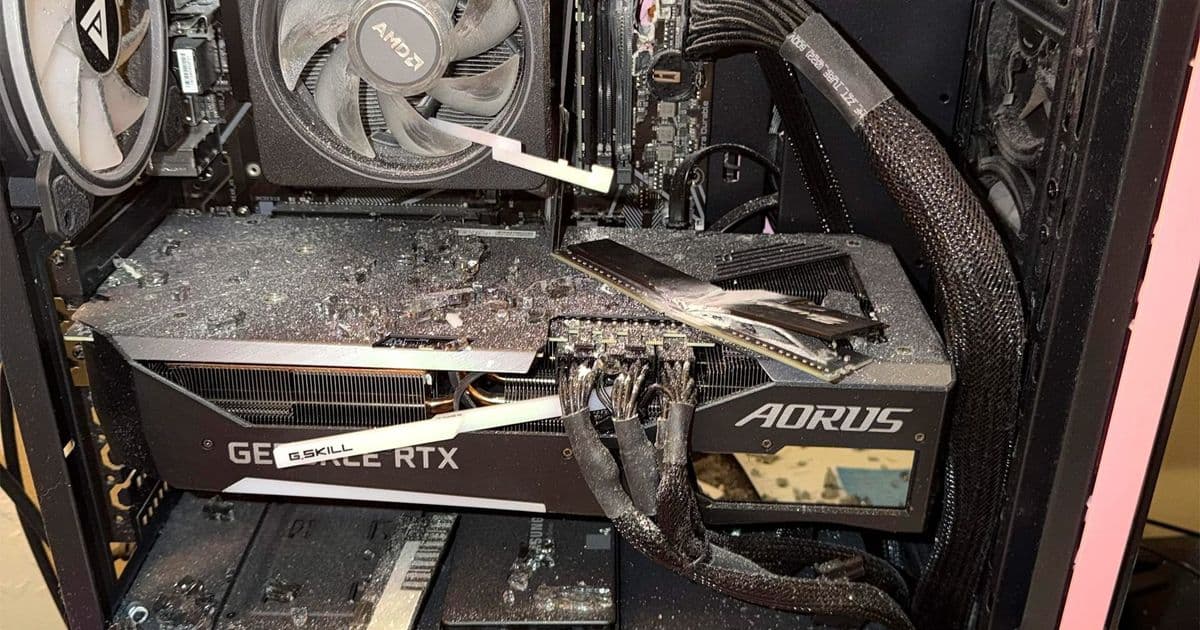
A Redditor's tower PC deflected a bullet fired through a shared wall, with G.Skill Trident Z modules absorbing the slug while the SSD walked away clean. The incident is a strange but useful case study in which components tolerate physical trauma and how a $3,500 replacement budget maps onto current silicon pricing.
A gaming PC rarely makes headlines for its ballistic properties, but a Reddit user going by u/angelbabyzz now has a tower that did something no benchmark measures: it changed the trajectory of a lead slug that police say would otherwise have struck the owner while sleeping. The bullet, recovered from beneath a pillow, passed through a shared wall and into the case, where it tore through the motherboard's DIMM area before losing enough energy and direction to spare the occupant.
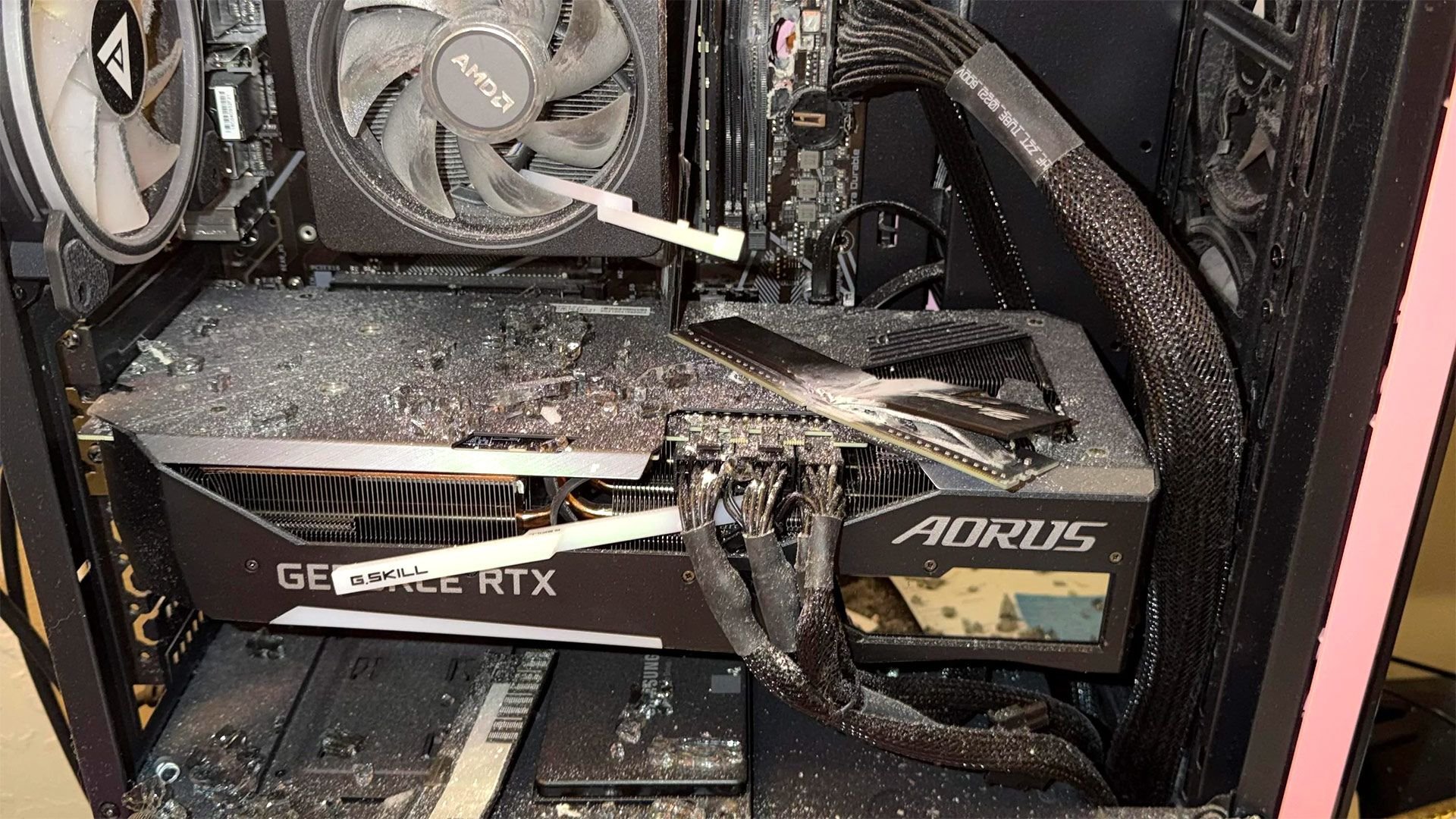
The neighbor's explanation, that her dog discharged the firearm, is the detail carrying the story across social media. The hardware story underneath is quieter and more instructive. It offers an unplanned look at how a modern PC's internal layout distributes a physical shock, which components sit in the line of fire, and what it costs to rebuild from zero in mid-2026.
What absorbed the hit
Images from the post show the worst damage concentrated on a pair of G.Skill Trident Z RGB modules and the motherboard's RAM sockets. That is consistent with board geometry. DIMM slots sit tall and exposed along the upper right of an ATX motherboard, directly behind the right side panel on most builds, with nothing but the tempered glass window between them and the wall. A slug entering from that side meets the memory subsystem before it reaches anything seated lower, like the GPU or the drives.
DRAM modules are not designed to stop anything, but the assembly does present mass. A populated Trident Z stick carries eight to sixteen DDR4 or DDR5 packages, an aluminum heatspreader, and a PCB, and the slot itself is anchored to a multilayer board. None of that is armor, yet the combined material was enough to bleed off velocity and tip the projectile off course. The owner is, half seriously, considering mounting the destroyed kit in a display case. G.Skill's lifetime warranty will not help here, since it covers defects in materials and workmanship rather than firearm damage, and the modules are a write-off regardless.
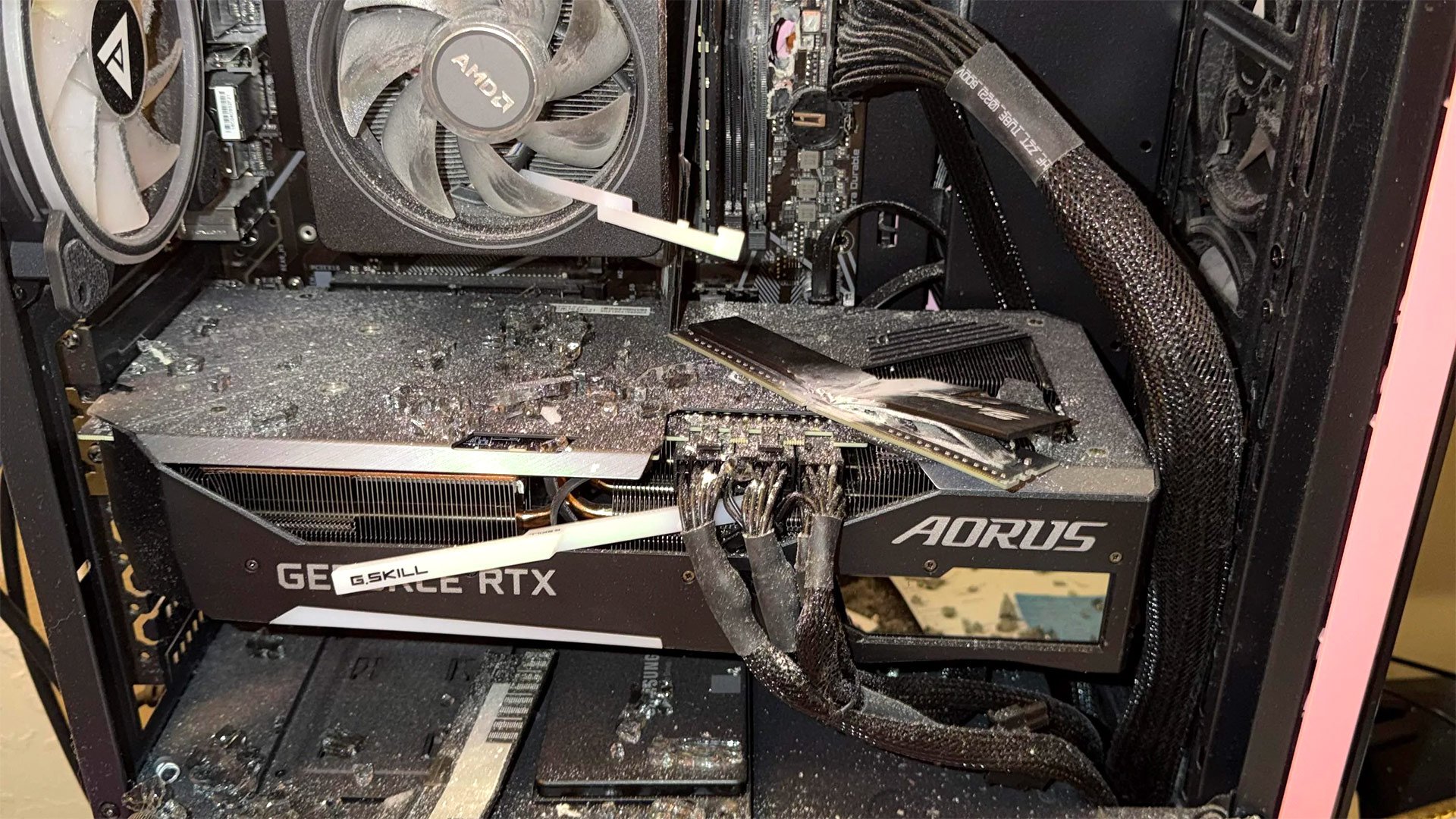
The survivors are the more interesting data point. The poster reports that the SSDs came through undamaged, including what appears to be a Samsung SATA drive visible in the photos. Solid-state storage has no moving parts and a small physical footprint, and in a typical case it mounts flat against the back tray or low in the chassis, away from the DIMM plane. NAND flash stores data as trapped charge in cells with no mechanical dependency, so as long as the package and its solder joints stay intact, the data persists through shock that would have destroyed a spinning hard drive's platter and head assembly. This is the same property that makes SSDs the default in laptops and the reason data recovery firms treat physical SSD trauma differently from HDD failures.
The $3,500 rebuild, by the numbers
With a $3,500 insurance payout, the owner moves from cleanup to component shopping, and that budget lands in a specific part of the 2026 market. It is enough for a high-end single-GPU build but not unlimited, which forces the usual trade-offs between graphics, memory, and storage.
The largest line item is almost always the GPU. A current upper-midrange to high-end card consumes between $700 and $1,500 of a build like this depending on tier, leaving roughly $2,000 to $2,800 for everything else. From there a typical allocation looks like a $300 to $500 CPU, a $200 to $350 motherboard, 32GB of DDR5 in the $90 to $150 range, 2TB of NVMe storage around $130 to $200, a quality power supply near $150, and a case and cooling package under $250. The math closes comfortably at $3,500 with room for a better GPU tier or a step up to 64GB of memory.
DDR5 pricing is the variable most relevant to this particular victim, given that memory is exactly what he lost. DDR5 has spent the past several cycles drifting down as production matured, and a 32GB dual-channel kit at reasonable speeds now sits well under $150, a fraction of total build cost. Replacing the destroyed Trident Z with current DDR5 is, ironically, one of the cheapest decisions in the entire rebuild.
Why the layout lesson matters
The broader takeaway for anyone assembling a PC is mundane but real: component placement reflects thermal and signal-integrity priorities, not physical protection, and the parts most exposed to the side panel are the memory and the top of the GPU. The drives that hold irreplaceable data tend to sit in the most sheltered positions, which is a happy accident in cases like this one. It also reinforces why off-site or cloud backup remains the only reliable safeguard, since no chassis arrangement should be trusted to defend storage against the genuinely unpredictable.

The original thread, posted to the PCMR community, has turned into a build-recommendation request, which is a fittingly ordinary ending. A tower that did something extraordinary gets replaced by parts chosen on price, performance, and availability, the same criteria that govern every other build. The destroyed memory kit, if it ends up framed, will be the only component in the new rig's lineage that ever did more than move data.
Comments
Please log in or register to join the discussion