
As Firefox continues to add features, its right-click menu becomes increasingly cluttered, leaving users frustrated and seeking customization solutions through about:config and userChrome.css.
The right-click context menu in modern browsers has become a battleground for feature creep. Firefox, in particular, has seen its context menu expand to include numerous options that many users find unnecessary or intrusive. This trend reflects a broader tension in software development between feature richness and interface simplicity.
The Problem: Context Menu Clutter
A fresh installation of Firefox on MacOS reveals a staggering right-click menu with 26 rows, dividers, and submenus. As the author notes, many of these options are greyed out or simply irrelevant to most users. The menu includes multiple translation options, AI chatbot features, accessibility inspectors, and various specialized functions that create cognitive overhead for everyday browsing.
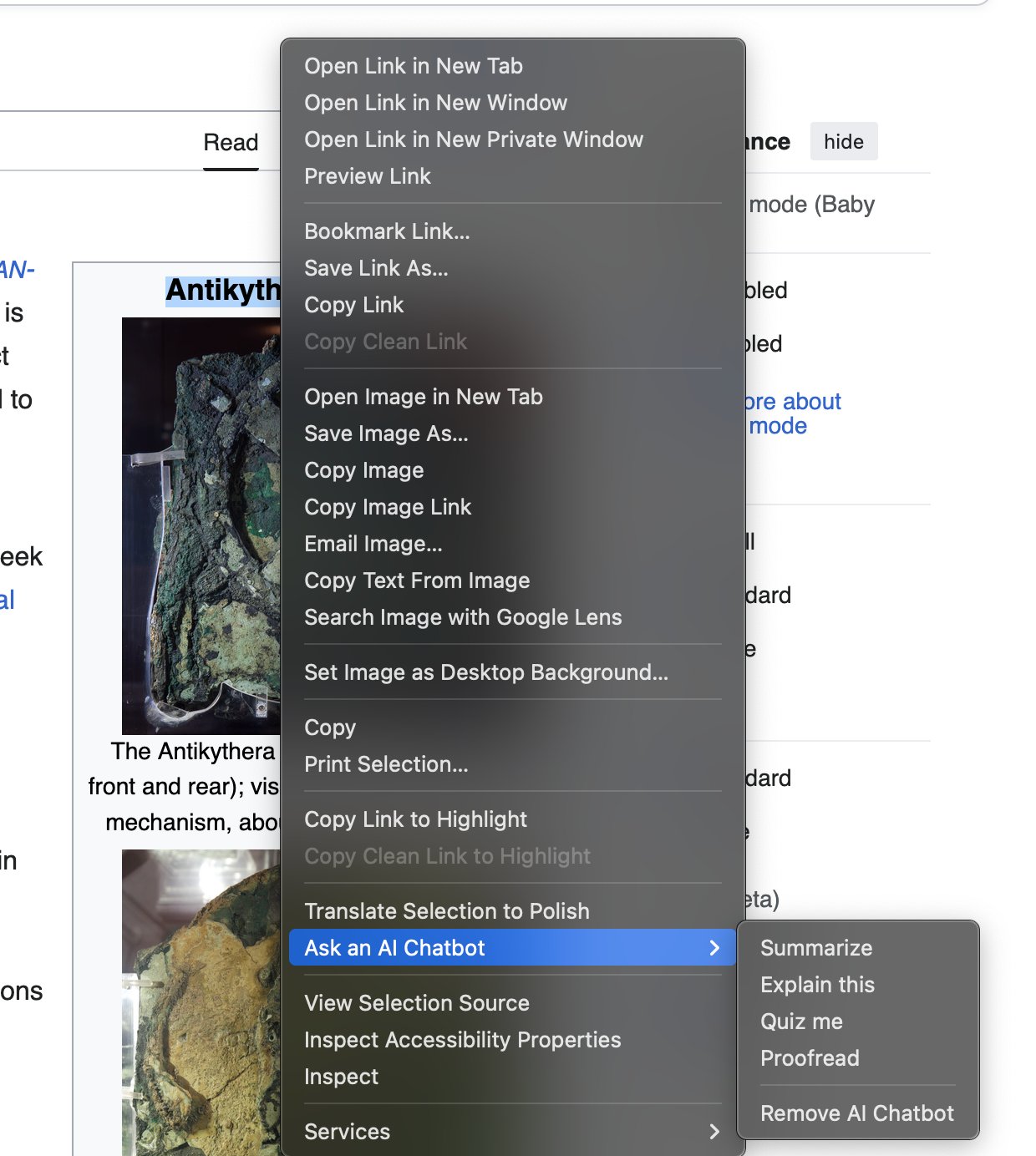
Notably, the "Ask an AI Chatbot" feature not only appears as a standalone option but has its own submenu—a clear example of feature bloat. The "Inspect Accessibility Properties" button appears simply because the user opened DevTools once, with no obvious way to disable it afterward.
Community Sentiment: Growing Frustration
This issue has sparked discussion in developer and tech communities. Many users express frustration at the inability to easily customize their context menus. The sentiment suggests a growing preference for minimalism and user control over browser interfaces.
"Why am I shown 'Copy Clean Link' if there is no clean link?" questions the author, highlighting a common complaint about confusing or redundant menu options. This frustration extends to features like "Copy Clean Link to Highlight" and "Ask an AI Chatbot," which many users consider intrusive or unnecessary.
The Solution: about:config Customization
Fortunately, Firefox provides a way to customize these features through about:config, though the process isn't immediately obvious to average users. By setting specific preferences to false, users can significantly streamline their right-click experience:
browser.translations.select.enable– Removes the "Translate Selection" buttonscreenshots.browser.component.enabled– Disables the built-in screenshot functionalitydom.text_fragments.enabled– Disables Text Fragments supportprivacy.query_stripping.strip_on_share.enabled– Removes "Copy Clean Link" optionsdevtools.accessibility.enabled– Disables the Accessibility Inspectorbrowser.ml.chat.menu– Removes the "Ask an AI Chatbot" buttonbrowser.ml.linkPreview.enabled– Disables Link Previewsdom.text-recognition.enabled– Disables OCR on imagesbrowser.search.visualSearch.featureGate– Disables Visual Searchextensions.formautofill.addresses.enabled– Disables address autofillextensions.formautofill.creditCards.enabled– Disables credit card autofillwidget.macos.native-context-menus– Disables native macOS context menusprint.enabled– Disables Firefox printing capabilities
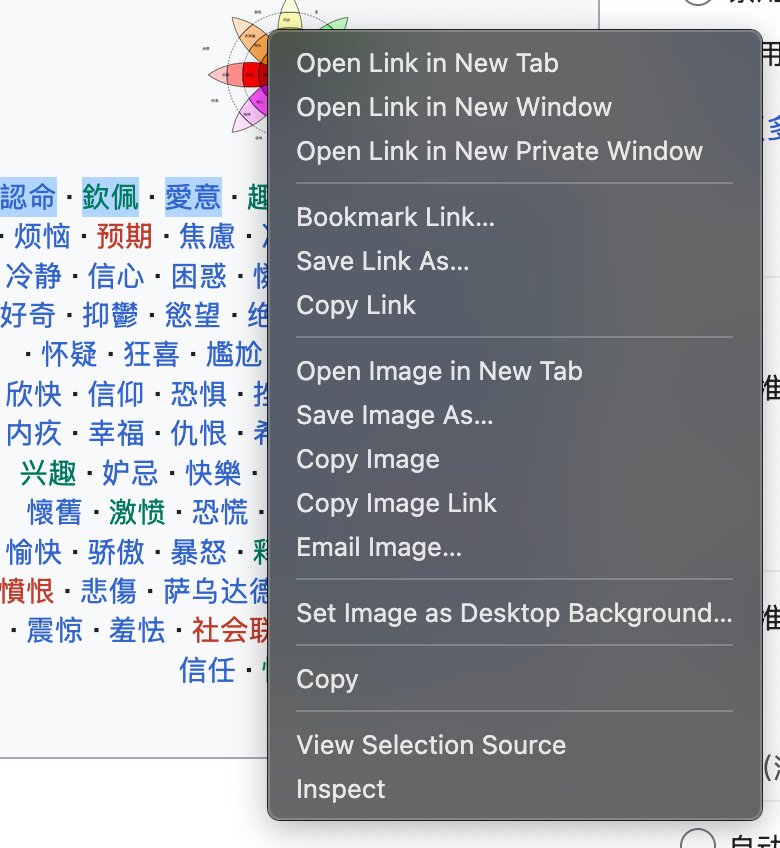
After applying these settings, the menu is reduced from 26 buttons to just 15—a significant improvement in usability. However, some options remain that cannot be disabled through about:config alone, including "Bookmark Link...", "Save Link As...", and various other specialized options.
Counter-Perspectives: Why So Many Features?
From Firefox's perspective, these features address real user needs. Translation capabilities help users access content in multiple languages, AI integration provides convenience, and accessibility tools ensure the browser is usable by people with disabilities.
The challenge lies in balancing these legitimate features with interface simplicity. Firefox's approach of including all features by default ensures that power users and those with specific needs have access to functionality without needing to enable it manually.
The Remaining Challenge: userChrome.css
For users who want to further customize their context menu, the only solution is to create a custom userChrome.css file. This approach requires technical knowledge and involves directly modifying Firefox's interface files.
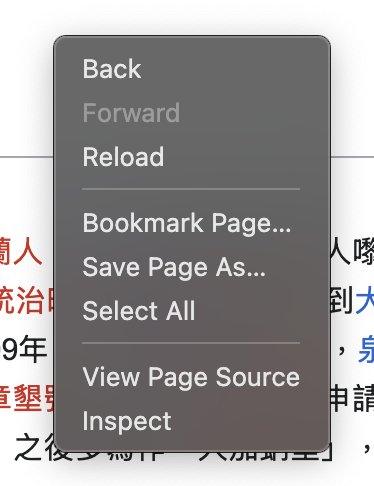
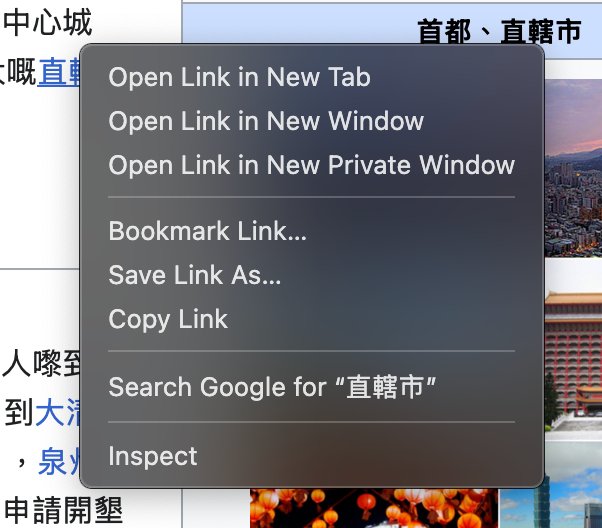
When right-clicking in forms, users still encounter "Check Spelling" and "Languages" options that cannot be easily removed. The "Languages" menu persists even when the browser is configured for a single language, creating unnecessary clutter.
Broader Implications
This issue reflects a broader tension in software design between feature richness and user experience. As browsers increasingly become platforms rather than simple tools, the challenge of presenting features without overwhelming users becomes more acute.
The author suggests implementing a "Customize Toolbar"-like interface for context menus, allowing users to selectively show or hide options through a visual interface rather than requiring manual configuration.
Conclusion
Firefox's right-click menu bloat represents a common UX challenge in modern software. While about:config provides a technical solution for power users, the process remains inaccessible to average users. The tension between feature completeness and interface simplicity continues to drive design decisions across the tech industry, with no perfect solution in sight.
As the author notes, "it is nice that these buttons can be enabled/disabled, and userChrome.css is cool. But at the same time, imagine being a completely new Firefox user, who has zero use for any of this? How are they supposed to figure out how to do all of this?"
For more information about about:config, see Mozilla's documentation. For those interested in userChrome.css customization, resources are available at userChrome.org.
Comments
Please log in or register to join the discussion