iOS 27 reworks the Reminders app with an Apple Intelligence "describe" flow, an expanded inline metadata editor, and smarter on-device grocery sorting powered by larger Foundation Models. Here's what changed, and what app developers should watch as Apple keeps pushing system-level AI into stock apps.
Apple's stock apps usually telegraph where the platform is heading, and the Reminders changes in iOS 27 are a clear signal. The headline additions are user-facing, but the mechanics underneath them, more capable on-device Foundation Models and natural language parsing, are exactly the APIs Apple has been exposing to third-party developers. If you maintain an iOS app, the Reminders updates are worth reading as a preview of what users will start expecting from your app too.
Platform update: what changed in Reminders
Three distinct improvements landed in the iOS 27 beta, and each one maps to a different part of Apple's developer story.
Describe your reminder
Reminders has had basic natural language parsing for years. Type "call dentist tomorrow at 3," and the keyboard suggestion row would offer to attach the date. iOS 27 keeps that, but adds an Apple Intelligence layer that reads a full free-form description and populates every relevant field at once: due date, time, location, tag, flag, and so on.
The splash screen text is direct about it: "Describe a New Reminder: Use your own words to describe a reminder and Apple Intelligence will help create it for you."
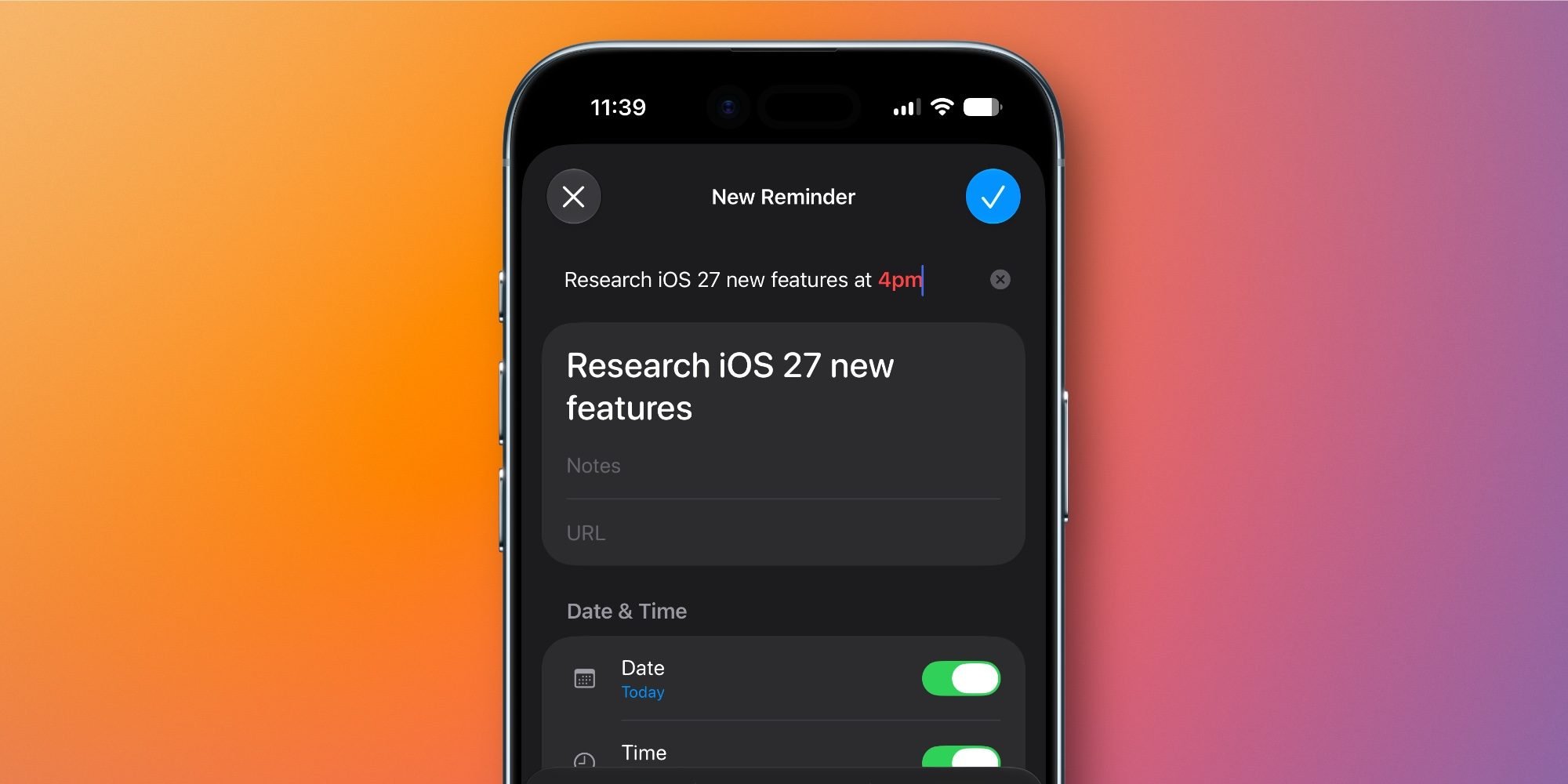
The interesting wrinkle for developers is that the old keyword-suggestion system and the new AI-driven parsing currently coexist in the beta, and they overlap heavily. Apple may consolidate them before release. That tension, a deterministic rules-based parser versus a model-driven one, is the same design decision facing anyone building text entry features on top of the new on-device models.
Upgraded inline metadata editor
In iOS 26, editing a task inside a list gave you five options above the keyboard: Date, Location, Tag, Flag, and Camera. iOS 27 replaces that strip with a box that wraps the active reminder and exposes more controls directly: Date, Time, Urgent, Repeat, Location, Tag, Flag, and Camera.
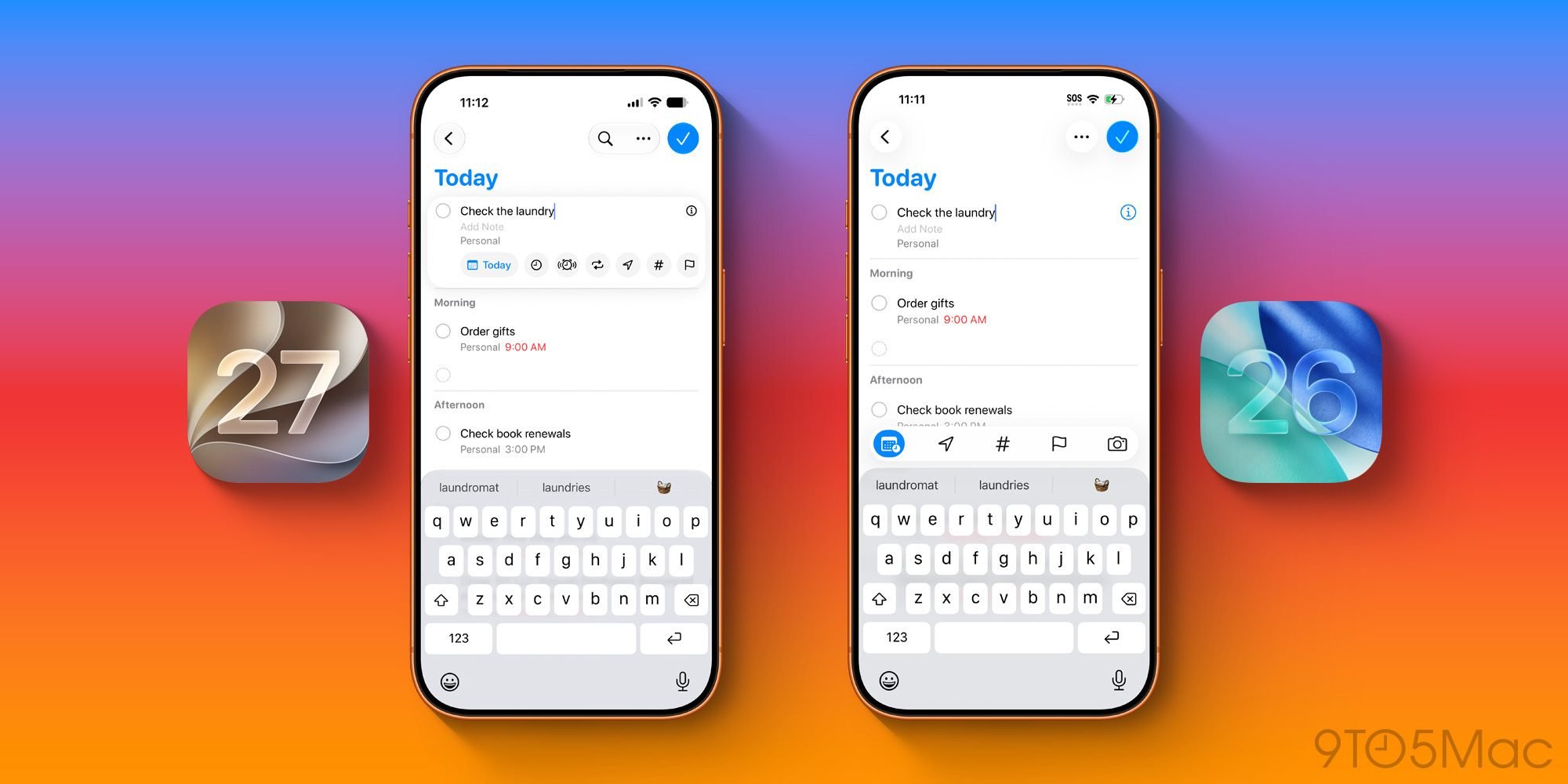
The full metadata sheet behind the 'i' button still exists, but the point is that you reach for it far less often. This is a UI density change more than an AI one, and it reflects Apple's ongoing move toward editing in place rather than pushing users into modal detail screens.
Grocery list improvements
Reminders' automatic grocery sorting, which groups items into produce, dairy, and other categories, gets two upgrades. It sorts more accurately, and it now works across multiple languages instead of being limited to a narrow set.

Apple attributes both improvements to the more powerful Foundation Models shipping in iOS 27. Nothing about the feature's surface changed; the model running underneath it got better. That is the cleanest possible example of the on-device model upgrade quietly improving an existing feature.
Developer impact: the Foundation Models connection
The grocery sorting note is the part developers should pay closest attention to. Apple shipped the Foundation Models framework so third-party apps can call the same on-device language model that powers system features. When Apple says grocery sorting improved "due to the more powerful Foundation Models in iOS 27," that is the same model your app gets access to through the framework.
The practical takeaways:
- Categorization and tagging tasks are now cheap and local. Grocery sorting is a classification problem solved entirely on device, with no network round trip and no per-call cost. If your app does any kind of list grouping, content tagging, or smart sorting, the on-device model is now strong enough to handle multilingual input, which was a real limitation in earlier versions.
- Natural language entry is becoming a baseline expectation. The "describe your reminder" flow normalizes the idea that users can type a messy sentence and have structured fields appear. If your app has any form-heavy input, users coming from iOS 27 will expect similar shortcuts. The guided generation APIs let you map free text to a typed Swift structure, which is essentially what Reminders is doing.
- Multilingual support comes mostly for free. The grocery feature expanding to more languages without a separate localization effort per category is a property of the model, not hand-written rules. Apps that previously shipped English-only smart features can reconsider.
Cross-platform considerations
If you ship the same app on Android, none of this is portable. Apple's on-device model and the Foundation Models framework are iOS, iPadOS, and macOS only. The Android equivalent is ML Kit and the Gemini Nano on-device models exposed through the AICore system service, and the capability tiers differ by device.
This creates a familiar problem for teams maintaining both platforms: a feature that is trivially "free" on recent iPhones through Foundation Models may require a hosted model, a bundled smaller model, or a graceful fallback on Android, where on-device model availability is fragmented across the device range. Plan the feature around the lowest common capability, then layer platform-specific enhancements rather than designing for the iOS happy path and bolting Android on afterward.
For cross-platform frameworks, the story is similar. Neither React Native nor Flutter exposes the Foundation Models framework directly yet, so reaching it means a native module or platform channel on iOS and a parallel implementation on Android. If on-device AI is becoming central to your product, that is an argument for keeping a thin native layer per platform rather than assuming the shared layer can cover it.
Migration: what to do now
There is no breaking API change in these Reminders features, so the migration work is opportunistic rather than mandatory. A reasonable order of operations:
- Test your app's text input and list features against the iOS 27 beta to see how they feel next to the new system behavior. Users will benchmark you against the stock apps.
- Audit where you currently call a remote model for simple classification or extraction tasks. Many of these can move to the on-device Foundation Models framework on iOS 27, cutting latency and cost. The grocery sorting upgrade is proof the on-device model now handles tasks that previously needed something heavier.
- Confirm your minimum deployment target and device support. Foundation Models requires Apple Intelligence-capable hardware, so any feature built on it needs a non-AI fallback path for older devices, just as Reminders keeps its older keyword-based date parser alongside the new describe flow.
- Mirror the capability check on Android if you ship cross-platform, so the feature degrades predictably rather than failing on devices without on-device model support.
The Reminders updates themselves are modest, and most users will experience them as small conveniences. The more useful read is structural: Apple is steadily replacing hand-written rules in its stock apps with calls to a shared on-device model, and that same model is in your toolbox now. The apps that feel current on iOS 27 will be the ones that treat on-device intelligence as a default building block rather than a special feature.
You can read Apple's full developer documentation for the on-device model in the Foundation Models framework reference, and Apple's overview of Apple Intelligence for developers is on the Apple Intelligence developer page.
Comments
Please log in or register to join the discussion