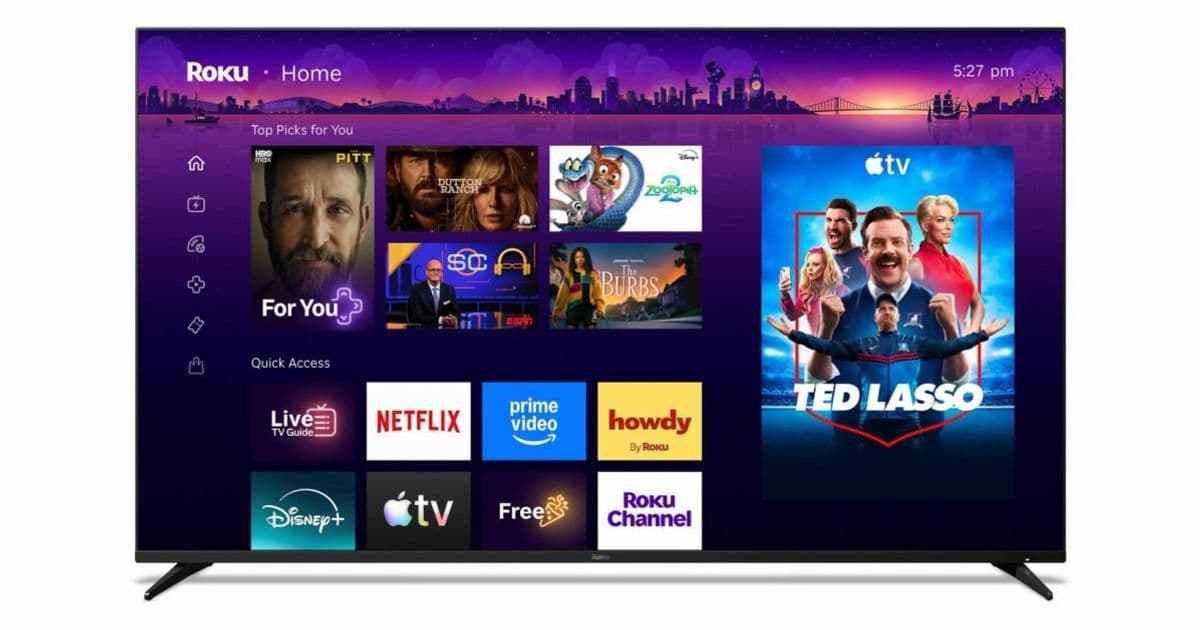
Roku’s new Home Screen launches today in the US, adding AI‑driven quick‑access rows, genre‑based destinations and a collapsible menu. The update will auto‑install on Roku TVs and streaming sticks, with international rollouts slated for the coming weeks.
Roku rolls out its biggest Home Screen redesign to 100 million TV households
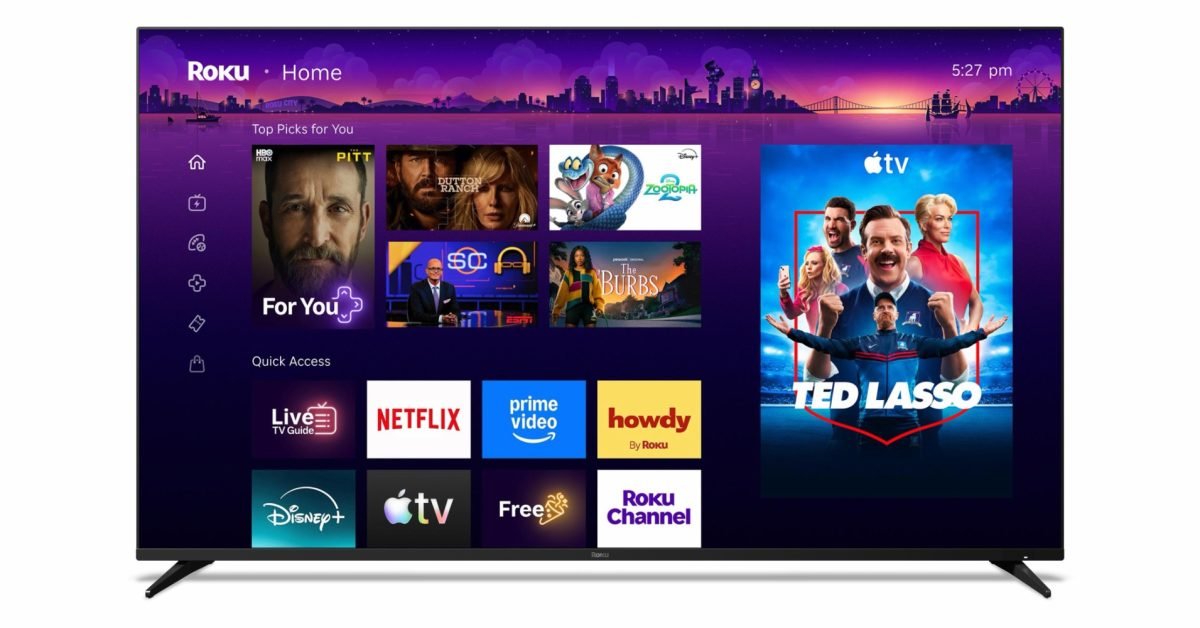
Roku announced that a brand‑new Home Screen is now live on all Roku‑compatible TVs and streaming devices in the United States. The rollout begins automatically for any device running Roku OS 11.0 or later, which means more than 100 million households will see the change within the next few days. Roku says additional markets will receive the update in a phased manner over the next month.
What’s new for developers and power users?
| Feature | Why it matters | Developer impact |
|---|---|---|
| Quick Access row | Dynamically surfaces the apps you open most often, learning from daily usage patterns. | Apps that are launched frequently will see higher visibility; consider adding deep‑link shortcuts to improve placement. |
| Top Picks for You | An AI‑curated carousel that pulls content from multiple services based on viewing history. | Content providers can integrate with Roku’s Recommendation API (v2) to feed personalized tiles. |
| Genre‑based destinations (For You, Subscriptions, Search, Daily Scoop) | Groups content by interest rather than channel, encouraging cross‑service discovery. | The new Destination SDK (released with Roku OS 11.0) lets you register a destination and supply a JSON manifest describing its layout and filter logic. |
| Collapsible side menu | Reduces on‑screen clutter while keeping settings, account, and help links reachable. | No code changes required, but UI‑heavy apps may want to adjust their own sidebars to avoid duplicate navigation. |
| Roku City tile | An interactive screensaver that doubles as a quick‑launch hub. | Developers can create custom tiles via the Screensaver Extension API; the new version supports animated SVGs up to 1080p. |
SDK and platform requirements
- Minimum OS version: Roku OS 11.0 (released March 2026). Older devices will continue to run the legacy Home Screen until they reach end‑of‑life.
- The new Destination SDK is distributed through the Roku Developer Dashboard. It requires the BrightScript 2.5 runtime and supports both SceneGraph and Legacy UI frameworks.
- For cross‑platform teams, the Home Screen changes are largely UI‑centric, but the recommendation and destination APIs expose standard REST endpoints. This makes it straightforward to reuse the same backend logic you already have for Android TV or Apple TV apps.
Migration checklist for existing Roku channels
- Update your channel’s
manifestto declare compatibility withroku_os >= 11.0. This prevents the channel from being hidden on devices that have already switched to the new Home Screen. - Register any new destinations you want to appear in the genre‑based rows via the Developer Dashboard → Destinations tab. Provide a
destinationId,title, and a content feed URL that returns the required JSON schema. - Implement the Recommendation API if you haven’t already. The endpoint now expects a
userIdand adeviceIdheader for better personalization. - Test deep‑link shortcuts using the Roku Remote app. The new Home Screen will surface shortcuts like Save List and Continued Watching; ensure your channel correctly handles the
deepLinkparameters. - Validate screensaver extensions if you ship a custom one. The new API requires a
manifest.jsonentryscreensaverVersion: 2and supports animated SVGs for richer visuals. - Run the compatibility test suite provided in the Roku SDK 11.0 download. The suite checks for deprecated BrightScript calls and verifies that your UI scales correctly on the new collapsible menu.
Cross‑platform considerations
While the redesign is Roku‑specific, the underlying concepts map cleanly onto other TV platforms:
- Apple tvOS 18 recently introduced a Personalized Row that works similarly to Roku’s Top Picks. If you already expose a RESTful recommendation service, you can point both platforms at the same endpoint.
- Android TV 13 offers a Browse channel that can consume the same JSON manifest format used by Roku’s Destination SDK. A thin adapter layer in your backend can serve both formats without duplication.
- For teams using React Native for TV or Flutter, the new UI patterns (collapsible side menu, dynamic quick‑access rows) can be reproduced with existing layout components. The key is to keep the data layer platform‑agnostic and let each client render its native widgets.
What this means for the Roku ecosystem
The redesign signals Roku’s shift from a channel‑centric model to a content‑first experience. By surfacing personalized recommendations and subscription bundles up front, Roku hopes to keep viewers inside its ecosystem longer, reducing the need to switch inputs. For developers, the new APIs provide a clear path to surface your content where users are most likely to see it, without having to rely on manual placement.
If you haven’t updated your channel in the last six months, now is the time to dive into the Roku OS 11.0 documentation and get your app ready for the new Home Screen. The sooner you adopt the Destination SDK and Recommendation API, the better positioned you’ll be to capture the prime real‑estate on Roku’s refreshed UI.
For a deeper look at the design philosophy, check out Roku’s official blog post “Introducing the new Home Screen”.
Comments
Please log in or register to join the discussion