
Alcogram is a new Connect IQ app that runs natively on Garmin watches like the Fenix line, pulling your profile data to estimate blood alcohol levels. It's a useful self-monitoring tool, but the developer is upfront that the numbers are approximations, not a breathalyzer replacement.
Garmin's Connect IQ store just picked up a niche but genuinely practical addition. Alcogram is a watch-native app that logs alcoholic drinks and estimates your blood alcohol concentration over time, all without reaching for a phone. For anyone who wears a Fenix on the weekend and wants a rough sense of where they stand before deciding whether to drive, it's a smarter approach than guessing.
What's new
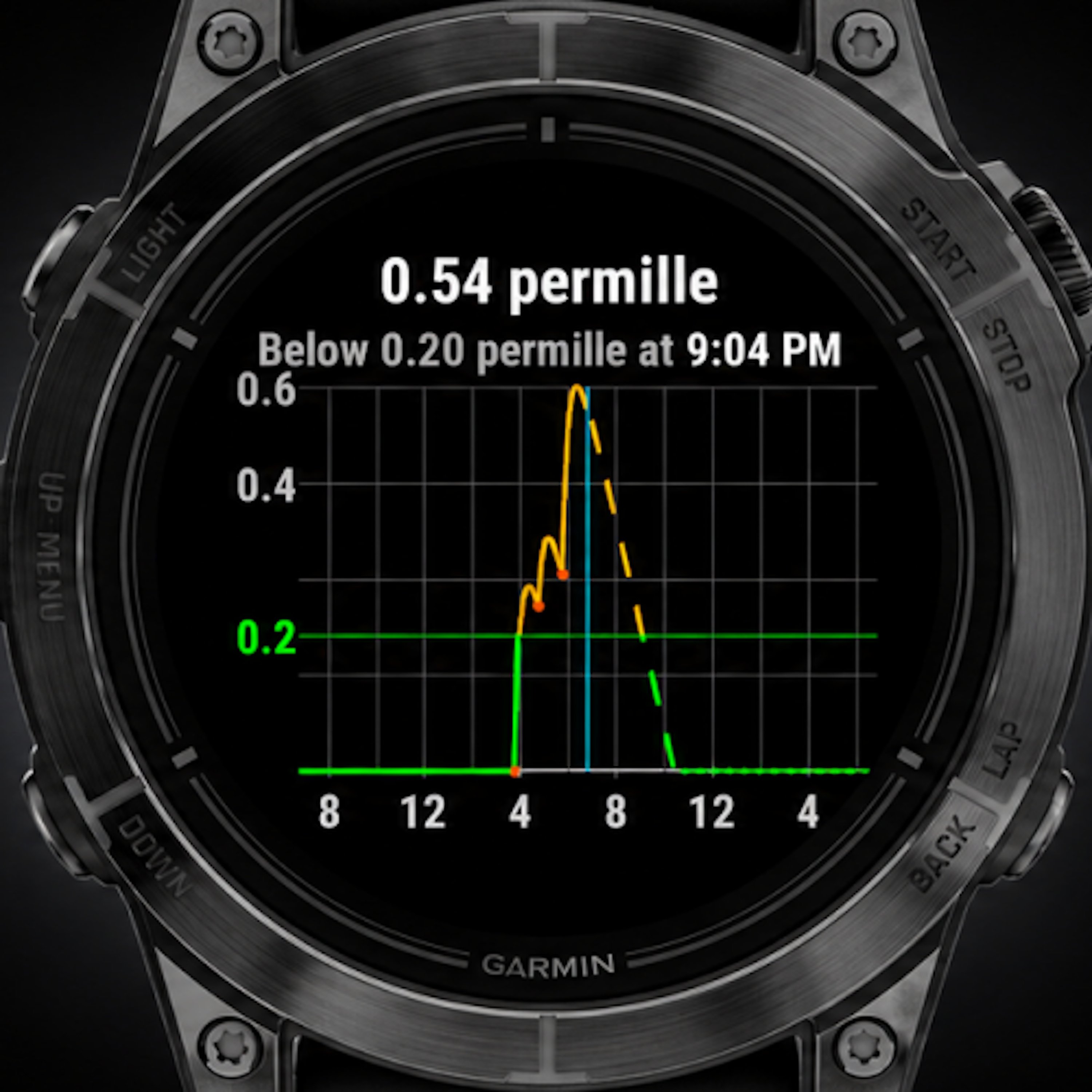
The core idea is straightforward. You log what you drink, either from a list of preconfigured beverages or by entering a custom drink with its specific alcohol percentage, and Alcogram builds an estimated BAC curve from there. A built-in graph visualizes your current level and its projected decline, so you can see roughly when the app expects you to sober up. It also keeps a running history of past sessions, which turns it into a lightweight habit tracker rather than a one-off calculator.
What separates this from a back-of-the-napkin estimate is the data it draws on. Instead of applying a generic formula, Alcogram pulls gender, height, age, and body weight straight from your Garmin profile. Those are the variables that actually drive how fast your body processes alcohol, so feeding them into the model produces a more personalized number than the standard "one drink per hour" rule of thumb most people fall back on.
The other notable design choice is that everything runs directly on the watch. No companion phone, no Bluetooth handoff, no second device to pull out at a bar. That on-device independence is the same thing that makes Garmin's higher-end watches appealing for running and hiking, and it carries over well here.
How it compares
The honest framing, and one the developer states plainly, is that these are approximations. Alcohol metabolism varies with food intake, hydration, medication, and individual liver function, none of which a watch can measure. A real breathalyzer reads what's actually in your system; Alcogram models what's probably there based on inputs. Those are different categories of accuracy, and the app doesn't pretend otherwise. The sensible takeaway is the conservative one: if there's any doubt, don't drive or cycle.
Against other Connect IQ utilities, the value here is the integration with your existing profile. Plenty of generic BAC calculators exist as smartphone apps, but they ask you to re-enter your stats every time and they live on a separate device. Reading directly from your Garmin account removes that friction and keeps the estimate tied to data you've presumably already kept current for fitness tracking.
Compatibility is broad, which matters for an app like this. Alcogram supports a wide range of Garmin models, including several Fenix watches, so existing owners likely don't need to buy anything new to try it. That's a meaningful difference from health features that get locked to the newest hardware generation.
Who it's for
This is a tool for self-monitoring, not enforcement. If you want a clearer picture of your drinking patterns over time, or a rough gut check before a long evening turns into a question of whether you should call a ride, Alcogram fits that role well. The history feature in particular makes it useful for anyone trying to be more deliberate about consumption.
It is not for anyone who needs a legally defensible reading or who plans to use an estimate to justify getting behind the wheel. No software model built on profile data can substitute for an actual measurement, and treating it as one would miss the developer's entire point. Used as intended, as a convenient, watch-based approximation that nudges you toward caution, it's a thoughtful little addition to the Connect IQ catalog. You can find it through the Garmin Connect IQ store.
Comments
Please log in or register to join the discussion