
Apple's iOS 26 introduces AI-powered order tracking in Wallet, automatically importing order details from email without requiring retailer partnerships.
Apple has finally delivered on the long-promised order tracking feature in its Wallet app with iOS 26, using artificial intelligence to bypass the limitations that plagued the feature since its initial launch. The new implementation automatically scans your email for order confirmations and imports them directly into Wallet, creating a centralized hub for all your online purchases without requiring cooperation from individual retailers.
The Problem with Previous Order Tracking
When Apple first introduced order tracking in Wallet several years ago, the concept was elegant: consolidate all your online orders in one place, accessible alongside your boarding passes, event tickets, and payment cards. However, the feature fell flat because it relied on third-party retailers to integrate with Apple's system. Most major online stores never adopted the necessary APIs, leaving users with a feature that essentially didn't work for the vast majority of their purchases.
This created a frustrating experience where the order tracking section in Wallet remained largely empty, despite users making dozens of online purchases each month. The gap between Apple's vision and reality left many wondering why the feature existed at all.
How iOS 26's AI-Powered Solution Works
The breakthrough in iOS 26 comes from Apple Intelligence, which enables on-device AI processing to scan email content for order information. Here's how to set it up:
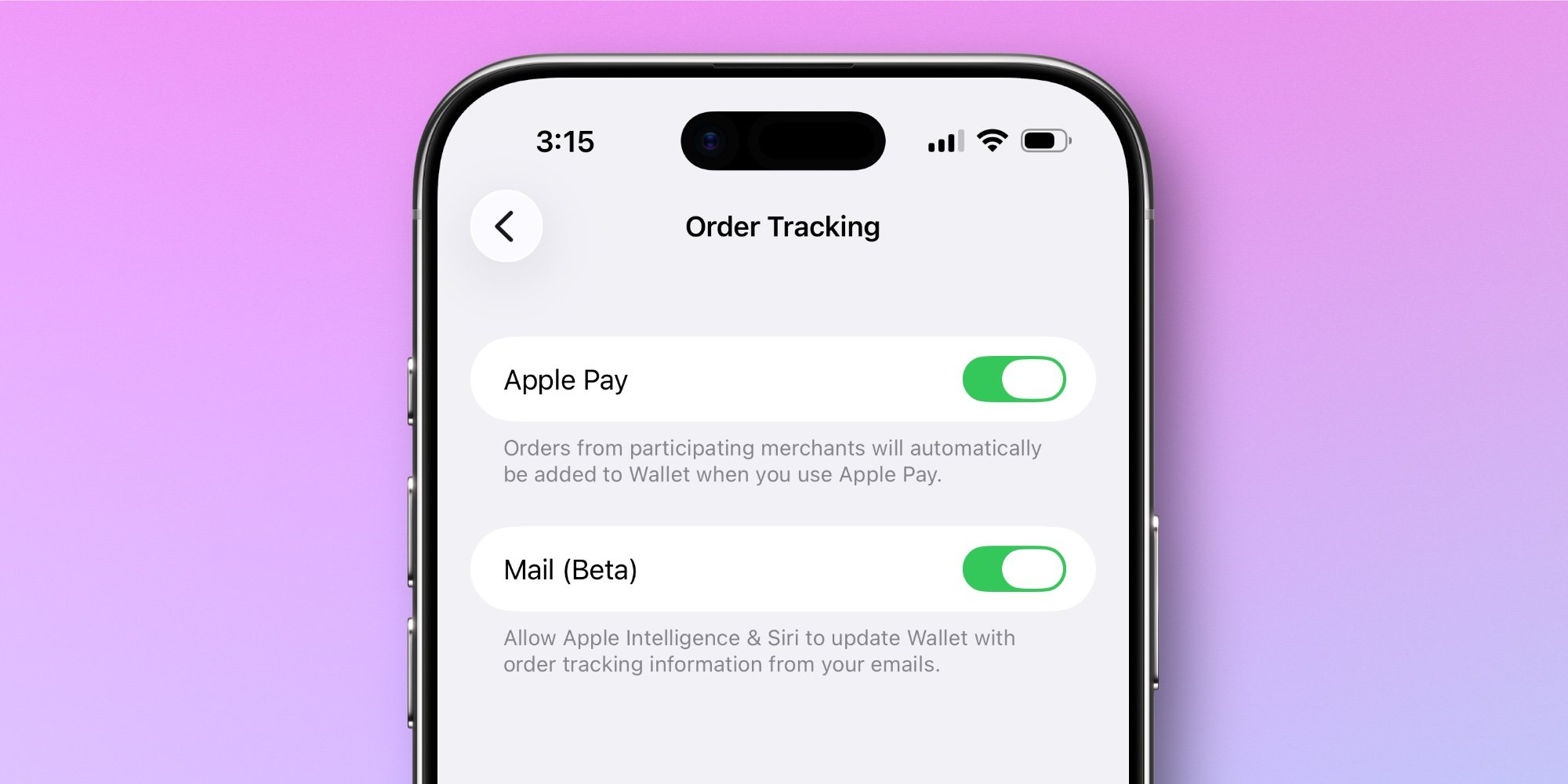
- Enable the feature: Go to Settings → Wallet & Apple Pay → Order Tracking and toggle on 'Mail (Beta)'
- Activate Apple Intelligence: Ensure the AI features are enabled on your device
- Set up email: Your email account must be configured in Apple Mail
- Grant permissions: When prompted, allow Wallet to access your order emails
Once configured, the system automatically imports emails containing orders into the Wallet app. You can also manually trigger tracking by tapping the 'Track' button in the Mail app when viewing an order confirmation email.
Using Order Tracking in Wallet
After setup, accessing your tracked orders is straightforward:
- Open the Wallet app and tap the three-dot icon in the top-right corner
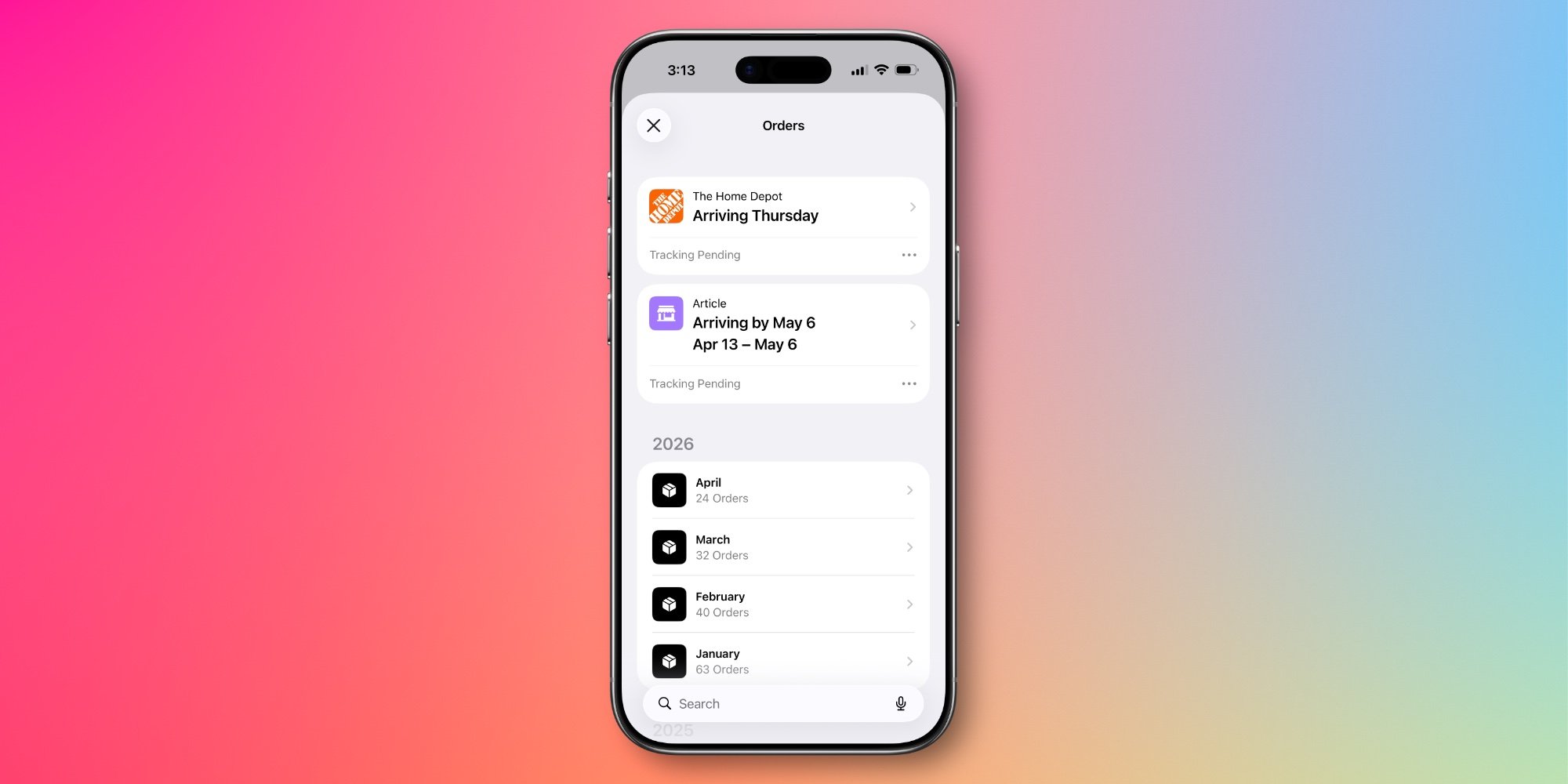
- Select 'Orders' to view all upcoming and past orders
- Browse your order history or navigate to recent orders from specific vendors
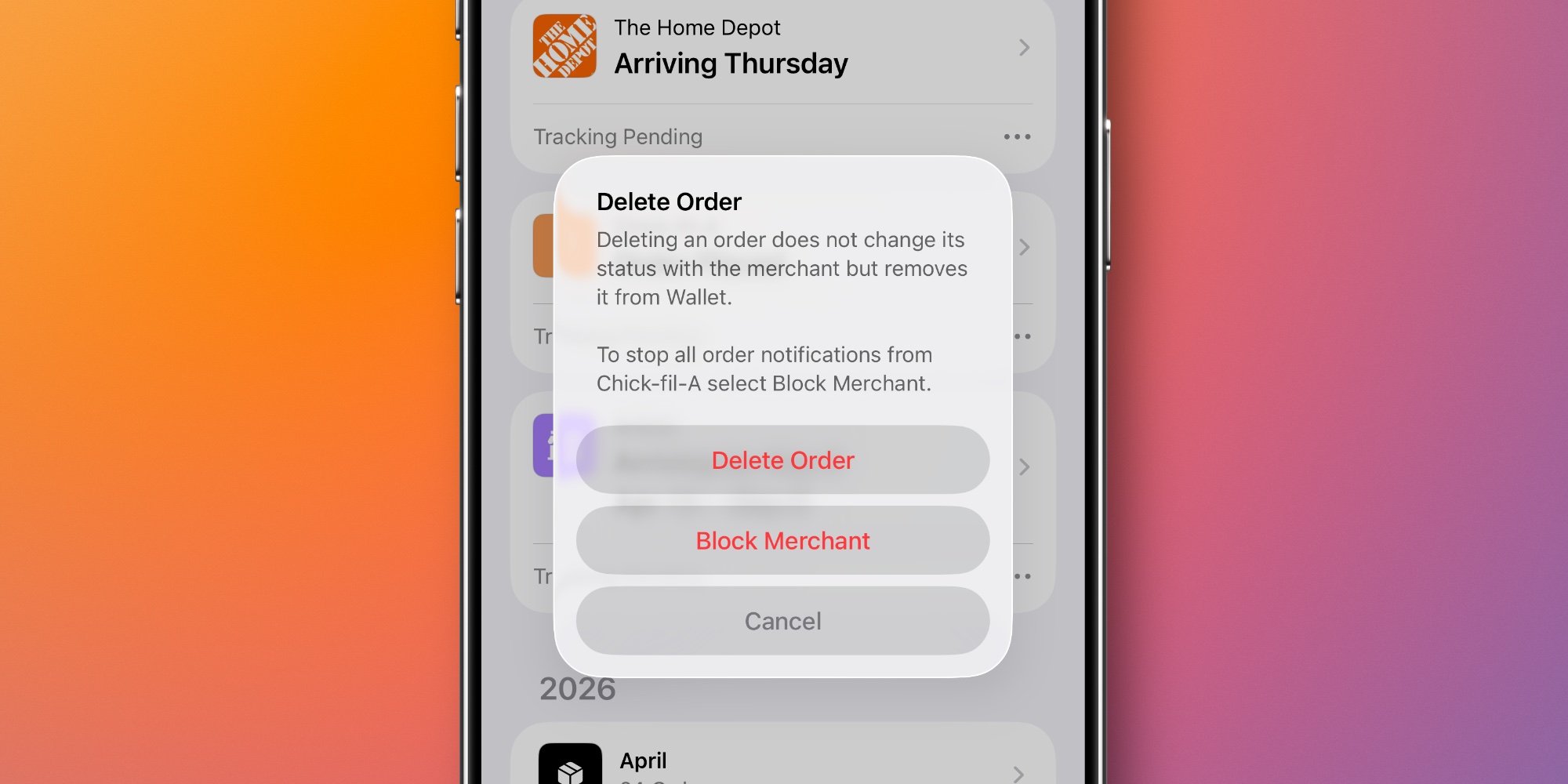
For merchants that shouldn't appear in your order list (such as restaurant mobile orders that were incorrectly categorized), you can delete individual orders and choose to block that merchant entirely from future tracking.
Why This Matters for Users
The AI-powered approach solves several pain points that have frustrated online shoppers:
Centralized order management: Instead of checking multiple retailer apps or email accounts for order status, everything appears in one place within Wallet.
Reduced notification clutter: Users can disable notifications from individual retailer apps while still receiving order updates through Wallet, cutting down on notification spam.
Improved user experience: The Wallet interface provides a cleaner, more consistent way to view order details compared to navigating various retailer websites or apps.
Privacy-focused processing: Since the AI processing happens on-device, your email content isn't sent to external servers for analysis.
Technical Implementation and Privacy Considerations
The solution represents an interesting technical pivot. Rather than building an ecosystem of retailer integrations, Apple leveraged its existing Mail app infrastructure and AI capabilities to create a more universal solution. The on-device processing ensures that sensitive order information remains private, addressing potential privacy concerns about scanning personal email content.
However, this approach does have limitations. The feature only works with email accounts configured in Apple Mail, excluding users who prefer third-party email clients. Additionally, the accuracy of order detection depends on how well the AI can identify order confirmations across different email formats and languages.
Real-World Usage Experience
Early adopters report that the feature works surprisingly well for a beta implementation. The automatic import of orders happens quickly after receiving confirmation emails, and the interface makes it easy to track multiple orders simultaneously. The ability to block merchants that appear incorrectly helps maintain a clean order history.
Some users have noted that the system occasionally misidentifies non-purchase emails as orders, though the merchant blocking feature provides a straightforward solution to this issue.
Looking Ahead
This implementation could signal a broader trend in how Apple approaches feature development—using AI to solve problems that previously required complex partnerships or ecosystem adoption. If successful, similar approaches might be applied to other features that have struggled with third-party integration requirements.
For now, iOS 26's order tracking represents a significant improvement over the previous implementation, finally delivering on the original promise of having all your orders accessible in one convenient location. As the AI continues to learn and improve, the feature is likely to become even more accurate and useful over time.

Comments
Please log in or register to join the discussion