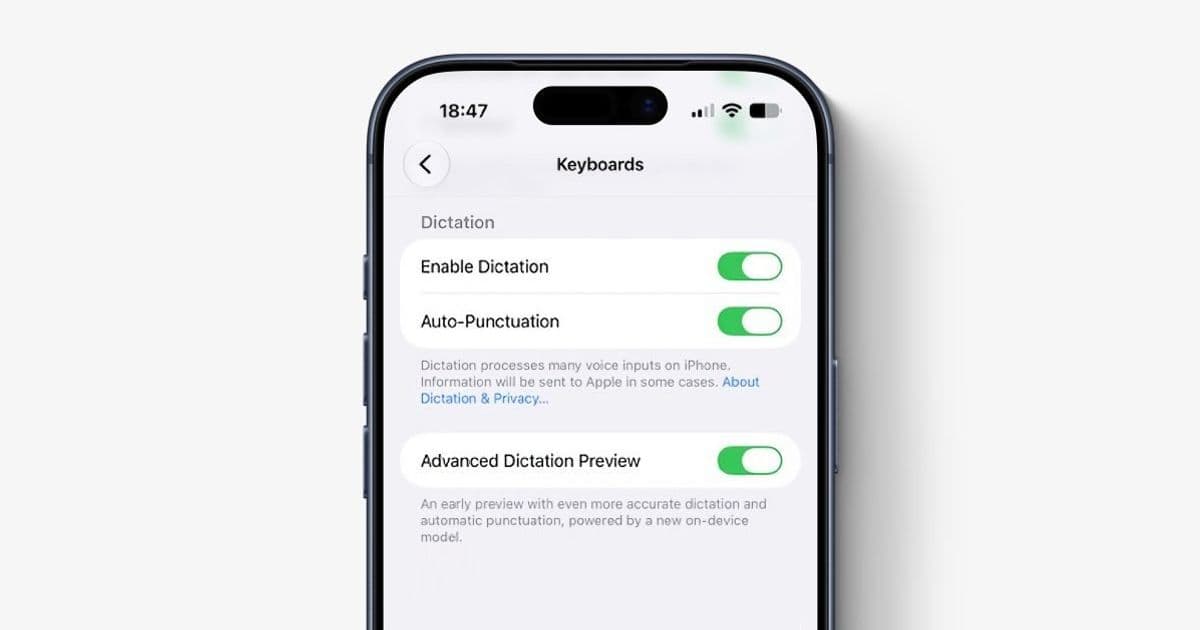
Apple’s new on-device AI dictation is powerful, selective, and currently opt-in, which means mobile teams need to test keyboard, speech, and text-entry flows with both old and new dictation paths enabled.
Platform Update
9to5Mac reports that Apple’s new AI-powered dictation system is present in iOS 27 beta 1, but it is not enabled by default. Developers and testers who install the first beta will need to turn it on manually from Settings, then General, then Keyboard, then the Dictation section, using the Advanced Dictation Preview toggle. The source report is available at 9to5Mac.
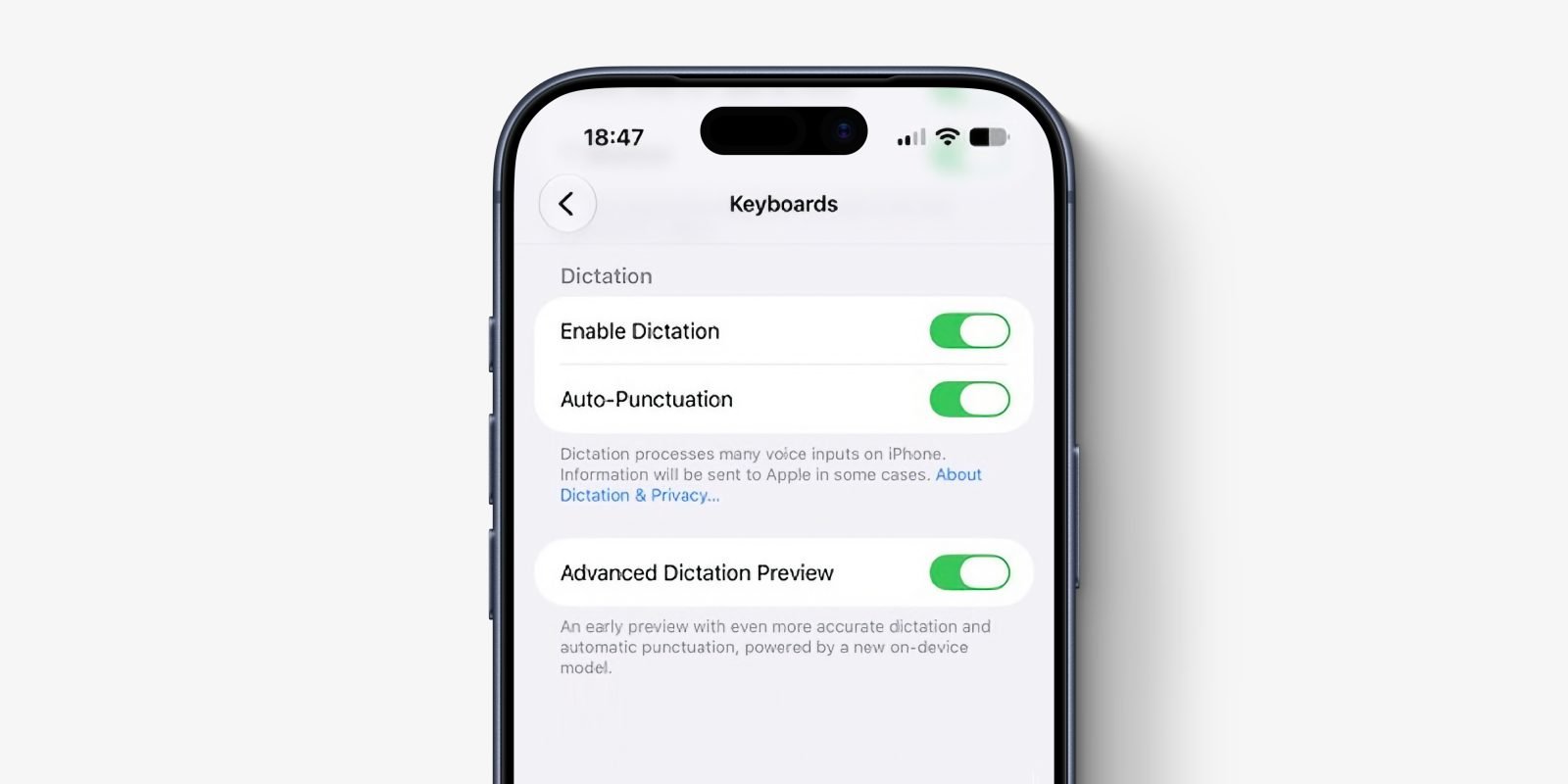
The feature is not a general iOS 27 capability for every device running the beta. According to the report, Advanced Dictation depends on Apple’s on-device AFM Core Advanced model and is limited to newer hardware: iPhone 17 Pro, iPhone Air, second-generation Vision Pro with M5, iPad with M4 or later and at least 12 GB RAM, and Mac with M3 or later and at least 12 GB RAM. That hardware line matters more than the OS version. An older iPhone on iOS 27 may still use the existing dictation path, while a supported device can use the new model once the preview is enabled.
For SDK planning, treat this as an iOS 27 beta 1 behavior rather than a stable platform contract. There is no indication from the report that third-party apps need to adopt a new dictation API to receive the improved speech-to-text behavior. The enhancement applies system-wide through the Apple keyboard and also improves Siri AI behavior. That means apps using normal text-entry controls should benefit automatically, while apps with custom text systems, audio capture, speech workflows, or strict validation rules still need targeted testing.
Apple’s broader developer direction is clear: more language work is moving on device. Developers building with Apple Intelligence should keep an eye on Apple’s Apple Intelligence developer resources and the Foundation Models framework documentation, even if this dictation feature itself is exposed as a system keyboard behavior rather than an app-facing model endpoint. If your app already uses Apple’s Speech framework, keep those code paths conceptually separate from keyboard dictation. Speech framework transcription is an app-controlled capability. System dictation is a user-controlled input method.
Developer Impact
The most immediate effect is test coverage. A developer installing iOS 27 beta 1 on supported hardware may assume they are testing the new dictation path, but they are not unless the preview toggle is enabled. That creates a split test matrix: iOS 27 with standard dictation, iOS 27 with Advanced Dictation enabled, and iOS 27 on unsupported hardware where the new model is unavailable.
For ordinary apps, the API surface may not change, but the text your app receives can change in quality and timing. Better capitalization and punctuation sound like user-facing polish, but they can expose assumptions in code that processes user input. Apps that parse dictated messages, notes, commands, medical terms, legal text, addresses, product names, or field-specific vocabulary should watch for changed punctuation density, different capitalization patterns, fewer transcription errors, and possibly longer complete phrases arriving after the model resolves context.
Consider a form field that accepts short dictated commands such as “ship to office tomorrow” or “follow up next Friday.” If the older dictation path produced lower-case text without punctuation, your parser may have been trained, explicitly or informally, around that format. A newer model that emits “Ship to office tomorrow.” is better for users but may break brittle matching code. The same risk appears in apps that compare exact strings, tokenize by punctuation, or apply automatic formatting after text insertion.
Text editors and note-taking apps should test insertion behavior carefully. The platform keyboard can insert text into any standard field, but custom editors often implement their own selection, replacement, undo grouping, and marked text behavior. If your app uses UITextView, SwiftUI TextEditor, Jetpack Compose text fields on Android, or React Native TextInput, basic dictation should be handled by the platform. If you maintain a custom editor, especially one backed by a rich-text model, ProseMirror-style document tree, CRDT state, or collaborative cursor system, dictation needs direct QA.
Cross-platform teams should avoid treating this as an “iOS got better speech recognition” checkbox. Android has its own speech input behavior through Gboard, OEM keyboards, and the platform SpeechRecognizer APIs. Some Android devices already perform more speech processing on device, while others depend on Google services, OEM keyboards, or network availability. iOS 27’s Advanced Dictation running fully on device means supported Apple hardware may now provide more consistent offline transcription quality than parts of your Android fleet. That difference affects product behavior, support scripts, and QA expectations.
The privacy angle is also practical. Since the report says the new dictation runs solely on device, users can get the same transcription quality without a data connection. For apps in healthcare, field work, education, travel, aviation, public safety, or enterprise environments with restricted connectivity, that changes how teams should test offline workflows. It does not mean your app receives new privacy guarantees automatically. Your own handling of dictated text still matters: logging, analytics, crash reports, sync queues, and server-side processing remain your responsibility.
There is also a beta-cycle risk. Apple may keep Advanced Dictation Preview off by default, remove the preview label, or enable it automatically later in the iOS 27 beta cycle. The first beta behavior should not be treated as the final user experience. If your QA script says “install iOS 27 and test dictation,” it is already underspecified. It should say which device was used, whether Advanced Dictation Preview was enabled, which keyboard language was active, whether the device was online, and whether the app was using a standard or custom text component.
For cross-platform frameworks, the main concern is not whether React Native, Flutter, Kotlin Multiplatform, or .NET MAUI exposes a new API. The bigger issue is whether your abstraction hides the platform differences you need to test. React Native’s TextInput, Flutter’s TextField, and native iOS text controls generally receive dictated text as normal input. That is convenient, but it also means framework-level code may not know whether text came from typing, paste, autocorrect, dictation, or a hardware keyboard.
That distinction matters for product features such as command palettes, chat composers, password managers, code editors, accessibility-heavy workflows, and apps with strict input validation. A chat app can usually accept better dictation as normal text. A finance app asking for a memo can do the same. A password field, terminal app, code editor, or structured medical intake form may need more careful handling, because punctuation, capitalization, and automatic correction can change semantics.
Migration
The migration path is mostly about discipline, not a new SDK adoption step. Start by updating your iOS 27 beta test matrix. Include at least one supported device with Advanced Dictation Preview disabled, the same or comparable supported device with it enabled, and one unsupported iOS 27 device if your app supports older hardware. If you maintain Android parity, test against a current Pixel or Samsung device with voice input through the default keyboard, plus any app-controlled SpeechRecognizer flow you ship.
For iOS, document the setup explicitly: install iOS 27 beta 1, open Settings, go to General, then Keyboard, then enable Advanced Dictation Preview. Record the device model and RAM-relevant platform class when possible. For Mac and iPad testing, include the minimum hardware lines called out in the report: Mac with M3 or later and 12 GB RAM, and iPad with M4 or later and 12 GB RAM. For Vision Pro, treat the second-generation M5 model as a separate platform target, not just another iOS-family device.
Next, audit text entry paths. Standard fields should be low risk, but custom text systems need real use cases. Test insertion at the beginning, middle, and end of existing text. Test selected-text replacement. Test undo and redo. Test dictation into empty fields, multiline fields, search bars, masked fields, and fields with live validation. Test language switching if your app serves multilingual users. If your app transforms text as the user types, verify that dictation does not trigger duplicate formatting or premature validation errors.
A practical QA case for a note app might include dictated sentences with dates, names, acronyms, and punctuation. A task app should test phrases like “Call Alex tomorrow at 9:30 AM.” A medical or field-service app should test domain vocabulary. A messaging app should test rapid dictation into a conversation, editing part of the dictated text, then sending. These tests are more useful than a generic “dictation works” checkbox because they reflect the ways improved models can alter real text.
If your app has speech features of its own, keep system dictation and app speech recognition separate in design and documentation. A button that records audio and transcribes through your app is not the same thing as the keyboard microphone. On iOS, app-owned speech recognition may involve Apple’s Speech framework, your backend, or another provider. On Android, it may involve SpeechRecognizer, Google services, or a custom model. Users will not always understand the distinction, but your support and privacy documentation should.
For migration planning, avoid gating core app behavior on the presence of Advanced Dictation. It is device-limited, beta-only for now, and currently opt-in. Design for normal text input first. Then make sure richer dictation output does not break your parser, formatter, validation, or sync logic. Where possible, accept natural punctuation and capitalization instead of normalizing everything down to an older speech-recognition style.
Teams shipping cross-platform mobile apps should also update bug templates. Add fields for OS version, SDK used for the build, device model, keyboard, dictation mode, network state, and whether the text field is native or custom. This sounds bureaucratic until the same bug reproduces only on iPhone 17 Pro with Advanced Dictation enabled and disappears on an older device running the same beta.
The larger pattern is that mobile input is becoming more model-driven while still entering apps through familiar controls. That is good for users because the keyboard gets smarter without every developer integrating a new model API. It is also a reminder that platform behavior can change underneath stable app code. For iOS 27 beta 1, the right response is not panic or a rewrite. It is precise testing, clear device requirements, and a text-input layer that treats speech as a first-class way users compose content.
Comments
Please log in or register to join the discussion